
Johdanto
Thank you for choosing the Doubc Q13 Wireless Bluetooth 5.3 Earbuds. These earbuds are designed to provide a high-quality audio experience with advanced features such as HiFi stereo sound, ENC noise-cancelling microphones, and IPX7 waterproofing. This manual will guide you through the setup, operation, and maintenance of your new earbuds.

Image: The Doubc Q13 Wireless Bluetooth 5.3 Earbuds in their open charging case, displaying the digital battery indicator.
Pakkauksen sisältö
Tarkista pakkauksesta seuraavat tuotteet:
- Doubc Q13 Wireless Earbuds (Left and Right)
- Latauskotelo
- USB Type-C -latauskaapeli
- Käyttöopas
- Korvatyynyt (eri kokoja, tyypillisesti S/M/L)
Asennus
1. Alkulataus
Before first use, fully charge the earbuds and the charging case. Connect the provided USB Type-C cable to the charging port on the case and a power source. The LED display on the charging case will show the battery percentage. Täysi lataus kestää noin 1.5 tuntia.
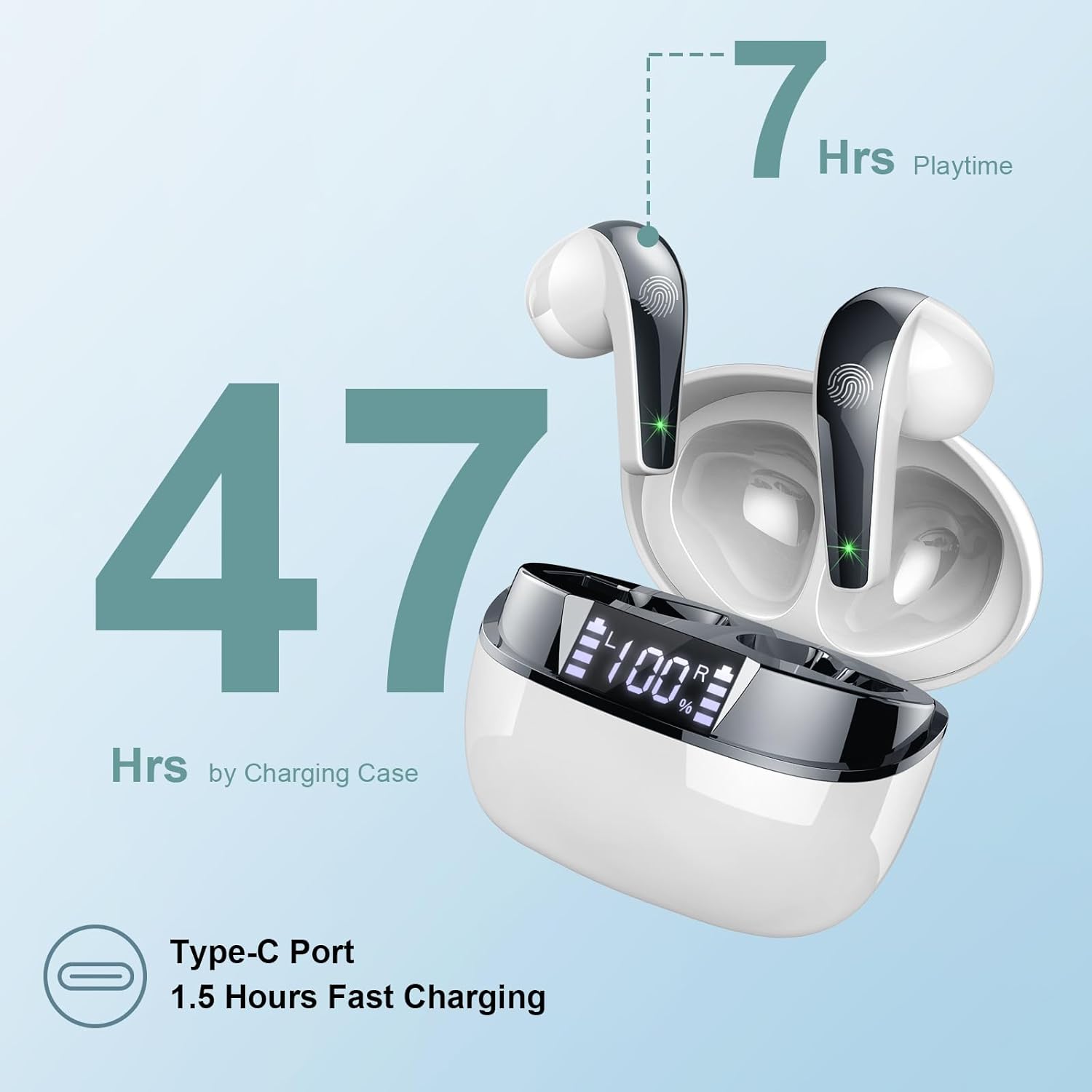
Image: The charging case highlighting 47 hours of total playtime and the Type-C charging port.

Image: A visual representation of the earbuds and charging case, emphasizing 7 hours of music time per charge and 47 hours total with the charging case, along with the dual LED digital display.
2. Pariliitos laitteen kanssa
- Varmista, että kuulokkeet on ladattu.
- Avaa latauskotelo. Kuulokkeet siirtyvät automaattisesti pariliitostilaan.
- Siirry laitteellasi (älypuhelin, tabletti, tietokone) Bluetooth-asetuksiin.
- Etsi käytettävissä olevat laitteet ja valitse luettelosta "Q13".
- Kun yhteys on muodostettu, kuulet vahvistusäänen ja nappikuulokkeet ovat käyttövalmiit.
The Doubc Q13 earbuds feature one-step pairing and wide compatibility with iOS, Android, and Windows devices.

Image: The earbuds in their charging case next to a smartphone displaying Bluetooth settings, showing "Q13" as a discoverable device, illustrating the one-step pairing process.
Käyttöohjeet
Kosketa Ohjaimet
The Doubc Q13 earbuds feature smart touch controls for easy management of music and calls. The touch sensitive area is located on the outer surface of each earbud.

Image: A user wearing an earbud, with icons indicating various touch control functions such as volume adjustment, call management, music playback, and voice assistant activation.
| Toiminta | Toiminto |
|---|---|
| Yksi napautus (V/O) | Toista/keskeytä musiikki, vastaa/lopeta puhelu |
| Kaksoisnapautus (oikea) | Seuraava kappale |
| Kaksoisnapautus (vasen) | Edellinen kappale |
| Kolmoisnapautus (oikea) | Äänenvoimakkuuden lisääminen |
| Kolmoisnapautus (vasen) | Äänenvoimakkuuden vähentäminen |
| Pitkä painallus (2 s) (V/O) | Hylkää puhelu, aktivoi ääniavustaja |
Virta päälle/pois
- Virta päälle: Avaa latauskotelo, niin nappikuulokkeet käynnistyvät automaattisesti. Vaihtoehtoisesti voit painaa molempien nappikuulokkeiden kosketusaluetta pitkään 3 sekunnin ajan.
- Virta pois: Aseta nappikuulokkeet takaisin latauskoteloon ja sulje kansi. Ne sammuvat automaattisesti ja alkavat latautua. Vaihtoehtoisesti voit painaa molempien nappikuulokkeiden kosketusaluetta pitkään 5 sekunnin ajan.
Huolto
Puhdistus
To ensure optimal performance and charging, regularly clean the charging contacts on both the earbuds and the charging case. Use a cotton swab lightly dampened with alcohol to gently wipe the contacts.

Image: A diagram illustrating the location of charging contacts on the earbuds and inside the charging case, with instructions to clean them if charging issues occur.
Vedenkestävyys
The earbuds are IPX7 waterproof, meaning they can withstand immersion in water up to 1 meter for 30 minutes. This makes them suitable for workouts and light rain. However, the charging case is not waterproof. Do not expose the charging case to water.

Image: Two earbuds covered in water droplets, visually representing their IPX7 waterproof capability.
Varastointi
Store the earbuds in their charging case when not in use to protect them and keep them charged. Avoid extreme temperatures and direct sunlight.
Vianetsintä
Kuulokkeet eivät lataudu
- Varmista, että latauskaapeli on kytketty kunnolla sekä koteloon että virtalähteeseen.
- Verify that the charging contacts on both the earbuds and the case are clean and free of debris. Use alcohol to clean them if necessary.
- Tarkista, onko latauskotelossa itsessään riittävästi akkua.
Vain yksi kuuloke tuottaa ääntä
- Aseta molemmat nappikuulokkeet takaisin latauskoteloon ja sulje kansi.
- On your phone's Bluetooth settings, manually "forget" or "unpair" the "Q13" device.
- After approximately 10 seconds, open the charging case. The earbuds should automatically re-enter pairing mode.
- Reconnect the earbuds with your phone via Bluetooth.
Image: A diagram illustrating solutions for common issues: cleaning charging contacts for charging problems and re-pairing steps for when only one earbud produces sound.
Kuulokkeet eivät liity
- Varmista, että Bluetooth on käytössä laitteessasi.
- Make sure the earbuds are within the effective range (typically 10 meters) of your device.
- Sammuta laitteesi Bluetooth ja kytke se sitten päälle.
- Repeat the pairing process as described in the "Setup" section.
Tekniset tiedot
| Ominaisuus | Yksityiskohta |
|---|---|
| Mallinumero | Q13 |
| Bluetooth-versio | 5.3 |
| Audio-ohjain | 13mm Graphene Audio Driver |
| Taajuusalue | 20Hz - 20,000Hz |
| Toistoaika (nappikuulokkeet) | Jopa 7 tuntia (yksi lataus) |
| Kokonaispeliaika (kotelon kanssa) | Jopa 47 tuntia |
| Latausportti | USB Type-C |
| Latausaika | Noin 1.5 tuntia (kotelo) |
| Vesitiivis luokitus | IPX7 (vain kuulokkeet) |
| Mikrofonit | 4 ENC Noise Cancelling Microphones |
| Korvanapin paino | Noin 3 g (kpl) |
| Latauskotelon paino | Noin 29 g |
| Tuotteen mitat | 2.13 x 1.81 x 1.34 tuumaa (latauskotelo) |

Kuva: Yksityiskohtainen view of the 13mm Graphene Audio Driver, emphasizing HiFi Stereo Sound and built-in microphones with noise reduction for HD calling.

Image: A diagram illustrating the benefits of Advanced Bluetooth 5.3 technology, including faster transfer, lower power consumption, more stable connection, and lower latency.

Image: A visual showing the comfortable and lightweight design of the earbuds and charging case, including their dimensions and individual weights (3g per earbud, 29g for the case).
Takuu ja tuki
The Doubc Q13 Wireless Bluetooth 5.3 Earbuds come with a 3 vuoden takuu, mikä takaa mielenrauhan tuotteen laadun ja suorituskyvyn suhteen.
For technical support, warranty claims, or any inquiries, please refer to the contact information provided on the product packaging or the official Doubc website. Specific support contact details are not available in this manual.
Tärkeitä turvallisuustietoja
- Älä pura tai muokkaa tuotetta.
- Pidä poissa äärimmäisistä lämpötiloista ja suorasta auringonvalosta.
- Vältä latauskotelon altistamista vedelle.
- Käytä ainoastaan laitteen mukana toimitettua latauskaapelia tai vastaavaa sertifioitua kaapelia.
- Hävitä tuote vastuullisesti paikallisten määräysten mukaisesti.