
Johdanto
This manual provides detailed instructions for the safe and effective use of your Andoer 1080P Digital Camera. Please read this manual thoroughly before operating the device and retain it for future reference. This camera is designed to capture high-quality photos and videos, featuring a 56MP picture resolution and 1080P video recording capabilities. It includes an 8X digital zoom, AF auto-focus, and a 2.88-inch IPS screen for clear viewing.
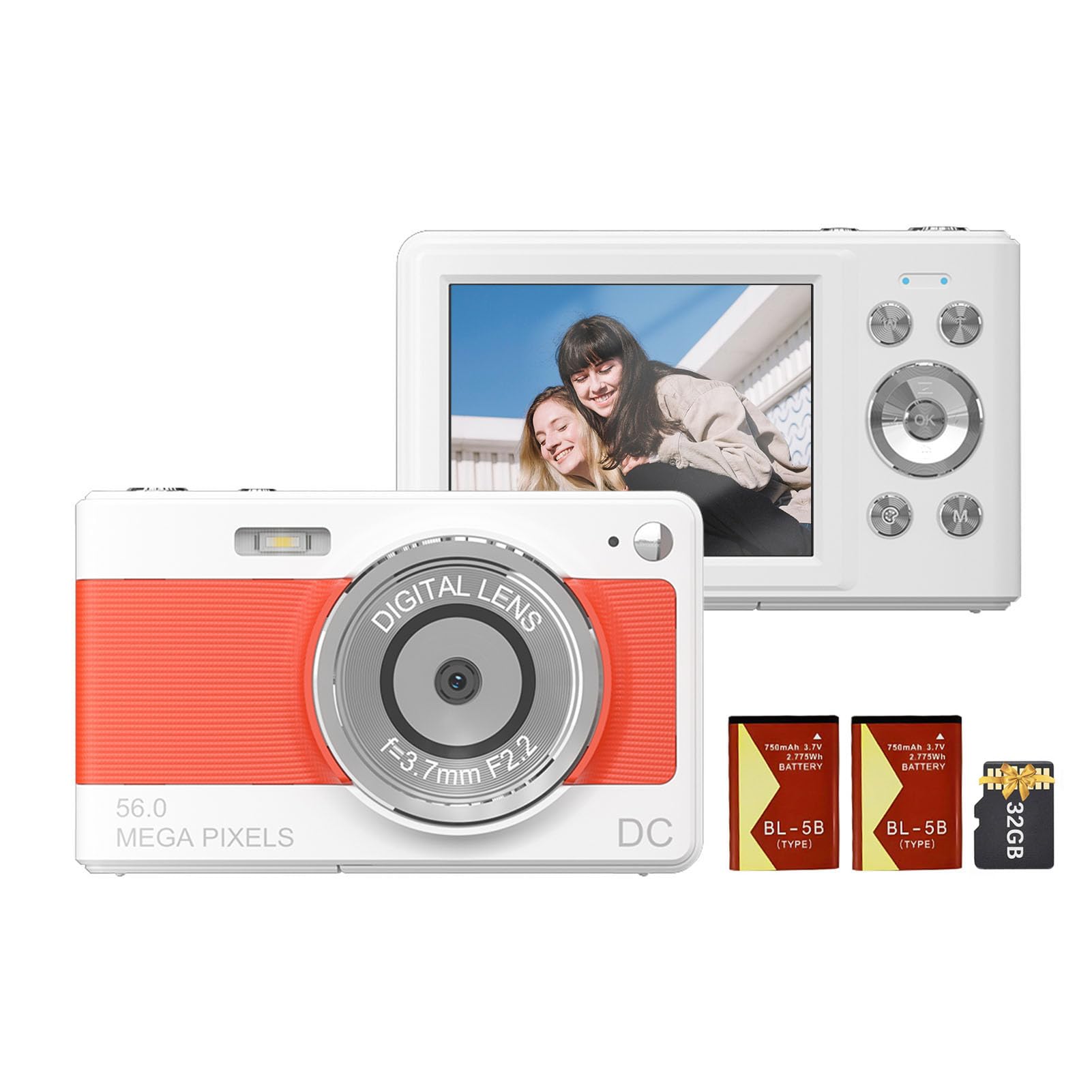
Edessä view of the Andoer 1080P Digital Camera, showcasinsen objektiivin ja kompaktin rakenteen ansiosta.
Pakkauksen sisältö
Varmista, että pakkauksessa on kaikki tarvittavat osat:
- 1 x Andoer Digital Camera
- 2 x Lithium Batteries (3.7V 750mAh)
- 1 x USB Charge Cable (Type-C)
- 1 x rannehihna
- 1 x kantolaukku
- 1 x 32GB -muistikortti
- 1 x Käyttöohje (englanti)
Asennus
1. Akun asennus ja lataus
The camera uses a rechargeable lithium battery. Two batteries are included to ensure extended usage.
- Locate the battery compartment on the bottom or side of the camera.
- Avaa paristolokeron kansi.
- Insert a fully charged battery, ensuring the correct polarity as indicated inside the compartment.
- Sulje paristolokeron kansi kunnolla.
- To charge the battery, connect the camera to a power source using the provided Type-C USB cable. The charging indicator light will illuminate.
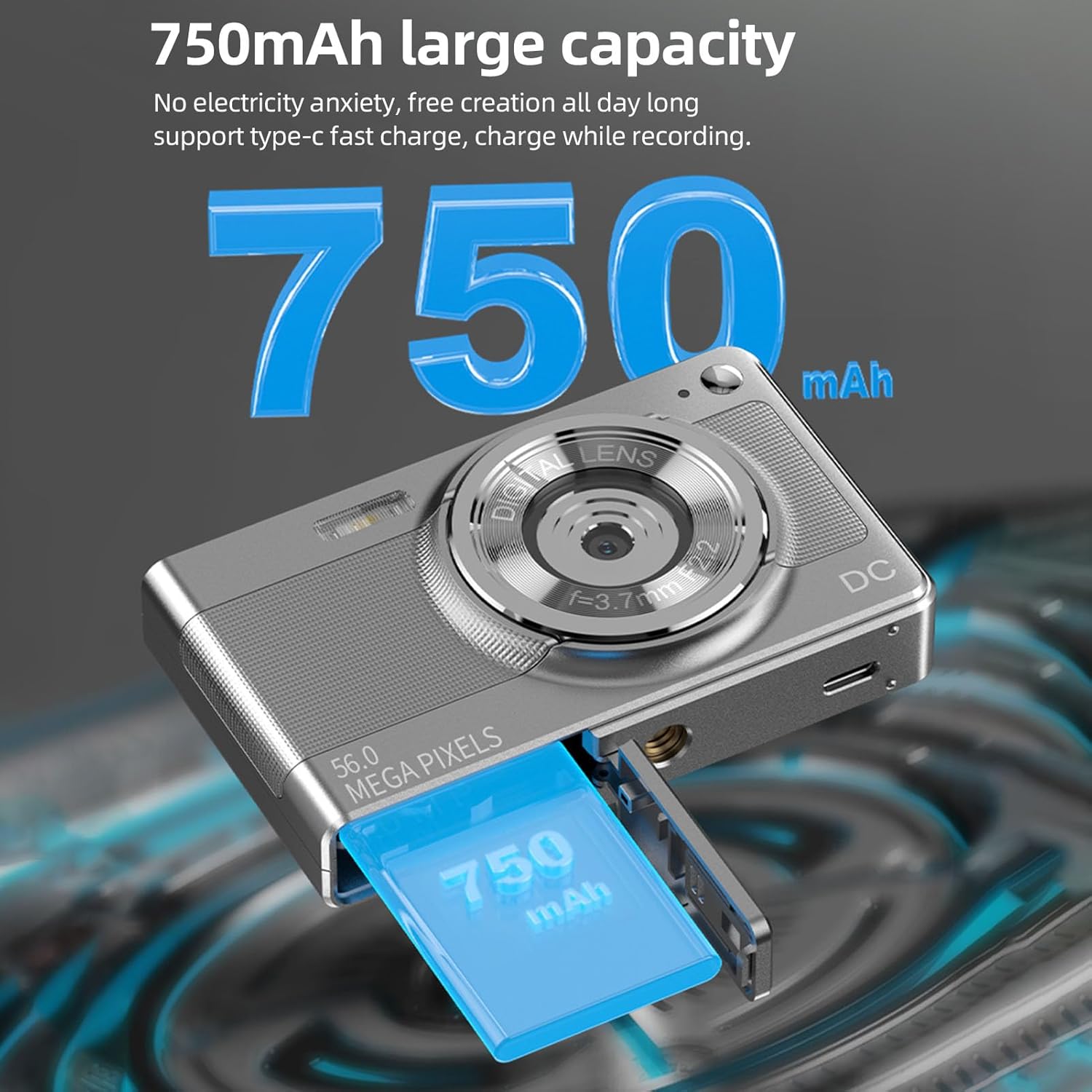
Illustration of the 750mAh battery and its insertion into the camera's battery compartment.
2. Muistikortin asennus
A 32GB memory card is included for immediate use. Ensure the camera is powered off before inserting or removing the memory card.
- Locate the memory card slot, typically on the side of the camera.
- Insert the 32GB memory card into the slot with the metal contacts facing the correct direction (refer to the diagram near the slot if available).
- Työnnä korttia varovasti, kunnes se napsahtaa paikalleen.
- To remove, push the card in again until it springs out slightly, then pull it out.
Käyttöohjeet
1. Virta päälle / pois
- To power on: Press and hold the power button (usually marked with ON/OFF or a power symbol) until the screen illuminates.
- To power off: Press and hold the power button again until the screen turns off.
2. Valokuvien ottaminen
The camera supports up to 56MP picture resolution.
- Kytke kamera päälle.
- Ensure the camera is in photo mode (indicated by an icon on the screen, typically a camera symbol).
- Rajaa kuvasi 2.88 tuuman IPS-näytöllä.
- The camera features AF auto-focus. Allow the camera to focus on your subject.
- Press the shutter button halfway down to focus, then press it fully to capture the image.
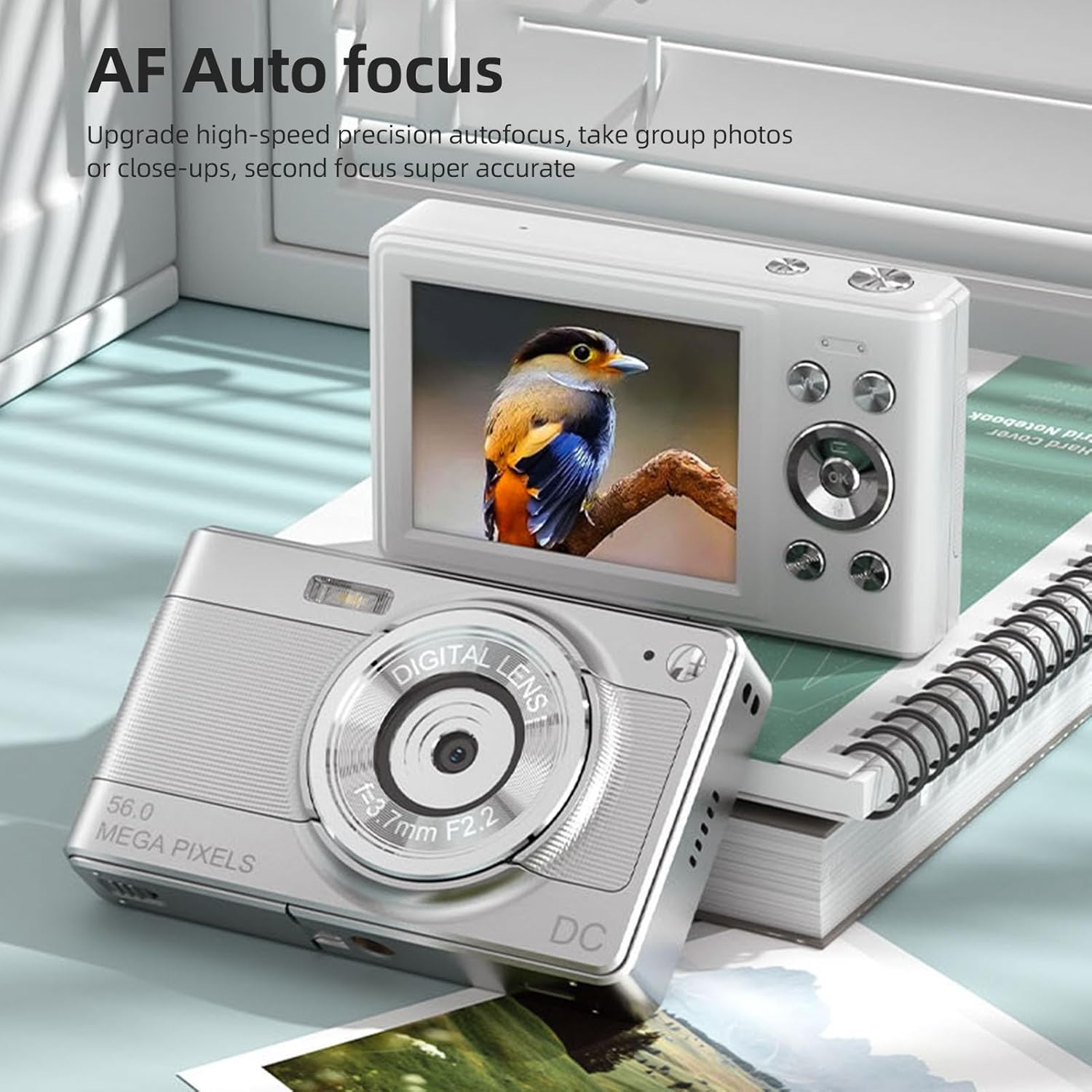
The camera's AF Auto Focus system ensures sharp images by automatically adjusting the lens.
3. Videoiden tallentaminen
Record videos in 1080P resolution.
- Kytke kamera päälle.
- Switch to video recording mode (indicated by a video camera icon).
- Press the shutter button to start recording. A red indicator or timer will appear on the screen.
- Lopeta tallennus painamalla laukaisinta uudelleen.
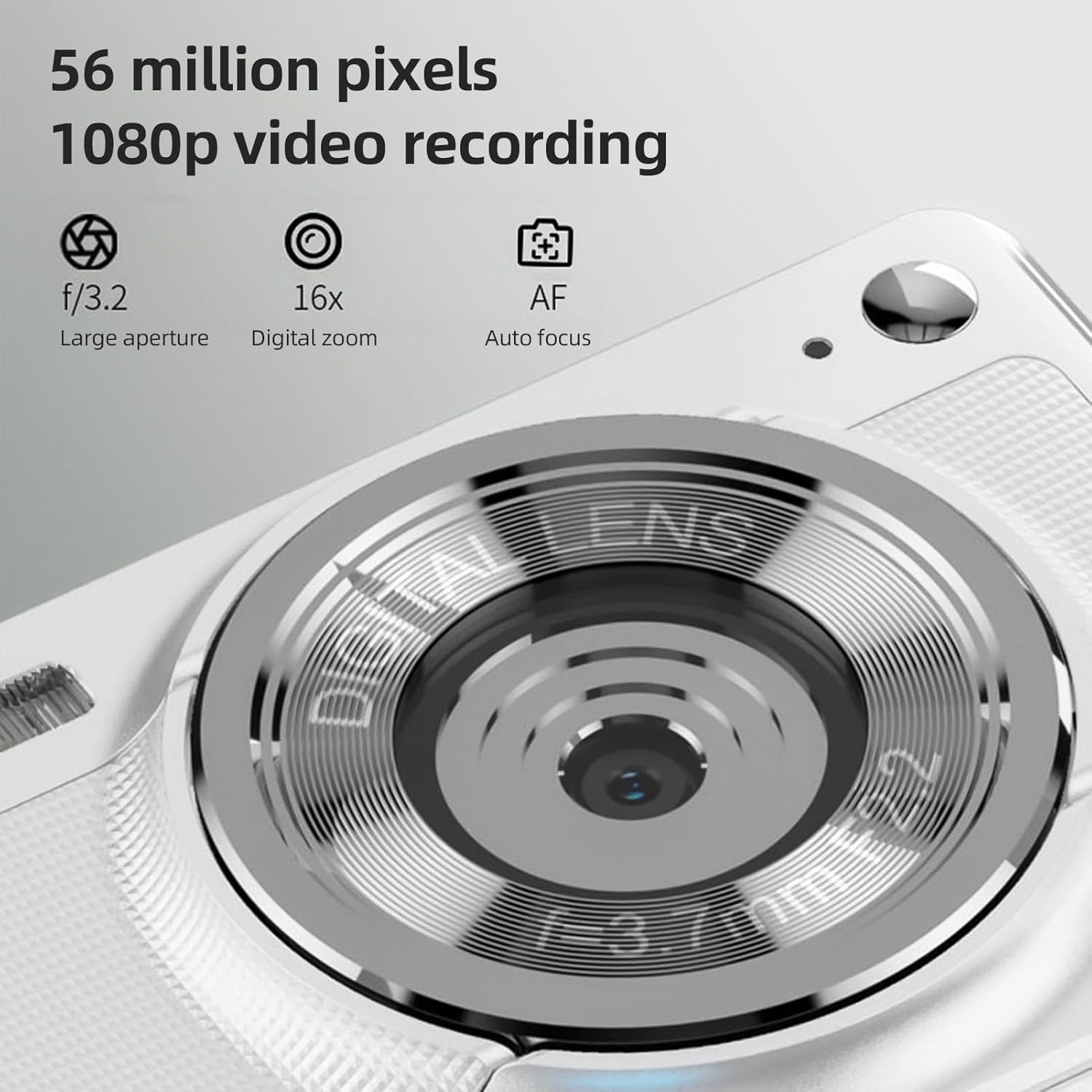
The camera is capable of capturing 56-megapixel photos and recording 1080p videos.
4. Digitaalinen zoom
The camera features an 8X digital zoom.
- While in photo or video mode, use the zoom buttons (often marked with W for Wide and T for Telephoto, or +/- symbols) to zoom in or out.
- Note that digital zoom may reduce image quality compared to optical zoom.

Comparison showing the effect of 8X digital zoom versus no zoom mode.
5. Sisäänrakennettu salama
Use the built-in flash for low-light conditions.
- Access the flash settings through the camera's menu.
- Select from options such as Auto Flash, Fill-in Flash, Red-eye Reduction, or Flash Off.
6. Muut toiminnot
Kamerassa on useita ominaisuuksia, jotka parantavat valokuvauksesi laatua:
- Anti-Shake: Auttaa vähentämään kameran liikkeen aiheuttamaa epäterävyyttä.
- Face Detect: Tunnistaa ja tarkentaa automaattisesti kuvassa oleviin kasvoihin.
- Jatkuva valokuvaus: Captures a series of photos rapidly.
- Itselaukaisin: Delays the shutter release by 2, 5, or 10 seconds.
- Väritehosteet: Apply various filters or color tones to your images.
7. Viewsiirto ja siirto Files
Review your captured media and transfer them to other devices.
- Toisto: Press the playback button (often indicated by a play icon) to view photos and videos on the 2.88-inch IPS screen. Use the navigation buttons to browse.
- File Transfer (OTG Method):
- Remove the memory card from the camera.
- Insert the memory card into a card reader.
- Connect the card reader to your mobile phone or computer using an OTG adapter or USB cable to export photos and videos.

The camera's memory card can be used with an OTG adapter or card reader for easy transfer of files to a mobile phone or computer.
Huolto
- Linssin puhdistus: Käytä pehmeää, nukkaamatonta liinaa, joka on erityisesti suunniteltu kameran objektiiveille. Vältä linssin koskettamista sormillasi.
- Näytön puhdistaminen: Gently wipe the IPS screen with a microfiber cloth. Do not use harsh chemicals.
- Varastointi: When not in use, store the camera in the provided carrying bag in a cool, dry place away from direct sunlight and extreme temperatures.
- Akun hoito: Do not expose batteries to high temperatures. If the camera will not be used for an extended period, remove the battery.
Vianetsintä
| Ongelma | Mahdollinen syy | Ratkaisu |
|---|---|---|
| Kamera ei käynnisty. | Akku on tyhjä tai se on asetettu väärin paikalleen. | Lataa akku. Varmista, että akku on asetettu paikalleen oikean napaisuuden mukaisesti. |
| Ei voi ottaa valokuvia/videoita. | Muistikortti on täynnä, lukittu tai sitä ei ole asetettu paikalleen. | Insert a memory card. Check if the memory card is locked. Delete unnecessary filetai vaihda kortti. |
| Kuvat ovat epäselviä. | Kamera tärisee, kohde on liian lähellä tai objektiivi on likainen. | Hold the camera steady. Ensure adequate lighting. Clean the lens. Use AF auto-focus. |
| Flash is not working. | Flash is set to "Off" or battery is low. | Check flash settings in the menu. Charge the battery. |
Tekniset tiedot
- Kuvasensori: CMOS anturi
- Näyttö: 2.88 tuuman IPS-näyttö
- Kuvan resoluutio: 56M, 48M, 36M, 30M, 24M, 20M, 16M, 12M, 8M, 5M, 3M
- Videon resoluutio: 1080P, 720P
- Digitaalinen zoom: 8X
- Automaattinen tarkennus: Yes (AF)
- Anti-Shake: Kyllä
- Face Detect: Kyllä
- Itselaukaisin: 2 sec / 5 sec / 10 sec / Off
- Altistuminen: EV-3 to EV+3
- Valkotasapaino: Automaattinen / Päivänvalo / Pilvinen / Loisteputki / Hehkulamppu
- Virtalähde: Lithium battery (3.7V 750mAh)
- Tuotteen koko: 9.8 * 6 * 2 cm / 3.9 * 2.4 * 0.8 tuumaa
- Tuotteen paino: 110g / 3.8oz (sisältää akun)
- Mukana Muistikortti: 32GB
- Kielituki: Chinese, Japanese, English, French, Spanish, Portuguese, German, Dutch, Italian, etc.
Takuu ja tuki
Specific warranty details are not provided in this manual. For warranty information, technical support, or service inquiries, please refer to the product packaging or contact Andoer customer service directly through their official websivusto tai jälleenmyyjä, josta tuote ostettiin.
Säilytä ostokuittisi ostotodistuksena mahdollisten takuuvaatimusten varalta.