
1. Johdanto
This manual provides detailed instructions for the safe and efficient operation of your HOTT C229 Portable Bluetooth 5.3 CD Player. Please read this manual thoroughly before using the device and retain it for future reference.
2. Turvallisuustiedot
- Älä altista laitetta sateelle, kosteudelle tai äärimmäisille lämpötiloille.
- Avoid disassembling the unit. Repairs should only be performed by qualified personnel.
- Pidä laite poissa vahvoista magneettikentistä.
- Varmista riittävä ilmanvaihto ylikuumenemisen estämiseksi.
- Käytä ainoastaan mukana toimitettua latauskaapelia ja sovitinta.
- Do not look directly at the laser head to avoid eye damage.
3. Pakkauksen sisältö
- HOTT C229 Desktop CD Player
- Kaukosäädin (2 x AAA-paristot eivät sisälly)
- USB-C latauskaapeli
- AUX kaapeli
- Käyttöopas
4. Tuote ohiview
The HOTT C229 is a versatile desktop CD player featuring a transparent magnetic CD tray, touch-sensitive controls, and dynamic RGB lighting. It supports multiple audio sources including CD, Bluetooth, AUX, U Disk, and Micro SD.

Kuva 1: Etuosa view of the HOTT C229 CD Player highlighting its features including RGB Lighting, Remote Control, AUX Input, MicroSD Recording, LED Display, Bluetooth 5.3, USB-C Charging Port, Hi-Fi Audio, and Auto Shutdown Timer.
Ohjaimet ja portit
- Etupaneeli: Power Button/Volume Knob, Play/Pause/Stop, Next Track, Previous Track, Mode, Lighting Modes, Playback Modes/Transcription.
- Takapaneeli: MicroSD Slot, 3.5mm Headphone Jack, USB Port, USB-C Charging Port, Charging Indicator.

Kuva 2: Yksityiskohtainen view of the HOTT C229's controls and ports on both the front and rear panels.
5. Asennus
5.1 Laitteen lataaminen
The HOTT C229 features a built-in 4000mAh rechargeable battery. Connect the provided USB-C charging cable to the charging port on the rear panel and plug the other end into a compatible USB power adapter (not included). The charging indicator will illuminate during charging and turn off when fully charged. A full charge takes approximately 3 hours and provides 10-12 hours of playback.

Figure 3: The HOTT C229 CD Player connected to a power source for charging.
5.2 CD-levyn asettaminen
- Gently open the transparent magnetic CD tray cover.
- Place the CD onto the spindle with the label side facing you.
- Close the CD tray cover securely.
Video 1: Demonstrates inserting a CD into the HOTT C229 CD Player and its various functions, including Bluetooth connectivity, recording to TF card, and remote control operation.
6. Käyttöohjeet
6.1 Perustoisto
- Virta päälle/pois: Rotate the volume knob clockwise to turn on, counter-clockwise to turn off.
- Äänenvoimakkuuden säätö: Säädä äänenvoimakkuutta kiertämällä äänenvoimakkuuden säädintä.
- Toista/tauko: Paina Toista/Tauko-painiketta.
- Seuraava / edellinen kappale: Press the Next or Previous track buttons.
- Tilan valinta: Press the 'M' (Mode) button to switch between CD, Bluetooth, AUX, U Disk, and Micro SD modes.
6.2 Bluetooth-yhteys
The HOTT C229 supports Bluetooth 5.3 for both receiving and transmitting audio.
- Bluetooth Receive Mode: In Bluetooth mode, the device will automatically enter pairing mode. Etsi 'HOTT C229' on your smartphone or tablet and connect.
- Bluetooth-lähetystila: To connect to Bluetooth headphones or speakers, ensure the external device is in pairing mode. The CD player will automatically search and connect to the nearest device with the strongest signal.
- Bluetoothin nollaus: If Bluetooth fails to connect, disconnect previously connected devices. Press and hold the Next Track button on the CD player to reset its Bluetooth connection.

Figure 4: The HOTT C229 CD Player showing its Bluetooth receive and transmit capabilities.
6.3 RGB-yövalo
The device features dynamic RGB lighting around the CD tray. Press the 'Light' button on the front panel or remote control to cycle through different color themes or turn the lights off.

Figure 5: The HOTT C229 CD Player showcasing its colorful RGB lighting options.
6.4 Uniajastin
Set a sleep timer for 30, 60, or 90 minutes using the remote control. The device will automatically power off after the selected duration.

Figure 6: The HOTT C229 CD Player illustrating its sleep timer function.
6.5 CD to Micro SD Recording
You can transcribe music from your CDs directly to a Micro SD card. Insert a Micro SD card (1GB-128GB supported) into the MicroSD slot on the rear panel. In CD mode, press the 'Transcription' button to begin recording.
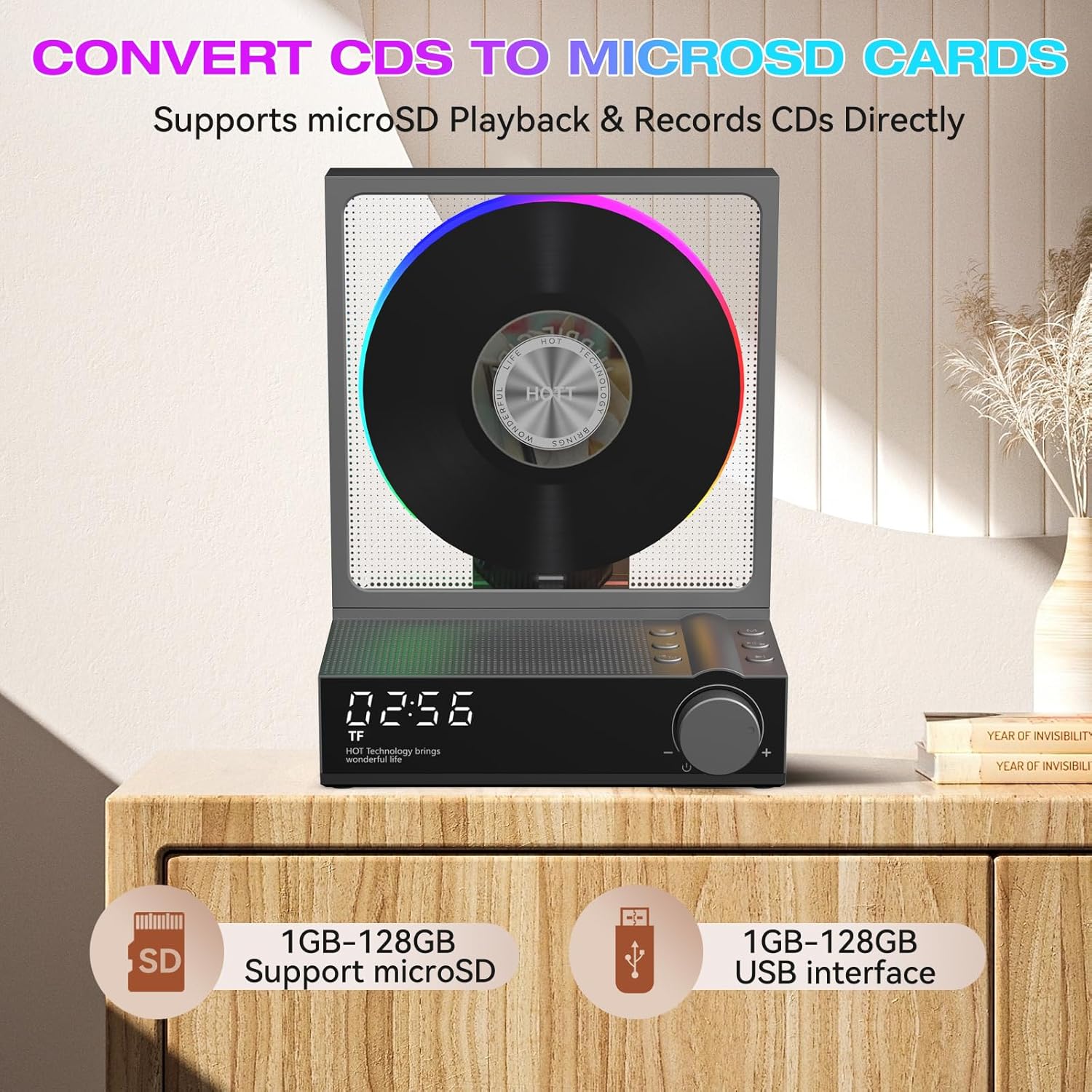
Figure 7: The HOTT C229 CD Player demonstrating its ability to record CD audio to a MicroSD card.
6.6 Kaukosäädin
The included remote control allows convenient operation from up to 20 feet away. It requires 2x AAA batteries (not included).
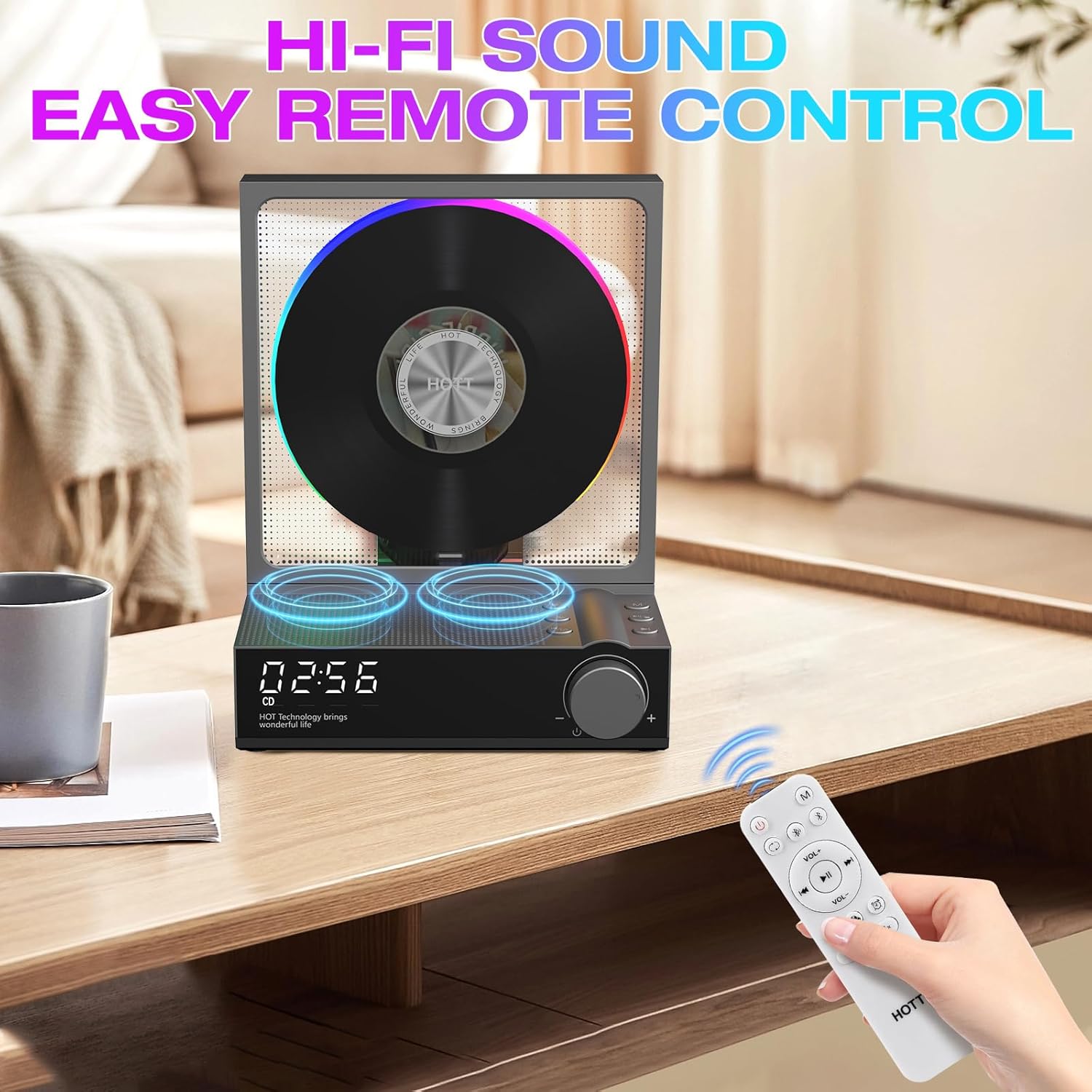
Figure 8: The HOTT C229 CD Player and its remote control for convenient operation.
7. Huolto
- Puhdista laite pehmeällä, kuivalla liinalla. Älä käytä nestemäisiä puhdistusaineita tai aerosoleja.
- Keep the CD tray free from dust and debris.
- Handle CDs by their edges to avoid scratches and fingerprints.
- Säilytä laitetta viileässä, kuivassa paikassa, kun sitä ei käytetä.
8. Vianmääritys
| Ongelma | Mahdollinen ratkaisu |
|---|---|
| Laite ei käynnisty. | Ensure the device is charged or connected to a power source. Check the power cable connection. |
| CD-levy hyppii tai ei soi. | Clean the CD for smudges or scratches. Ensure the CD is inserted correctly. The disc may stop revolving intermittently to avoid skipping and prolong its life. |
| Ei ääntä. | Check the volume level. Ensure the correct mode (CD, Bluetooth, AUX, etc.) is selected. If using external speakers, check their connection and power. |
| Bluetooth-yhteysongelmat. | Disconnect any previously connected devices. Reset the CD player's Bluetooth by pressing and holding the Next Track button. Ensure the device you are trying to connect to is in pairing mode. |
| Kaukosäädin ei toimi. | Check and replace the AAA batteries in the remote control. Ensure there are no obstructions between the remote and the CD player. |
9. Tekniset tiedot
- Malli: C229
- Tuotteen mitat: 5.66 x 3.78 x 7.28 tuumaa
- Tuotteen paino: 1.79 kiloa
- Yhteystekniikka: Bluetooth 5.3
- Kaiuttimen tyyppi: Stereot
- Akku: 4000mAh rechargeable (included)
- Latausaika: Noin 3 tuntia
- Peliaika: 10-12 tuntia
- Tuetut levymuodot: CD/MP3/CD-R/CD-RW
- Tuetut musiikkiformaatit: CD-DA/MP3/WMA
- Micro SD/U Disk Support: 1GB-128GB
10. Takuu ja tuki
For warranty information or technical support, please refer to the contact details provided with your purchase or visit the official HOTT website. Your satisfaction is our priority.


