
1. Johdanto
Kiitos ostoksestasiasing the Zenwire D300S Mini Projector. This manual provides essential information for the safe and efficient operation of your device. Please read it thoroughly before use and retain it for future reference.
Turvallisuusohjeet
- Älä katso suoraan projektorin linssiin, kunamp on päällä.
- Varmista riittävä ilmanvaihto ylikuumenemisen estämiseksi. Älä tuki tuuletusaukkoja.
- Käytä vain mukana toimitettua virtalähdettä.
- Pidä projektori poissa vedestä tai muista nesteistä.
- Vältä projektorin sijoittamista epävakaille pinnoille.
- Älä yritä purkaa tai korjata projektoria itse. Ota yhteyttä pätevään huoltohenkilöstöön.
2. Pakkauksen sisältö
Tarkista, että pakkauksessasi on kaikki tarvittavat osat:
- Zenwire D300S Mini Projector
- Kaukosäädin
- Virtalähde
- AV-kaapeli
- Käyttöopas (tämä asiakirja)
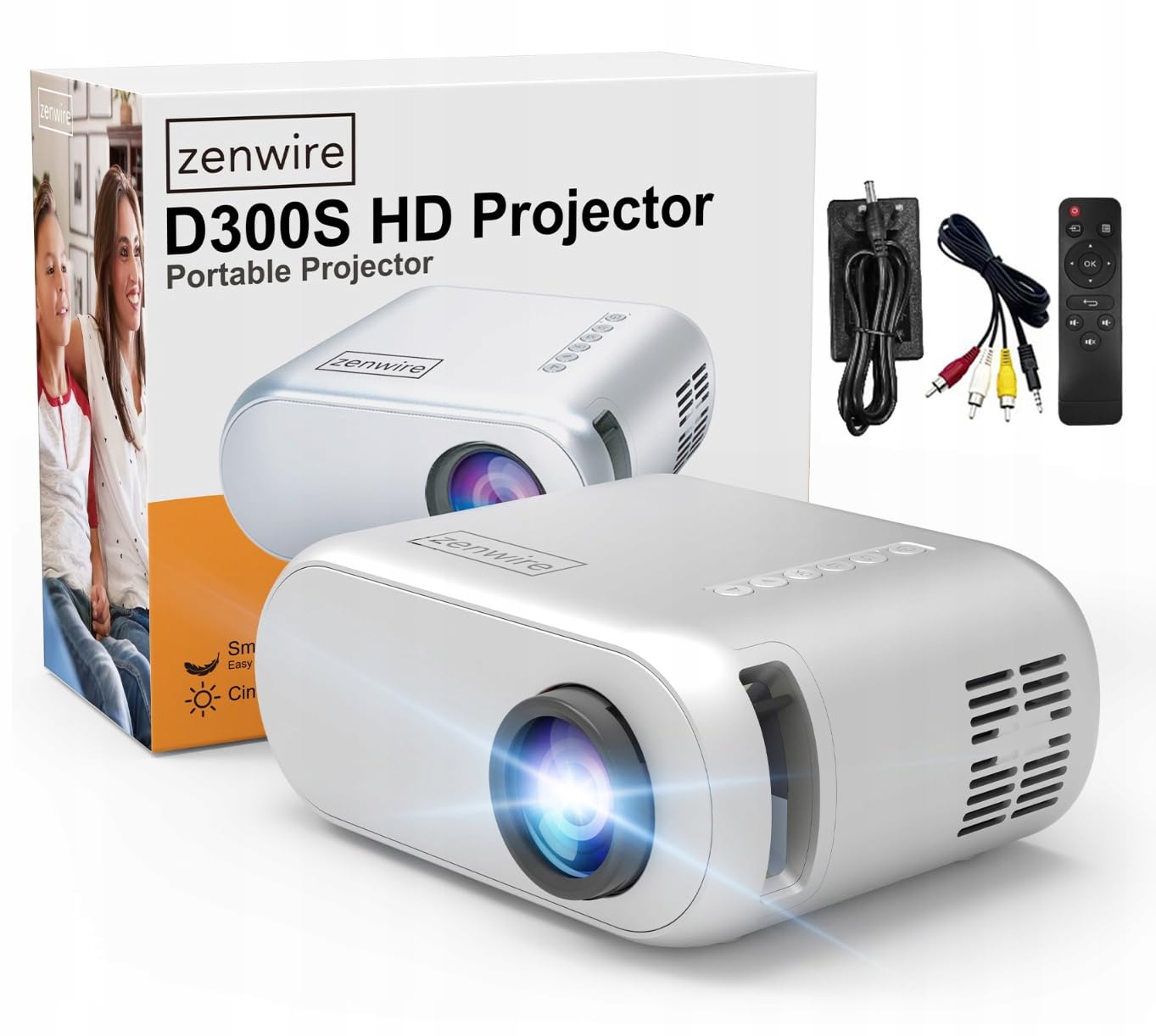
Image 2.1: Zenwire D300S Mini Projector and included accessories.
3. Tuote ohiview
Projector Front and Top View
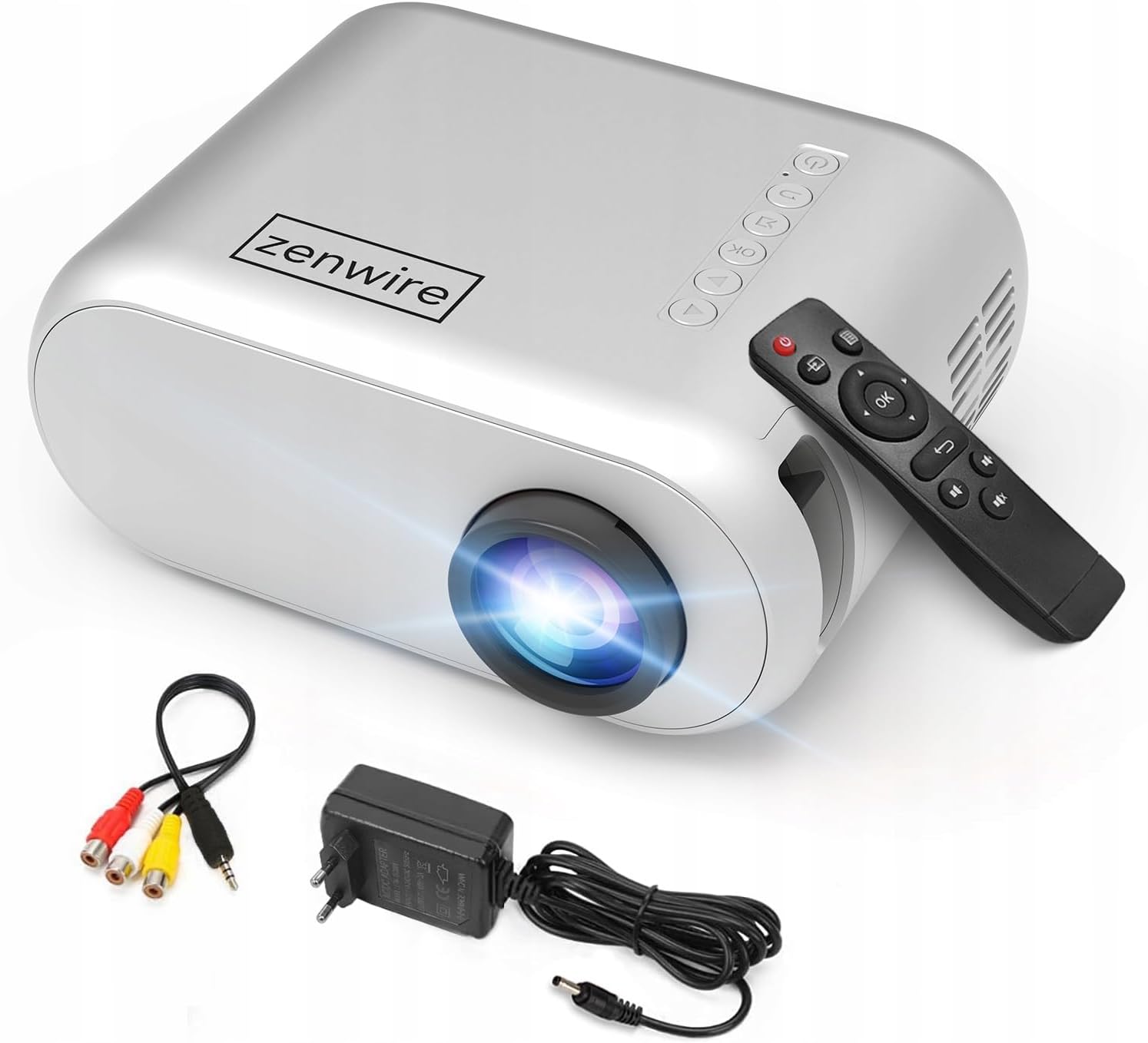
Kuva 3.1: Edestä ja päältä view of the projector, showing the lens and top control panel.
Takapaneeli ja liitännät
The rear panel of the projector features various ports for connecting external devices:

Kuva 3.2: Takaosa view projektorin tulo-/lähtöportit korostaen.
- AV-tulo: For connecting devices using the included AV cable.
- HDMI -tulo: For connecting devices such as laptops, gaming consoles, or streaming sticks.
- USB-portti: USB-muistitikkujen liittämiseen median toistamista varten files suoraan.
- AUX-lähtö: Ulkoisten kaiuttimien tai kuulokkeiden kytkemiseen.
- DC-virransyöttö: Virtalähteen liittämiseen.
Yläohjauspaneeli
The top of the projector features a control panel for basic operations:
- Virtapainike: Kytkee projektorin päälle tai pois päältä.
- Navigointipainikkeet (ylös/alas/vasemmalle/oikealle): Käytetään valikoissa liikkumiseen.
- OK -painike: Vahvistaa valinnat.
- Takaisin-painike: Palaa edelliseen valikkoon tai näyttöön.
- Lähde-painike: Selects input source (HDMI, AV, USB).
4. Asennus
4.1 Sijoitus
Place the projector on a stable, flat surface. Ensure there is adequate space around the projector for ventilation. The projection distance affects the screen size. Refer to the image below for recommended distances and corresponding screen sizes.

Image 4.1: Recommended projection distances and screen sizes.
- For a 30-inch screen, place the projector approximately 0.9 meters away.
- For a 50-inch screen, place the projector approximately 1.5 meters away.
- For an 80-inch screen, place the projector approximately 2.4 meters away.
- For a 100-inch screen, place the projector approximately 3.0 meters away.
4.2 Virtaliitäntä
Connect the power adapter to the DC Power Input port on the projector, then plug the adapter into a power outlet.
4.3 Laitteiden liittäminen
The Zenwire D300S supports various input sources:
Kuva 4.2: Esim.amples of devices that can be connected to the projector.
- HDMI: Connect your laptop, gaming console, or streaming device using an HDMI cable.
- USB: Aseta USB-muistitikku USB-porttiin toistaaksesi mediaa files suoraan.
- AV: Use the included AV cable to connect older devices like DVD players.
- Audio Out (AUX): Connect external speakers or headphones to the AUX port for enhanced audio.
4.4 Tarkennuksen säätö
Turn on the projector. Adjust the focus ring located near the lens until the projected image is clear and sharp.
5. Käyttöohjeet
5.1 Virta päälle/pois
Press the Power button on the projector or the remote control to turn the device on or off.
5.2 Lähteen valinta
After powering on, use the 'Source' button on the projector or remote control to select the desired input source (HDMI, AV, USB).
5.3 Navigointi valikossa
Use the navigation buttons (Up/Down/Left/Right) on the projector or remote to browse through menus. Press 'OK' to confirm a selection and 'Back' to return.
5.4 Äänenvoimakkuuden säätö
Säädä äänenvoimakkuutta kaukosäätimen äänenvoimakkuuspainikkeilla.
5.5 Connecting to a Phone/Laptop
To project content from a phone or laptop:
- Kannettavat tietokoneet: Connect via HDMI cable. Select HDMI as the input source on the projector.
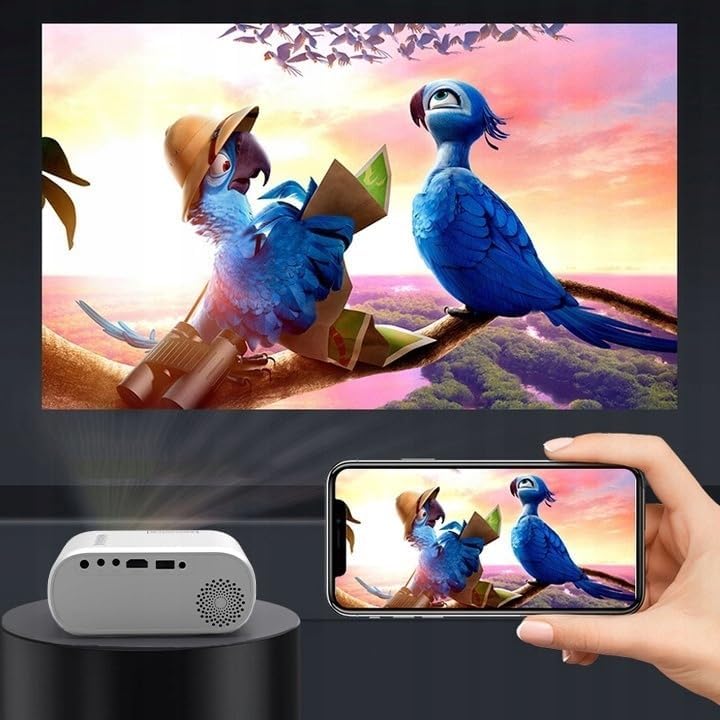
- Puhelimille: Depending on your phone model, you may need an adapter (e.g., USB-C to HDMI, Lightning to HDMI) to connect via HDMI. Alternatively, some phones support wireless display technologies that can be used with a compatible streaming stick connected to the projector's HDMI port.

Image 5.1: Projecting content from a smartphone to the Zenwire D300S Mini Projector.
6. Huolto
6.1 Linssin puhdistaminen
Pyyhi projektorin linssi varovasti pehmeällä, nukkaamattomalla liinalla, joka on erityisesti suunniteltu optisille linsseille. Älä käytä hankaavia puhdistusaineita tai liiallista voimaa.
6.2 Projektorin rungon puhdistaminen
Pyyhi projektorin ulkopinta pehmeällä, kuivalla liinalla. Pinttyneisiin tahroihin käytä hieman kuivaa liinalla.amp liinaa voidaan käyttää, ja sen jälkeen kuivaa liinaa.
6.3 Ilmanvaihto
Regularly check that the ventilation openings are free from dust and obstructions to ensure proper airflow and prevent overheating.
7. Vianmääritys
Jos projektorin kanssa ilmenee ongelmia, katso seuraavat yleiset ongelmat ja ratkaisut:
| Ongelma | Mahdollinen syy | Ratkaisu |
|---|---|---|
| Ei kuvaa projisoituna | Power not connected, incorrect input source, device not sending signal. | Check power connection, select correct input source, ensure connected device is on and outputting video. |
| Kuva on epäselvä | Tarkennusta ei ole säädetty, projektori on liian lähellä/kaukana. | Adjust the focus ring, reposition the projector according to recommended distances. |
| Ei ääntä | Volume too low, external speakers not connected, audio format not supported. | Increase volume, connect external speakers via AUX, check audio settings on source device. |
| Kaukosäädin ei toimi | Batteries dead, obstruction between remote and projector. | Vaihda paristot ja varmista, että projektorin infrapunavastaanottimeen on esteetön näköyhteys. |
8. Tekniset tiedot
- Malli: Zenwire D300S
- Alkuperäinen resoluutio: 1280 x 720p HD
- Kirkkaus: 15 000 lumenia (100 ANSI-lumenia)
- Liitettävyys: HDMI, USB, AUX, AV
- Kuvasuhde: 16:9 / 4:3
- Projektioetäisyys: 0.9m - 3.0m (approx. 30-100 inches)
9. Takuu ja tuki
The Zenwire D300S Mini Projector comes with a standard manufacturer's warranty. Please refer to the warranty card included in your package for specific terms and conditions. For technical support or service inquiries, please contact your retailer or the Zenwire customer service department.