1. Johdanto
1.1 Tuote ohiview
The SCS Sentinel AAA0045 Wireless Code Keypad is designed to provide secure and convenient access control for your automated gate or garage door motorization system. This keypad allows users to open your gate partially or totally by entering a personalized 8-digit code. It operates wirelessly at a frequency of 433.92 MHz and offers a range of up to 50 meters.
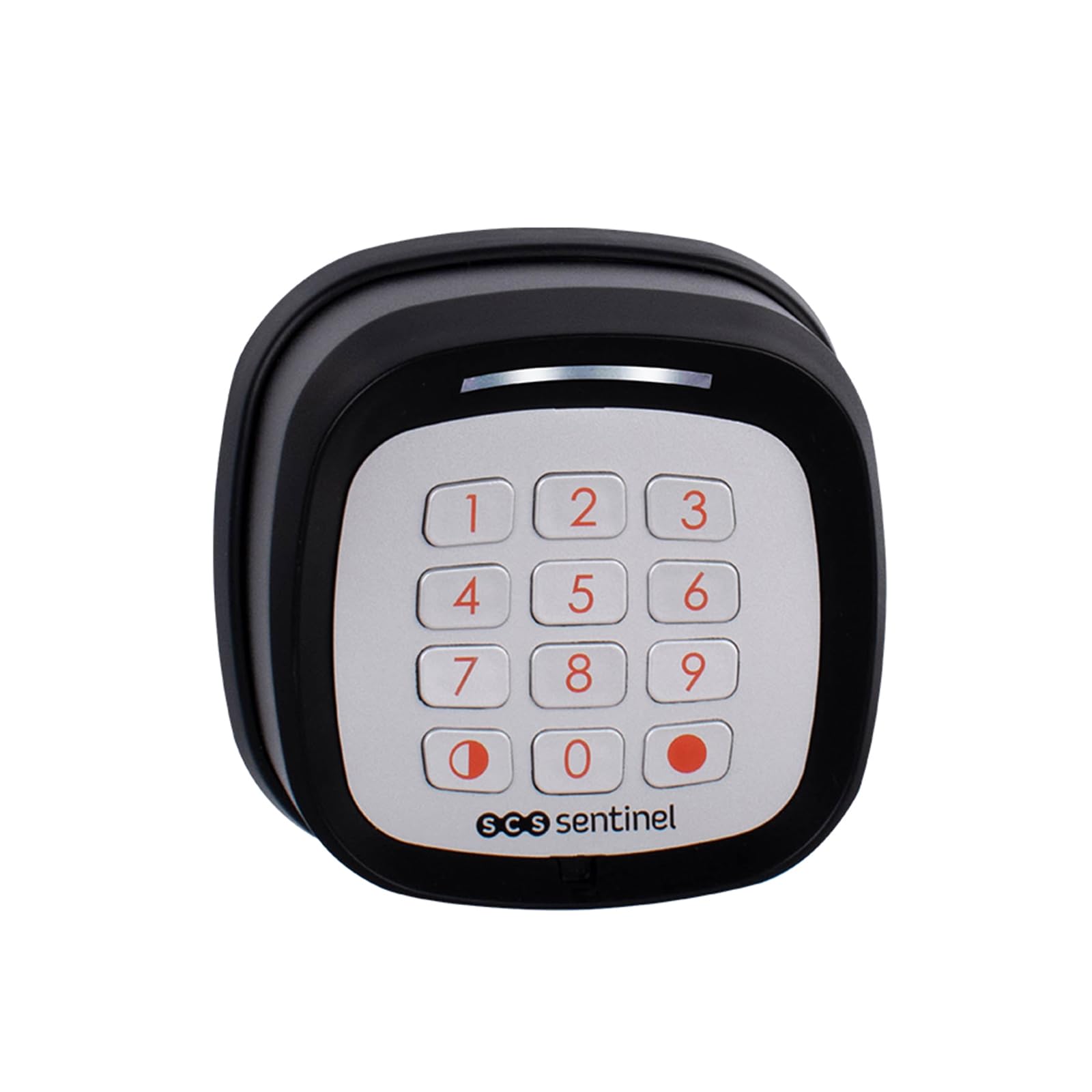
Image 1.1: SCS Sentinel AAA0045 Wireless Code Keypad in operation.
1.2 Tärkeimmät ominaisuudet
- Langaton toiminta: Helppo asennus ilman monimutkaisia johdotuksia.
- Yhteensopivuus: Designed for use with SCS Sentinel motorizations.
- Taajuus: Operates at 433.92 MHz.
- Kulunvalvonta: Supports both total and partial gate opening functions.
- Secure Code: Features a customizable 8-digit rolling code for enhanced security.
- Virtalähde: Requires 2 CR2032 batteries (not supplied).
- Säänkestävyys: IP55 protection rating, safeguarding against water splashes.
- Alhaisen akun varoitus: Includes an audible warning for low battery levels.
- Alue: Effective operating range of up to 50 meters.
2. Turvallisuustiedot
Please read all safety instructions carefully before installing and operating the keypad. Failure to follow these instructions may result in damage to the product or personal injury.
- Do not expose the keypad to extreme temperatures, direct sunlight for prolonged periods, or corrosive substances.
- Varmista, että paristot on asetettu oikein päin. Älä sekoita vanhoja ja uusia paristoja tai erityyppisiä paristoja.
- Pidä paristot poissa lasten ulottuvilta. Jos ainetta on nielty, hakeudu välittömästi lääkärin hoitoon.
- The IP55 rating protects against water splashes, but the device is not designed for submersion in water.
- Only use the keypad with compatible SCS Sentinel motorizations.
3. Pakkauksen sisältö
Varmista, että pakkauksessa on kaikki tarvittavat osat ennen asennuksen aloittamista:
- SCS Sentinel AAA0045 Wireless Code Keypad
- Kiinnitystarvikkeet (ruuvit ja tulpat)
- Käyttöopas

Image 3.1: Package contents of the AAA0045 Wireless Code Keypad.
4. Asennus ja asennus
4.1 Akun asennus
The keypad requires two CR2032 batteries (not included) for operation.
- Carefully open the battery compartment located on the back of the keypad.
- Insert two CR2032 batteries, ensuring the correct polarity (+/-) as indicated inside the compartment.
- Sulje paristolokero kunnolla.
4.2 Näppäimistön asentaminen
The keypad is designed for surface mounting. Choose a suitable location near your gate or entrance, ensuring it is within the 50-meter operating range of your SCS Sentinel motorization.
- Mark the desired mounting points on the wall or surface using the keypad as a template.
- Poraa ohjausreiät merkittyihin paikkoihin.
- Insert the provided wall plugs into the drilled holes (if mounting on masonry).
- Kiinnitä näppäimistö pintaan mukana toimitetuilla ruuveilla. Varmista, että se on tukevasti kiinni.

Kuva 4.1: Sivu view of the keypad, illustrating its design for surface mounting.
4.3 Pairing with Motorization
To enable the keypad to control your gate or garage door, it must be paired with your SCS Sentinel motorization. The exact pairing procedure may vary slightly depending on your specific motorization model. Refer to your motorization's instruction manual for detailed pairing steps. Generally, the process involves:
- Activating the learning mode on your SCS Sentinel motorization's control board.
- Entering a specific sequence or pressing a button on the keypad within a short timeframe.
- Confirming successful pairing, usually indicated by a light or sound from the motorization.
5. Käyttöohjeet
5.1 Entering a Code for Access
The keypad allows for both total and partial opening of your gate or garage door, depending on how it was programmed with your motorization.
- To activate the keypad, gently press any key. The keypad will illuminate.
- Enter your personalized 8-digit access code.
- Press the designated confirmation key (e.g., the red dot key or a specific number key, as per your programming).
- The gate or garage door will perform the programmed action (total or partial opening).

Image 5.1: Operating the keypad by entering an access code.
5.2 Changing the Access Code
The AAA0045 keypad features a customizable 8-digit code. The procedure for changing the code is typically performed through the motorization's control unit or via a specific sequence on the keypad after entering a master code. Refer to your SCS Sentinel motorization manual for detailed instructions on how to modify or personalize your access code.
6. Huolto
6.1 Pariston vaihto
The keypad will emit an audible warning when the batteries are low. Replace the batteries promptly to ensure continuous operation.
- Avaa näppäimistön takana oleva paristolokero.
- Poista vanhat CR2032-paristot.
- Insert two new CR2032 batteries, observing correct polarity.
- Sulje paristolokero kunnolla.
6.2 Puhdistus
To clean the keypad, use a soft, damp cloth. Do not use abrasive cleaners, solvents, or harsh chemicals, as these can damage the keypad's surface or internal components.
7. Vianmääritys
If you encounter issues with your SCS Sentinel AAA0045 Wireless Code Keypad, consider the following:
- Näppäimistö ei vastaa: Tarkista, että paristot on asennettu oikein ja että niissä on riittävästi virtaa. Vaihda ne tarvittaessa.
- Rajallinen valikoima: Ensure there are no significant obstructions between the keypad and the motorization's receiver. Check for sources of interference (e.g., other wireless devices).
- Virheellinen koodin syöttö: Ensure you are entering the correct 8-digit code. The keypad has sensitive keys; a light press is sufficient.
- Keypad not controlling motorization: Verify that the keypad is correctly paired with your SCS Sentinel motorization. If unsure, repeat the pairing process as described in your motorization's manual.
- Ajoittainen toiminta: This could indicate low battery power or environmental interference.
For more complex issues or if troubleshooting steps do not resolve the problem, please contact SCS Sentinel technical support.
8. Tekniset tiedot
| Ominaisuus | Erittely |
|---|---|
| Merkki | SCS Sentinel |
| Mallinumero | AAA0045 |
| Väri | Musta |
| Yhteystekniikka | Langaton |
| Yhteensopivat laitteet | SCS Sentinel Motorizations |
| Virtalähde | 2 x CR2032 Batteries (not supplied) |
| Suurin kantama | 50 metriä |
| Suojausluokitus | IP55 (Protected against water splashes) |
| Tuotteen paino | 117 grammaa |
| Valvontamenetelmä | Painike |
| Hälytystyyppi | Audio Only (Low battery) |
9. Takuu ja tuki
9.1 Valmistajan takuu
The SCS Sentinel AAA0045 Wireless Code Keypad comes with a 2 vuoden valmistajan takuuSäilytä ostokuittisi takuuvaatimuksia varten.
9.2 Tekninen tuki
SCS Sentinel offers technical assistance to help you with the installation and use of your product. Our technical team, based in France, is available to provide expert and personalized advice. Your satisfaction is our priority.
For support, please refer to the contact information provided with your product or visit the official SCS Sentinel websivusto.