
1. Johdanto
This manual provides detailed instructions for the proper use and maintenance of your Sandberg Pocket Radio FM+AM Recharge, Model 421-02. Please read this manual thoroughly before operating the device to ensure optimal performance and longevity.
2. Tuote ohiview
The Sandberg Pocket Radio is a compact, portable device designed for receiving FM and AM radio broadcasts. It features a built-in rechargeable battery and a digital display for easy tuning.
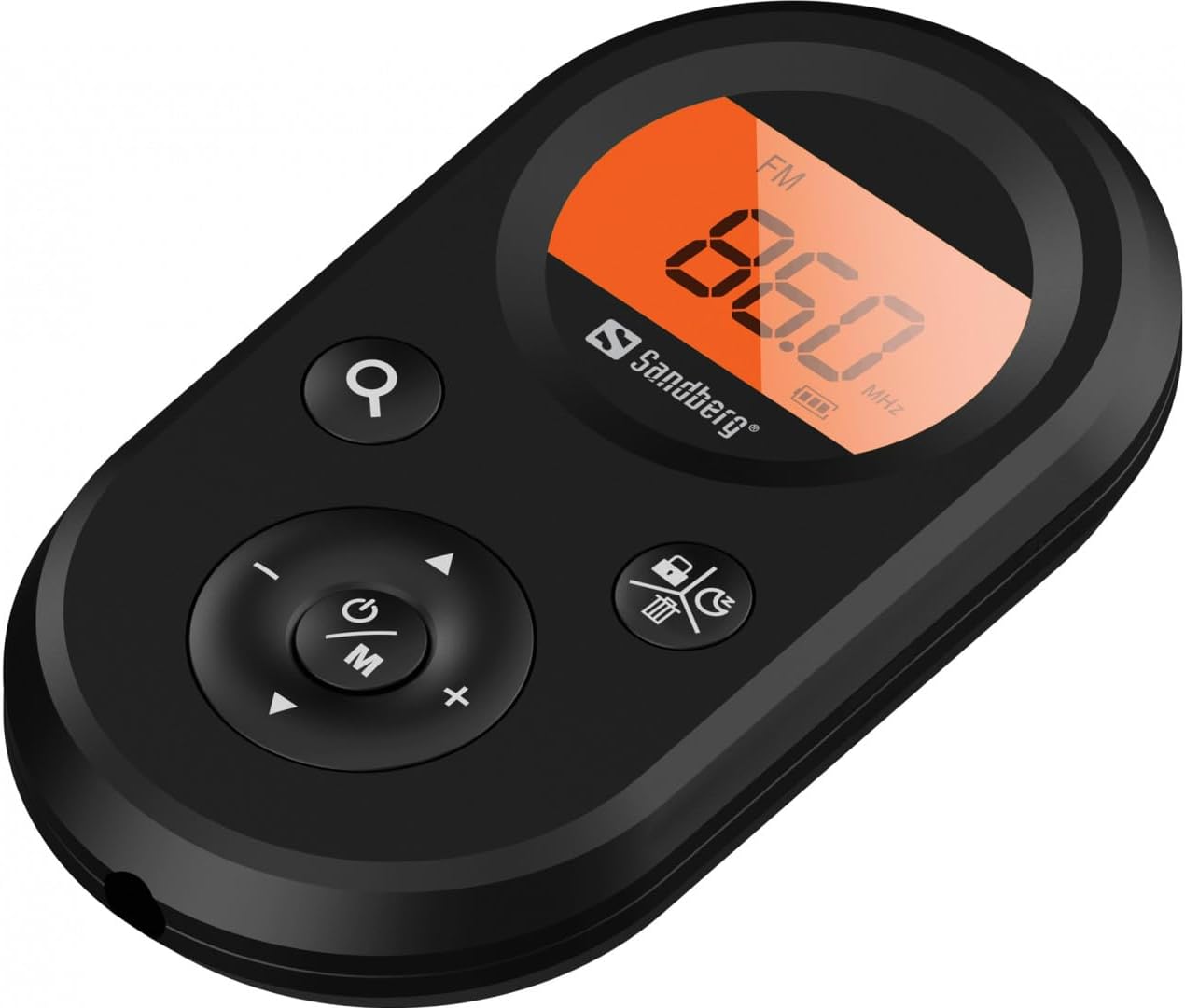
Kuva 1: Etuosa view of the Sandberg Pocket Radio, displaying the frequency and controls.
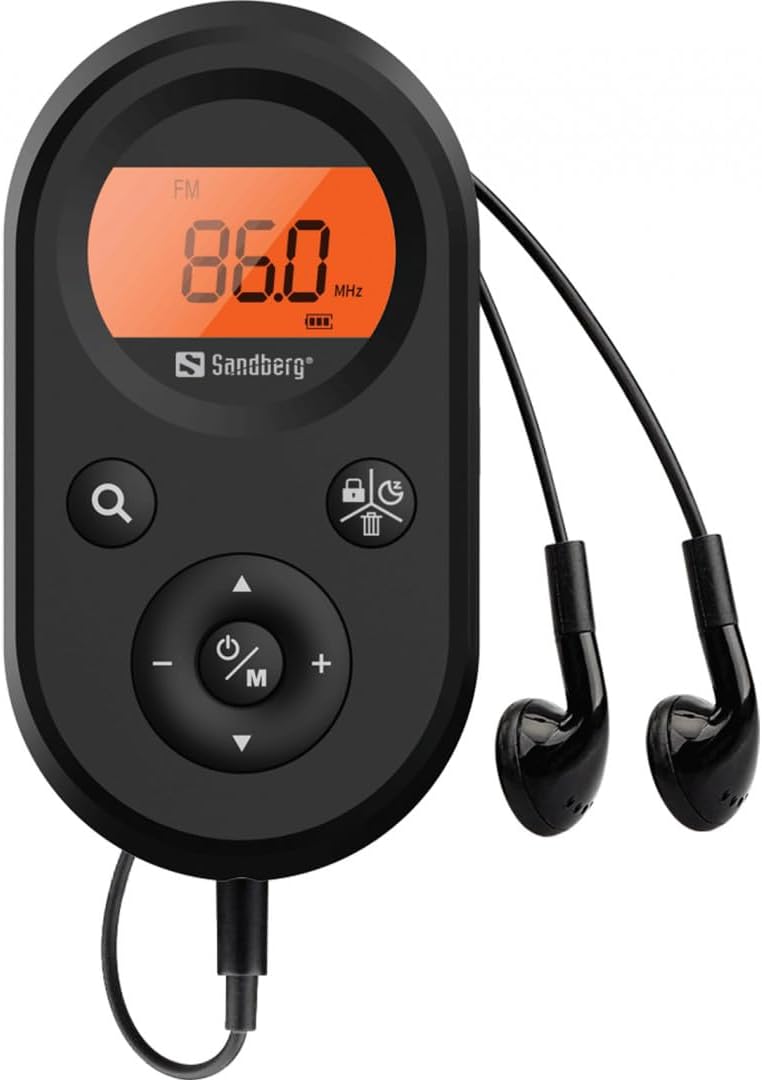
Figure 2: The radio connected to the included earphones, which also function as the FM antenna.
Paketin sisältö:
- 1 x Sandberg Pocket Radio FM+AM Recharge (Model 421-02)
- 1 x kuuloke
- 1 x Charging cable (USB-A to USB-C, 50 cm)
3. Asennus
3.1 Akun lataaminen
- Connect the small end of the included USB-C charging cable to the charging port on the radio.
- Connect the standard USB-A end of the cable to a USB power adapter (not included) or a computer's USB port.
- The radio's display will indicate charging status. A full charge typically takes a few hours.
- Disconnect the charging cable once the battery is fully charged.
3.2 Kuulokkeiden kytkeminen
The included earphones are essential for operation as they serve as the antenna for FM reception. Without them, FM reception will be severely limited or non-existent.
- Insert the 3.5mm jack of the earphones into the earphone port on the radio.
- Varmista, että yhteys on turvallinen.
4. Käyttöohjeet
4.1 Virta päälle/pois
- Käynnistä radio painamalla ja pitämällä Power/Mode (ⓘ/M) button for approximately 2-3 seconds. The display will light up.
- Sammuta radio painamalla ja pitämällä Power/Mode (ⓘ/M) button again for approximately 2-3 seconds. The display will turn off.
4.2 Mode Selection (FM/AM)
- While the radio is powered on, short press the Power/Mode (ⓘ/M) button to switch between FM and AM radio bands. The current band will be indicated on the display.
4.3 Asemien virittäminen
- Automaattinen skannaus: To automatically scan for and store available stations, press and hold the Search (⌕) button. The radio will scan through the frequency range and save stations with strong signals.
- Manuaalinen viritys: To manually tune to a specific frequency, short press the Ylös (▲) or Alas (▼) -painikkeita taajuuden säätämiseksi asteittain.
4.4 Äänenvoimakkuuden säätö
- Lisää äänenvoimakkuutta painamalla Äänenvoimakkuuden lisääminen (+) -painiketta.
- Voit vähentää äänenvoimakkuutta painamalla Äänenvoimakkuutta pienemmälle (-) -painiketta.
4.5 Näytön tiedot
The digital display shows the current radio band (FM or AM), the tuned frequency, and the battery level indicator.
5. Huolto
5.1 Puhdistus
- Pyyhi radion ulkopinta pehmeällä, kuivalla liinalla.
- Do not use abrasive cleaners, solvents, or strong chemicals, as these can damage the surface.
- Vältä kosteuden joutumista aukkoihin.
5.2 Akun hoito
- Akun käyttöiän pidentämiseksi vältä akun usein tapahtuvaa täydellistä tyhjentymistä.
- Säilytä radiota viileässä ja kuivassa paikassa, kun sitä ei käytetä pitkään aikaan.
- Lataa akku säännöllisesti, jos sitä säilytetään pitkään, jotta se ei tyhjene syvältä.
6. Vianmääritys
- Ei virtaa: Ensure the battery is charged. Connect the radio to a power source using the USB-C cable.
- Ei ääntä: Check that the earphones are securely plugged in. Adjust the volume using the Äänenvoimakkuuden lisääminen (+) -painiketta.
- Huono FM-vastaanotto: Ensure the earphones are fully plugged in, as they function as the FM antenna. Try repositioning the radio or the earphone cable for better signal.
- Cannot Save Favorite Stations: This model does not support saving favorite radio stations. Stations are found via automatic scan or manual tuning each time.
- Näyttö ei toimi: If the display is blank or flickering, try recharging the battery. If the issue persists, contact customer support.
7. Tekniset tiedot
| Ominaisuus | Erittely |
|---|---|
| Mallinumero | 421-02 |
| AM-taajuusalue | 522-1710 KHz (9KHz) / 520-170KHz (10KHz) |
| FM-taajuusalue | 76-108 MHz |
| AM -herkkyys | <20mV/m |
| FM Signal to Noise Ratio | > 40 db |
| Suurin lähtöteho | 6.5mW |
| Akun kapasiteetti | 5000 mAh, 3.7V (1.85 Wh) |
| Yhteystekniikka | Auxiliary (for earphones/antenna) |
| Virtalähde | Paristokäyttöinen |
| Tuotteen paino | 60 grammaa (2.12 unssia) |
8. Takuu ja tuki
Sandberg products are manufactured to high quality standards. For information regarding warranty terms and conditions, or for technical support, please refer to the official Sandberg websivustolta tai ota yhteyttä suoraan heidän asiakaspalveluunsa. Säilytä ostokuitti ostotodistuksena.