1. Johdanto
This manual provides detailed instructions for the installation, operation, and maintenance of the Generic ZFX-WT01 Remote High Temperature Digital Thermostat. This device is designed for precise temperature control across a wide range, utilizing a K-type thermocouple for accurate measurements. Please read this manual thoroughly before using the product to ensure safe and efficient operation.
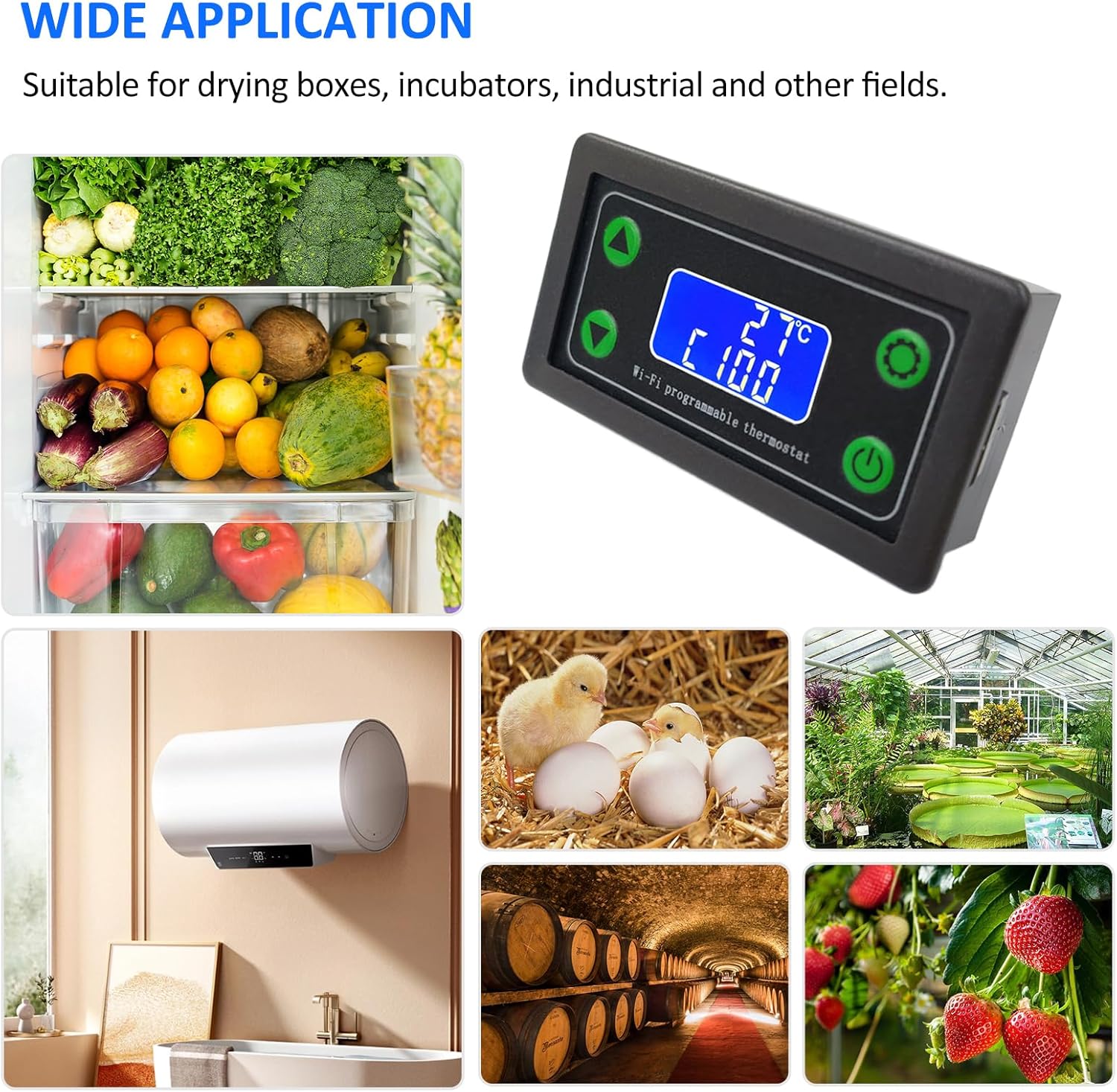
Kuva 1.1: The ZFX-WT01 thermostat is suitable for a wide range of applications, including drying boxes, incubators, industrial processes, and agricultural settings like greenhouses and fruit storage.
2. Tuote ohiview ja Ominaisuudet
The ZFX-WT01 is a versatile digital temperature controller equipped with advanced features for reliable performance.
- Kestävä rakenne: Features an excellent ABS shell designed for durability and resistance to deformation.
- Korkea säätötarkkuus: Provides precise temperature control with stable anti-interference performance.
- Kirkas LCD-näyttö: High-definition LCD screen for easy reading of temperature and settings.
- Kompakti muotoilu: Small size for easy installation and simple wiring.
- Laaja sovellus: Suitable for drying boxes, incubators, industrial applications, and various other fields.
- Etäkäyttö: Supports WiFi connectivity for mobile remote operation.
- Heating/Cooling Modes: Capable of switching between heating and cooling control.
- Hälytystoiminnot: Includes high temperature alarm, low temperature alarm, and delayed start-up.
- Turvallisuusominaisuus: Equipped with an emergency stop function.
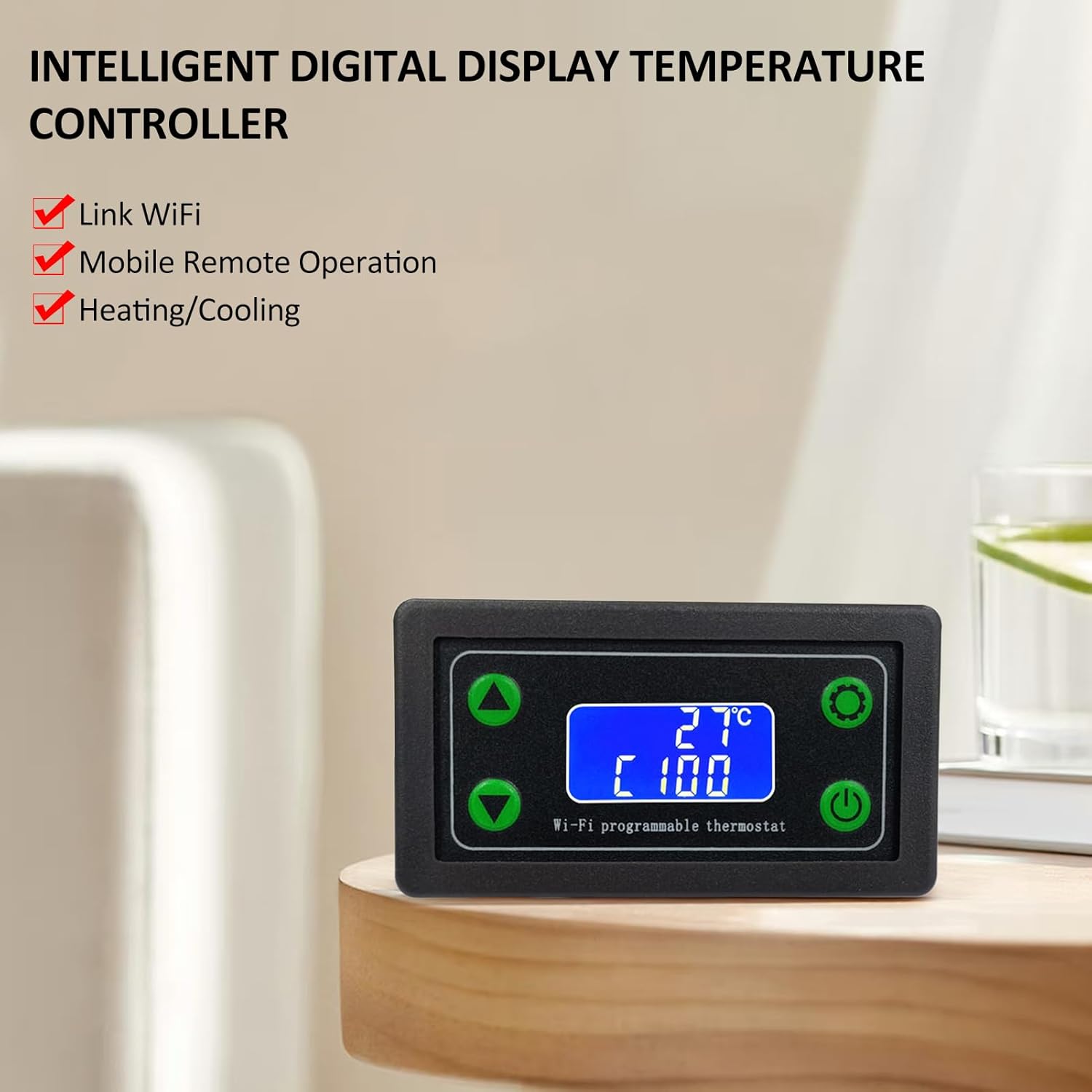
Kuva 2.1: The ZFX-WT01 features intelligent digital display, WiFi link, mobile remote operation, and supports both heating and cooling functions.

Kuva 2.2: The high-definition LCD screen provides clear visibility of temperature readings and operational status, simplifying panel functions.
3. Tekniset tiedot
Below are the key technical specifications for the ZFX-WT01 thermostat:
| Parametri | Arvo |
|---|---|
| Tuotteen nimi | WiFi Remote Temperature Controller |
| Malli | ZFX-WT01 |
| Virtalähde Voltage | DC12-36V |
| Maximum Control Load | 220V 1500W / 12V 120W |
| Lähtötyyppi | Vaihda lähtö |
| Lämpötilan säätöalue | -99-999 ℃ |
| Resoluutio | 1℃ |
| Mittaustarkkuus | ± 2 ℃ |
| Anturin tyyppi | K-tyypin lämpöpari |
| Thermocouple Wire Length | 50 cm |
| Materiaali | ABS |
| Tuotteen koko | 79 x 43 x 37 mm (3.11 x 1.69 x 1.45 tuumaa) |

Kuva 3.1: Detailed product parameters for the ZFX-WT01 thermostat, including model, power, control range, and sensor type.

Kuva 3.2: Dimensions of the ZFX-WT01 thermostat and the K-type thermocouple wire length.
4. Asennus ja asennus
Proper installation is crucial for the safe and effective operation of the ZFX-WT01 thermostat. Please follow these steps carefully:
- Asennus: Choose a suitable location for mounting the thermostat, ensuring it is protected from excessive heat, moisture, and vibrations.
- Virtaliitäntä: Connect the DC12-36V power supply to the designated terminals (+ and -) on the back of the unit. Ensure correct polarity.
- Termoelementin liitäntä: Connect the K-type thermocouple to the K+ and K- terminals. Ensure the thermocouple is correctly inserted and secured. The thermocouple is essential for temperature measurement.
- Lähtöjohdot: Connect your heating or cooling device to the output terminals. The ZFX-WT01 provides a switch output. Refer to the wiring diagram for specific connections.
- Suojatut yhteydet: Double-check all wiring connections to ensure they are secure and correctly matched to avoid damage to the unit or connected devices.

Kuva 4.1: Yksityiskohtainen view of the ZFX-WT01 thermostat, showing the wiring terminals for power (DC12-36V), output, and K-type thermocouple, along with the front panel buttons.
5. Käyttöohjeet
The ZFX-WT01 thermostat features a user-friendly interface for setting and monitoring temperatures.
5.1. Panel Controls and Display
- Näyttö: Shows the current detected temperature, set temperature, and current operating mode (e.g., heating/cooling).
- Ylös-näppäin (▲): Used to increase values or navigate menu options.
- Alas-näppäin (▼): Used to decrease values or navigate menu options.
- Set Key (⚙): Used to enter settings mode, confirm selections, or switch between parameters.
- Virtapainike (⏻): Käytetään laitteen kytkemiseen päälle/pois.
- Hätäpysäytyspainike: Pysäyttää välittömästi kaikki toiminnot.
- Relay Closure Prompt: An indicator (e.g., LED or icon) that shows when the output relay is active.
5.2. Lämpötilan perusasetus
- Virta päälle: Press the power button to turn on the thermostat. The display will show the current temperature.
- Siirry asetustilaan: Paina Set Key (⚙) to enter the temperature setting mode. The set temperature value will typically flash.
- Säädä lämpötilaa: Käytä Up Key (▲) ja Down Key (▼) to adjust the desired target temperature.
- Vahvista asetus: Paina Set Key (⚙) again to confirm the new temperature setting and exit the setting mode.
5.3. Advanced Settings (Heating/Cooling, Alarms)
The ZFX-WT01 supports various advanced functions. Consult the full product documentation or the manufacturer's website for detailed instructions on configuring heating/cooling modes, high/low temperature alarms, and delayed start-up functions. These settings are typically accessed through extended presses of the Set Key or specific button combinations.

Kuva 5.1: The ZFX-WT01 offers features such as heating/cooling switching, delayed start-up, high and low temperature alarms, and an emergency stop function.
6. Huolto
To ensure the longevity and accurate performance of your ZFX-WT01 thermostat, follow these maintenance guidelines:
- Puhdistus: Regularly wipe the unit with a soft, dry cloth. Do not use abrasive cleaners or solvents, as these can damage the display or casing.
- Anturin hoito: Keep the K-type thermocouple clean and free from debris. Ensure it is securely connected and not bent or damaged, as this can affect temperature readings.
- Ympäristöolosuhteet: Operate the thermostat within its specified environmental conditions (temperature, humidity) to prevent malfunction.
- Yhteyden tarkistukset: Tarkista säännöllisesti kaikkien johtojen liitännät kireyden ja kulumisen tai korroosion varalta.
7. Vianmääritys
If you encounter issues with your ZFX-WT01 thermostat, refer to the following common troubleshooting steps:
- Ei virtaa:
- Check the power supply connection (DC12-36V) and ensure correct polarity.
- Varmista, että virtalähde on aktiivinen.
- Virheellinen lämpötilalukema:
- Ensure the K-type thermocouple is correctly connected to the K+ and K- terminals.
- Check the thermocouple for physical damage or corrosion.
- Verify the thermocouple is placed correctly in the environment being measured.
- Lähtö ei aktivoidu:
- Check the wiring to the heating/cooling device.
- Ensure the set temperature and current temperature are within the activation range for the selected mode (heating/cooling).
- Confirm the relay closure prompt is active when it should be.
- Näyttövirheet:
- If the display shows unusual characters or is blank, try power cycling the device.
- Varmista, että virtalähde on vakaa ja määritetyn tilavuuden sisällätage valikoima.
Jos ongelmat jatkuvat näiden vaiheiden kokeilemisen jälkeen, ota yhteyttä asiakastukeen saadaksesi lisäapua.
8. Takuu ja tuki
This product is manufactured by Generic. For specific warranty information, please refer to the documentation provided at the time of purchase or contact your retailer. For technical support or inquiries, please reach out to the seller or manufacturer through the contact information provided with your purchase.


