
1. Johdanto
Thank you for choosing the Ctronics CTIPC-500C 4G LTE Battery-Powered 2K Indoor PTZ Security Camera. This manual provides essential information for setting up, operating, and maintaining your camera to ensure optimal performance and security. Please read this manual thoroughly before use and retain it for future reference.

Image 1.1: Ctronics CTIPC-500C 4G LTE Battery-Powered 2K Indoor PTZ Security Camera.
2. Turvallisuustiedot
- Ensure the camera is installed in a stable location to prevent falls.
- Use only the specified charging cable and adapter to prevent damage or fire.
- Pidä kamera poissa vedestä, kosteudesta ja äärimmäisistä lämpötiloista.
- Älä yritä purkaa tai korjata kameraa itse. Ota yhteyttä asiakastukeen saadaksesi apua.
- Hävitä paristot paikallisten määräysten mukaisesti.
3. Pakkauksen sisältö
Varmista, että pakkauksessasi on kaikki tarvittavat osat:
- Ctronics CTIPC-500C 4G LTE Camera
- USB-latauskaapeli
- Virtalähde
- Kiinnike ja ruuvit
- Käyttöopas
- Pre-installed SIM Card (with 300MB test data)
4. Tuote ohiview
Tutustu kameran osiin:
- Kameran linssi: Kaappaa videon footage.
- Infrapuna-LEDit: Yönäköä varten.
- Mikrofoni: Äänituloa varten.
- Kaiutin: Kaksisuuntaista äänilähtöä varten.
- SIM-korttipaikka: 4G LTE -yhteyttä varten.
- Micro SD -korttipaikka: For local storage (up to 128GB, not included).
- Reset-painike: Tehdasasetusten palauttamiseksi.
- USB-latausportti: Virransyöttöä varten.
- Antenni: 4G-signaalin vastaanottoa varten.
5. Asennus
5.1 Ensimmäinen lataus
Before first use, fully charge the camera's built-in 7800mAh battery. Connect the camera to a power source using the provided USB cable and adapter. The charging indicator light will show the charging status.

Image 5.1: The camera's fully wireless design allows flexible placement.
5.2 SIM -kortin asennus
The camera comes with a pre-installed SIM card for 4G LTE connectivity. If you need to replace it, ensure the camera is powered off. Locate the SIM card slot, insert the new Nano-SIM card correctly, and ensure it is securely seated.

Image 5.2: The camera operates via 3G/4G LTE, eliminating the need for WiFi.
5.3 App Download and Camera Pairing
- Download the 'Ctronics' app from your smartphone's app store (iOS or Android).
- Rekisteröi tili ja kirjaudu sisään.
- Kytke kameraan virta.
- Lisää uusi laite napauttamalla sovelluksessa +-merkkiä.
- Follow the on-screen instructions to scan the QR code on the camera or manually enter the device ID.
- Kun olet muodostanut yhteyden, voit nimetä kamerasi ja aloittaa live-kuvan viewing.
6. Käyttöohjeet
6.1 Livenä View ja PTZ-ohjaus
Open the Ctronics app and select your camera to access the live view. Use the on-screen controls to pan (355° horizontally) and tilt (90° vertically) the camera lens. You can also use the 4x digital zoom feature to get a closer look.

Image 6.1: PTZ controls and 4x digital zoom for comprehensive coverage.
6.2 Motion and Human Detection (PIR)
The camera features PIR (Passive Infrared) human/motion detection up to 8 meters. When motion is detected, the camera can send real-time alerts to your phone, trigger sound and light alarms, and upload footage via FTP. This system is designed to reduce false alarms by 95%.

Image 6.2: PIR detection provides accurate alerts for human movement.
6.3 Kaksisuuntainen ääni
Utilize the two-way audio feature to communicate with individuals near the camera. Tap the microphone icon in the live view to speak, and the camera's built-in speaker will transmit your voice. You can also hear audio from the camera's location.
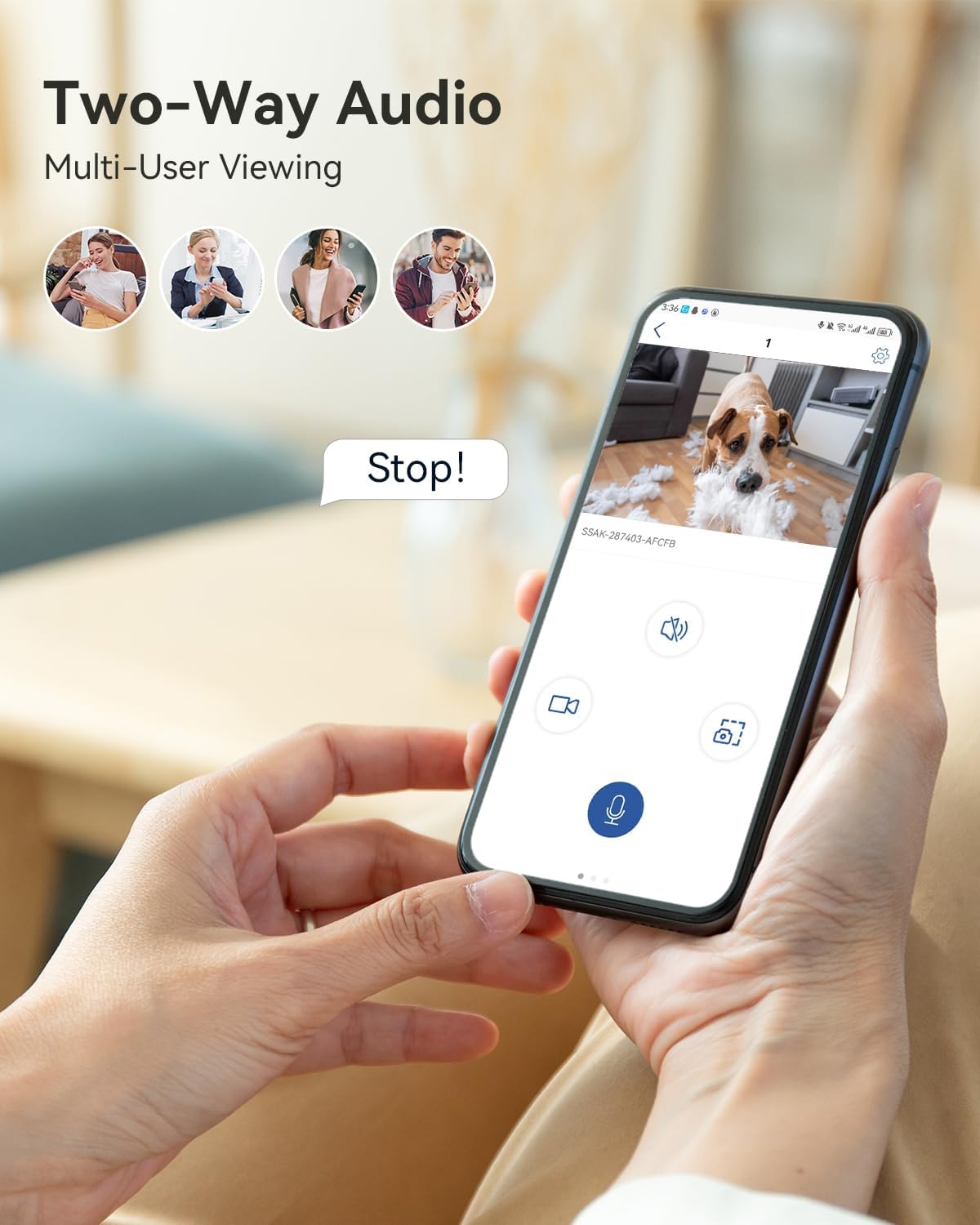
Image 6.3: Two-way audio for interactive communication.
6.4 2K Color Night Vision
The camera provides 2K 3MP resolution video with enhanced color night vision up to 20 meters. This ensures clear and detailed images even in low-light conditions, offering improved visibility compared to traditional black and white night vision.

Image 6.4: Enhanced 2K color night vision for clear images in darkness.
6.5 Tallennus ja tallennus
Kamera tukee kahta tallennustapaa:
- Paikallinen tallennustila: Insert a Micro SD card (up to 128GB, not included) into the designated slot. Note that 24/7 continuous recording is not supported to preserve battery life and SIM data.
- Pilvitallennus: Subscribe to Ctronics cloud services for secure video playback and storage. Access your recordings anytime via the app.

Image 6.5: Local and cloud storage options for video recordings.
6.6 Usean alustan käyttöoikeus
Access your camera's live feed and recordings from various devices using the Ctronics app or client software. Supported platforms include iOS, Android, Windows, and Mac OS.

Image 6.6: Access your camera from multiple devices and operating systems.
7. Huolto
7.1 Akun lataus
Regularly check the battery level in the app. Recharge the camera when the battery is low to ensure continuous operation. The 7800mAh battery provides extended usage, but frequent alerts or live viewing will consume power faster.
7.2 Puhdistus
Gently wipe the camera lens and body with a soft, dry cloth. Avoid using harsh chemicals or abrasive materials that could damage the camera's surface or lens.
8. Vianmääritys
- Camera not connecting to 4G: Ensure the SIM card is correctly inserted and activated. Check for network coverage in your area. Restart the camera.
- Akku ei lataudu: Verify the charging cable and adapter are working correctly. Ensure the charging port is clean and free of debris.
- Usein esiintyvät väärät hälytykset: Adjust the PIR detection sensitivity settings in the app. Ensure the camera is not pointed at areas with constant movement (e.g., curtains near a window).
- Huono videon laatu: Check the camera's resolution settings in the app. Ensure the lens is clean.
- Kaksisuuntaisen äänen ongelmat: Ensure microphone and speaker permissions are granted to the app on your phone. Check volume settings on both the app and the camera.
9. Tekniset tiedot
| Malli | CTIPC-500C |
| Resoluutio | 2K (3MP) |
| Yhteydet | 4G LTE (matkapuhelinverkko) |
| Akun kapasiteetti | 7800mAh litium-ioni |
| Panorointi/kallistusalue | Panorointi 355 °, kallistus 90 ° |
| Digitaalinen zoom | 4x |
| Night Vision | 2K Color Night Vision (up to 20m) |
| Havaitseminen | PIR Human/Motion Detection (up to 8m) |
| Audio | Kaksisuuntainen ääni |
| Tallennusvaihtoehdot | Micro SD Card (max 128GB, not included), Cloud Storage |
| Mitat (P x L x K) | 15 x 22 x 15 cm |
| Paino | 510 grammaa |
10. Takuu ja tuki
Ctronicsin tuotteilla on vakiotakuu. Katso tarkemmat takuutiedot pakkaukseen sisältyvästä takuukortista tai käy Ctronicsin virallisella verkkosivustolla. website. If you encounter any issues or have questions, please contact Ctronics customer support through the app or their official webavun sivusto.