
1. Tuote ohiview
The KLOKOL KLO-Z13 is a 15W fast wireless charging stand designed for efficient and convenient charging of compatible smartphones. It features an independent coil for improved charging efficiency and a wide detection range. The stand supports various charging outputs including 10W, 7.5W, and 5W, adapting to different mobile phone requirements. Its design allows for optimal phone display and supports both horizontal and vertical charging orientations.
The charger is built with multiple protection technologies, including temperature control, over-current protection, and over-voltage protection, ensuring safe operation. It also features a soft LED indicator that does not disturb light sleepers.
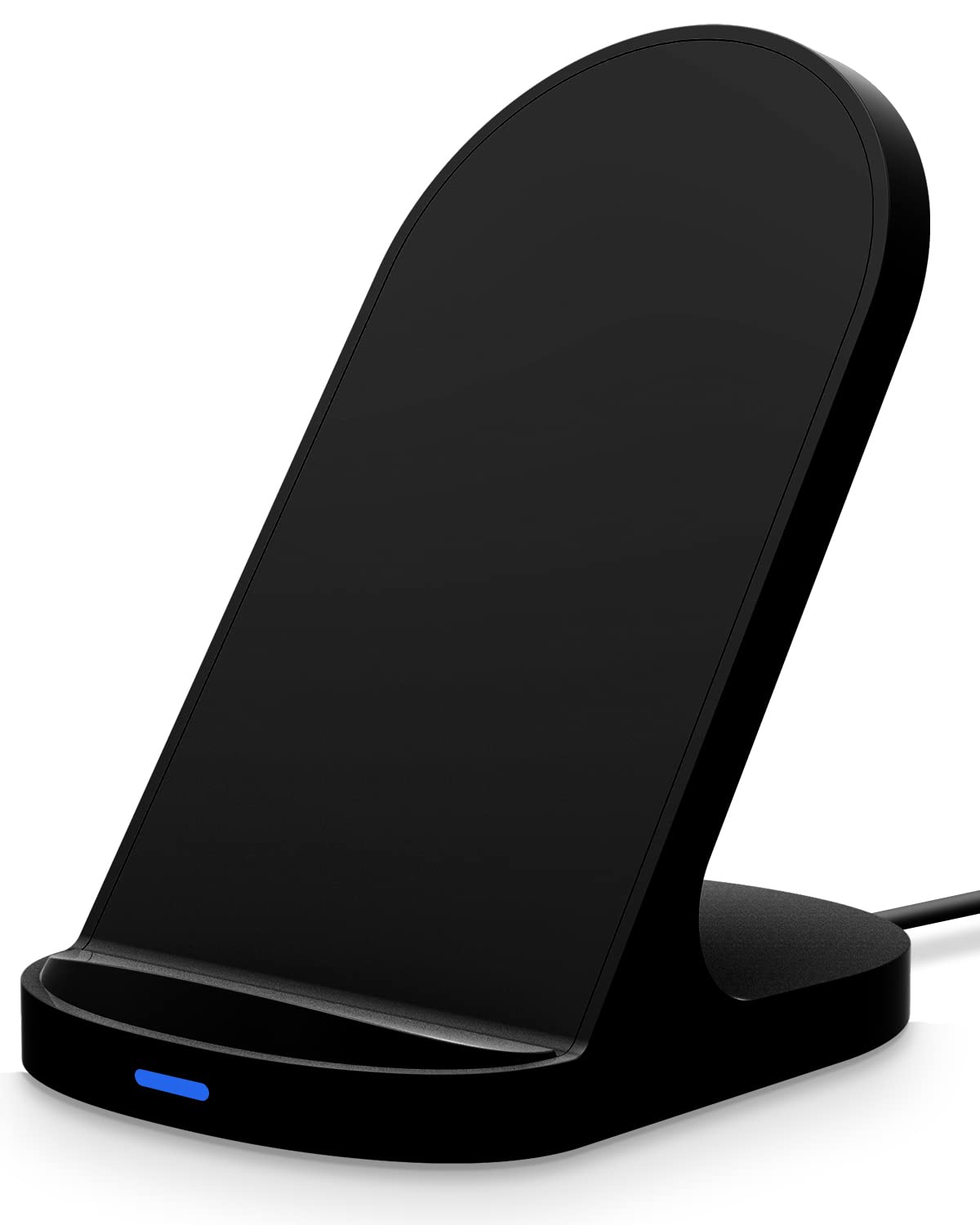
Figure 1: KLOKOL KLO-Z13 15W Fast Wireless Charging Stand.

Figure 2: The charging stand offers wide compatibility with various smartphone models and charging speeds.

Figure 3: The stand supports both portrait and landscape orientations for convenience during video calls or media consumption.

Figure 4: The charger is compatible with most phone cases up to 5mm (0.19 inches) thick.

Figure 5: Built-in safety features include battery protection, short-circuit protection, and fast charge management.

Figure 6: The charger utilizes two internal coils for efficient power transfer and flexible phone placement.
2. Pakkauksen sisältö
Tarkista pakkauksesta seuraavat tuotteet:
- 1 x KLOKOL KLO-Z13 Wireless Charging Stand
- 1 x USB-C-latauskaapeli
3. Asennusohjeet
Follow these steps to set up your wireless charging stand:
- Liitä virtalähde: Plug the provided USB-C charging cable into the USB-C port on the back of the wireless charging stand.
- Yhdistä virtalähteeseen: Connect the other end of the USB-C cable to a compatible power adapter (not included). For optimal fast charging performance, a QC3.0 adapter (5V-2A, 9V-1.67A) is required.
- Sijoitus: Place the charging stand on a stable, flat surface away from direct sunlight or excessive heat.

Figure 7: Connect the USB-C cable to the charging stand and a power adapter.
4. Käyttöohjeet
Laitteen lataaminen:
- Sijoita laitteesi: Position your compatible smartphone in the center of the charging stand. The stand supports both vertical (portrait) and horizontal (landscape) orientations.
- Latausilmaisin: The soft LED indicator on the front of the stand will illuminate to confirm that charging has begun.
- Kotelon yhteensopivuus: The charger is designed to work with most phone cases up to 5mm (0.19 inches) thick. For optimal charging, ensure your case is within this thickness limit and does not contain any metal attachments, magnetic elements, or pop sockets.
The stand's angled design allows for comfortable viewing of your phone while it charges, making it suitable for video calls, watching media, or monitoring notifications.
5. Turvaohjeet
The KLOKOL KLO-Z13 wireless charging stand incorporates several safety features to protect your device and ensure safe operation:
- Lämpötilan säätö: Estää laturin ja laitteen ylikuumenemisen.
- Ylivirtasuoja: Suojaa liiallista virrankulkua vastaan.
- Over-Voltage Suojaus: Suojaa volyymiltätage piikkejä.
- Vieraiden kohteiden tunnistus (FOD): If foreign objects such as magnetic metal attachments are detected on the charging surface, the LED light will flash to indicate a problem and prevent charging.
Always use the charger in a well-ventilated area and avoid placing it near water or in excessively humid environments.
6. Huolto
To ensure the longevity and optimal performance of your wireless charging stand:
- Puhdistus: Irrota laturi virtalähteestä ennen puhdistamista. Pyyhi pinta pehmeällä, kuivalla liinalla. Älä käytä hankaavia puhdistusaineita tai liuottimia.
- Varastointi: Säilytä laturia viileässä ja kuivassa paikassa, kun se ei ole käytössä.
- Vältä vaurioita: Do not drop, disassemble, or attempt to repair the charger yourself. Avoid exposing it to extreme temperatures or liquids.
7. Vianmääritys
If you encounter issues with your KLOKOL KLO-Z13 wireless charging stand, please refer to the following common problems and solutions:
| Ongelma | Mahdollinen syy | Ratkaisu |
|---|---|---|
| Laite ei lataudu | Phone not properly aligned; incompatible phone case; power adapter not sufficient; foreign object detected. | Reposition phone to the center of the stand; remove thick or metallic cases; ensure a QC3.0 adapter is used; remove any foreign objects. |
| Hidas lataus | Non-QC3.0 power adapter; phone not optimally placed; background apps running. | Use a QC3.0 power adapter; ensure phone is centered; close unnecessary background applications. |
| LED-merkkivalo vilkkuu | Foreign object detected; phone overheating; charging error. | Remove any foreign objects from the charging surface; ensure proper ventilation; try restarting the charging process. |
| Ei LED-valoa | Ei virtaliitäntää; viallinen kaapeli/sovitin. | Check if the power cable is securely connected to both the stand and the power adapter; try a different USB-C cable or power adapter. |
8. Tekniset tiedot
| Ominaisuus | Yksityiskohta |
|---|---|
| Mallinumero | KLO-Z13 |
| Merkki | KLOKOL |
| Tulo Voltage | 9 Volts (Requires QC3.0 adapter) |
| Wattage | 15 wattia (max) |
| Liittimen tyyppi | USB Type A (for cable connection to adapter) |
| Tuotteen mitat | 3.5 x 2.9 x 4.5 tuumaa |
| Tuotteen paino | 4.2 unssia |
| Yhteensopivat laitteet | iPhone 14/13/12/12 Pro Max/X/XS/XS Max/XR/8 Plus/8; Samsung Galaxy S22/S21/S20/S10/S10 Plus/S10E/S9/S9 Plus/Note9/S8/S8 Plus/Note8/S7 Edge/S7/S6 Edge Plus/Note 5; Google Pixel 3/3XL, and other Qi-enabled devices. |
| Erikoisominaisuus | Fast Charging, Horizontal/Vertical Charging, Case Friendly, Multiple Protection |
| Väri | Musta |
9. Takuu ja tuki
For warranty information or technical support, please refer to the documentation provided with your purchase or contact the manufacturer directly. Keep your purchase receipt as proof of purchase for any warranty claims.
Manufacturer: KLOKOL