
Tuote loppuview
The JTEMAN 360 Rotating Cell Phone Stand with Wireless Bluetooth Speaker with Light is a versatile device designed to enhance your mobile experience. It integrates a rotatable phone stand, a Bluetooth speaker, and an atmosphere light into a single unit. This manual provides detailed instructions for its setup, operation, and maintenance.
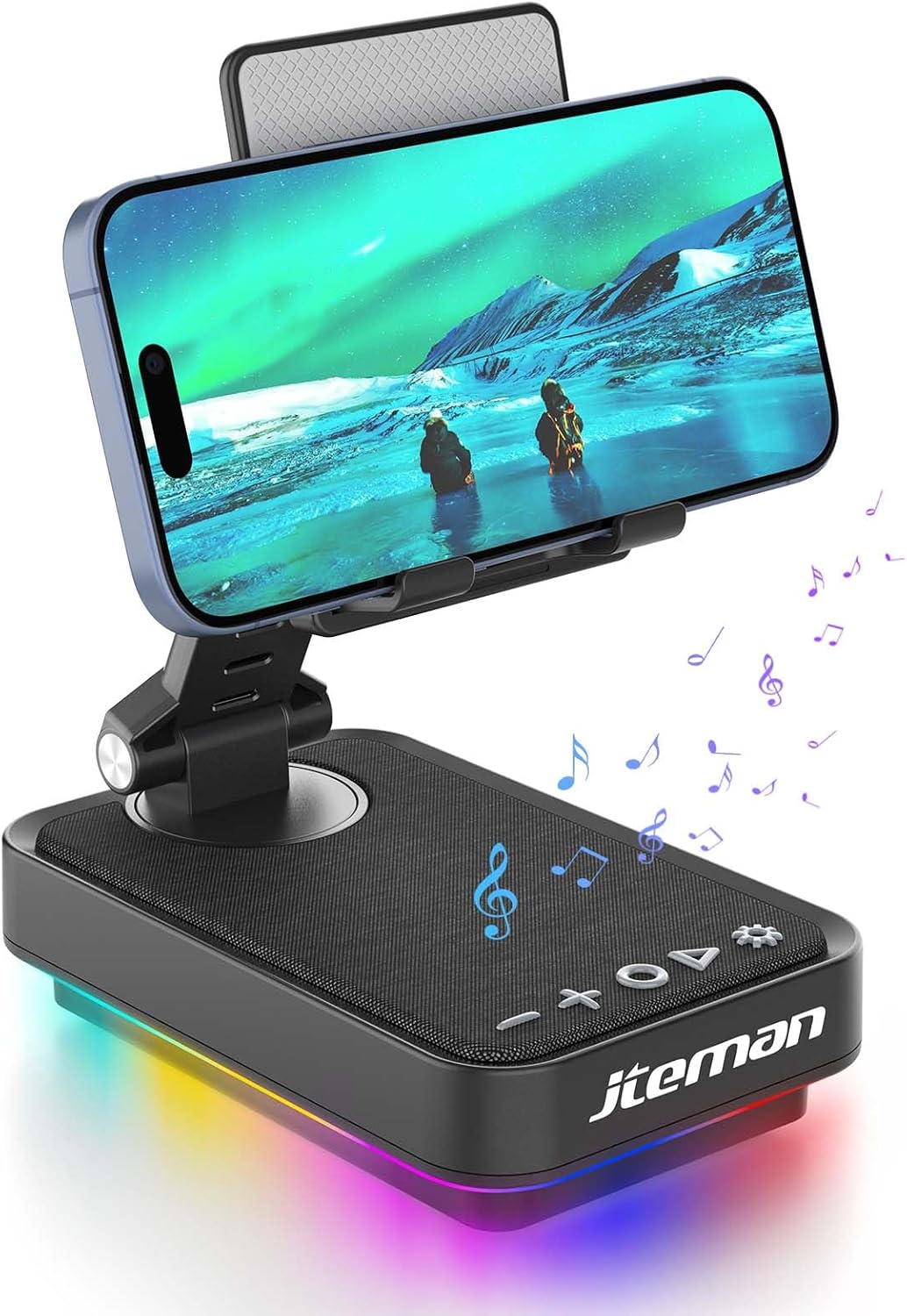
Figure 1: JTEMAN 360 Rotating Cell Phone Stand with Wireless Bluetooth Speaker with Light.
Mukana tulevat komponentit:
- Bluetooth Speaker (with integrated phone stand and light)
- Type-C kaapeli
- Käyttöohje
Asennusopas
1. Laatikon purkaminen ja alkutarkastus:
Carefully remove all components from the packaging. Inspect the device and accessories for any signs of damage. Ensure all listed components are present.
Video 1: Unboxing and initial setup of the JTEMAN phone stand and Bluetooth speaker.
2. Preparing the Phone Stand:
Before first use, locate and remove the silicone protective patch from the device's base. This patch protects the surface during shipping.
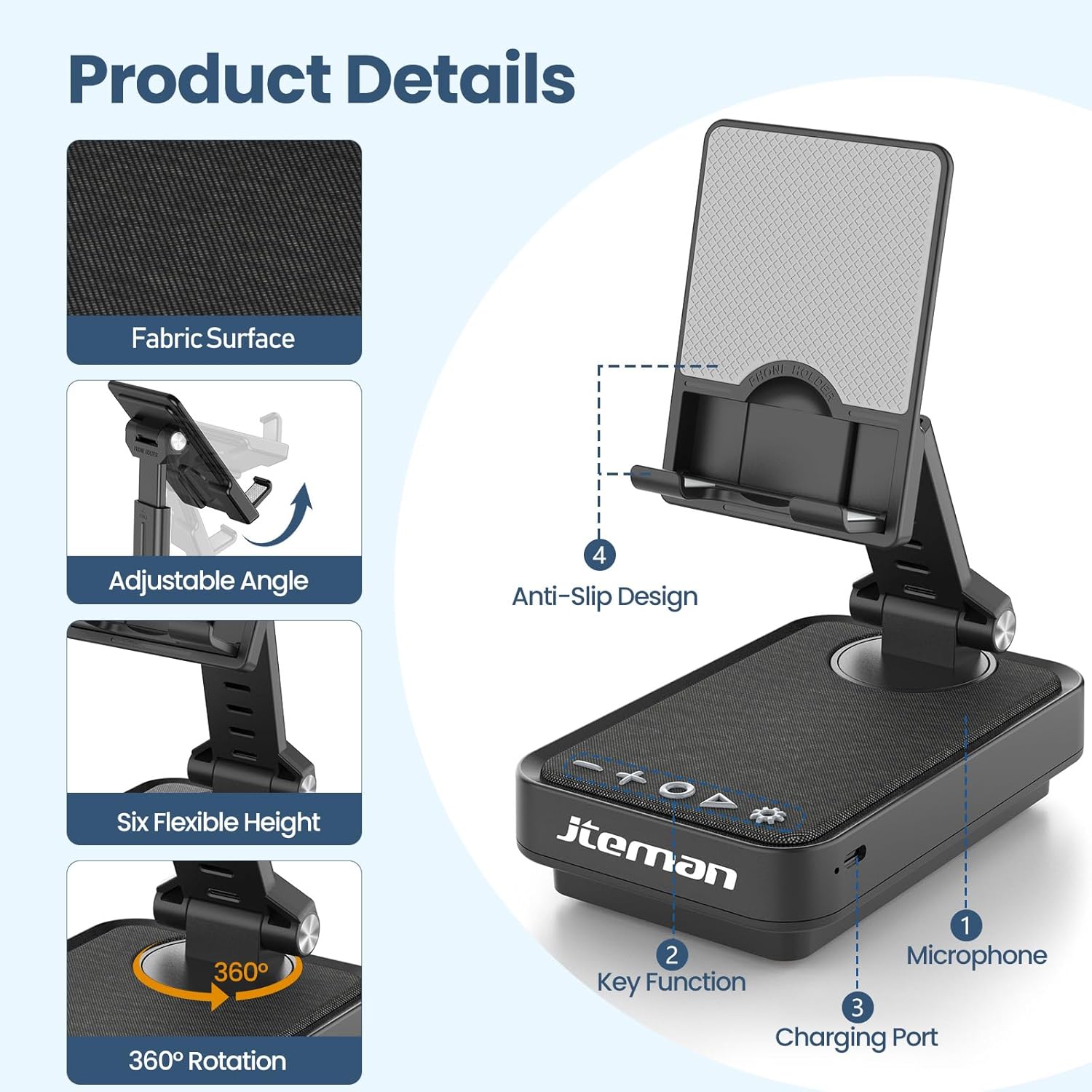
Figure 2: Product details and components. Note the anti-slip design and key functions.
3. Laitteen lataaminen:
Connect the provided Type-C cable to the charging port on the device and the other end to a compatible USB power adapter (not included). The power indicator light will show red during charging and turn green when fully charged.
- Punainen valo: Akku latautuu.
- Vihreä valo: Akku on ladattu täyteen.

Kuva 3: Akun kapasiteetti ja arvioidut käyttöajat.
4. Bluetooth -pariliitos:
- Long press the Power ON/OFF button (3) for 3 seconds to turn on the speaker. The speaker will enter pairing mode, indicated by a flashing blue light.
- On your smartphone or tablet, navigate to Bluetooth settings.
- Select "L39-1" from the list of available devices.
- Once connected, the blue light will become solid.

Figure 4: Bluetooth connection with a laptop, demonstrating wireless audio playback.
Käyttöohjeet
Ohjauspaneeli ohiview:

Kuva 5: Yksityiskohtainen view ohjauspaneelista ja sen toiminnoista.
- VOL- (1): Paina vähentääksesi äänenvoimakkuutta.
- VOL+ (2): Paina lisätäksesi äänenvoimakkuutta.
- Answer/Hang up/Play/Pause/Next (4):
- Lyhyt painallus toistaa/tauko musiikkia.
- Short press to answer/hang up calls.
- Paina pitkään siirtyäksesi seuraavaan kappaleeseen.
- Power ON/OFF (3):
- Paina pitkään 3 sekunnin ajan kytkeäksesi kaiuttimen päälle/pois.
- Double press to switch between Bluetooth and AUX modes.
- Short press to adjust the brightness of the atmosphere lights (4 levels).
- Atmosphere Light (5):
- Long press for 3 seconds to turn on/off the light.
- Short press to switch lighting mode (11 modes available, 3 modes sync with music).
- Mikrofoni (6): Handsfree-puheluita varten.
- Latausportti (7): Type-C input for charging.
- Power Indicator Light (8): Näyttää lataustilan ja Bluetooth-yhteyden tilan.
Phone Stand Adjustment:
The phone stand features 360° rotation and adjustable height and angle to suit various viewing needs. The anti-slip silicone pads ensure device stability.

Figure 6: The phone stand supports a wide range of devices, including smartphones and tablets (4-13 inches).
The stand is foldable for easy portability.

Figure 7: The foldable design allows for easy storage and transport.
Huolto
Puhdistus:
Wipe the device with a soft, dry cloth. Do not use abrasive cleaners, solvents, or harsh chemicals, as these may damage the surface or internal components. Avoid exposing the device to excessive moisture.
Varastointi:
When not in use for extended periods, store the device in a cool, dry place away from direct sunlight and extreme temperatures. Ensure the device is fully charged before storing to prolong battery life.
Akun hoito:
To maximize battery lifespan, avoid fully discharging the battery frequently. Charge the device regularly, even if not in constant use. Do not expose the battery to high temperatures.
Vianetsintä
| Ongelma | Mahdollinen syy | Ratkaisu |
|---|---|---|
| Laite ei käynnisty. | Akku vähissä. | Lataa laite mukana toimitetulla Type-C-kaapelilla. |
| Bluetooth-yhteyden muodostaminen ei onnistu. | Bluetooth ei ole käytössä laitteessa; kaiutin ei ole pariliitostilassa; liian kaukana kaiuttimesta. | Ensure Bluetooth is enabled on your phone/tablet. Long press Power ON/OFF button to enter pairing mode (flashing blue light). Move device closer to the speaker. |
| Kaiuttimesta ei kuulu ääntä. | Volume too low; device not connected; AUX mode active. | Increase volume on both the speaker and your connected device. Verify Bluetooth connection. Double press Power ON/OFF button to switch to Bluetooth mode if in AUX mode. |
| Atmosphere lights not working. | Valot sammutettu; akku vähissä. | Long press the Atmosphere Light button (5) to turn on. Charge the device. |
Tekniset tiedot
| Ominaisuus | Yksityiskohta |
|---|---|
| Mallin nimi | L39-1 |
| Asennustyyppi | Pöytäteline |
| Kaiuttimen tyyppi | Surround Sound |
| Erikoisominaisuus | LED valo |
| Suositellut käyttötavat | Älypuhelimille tai tableteille |
| Yhteensopivat laitteet | Smartphone, Tablet (4-13 inches) |
| Ohjaimen tyyppi | Painike, kosketus |
| Surround-äänikanava | 2.0 |
| Tuotteen mitat | 5.3" S x 3.5" L x 2.3" K |
| On vedenpitävä | EPÄTOSI |
| Virtalähde | Paristokäyttöinen |
| Akun tyyppi | 1 litiumioni (mukana) |
| Ääniohjaimen tyyppi | Dynaaminen ohjain |
| Langaton yhteys | Bluetooth 5.3 |
| Kaiuttimen suurin lähtöteho | 5 wattia |
| Taajuusvaste | 1 kHz |
| Tuotteen paino | 15.5 unssia |
Takuutiedot
This JTEMAN product comes with a Yhden vuoden takuu ostopäivästä lukien. Tämä takuu kattaa valmistusvirheet ja normaalissa käytössä esiintyvät toimintahäiriöt. Se ei kata väärinkäytöstä, onnettomuuksista, luvattomista muutoksista tai normaalista kulumisesta aiheutuneita vahinkoja.
Please retain your proof of purchase for warranty claims. For detailed warranty terms and conditions, refer to the official JTEMAN websivustolla tai ota yhteyttä asiakastukeen.
Asiakastuki
If you encounter any issues or have questions not covered in this manual, please contact JTEMAN customer support. Provide your product model number (L39-1) and a detailed description of the issue to assist our support team.
For the most up-to-date contact information, please visit the official JTEMAN websivusto: JTEMAN Store on Amazon