
ASMAX ASMAXF1DP01
ASMAX F1 -moottoripyörän Bluetooth-kuulokkeiden käyttöohje
Model: ASMAX F1
1. Johdanto
The ASMAX F1 Motorcycle Bluetooth Headset is an advanced communication system designed for motorcyclists. It features Bluetooth 5.3 technology, supporting up to 10 riders with a communication range of up to 1.8km. The F1 offers dual intercom modes (Free and Group Mesh), voice control, superior sound quality with ENC noise reduction, and an IP67 waterproof rating. Its magnetic mounting system and fast-charging capabilities ensure convenience and reliability for all your rides.
2. Turvallisuustiedot
- Aseta aina liikenneturvallisuus etusijalle. Älä käytä laitetta tavalla, joka häiritsee ajamista.
- Varmista, että kuulokkeet on kiinnitetty tukevasti kypärään ennen ajoa.
- Adjust volume levels to ensure you can still hear ambient traffic sounds.
- Älä yritä purkaa tai muokata laitetta, sillä se voi mitätöidä takuun ja aiheuttaa turvallisuusriskejä.
- Pidä laite poissa äärimmäisistä lämpötiloista ja suorasta auringonpaisteesta.
- Charge the device using only the provided cable and a compatible power source.
3. Pakkauksen sisältö
Varmista, että pakkauksessasi on kaikki tarvittavat osat:
- ASMAX F1 Bluetooth Headset Unit(s)
- Speaker and Microphone Kit(s)
- Magnetic Mounting Base(s)
- USB-latauskaapeli(t)
- Käyttöopas
- Mounting Accessories (e.g., adhesive pads, clips)

Image: ASMAX F1 Headset and included accessories.
4. Tuote ohiview
4.1 Komponentit
The ASMAX F1 unit features a sleek design with an illuminated cross-shaped indicator. It is designed for easy attachment to most motorcycle helmets.

Image: ASMAX F1 Bluetooth Headset units.
4.2 Säätimet ja ilmaisimet
The ASMAX F1 is equipped with intuitive controls and indicators for ease of use while riding.
- Intercom-painike: Initiates and manages intercom connections.
- Äänenvoimakkuuden +/- painikkeet: Säätää äänenvoimakkuutta.
- Toimintopainike: Multi-purpose button for various operations.
- LED-ilmaisin: Displays device status (e.g., power, pairing, charging).
- Ääniohjaus: Activates functions using voice commands (e.g., "Hi Max").

Image: ASMAX F1 controls and helmet compatibility.
5. Asennus
5.1 Asennus kypärään
The ASMAX F1 features a magnetic mounting system for easy and secure attachment to your helmet.
- Choose a suitable location on the side of your helmet, typically on the left side, ensuring it does not obstruct your vision or helmet functionality.
- Clean the helmet surface thoroughly where the mounting base will be attached.
- Attach the magnetic mounting base to the helmet using the provided adhesive pad or clamp. Ensure it is firmly secured.
- Insert the speakers into the helmet's ear pockets. Ensure they are positioned directly over your ears for optimal sound.
- Route the microphone boom or wired microphone to a position near your mouth, ensuring clear voice pickup and minimal wind noise.
- Connect the speaker and microphone cables to the ASMAX F1 unit.
- Attach the ASMAX F1 unit to the magnetic mounting base. The strong magnet will secure it in place.
5.2 Ensimmäinen lataus
Before first use, fully charge the ASMAX F1 unit. The 1250mAh battery supports fast charging.
- Connect the provided USB charging cable to the ASMAX F1 unit's charging port.
- Liitä kaapelin toinen pää USB-virtalähteeseen (ei sisälly toimitukseen) tai tietokoneen USB-porttiin.
- The LED indicator will show charging status. Once fully charged, the indicator will change (refer to specific LED behavior in the full manual).
- Laitetta voidaan ladata käytön aikana.
6. Käyttöohjeet
6.1 Virta päälle/pois
- Virta päälle: Press and hold the Function Button for approximately 3 seconds until the LED indicator lights up and you hear a voice prompt.
- Virta pois: Press and hold the Function Button for approximately 3 seconds until the LED indicator turns off and you hear a voice prompt.
6.2 Bluetooth-pariliitos mobiililaitteen kanssa
The ASMAX F1 uses Bluetooth 5.3 for stable connections.
- With the ASMAX F1 powered off, press and hold the Function Button for approximately 5-7 seconds until the LED indicator flashes rapidly (usually blue/red alternating), indicating pairing mode.
- Ota Bluetooth käyttöön matkapuhelimessasi ja hae uusia laitteita.
- Select "ASMAX F1" from the list of available devices.
- Once paired, the LED indicator will change (e.g., slow blue flashes) and you will hear a confirmation tone.

Image: Universal pairing capability of ASMAX F1.
6.3 Intercom Modes
The ASMAX F1 supports various intercom modes for group communication.
- Vapaa tila: For spontaneous connections within range. Up to 10 riders can join instantly.
- Group Mode (MESH Communication): For private conversations with a team of up to 10 riders. Supports 1-on-1 chats within the group.
- CloudTalk Mode: (Requires app update) Supports cross-brand cloud intercom for up to 50 people, anywhere with a mobile network.

Image: ASMAX F1 10-Rider Mesh Group Intercom.
6.4 Ääniohjaus
Activate voice commands by saying "Hi Max" followed by your command. This allows for hands-free operation.
- "Hi Max, Music On"
- "Hi Max, Next Track"
- "Hi Max, Volume Up/Down"
- "Hi Max, Answer The Phone"
- "Hi Max, End Intercom"
- "Hi Max, Phone Pairing"
- "Hi Max, Group Mesh"
- "Hi Max, Free Mode"

Image: ASMAX F1 Voice Control feature.
6.5 Audio Multitasking
The ASMAX F1 allows for simultaneous audio streams, such as listening to music while receiving navigation instructions or participating in an intercom conversation.

Image: ASMAX F1 Audio Multitasking.
7. Huolto
- Puhdistus: Pyyhi laite pehmeällä, damp kangas. Älä käytä voimakkaita kemikaaleja tai hankaavia puhdistusaineita.
- Varastointi: Säilytä laitetta viileässä, kuivassa paikassa, kun sitä ei käytetä.
- Akun hoito: Akun optimaalisen käyttöiän saavuttamiseksi vältä akun usein toistuvaa tyhjentämistä kokonaan. Lataa se säännöllisesti.
- Vedenkestävyys: The ASMAX F1 is IP67 waterproof. While it can withstand rain and splashes, avoid prolonged submersion.

Image: ASMAX F1 IP67 Waterproof feature.
8. Vianmääritys
| Ongelma | Mahdollinen syy | Ratkaisu |
|---|---|---|
| Laite ei käynnisty. | Akku vähissä. | Lataa laite täyteen. |
| Ei voi muodostaa pariliitosta puhelimen kanssa. | Laite ei ole pariliitostilassa; Bluetooth pois päältä puhelimessa. | Ensure device is in pairing mode (flashing LED). Turn on phone's Bluetooth. Forget previous pairings on phone. |
| Intercom-yhteysongelmia. | Out of range; interference; incorrect mode. | Ensure units are within range. Check for obstacles. Verify correct intercom mode (Free/Group). |
| Huono äänenlaatu / Kohinaa. | Microphone position; speaker placement; high speed. | Adjust microphone closer to mouth. Ensure speakers are aligned with ears. ENC noise reduction works best with visor closed at high speeds. |
| Äänikomennot eivät vastaa. | Microphone issue; noisy environment; incorrect command. | Ensure microphone is clear. Speak clearly. Try again in a quieter environment. Refer to voice command list. |
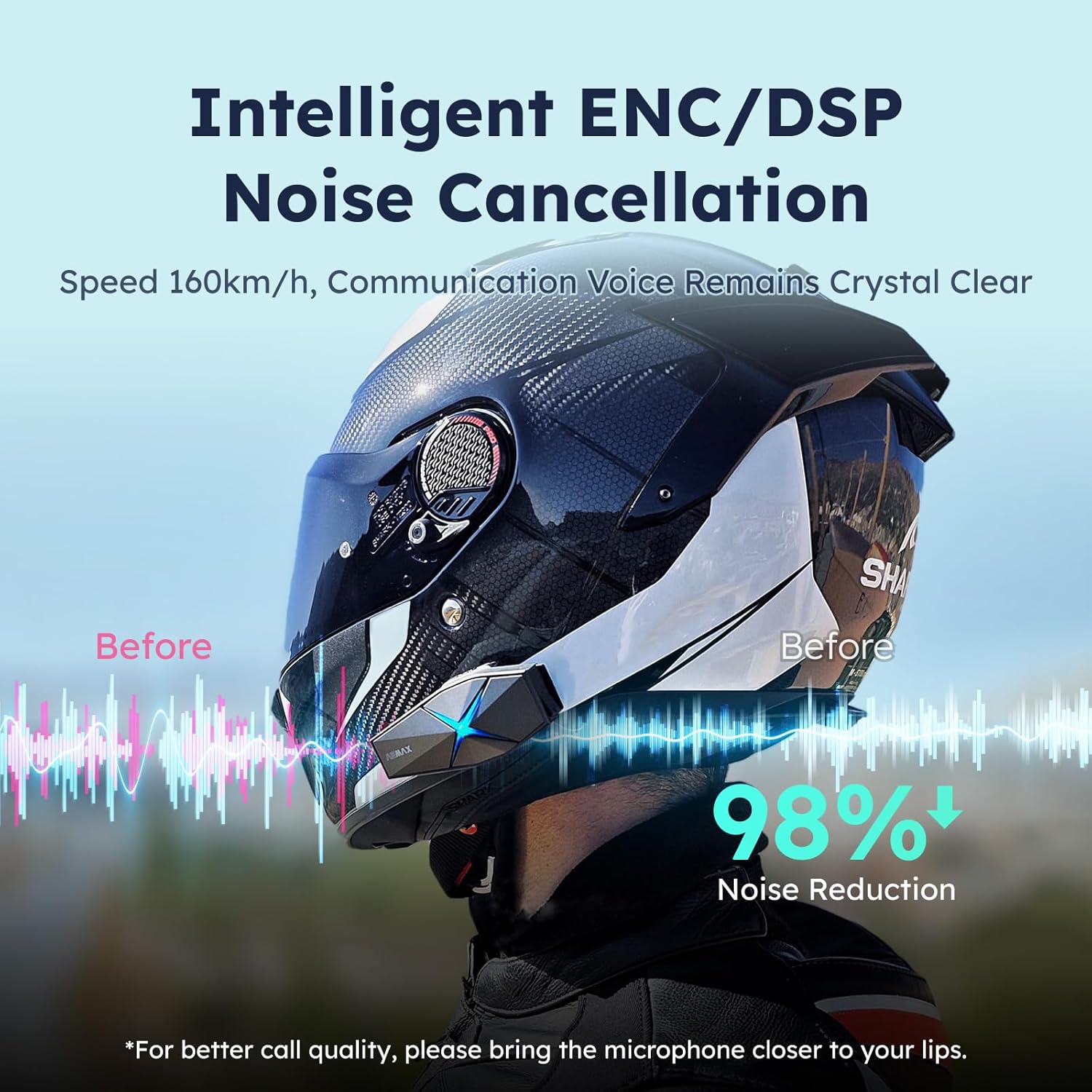
Image: ASMAX F1 Noise Cancellation technology.
9. Tekniset tiedot
| Ominaisuus | Yksityiskohta |
|---|---|
| Mallin nimi | ASMAX F1 (F1 DP) |
| Bluetooth-versio | 5.3 |
| Intercom-alue | Up to 1.8 km (10 riders) |
| Akun kapasiteetti | 1250 mAh |
| Lataus | Fast Charging, USB |
| Vesitiivis luokitus | IP67 |
| Melunhallinta | Active Noise Cancellation (ENC/DSP) |
| Ääniohjaus | "Hi Max" commands |
| Ääniominaisuudet | Audio Multitasking, Superior Sound Quality |
| Mitat | Approx. 86mm x 36mm x 23.6mm (unit) |
| Paino | Approx. 50g (unit) |
| Korvien sijoitus | Korvassa |
| Impedanssi | 32 ohmia |
| Herkkyys | 105 dB |
| Taajuusvaste | 20 Hz (minimi) |

Image: ASMAX F1 Dual-Chip Octa-Core technology.
10. Takuu ja tuki
ASMAX products come with a standard manufacturer's warranty. For specific warranty terms and conditions, please refer to the warranty card included in your product packaging or visit the official ASMAX websivusto.
For technical support, troubleshooting assistance, or any inquiries regarding your ASMAX F1 headset, please contact ASMAX customer service through their official channels. Contact information can typically be found on the ASMAX websivustolla tai tuotteen pakkauksessa.
Regularly check the ASMAX website or app for firmware updates to ensure optimal performance and access to new features, such as CloudTalk Mode.
Asiaan liittyvät asiakirjatASMAXF1DP01


Ask a question about this manual
Ask about setup, troubleshooting, compatibility, parts, safety, or missing instructions. Manuals+ will review the question and use this page’s manual context to help answer it.