
1. Johdanto
Thank you for choosing the LanLuk 200W GaN IV 8-Port USB-C Charging Station. This device is designed to provide efficient and safe charging for a wide range of electronic devices, including laptops, smartphones, tablets, and more. Please read this manual carefully before use to ensure proper operation and to maximize the lifespan of your product.
2. Turvallisuusohjeet
- Älä altista laitetta vedelle, kosteudelle tai äärimmäisille lämpötiloille.
- Vältä laitteen pudottamista tai altistamista voimakkaille iskuille.
- Älä pura, muuta tai yritä korjata laitetta itse. Tämä mitätöi takuun ja voi aiheuttaa vahinkoja tai vammoja.
- Käytä vain toimitettua virtajohtoa.
- Ensure proper ventilation around the charging station during use to prevent overheating.
- Pidä poissa lasten ulottuvilta.
- Unplug the charging station from the power outlet when not in use or during electrical storms.
3. Pakkauksen sisältö
Varmista, että pakkauksessasi on kaikki tarvittavat osat:
- 1 x LanLuk 200W 8-in-1 USB-C Charging Station
- 1 x virtajohto
- 1 x käyttöohje
4. Tuote ohiview
The LanLuk 200W GaN IV 8-Port USB-C Charging Station features advanced GaN IV technology for higher energy efficiency, upgraded heat dissipation, and a compact design. It provides a total of 200W power output across 8 ports, allowing you to charge multiple devices simultaneously.
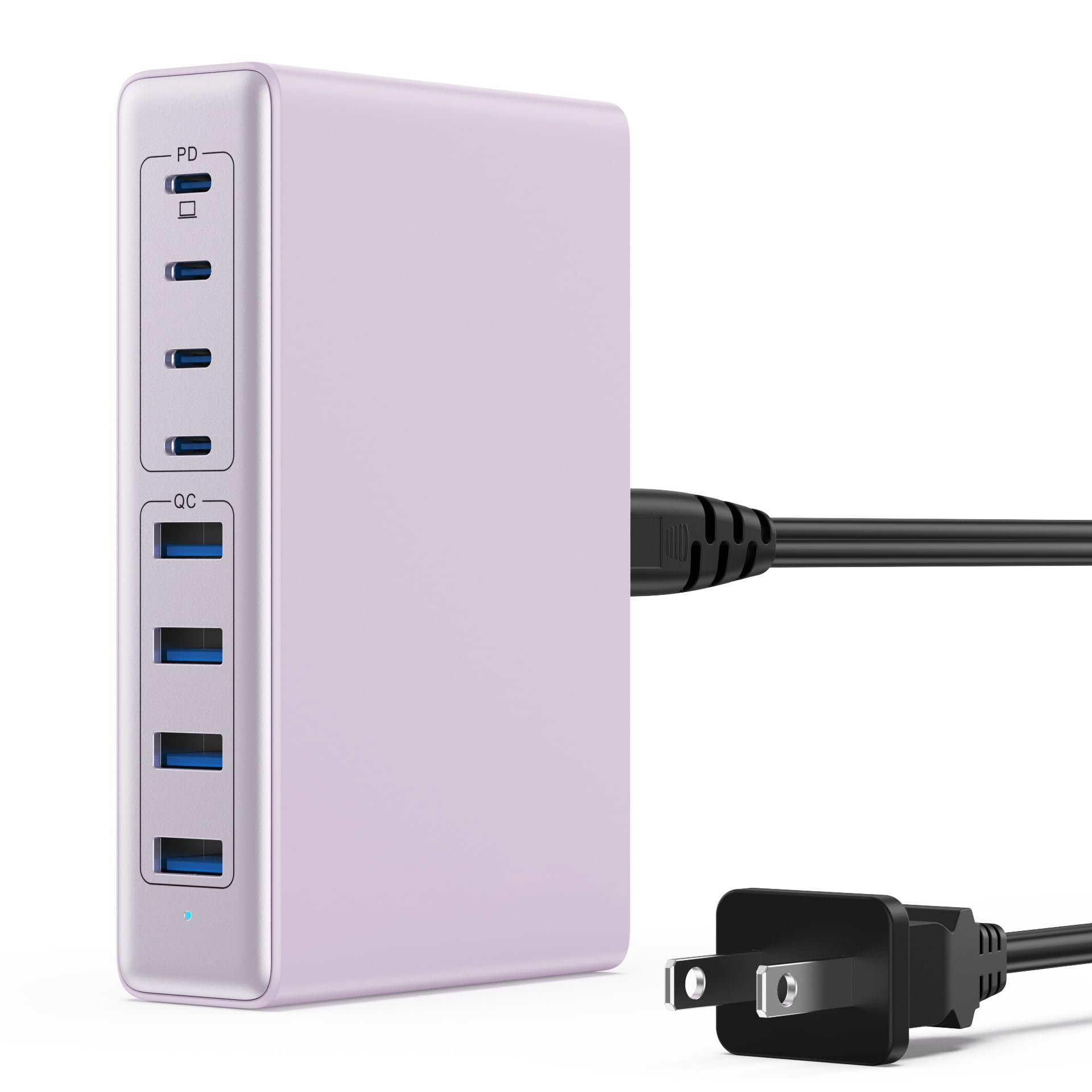
Image: The LanLuk 200W GaN IV 8-Port USB-C Charging Station in purple.
Tärkeimmät ominaisuudet:
- GaN IV Technology: Utilizes the latest Gallium Nitride (GaN) IV chip for enhanced efficiency, reduced heat, and a smaller form factor.
- 200 W kokonaisteho: Delivers optimal power to charge up to 8 devices simultaneously at full speed.
- 8 latausporttia: Includes 4 USB-C ports (PD 3.0) and 4 USB-A ports (QC 4.0) for broad compatibility.
- 65 W:n tehonsyöttö (PD): One dedicated USB-C port provides up to 65W, capable of fast-charging laptops like MacBook Pro/Air, Dell XPS, and more.
- Multi-Protection Safety System: Built-in intelligent IC with six safety protections: over-voltage, over-current, over-charge, over-temperature, static electricity, and short circuit.
- Yleinen yhteensopivuus: Supports a wide range of devices including iPhones, iPads, Android phones, laptops, gaming consoles (Steam Deck, Nintendo Switch), smartwatches, and headphones.
- Kannettava muotoilu: Compact size (approximately 5 inches by 3 inches) with a 1.5M/5FT AC extension power cord for flexible placement.
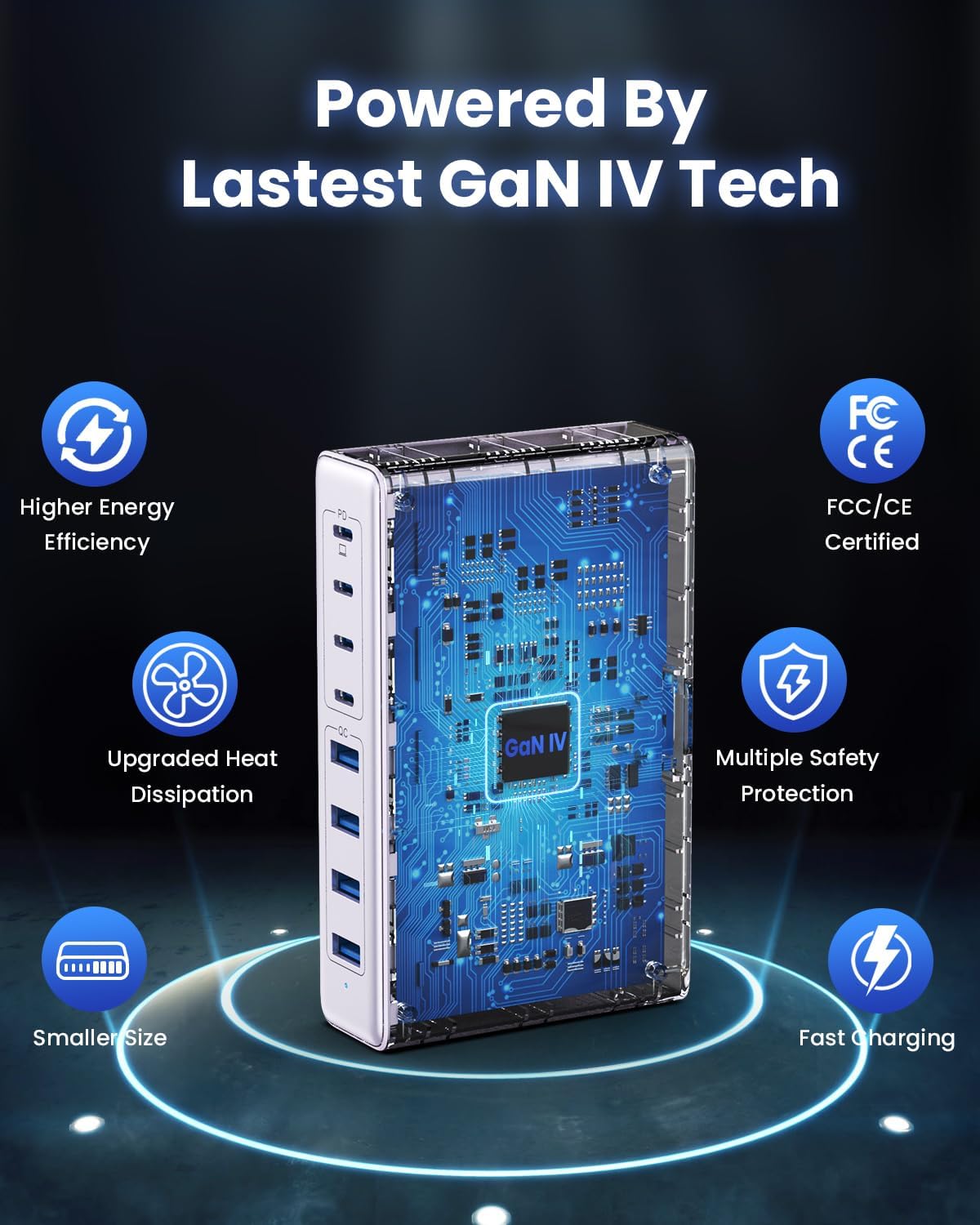
Image: Diagram illustrating the benefits of GaN IV technology, including higher energy efficiency, upgraded heat dissipation, smaller size, multiple safety protections, and fast charging.

Image: Visual representation of the charging station connecting to 8 different devices (4 USB-C, 4 USB-A).

Image: Infographic showing the universal compatibility with laptops/tablets (MacBook Pro, Dell XPS, iPad Pro), smartphones (iPhone, Samsung Galaxy, Google Pixel), and gaming devices/others (ROG ALLY, Steam Deck, AirPods, Switch).

Image: Illustration highlighting the USB-C1 port's 65W output, perfect for laptops, showing a MacBook charging.
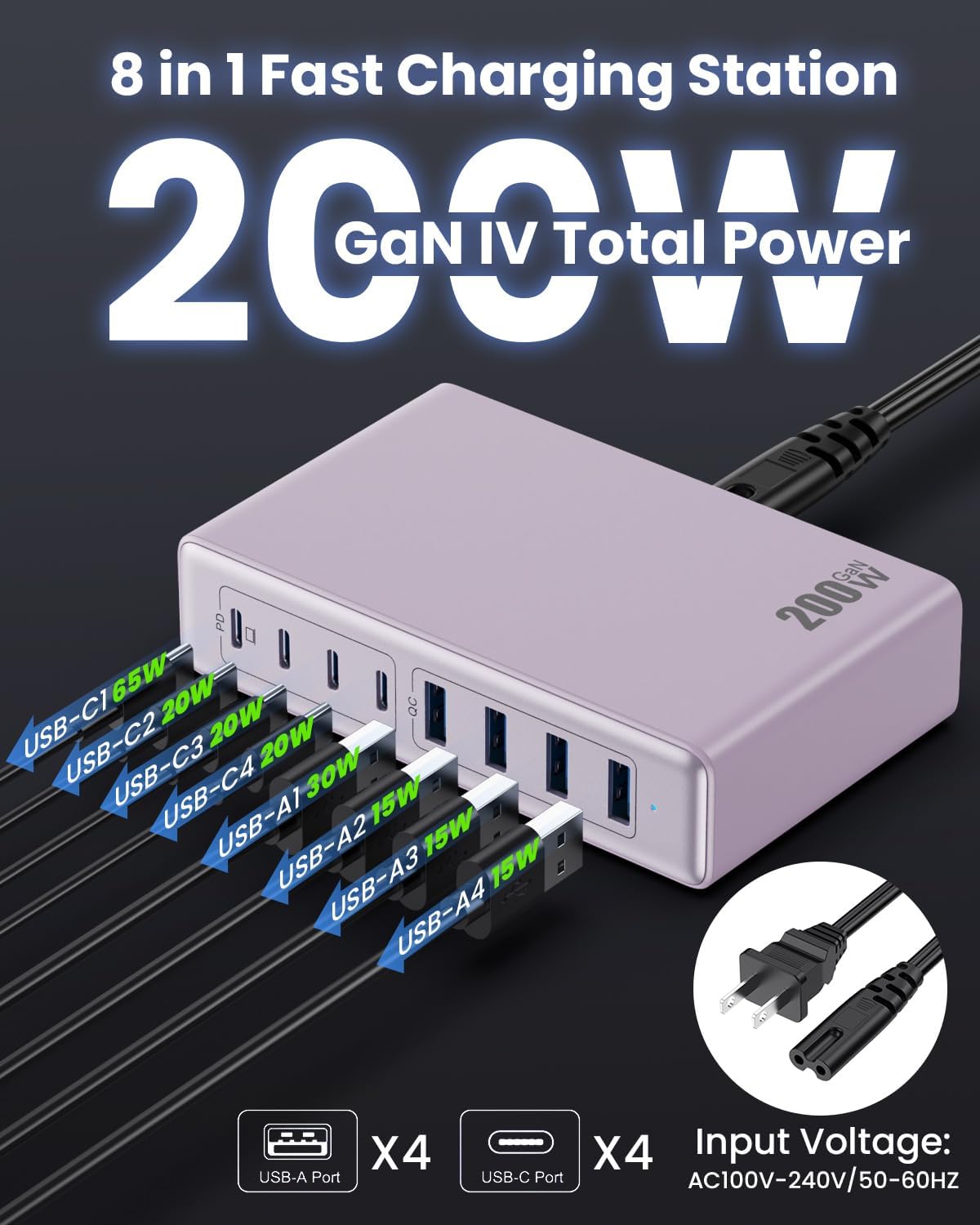
Kuva: Yksityiskohtainen view of the charging station's ports and their individual power outputs (USB-C1 65W, USB-C2 20W, USB-C3 20W, USB-C4 20W, USB-A1 15W, USB-A2 15W, USB-A3 15W, USB-A4 15W).

Image: Comparison chart showing the LanLuk charger's advantages over other chargers in terms of total max output, one port output, number of ports, devices charged, portability, and sustainability.
5. Asennus
- Pura pakkauksesta: Poista latausasema ja kaikki lisävarusteet varovasti pakkauksesta.
- Kytke virtajohto: Insert the included power cord into the AC input port on the back of the charging station.
- Liitä pistorasiaan: Plug the other end of the power cord into a standard AC wall outlet (100-240V, 50/60Hz).
- Valmis käytettäväksi: Latausasema on nyt valmis lataamaan laitteitasi.
6. Käyttöohjeet
- Identify Port Type: Determine whether your device requires a USB-C or USB-A connection.
- Yhdistä laite: Plug your device's charging cable into the appropriate port on the charging station. For optimal laptop charging, use the 65W PD USB-C1 port.
- Aloita lataus: Your device should begin charging automatically. The intelligent chip will identify the device and deliver the optimal charging current.
- Näytön lataus: Some devices may display a charging indicator.
- Katkaise yhteys: Once charging is complete, safely disconnect your device from the charging station.
7. Tekniset tiedot
| Ominaisuus | Kuvaus |
|---|---|
| Merkki | LanLuk |
| Mallinumero | HX-P21 |
| Wattage | 200 wattia (yhteensä) |
| USB-portteja yhteensä | 8 (4 USB-C, 4 USB-A) |
| USB-C-lähtö | PD USB C (up to 65W on one port) |
| USB-A-lähtö | QC4.0 USB-A |
| Tulo Voltage | 100-240 Volts (AC), 50-60 Hz |
| Lähtövirta | 4 Amps (enintään) |
| Materiaali | Plastic (ABS and PC fireproof materials) |
| Erikoisominaisuudet | GaN IV Technology, Fast Charging, Lightweight Design, Charging Indicator, Universal Compatibility, Short Circuit Protection |
| Mitat | Approximately 5 inches x 3 inches (portable) |
| Virtalähde | Johdollinen sähkö |
8. Vianmääritys
- Laite ei lataudu:
- Varmista, että latausasema on kytketty oikein toimivaan pistorasiaan.
- Tarkista, että latauskaapeli on kytketty kunnolla sekä latausasemaan että laitteeseesi.
- Kokeile toista latauskaapelia tai -porttia sulkeaksesi pois viallisen kaapelin tai portin.
- Verify your device is compatible with the charging station's output specifications.
- Hidas lataus:
- Varmista, että käytät laitteesi kanssa pikalataukseen yhteensopivaa kaapelia.
- For laptops, use the dedicated 65W PD USB-C1 port.
- Charging multiple devices simultaneously may distribute the total power, potentially reducing individual port speeds.
- Check if your device supports fast charging protocols (PD, QC).
- Ylikuumeneminen:
- Varmista, että latausasemalla on riittävä ilmanvaihto eikä se ole peitetty.
- If excessive heat persists, discontinue use and contact customer support.
9. Huolto
- Puhdistus: Disconnect the charging station from the power outlet before cleaning. Use a soft, dry cloth to wipe the surface. Do not use liquid cleaners or aerosols.
- Varastointi: Säilytä laitetta viileässä, kuivassa paikassa suojassa suoralta auringonvalolta ja kosteudelta, kun laitetta ei käytetä.
- Kaapelihuolto: Avoid bending or crimping charging cables excessively to prevent damage.
10. Takuu ja tuki
LanLuk provides a 3 vuoden takuu for free replacement. If you encounter any issues or have questions regarding your product, please contact our customer support team for assistance.
Asiakastuki: Please refer to the contact information provided on the product packaging or our official webtukisivusto.