
Johdanto
The Baseus AeQur GH02 RGB Gaming Headset is designed to provide an immersive audio experience for gaming and multimedia. Featuring high-quality sound drivers, customizable RGB lighting, and versatile connectivity options, this headset offers comfort and performance for extended use. This manual provides detailed instructions on setting up, operating, maintaining, and troubleshooting your headset.

Image: The Baseus AeQur GH02 RGB Gaming Headset, showcasinsen tyylikäs musta muotoilu ja integroitu mikrofoni.
Tuote loppuview ja Ominaisuudet
The AeQur GH02 headset combines advanced audio technology with user-friendly features:
- 40 mm:n elementit: Delivers powerful and clear sound with a frequency range of 20-40,000Hz for an immersive audio experience.
- RGB-valaistus: Customizable RGB illumination to enhance your gaming setup.
- Monipuoliset liitännät: Supports Bluetooth, 3.5mm wired connection, and 2.4GHz wireless via a USB dongle for broad compatibility.
- Irrotettava mikrofoni: High-sensitivity microphone (-45dB) ensures clear communication and can be detached when not needed.
- Korvan peittävä muotoilu: Provides acoustic isolation and prolonged comfort during long gaming sessions.
- Pitkä akun käyttöikä: Jopa 40 tuntia toistoaikaa yhdellä latauksella.
- Aktiivinen melunvaimennus: Vähentää ympäristön melua keskittyneemmän kuuntelukokemuksen takaamiseksi.

Image: Close-up of the headset's ear cup, highlighting the vibrant RGB lighting around the edge, which can be customized for different visual effects.
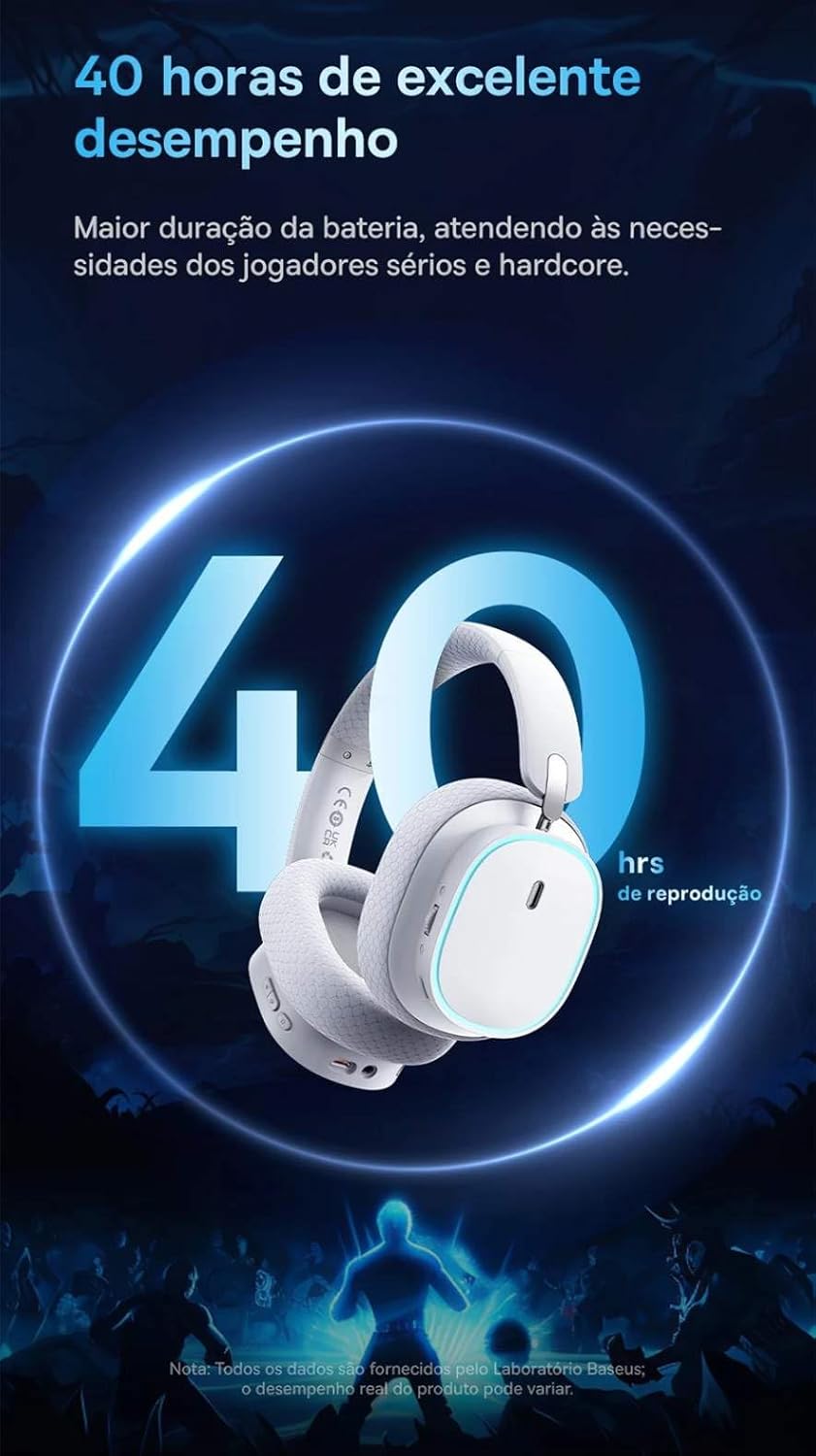
Image: A visual representation of the headset emphasizing its 40-hour battery life, indicating extended usage without frequent recharging.
Asennus
1. Kuulokkeen lataaminen
Before first use, fully charge the headset. Connect the provided USB-C charging cable to the headset's charging port and the other end to a USB power source (e.g., computer USB port, wall adapter). The LED indicator will show charging status and turn off or change color when fully charged.
2. Connecting via 2.4GHz Wireless (Recommended for Gaming)
- Locate the 2.4GHz USB wireless dongle included with your headset.
- Plug the USB dongle into an available USB port on your PC, PlayStation (PS4/PS5), or other compatible gaming device.
- Power on the headset. It should automatically connect to the dongle. The LED indicator will confirm a successful connection.
- Varmista, että kuulokkeet on valittu äänen lähtö- ja syöttölaitteeksi laitteesi ääniasetuksissa.
3. Yhdistäminen Bluetoothin kautta
- With the headset powered on, activate Bluetooth pairing mode (refer to the operating section for specific button presses). The LED indicator will typically flash to indicate pairing mode.
- On your smartphone, tablet, or PC, go to Bluetooth settings and search for available devices.
- Select "Baseus AeQur GH02" from the list of found devices to pair.
- Kun pariliitos on muodostettu, LED-merkkivalo palaa tasaisesti.
4. Connecting via 3.5mm Audio Cable
- Liitä 3.5 mm:n äänikaapelin toinen pää kuulokkeiden 3.5 mm:n ääniliitäntään.
- Connect the other end to the 3.5mm audio output port on your device (e.g., PC, console controller, phone).
- When connected via 3.5mm cable, the headset operates in passive mode, and battery power is not required for audio, though some features like RGB lighting may be disabled.

Image: The Baseus AeQur GH02 headset displayed alongside various compatible gaming and mobile devices, including a PC, PlayStation console, Nintendo Switch, and smartphone, illustrating its broad connectivity.

Image: Icons representing compatibility with Android smartphones/tablets, PCs/notebooks, and gaming consoles like PS5/PS4/Switch/Steam Deck/VR, highlighting the headset's versatile use cases.
Kuulokkeen käyttö
Säätimet
- Virtapainike: Paina ja pidä pohjassa virran kytkemiseksi päälle/pois. Lyhyt painallus toistoa/taukoa varten (Bluetooth-tilassa).
- Äänenvoimakkuuspyörä: Äänenvoimakkuuden lisäämiseksi vieritä ylöspäin, äänenvoimakkuuden vähentämiseksi vieritä alaspäin.
- Mikrofonin mykistyspainike: Paina mykistääksesi/poistaaksesi mikrofonin.
- RGB-valaistuspainike: Short press to cycle through RGB lighting modes or turn off.
Mikrofonin käyttö
The microphone is removable. To attach, align the microphone jack with the port on the left ear cup and insert firmly. To remove, gently pull it out. Ensure the microphone is properly inserted for clear voice pickup.
Baseus-sovellusintegraatio
For advanced customization, download the official Baseus app on your smartphone. The app allows you to:
- Adjust EQ settings (Equalizer).
- Mukauta RGB-valaistustehosteita ja -värejä.
- Switch between audio modes (e.g., Normal Mode, Music Mode, Game Mode for spatial acoustics).
- View akun tila.

Image: Screenshots of the Baseus mobile application interface, demonstrating options for spatial acoustics, EQ mode, and lamp effects, allowing users to customize their headset's performance and lighting.
Huolto
- Puhdistus: Puhdista kuulokkeet pehmeällä, kuivalla liinalla. Korvatyynyjen osalta käytä hieman kuivaa liinaa.amp Liinaa voi käyttää, mutta varmista, että ne ovat täysin kuivia ennen käyttöä. Älä käytä voimakkaita kemikaaleja tai hankaavia materiaaleja.
- Varastointi: Store the headset in a cool, dry place away from direct sunlight and extreme temperatures. If storing for extended periods, ensure it is partially charged (around 50%) to preserve battery health.
- Käsittely: Avoid dropping the headset or subjecting it to strong impacts. Do not twist or bend the headband excessively.
Vianetsintä
| Ongelma | Mahdollinen syy | Ratkaisu |
|---|---|---|
| Kuulokkeista ei kuulu ääntä | Headset not powered on; Low battery; Not properly connected (Bluetooth/2.4GHz/3.5mm); Incorrect audio output selected on device. | Ensure headset is powered on and charged. Re-pair Bluetooth or re-plug 2.4GHz dongle/3.5mm cable. Check device's sound settings to ensure "Baseus AeQur GH02" is selected as output. |
| Mikrofoni ei toimi | Microphone muted; Not properly inserted; Incorrect input device selected; Software issues. | Ensure microphone is not muted (check mute button). Re-insert the removable microphone firmly. Check device's sound settings to ensure "Baseus AeQur GH02" is selected as input. Restart application/game. |
| Headset not pairing/connecting | Out of range; Interference; Headset not in pairing mode; Device's Bluetooth/USB port issue. | Ensure headset is in pairing mode and within range. Turn off other Bluetooth devices. Try connecting to a different USB port or device. Restart headset and device. |
| Lyhyt akunkesto | Not fully charged; High volume usage; RGB lighting always on. | Ensure headset is fully charged. Reduce volume. Turn off RGB lighting when not needed. |
| Cannot use while charging | Tuotesuunnittelun rajoitus. | The Baseus AeQur GH02 headset is designed not to be used while charging. Please allow the headset to fully charge before resuming use. |
Tekniset tiedot
| Ominaisuus | Yksityiskohta |
|---|---|
| Mallin nimi | AeQur GH02 |
| Yhteystekniikka | Wireless (Bluetooth, Wi-Fi 2.4GHz), Wired (3.5mm) |
| Kuljettajan halkaisija | 40 mm |
| Kuulokkeiden taajuus | 20 - 40000 Hz |
| Mikrofonin herkkyys | -45dB |
| Melunhallinta | Aktiivinen melunvaimennus |
| Akun kesto (keskimäärin) | 40 tuntia |
| Yhteensopivat laitteet | Mobile Phones, Gaming Consoles (PC, PS5, PS4), Desktops, Laptops |
| Materiaali | Metallia, Muovia |
| Erikoisominaisuudet | Fast charging, Volume control, Noise isolation, Lightweight, Built-in microphone |
| Väri | Musta |
| Impedanssi | 35 ohmia |
| Sertifiointi | Anatel: 004842514894 |
Takuu ja tuki
The Baseus AeQur GH02 RGB Gaming Headset comes with a 12 kuukauden valmistajan takuu ostopäivästä alkaen ja kattaa materiaali- ja valmistusvirheet normaalin käytön aikana. Säilytä ostokuitti takuuvaatimuksia varten.
For further support, technical assistance, or warranty inquiries, please visit the official Baseus store or contact their customer service through the details provided on their official websivustolla tai tuotteen pakkauksessa.
Voit myös vierailla Baseuksen virallinen kauppa Amazonissa saadaksesi lisätietoja ja tukiresursseja.