
TOPTECH BRAZE-6-BK
BRAZE-6 Portable Bluetooth Speaker User Manual
Model: BRAZE-6-BK | Brand: TOPTECH
1. Johdanto
The TOPTECH BRAZE-6 is a portable wireless Bluetooth speaker system designed to deliver powerful sound with an integrated LED light show. Featuring dual 3-inch woofers, this rechargeable speaker is suitable for various indoor and outdoor settings, including parties, gatherings, and personal listening.
It supports multiple audio input sources, including Bluetooth, USB, TF card, FM radio, and AUX, and offers True Wireless Stereo (TWS) functionality for enhanced audio experience. The built-in rechargeable battery provides extended standby time, ensuring your music accompanies you for longer durations.

Kuva 1.1: Edessä view of the BRAZE-6 Portable Bluetooth Speaker, showcasing its dual woofers and multi-color LED lighting.
2. Pakkauksen sisältö
Varmista, että pakkauksessasi on kaikki alla luetellut tuotteet:
- BRAZE-6 Portable Bluetooth Speaker
- Kaukosäädin
- Kiinteä mikrofoni
- Virtalähde
- Käyttöopas (tämä asiakirja)
- Takuukortti
3. Tuote ohiview
Familiarize yourself with the main components and controls of your BRAZE-6 speaker.

Kuva 3.1: Sivu view of the BRAZE-6 speaker, highlighting the top-mounted control buttons.
Ohjauspaneeli (ylhäällä)
- Virtapainike: Kytkee kaiuttimen päälle/pois.
- Tilapainike: Vaihtaa Bluetooth-, FM-radio-, AUX-, USB- ja TF-korttitilojen välillä.
- Toisto/tauko-painike: Toistaa tai keskeyttää äänen toiston.
- Edellinen/seuraava kappale -painikkeet: Navigoi kappaleiden tai FM-radioasemien läpi.
- Äänenvoimakkuuden säätö: Säätää päääänenvoimakkuutta.
- LED -valopainike: Activates or changes the LED light patterns.
Input Ports (Rear/Side)
- USB-portti: USB-muistitikuille.
- TF-korttipaikka: TF (MicroSD) -korteille.
- AUX-tulo: Ulkoisten äänilaitteiden liittämiseen 3.5 mm:n äänikaapelilla.
- Mikrofonin tulo: Langallisen mikrofonin kytkemistä varten.
- DC 5V tulo: Kaiuttimen lataamiseen.
4. Aloitus
4.1 Kaiuttimen lataaminen
Before first use, fully charge the speaker for optimal battery life.
- Liitä toimitettu virtasovitin kaiuttimen DC 5V -tuloporttiin.
- Kytke sovitin tavalliseen pistorasiaan.
- The charging indicator light will illuminate (color may vary) to show charging is in progress.
- Once fully charged, the indicator light will change or turn off. Disconnect the adapter.
Note: The speaker can be used while charging, but it is recommended to fully charge it before initial use.
4.2 Virran kytkeminen päälle/pois
- Käynnistä painamalla -painiketta pitkään Virtapainike until the speaker activates and you hear an audible prompt.
- Katkaise virta pitämällä -painiketta painettuna Virtapainike uudelleen, kunnes kaiutin sammuu.
5. Käyttöohjeet
5.1 Bluetooth-yhteys
Pair your BRAZE-6 speaker with a Bluetooth-enabled device (e.g., smartphone, tablet, computer).
- Varmista, että kaiuttimeen on kytketty virta ja että se on Bluetooth-tilassa. Jos ei, paina Tilapainike until you hear the "Bluetooth mode" prompt. The LED lights may flash to indicate pairing mode.
- Ota Bluetooth käyttöön laitteessasi ja etsi käytettävissä olevia laitteita.
- Select "BRAZE-6" from the list of found devices.
- Once paired, you will hear a confirmation sound, and the LED lights may change their pattern.
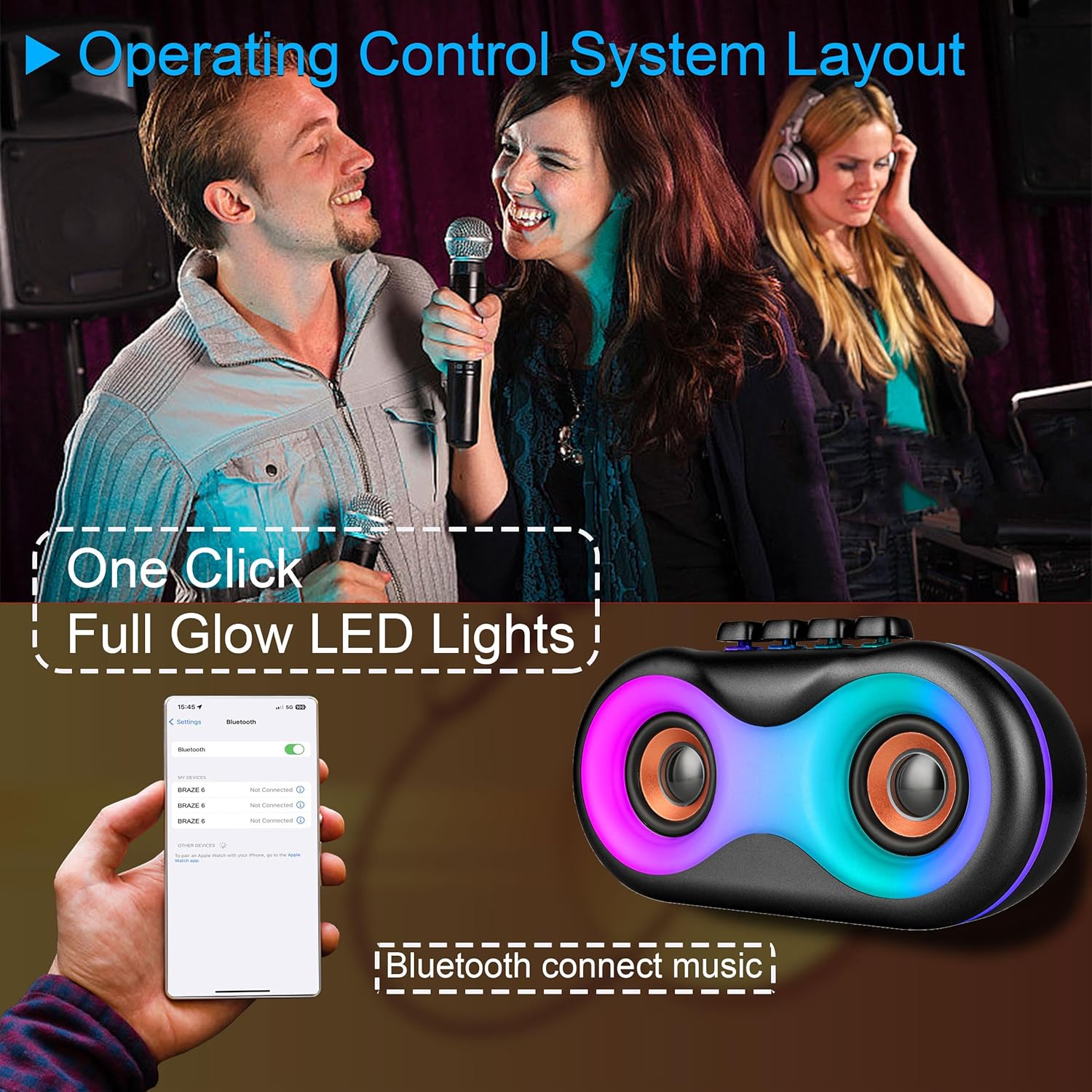
Image 5.1: Illustration of Bluetooth pairing process with a smartphone, showing the speaker's LED lights active.
Note: The speaker supports BLE agreements for stable wireless audio streaming up to 10 meters (33 feet).
5.2 Playing Audio from Various Sources
The BRAZE-6 speaker supports multiple input methods:

Image 5.2: Visual representation of supported input types: USB, Bluetooth, FM Radio, TWS, AUX, and TF Card.
- USB/TF-kortti: Insert a USB flash drive or TF card into the respective port. The speaker will automatically switch to the correct mode and begin playing audio files.
- AUX-tulo: Connect an external audio device (e.g., MP3 player, laptop) to the AUX port using a 3.5mm audio cable. Press the Tilapainike valitaksesi AUX-tilan.
- FM-radio: Paina Tilapainike to switch to FM Radio mode. Use the Previous/Next Track buttons to scan for stations.
5.3 LED-valoesitys
The BRAZE-6 features dynamic multi-color LED lights that enhance your listening experience.
- Paina LED-valopainike on the control panel to activate the light show.
- Press the button again to cycle through different light patterns or turn the lights off.

Image 5.3: The BRAZE-6 speaker with its powerful stereo sound output and integrated lighting effects.
5.4 Wired Microphone Usage
Connect the included wired microphone for karaoke or public address functions.
- Plug the microphone cable into the dedicated Microphone Input port on the speaker.
- Adjust the microphone volume using the speaker's controls or the microphone's built-in controls if available.
5.5 True Wireless Stereo (TWS) -toiminto
The TWS function allows you to pair two BRAZE-6 speakers together for a true stereo sound experience.
- Ensure both BRAZE-6 speakers are powered on and in Bluetooth pairing mode (not connected to any device).
- Pidä painettuna yhden kaiuttimen (tämä on ensisijainen kaiutin) -painiketta TWS-painike (if available, or a combination of buttons as per specific model instructions, typically the Play/Pause button).
- The speakers will attempt to connect to each other. Once connected, you will hear a confirmation sound.
- Now, connect your Bluetooth device to the primary speaker. Audio will play through both speakers in stereo.
6. Hoito ja huolto
6.1 Puhdistus
- Pyyhi kaiuttimen ulkopinta pehmeällä, kuivalla tai hieman kostealla liinallaamp kangas.
- Do not use abrasive cleaners, alcohol, benzene, or other volatile solvents, as they may damage the surface.
- Ensure no liquid enters the speaker's ports or openings.
6.2 Varastointi
- Säilytä kaiutinta viileässä, kuivassa paikassa, poissa suorasta auringonvalosta ja äärimmäisistä lämpötiloista.
- Vältä säilyttämistä pölyisissä tai kosteissa ympäristöissä.
6.3 Akun hoito
- Akun käyttöiän pidentämiseksi vältä akun usein tapahtuvaa täydellistä tyhjentymistä.
- If the speaker will not be used for an extended period, charge it to approximately 50% every 3-6 months.
- Älä altista akkua liialliselle kuumuudelle, kuten suoralle auringonvalolle tai tulelle.
7. Vianmääritys
If you encounter issues with your BRAZE-6 speaker, refer to the following common problems and solutions:
| Ongelma | Mahdollinen syy | Ratkaisu |
|---|---|---|
| Kaiutin ei käynnisty. | Akku vähissä; Virtapainiketta ei painettu oikein. | Charge the speaker; Press and hold the Power button for a few seconds. |
| Ei ääntä. | Äänenvoimakkuus liian alhainen; Väärä tila valittu; Laite ei ole kytketty oikein. | Increase volume; Press Mode button to select correct input; Reconnect device. |
| Bluetooth-pariliitos epäonnistuu. | Kaiutin ei ole pariliitostilassa; Laitteen Bluetooth pois päältä; Liian kaukana kaiuttimesta. | Ensure speaker is in Bluetooth mode; Turn on device Bluetooth; Move device closer (within 10m). |
| LED-valot eivät toimi. | LED light feature turned off. | Press the LED Light Button to activate. |
| Huono FM-radion vastaanotto. | Heikko signaali; Häiriöitä. | Adjust speaker position; Extend antenna if available. |
8. Tekniset tiedot
Detailed specifications for the BRAZE-6 Portable Bluetooth Speaker:

Image 8.1: Product dimensions of the BRAZE-6 speaker.
| Ominaisuus | Erittely |
|---|---|
| Mallin nimi | BRAZE-6-BK |
| Merkki | TOPTECH |
| Kaiuttimen tyyppi | Bassokaiutin (kaksi 3-tuumainen) |
| Yhteystekniikka | Bluetooth, Lisälaite, USB, Langaton |
| Yhteysprotokolla | Bluetooth |
| Erikoisominaisuus | LED valo |
| Virtalähde | Paristokäyttöinen |
| Tuotteen mitat (S x L x K) | 18.9 cm x 13.2 cm x 22.83 cm |
| Väri | Musta |
| Ohjaimen tyyppi | Painike |
| Suositellut käyttötavat | Älypuhelimille tai tableteille |
| Yhteensopivat laitteet | Älypuhelin |
| On vedenpitävä | TOTTA |
| Kohteiden määrä | 1 |
| UPC | 755824425996 |
| Valmistaja | Top Tech Audio |
9. Takuu ja tuki
Your BRAZE-6 Portable Bluetooth Speaker comes with a warranty. Please refer to the included warranty card for specific terms and conditions, including coverage period and claim procedures.
For technical support, troubleshooting assistance beyond this manual, or warranty inquiries, please contact TOPTECH customer service through the following channels:
- Online-tuki: Visit the official TOPTECH website or Amazon store page for contact information.
- Sähköpostituki: Refer to your warranty card or product packaging for the customer service email address.
For more information about TOPTECH products, you can visit the TOPTECH Store on Amazon.
Ask a question about this manual
Ask about setup, troubleshooting, compatibility, parts, safety, or missing instructions. Manuals+ will review the question and use this page’s manual context to help answer it.