
nubia nubia Flip
nubia Flip 5G User Manual
Model: nubia Flip
Johdanto
Welcome to the nubia Flip 5G user manual. This guide provides comprehensive instructions for setting up, operating, maintaining, and troubleshooting your new foldable smartphone. The nubia Flip 5G combines innovative foldable technology with powerful performance, featuring a dual-screen design, a 50MP AI dual camera, and a robust 4310 mAh battery with 33W fast charging.
Lue tämä käyttöohje huolellisesti varmistaaksesi laitteen oikean käytön ja maksimoidaksesi sen potentiaalin.
1. Asennus
1.1 Pakkauksen sisältö
- nubia Flip 5G-älypuhelin
- Clear phone case
- Laturi
- Type-C datakaapeli
1.2 Ensimmäinen lataus
Before first use, fully charge your nubia Flip 5G using the provided charger and Type-C data cable. The device supports 33W fast charging, allowing for a rapid charge.
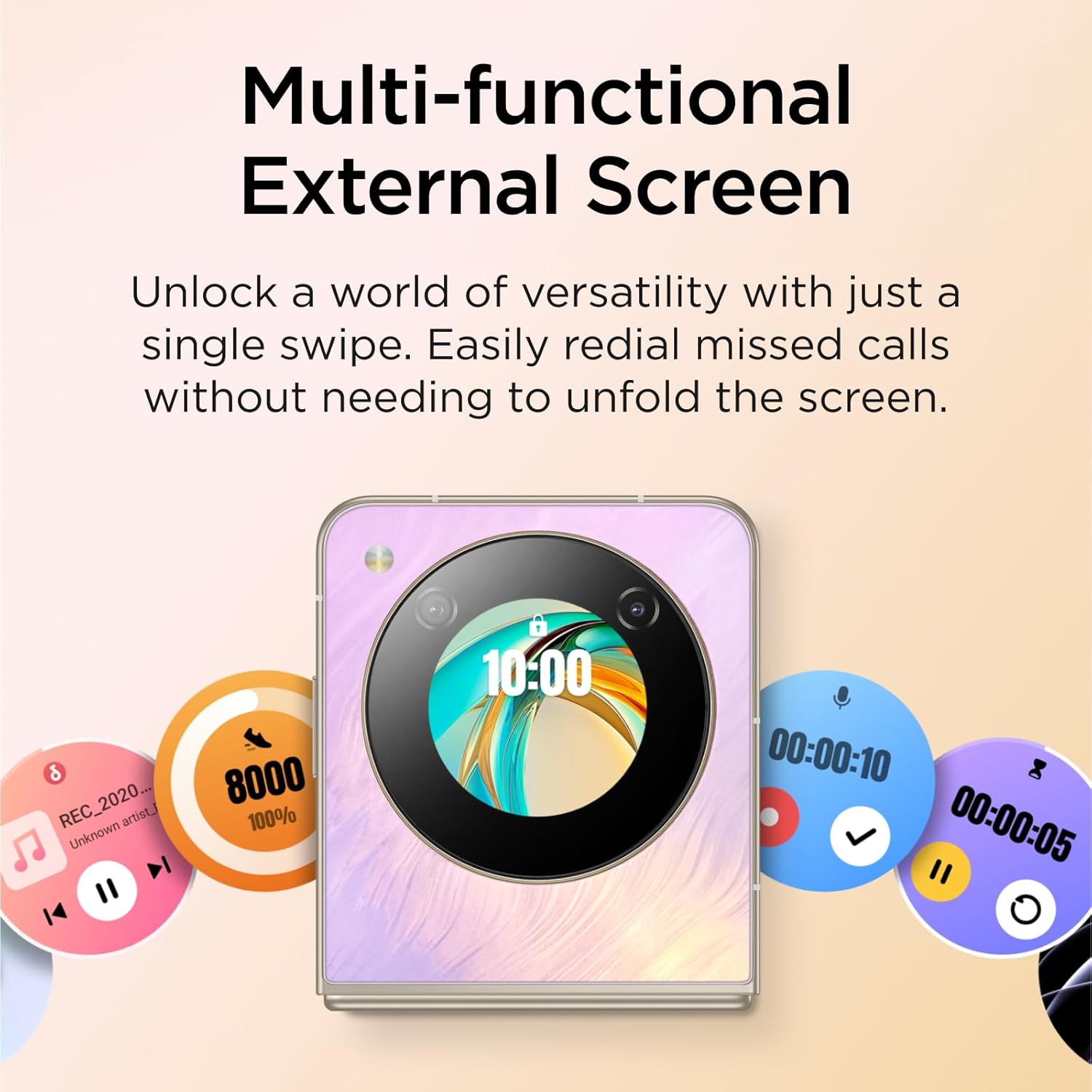
Image: The nubia Flip 5G in its folded state, connected to a charging cable, illustrating the charging process.
1.3 SIM-kortin asettaminen
Locate the SIM card tray on the side of the device. Use the SIM ejector tool (not explicitly listed in box contents, but standard) to open the tray. Insert your Nano-SIM card(s) into the designated slots. Ensure the card is correctly oriented before reinserting the tray.
1.4 Virran kytkeminen päälle/pois
- Virta päälle: Press and hold the Power button (located on the side) until the nubia logo appears.
- Virta pois: Pidä virtapainiketta painettuna ja valitse sitten näytölle ilmestyvistä vaihtoehdoista "Virta pois".
- Käynnistä uudelleen: Pidä virtapainiketta painettuna ja valitse sitten vaihtoehdoista "Käynnistä uudelleen".
1.5 Alkuasennusavustaja
Upon first power-on, the device will guide you through an initial setup process. This includes selecting your language, connecting to a Wi-Fi network, setting up your Google account, and configuring security options like fingerprint and face unlock.
2. Laitteen käyttö
2.1 Taitettava muotoilu ja näytöt
The nubia Flip 5G features a revolutionary foldable design, allowing it to transform from a compact, pocket-sized device to a full-sized smartphone. It has two main displays:
- Main Internal Display: A 6.9-inch FHD+ screen that unfolds for an immersive viewkokemusta.
- External OLED Display: A 1.43-inch interactive display accessible when the phone is folded.
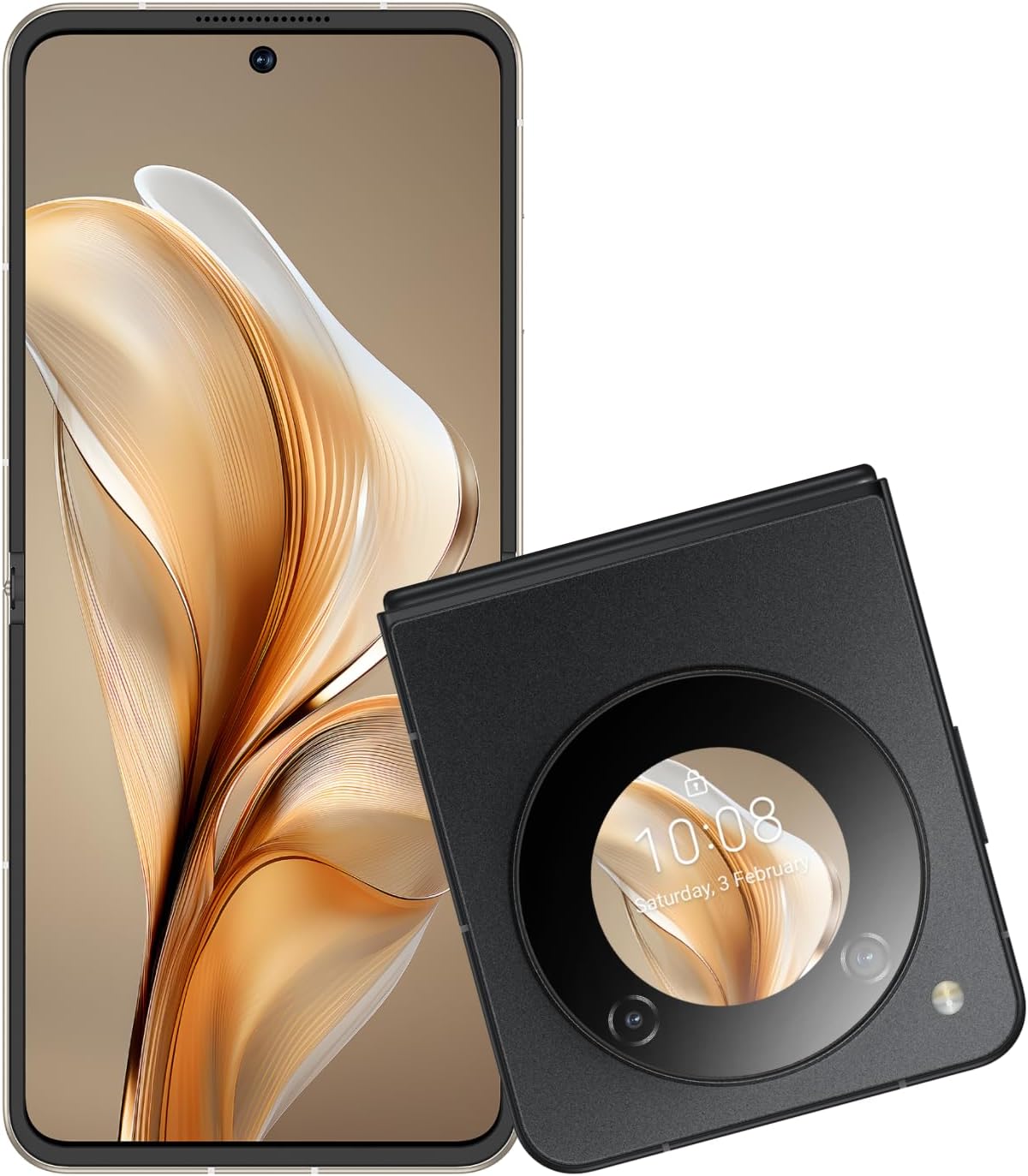
Image: The nubia Flip 5G shown both unfolded and folded, highlighting its dual-screen capability.

Image: A hand holding the folded nubia Flip 5G, illustrating its compact and pocket-friendly design.
2.2 External Display Functions
The 1.43-inch external OLED display provides quick access to essential information and controls without unfolding the phone. Swipe across the external screen to:
- View missed notifications and messages.
- Reply to texts (limited functionality).
- Ohjaa musiikin toistoa.
- Answer or redial calls.
- Access quick settings.
- Interact with a virtual animated 'pet'.

Image: The external display of the nubia Flip 5G showcasing its multi-functional capabilities with various interactive widgets.
2.3 Kameran käyttö
The nubia Flip 5G is equipped with a versatile camera system:
- Takakamerat: 50MP Main Camera (f/1.8) and a 2MP Depth Lens.
- Etukamera: 16 megapikseliä.
The foldable design allows for unique photography angles. You can stand the phone at multiple angles for hands-free shooting.
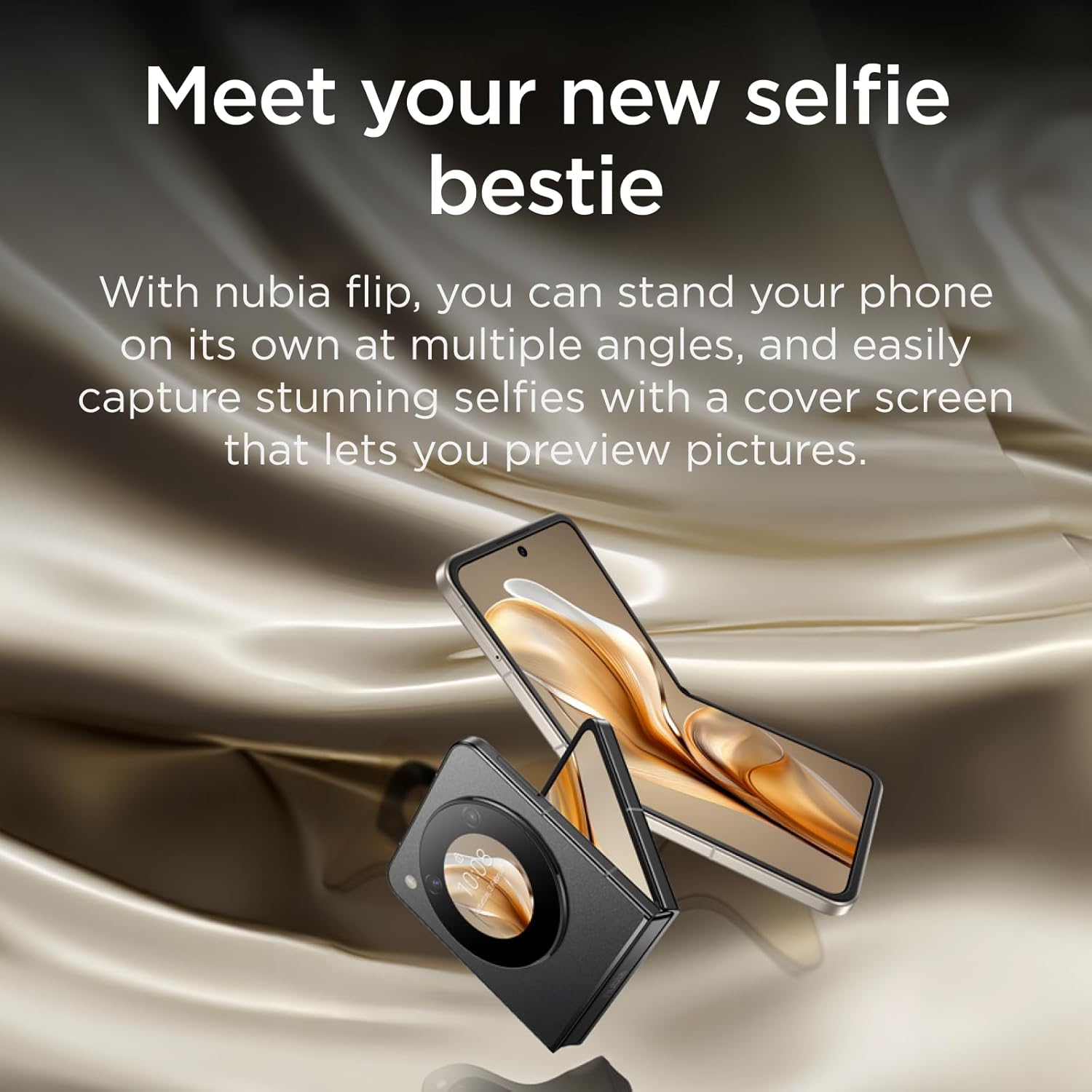
Image: A person using the nubia Flip 5G's external display for a selfie, demonstrating the camera's capabilities.

Image: The nubia Flip 5G in a partially folded position, used as a stand for taking a selfie, showcasing its flexible design for photography.
2.4 Lukituksen avausmenetelmät
Your nubia Flip 5G offers multiple secure unlocking options:
- Sormenjälkitunnistin: The power button integrates a fast and accurate fingerprint sensor. Register your fingerprints in the Security settings.
- Face Wake-up: Use facial recognition to unlock your device. Set this up in the Security settings.
- PIN-koodi/kuvio/salasana: Standard Android security options.

Image: Visual representation of the dual unlocking methods: Face Wake-up and Fingerprint Unlock.
2.5 MyOS 13 Features
The nubia Flip 5G runs on MyOS 13, offering a straightforward and convenient user experience with various customization options:
- Animation Speed Adjustment: Customize system animation speeds for a smoother or faster feel.
- Wallpaper Color Picker: Easily select and apply colors from your wallpaper to theme your interface.
- Jaettu näyttö: Multitask efficiently by running two apps side-by-side on the main display.
2.6 Yhteydet
Laite tukee laajaa valikoimaa liitäntävaihtoehtoja:
- 5G-verkko: Enjoy lightning-fast 5G network speeds for browsing, streaming, and gaming.
- Wi-Fi: Yhdistä langattomiin verkkoihin internetyhteyttä varten.
- Bluetooth: Yhdistä Bluetooth-lisävarusteisiin, kuten kuulokkeisiin ja kaiuttimiin.
- USB Type-C: For charging, data transfer, and connecting peripherals.
3. Huolto
3.1 Laitteen puhdistaminen
To keep your nubia Flip 5G in optimal condition:
- Pyyhi näyttö ja runko pehmeällä, nukkaamattomalla liinalla.
- Vältä voimakkaiden kemikaalien, hankaavien puhdistusaineiden tai aerosolisuihkeiden käyttöä.
- Älä altista laitetta liialliselle kosteudelle.
3.2 Ohjelmistopäivitykset
Tarkista säännöllisesti ohjelmistopäivitykset ja asenna ne varmistaaksesi, että laitteessasi on uusimmat ominaisuudet, tietoturvapäivitykset ja suorituskyvyn parannukset. Siirry osoitteeseen Asetukset > Järjestelmä > Järjestelmäpäivitys tarkistaaksesi päivitykset.
3.3 Akun hoito
Pidennä akun käyttöikää seuraavasti:
- Vältä äärimmäisiä lämpötiloja.
- Älä anna akun tyhjentyä kokonaan ennen kuin lataat sitä usein.
- Käytä alkuperäistä laturia ja kaapelia optimaalisen latauksen saavuttamiseksi.
4. Vianmääritys
4.1 Yleiset ongelmat ja ratkaisut
| Antaa | Ratkaisu |
|---|---|
| Laite ei käynnisty | Varmista, että akku on ladattu. Pakota uudelleenkäynnistys painamalla virtapainiketta vähintään 10 sekuntia. |
| Ei mobiilidatayhteyttä | Check SIM card insertion. Verify APN settings (consult your carrier). Ensure mobile data is enabled in settings. Confirm your SIM card's frequency bands are supported by the device. |
| Näyttö ei reagoi | Käynnistä laite uudelleen. Jos ongelma jatkuu, harkitse tehdasasetusten palauttamista (varmuuskopioi ensin tiedot). |
| Sovellukset kaatuvat/jäätyvät | Clear app cache/data (Settings > Apps). Update the app. Reinstall the app. |
4.2 Tehdasasetusten palautus
Tehdasasetusten palautus poistaa kaikki tiedot laitteestasi ja palauttaa sen alkuperäisiin tehdasasetuksiin. Varmuuskopioi kaikki tärkeät tiedot ennen jatkamista.
Tehdasasetusten palauttaminen: Siirry osoitteeseen Asetukset > Järjestelmä > Nollausasetukset > Poista kaikki tiedot (palauta tehdasasetukset)Noudata näytön ohjeita.
5. Tekniset tiedot
| Ominaisuus | Yksityiskohta |
|---|---|
| Mallin nimi | nubia Flip |
| Käyttöjärjestelmä | Android 13.0 |
| Päänäytön koko | 6.9 tuumaa |
| Päänäytön resoluutio | 2790*1188 |
| Päivitystaajuus | 120 Hz |
| Ulkoisen näytön koko | 1.43 tuumaa (OLED) |
| Prosessori | Qualcomm Snapdragon 7 Gen 1 (up to 2.4GHz) |
| RAM | 8 Gt |
| Tallennuskapasiteetti | 256 Gt |
| Takakamera | 50 megapikselin tekoälyllä varustettu kaksoiskamera |
| Etukamera | 16 MP |
| Akun kapasiteetti | 4310 mAh |
| Lataus | 33W pikalataus |
| Mitat (taitettu) | Approx. 8.7 x 7.55 x 1.4 cm (estimated from unfolded dimensions) |
| Mitat (taitettu) | 17 x 7.55 x 0.7 cm |
| Paino | 209 g |
| Supported Bands (NR) | n1/n3/n5/n8/n28A/n41/n78 |
| Supported Bands (FDD) | B1/B2/B3/B4/B5/B7/B8/B12/B17/B20 |
| Supported Bands (TDD) | B34/B38/39/40/41 |
| Supported Bands (UMTS) | B1/B2/B4/B5/B8 |
| Supported Bands (CDMA) | BC0 |
| Supported Bands (GSM) | B2/B3/B5/B8 |
6. Takuu ja tuki
6.1 Takuutiedot
Your nubia Flip 5G comes with a standard manufacturer's warranty. Please refer to the warranty card included in your product packaging or visit the official nubia websivustolta löydät tarkemmat ehdot takuun kattavuudesta ja kestosta.
6.2 Asiakastuki
For technical assistance, troubleshooting beyond this manual, or warranty claims, please contact nubia customer support through their official website or the contact information provided in your product documentation. Ensure you have your product model number and purchase details ready when contacting support.
Voit myös vierailla nubia-kauppa Amazonissa lisätietoja tuotteesta ja tukiresursseista.
Asiaan liittyvät asiakirjatnubia Flip


Ask a question about this manual
Ask about setup, troubleshooting, compatibility, parts, safety, or missing instructions. Manuals+ will review the question and use this page’s manual context to help answer it.