
1. Johdanto
Thank you for choosing the CHiQ 22F650 22-inch FHD Monitor. This manual provides essential information for setting up, operating, and maintaining your monitor. Please read it thoroughly before use to ensure optimal performance and safety.
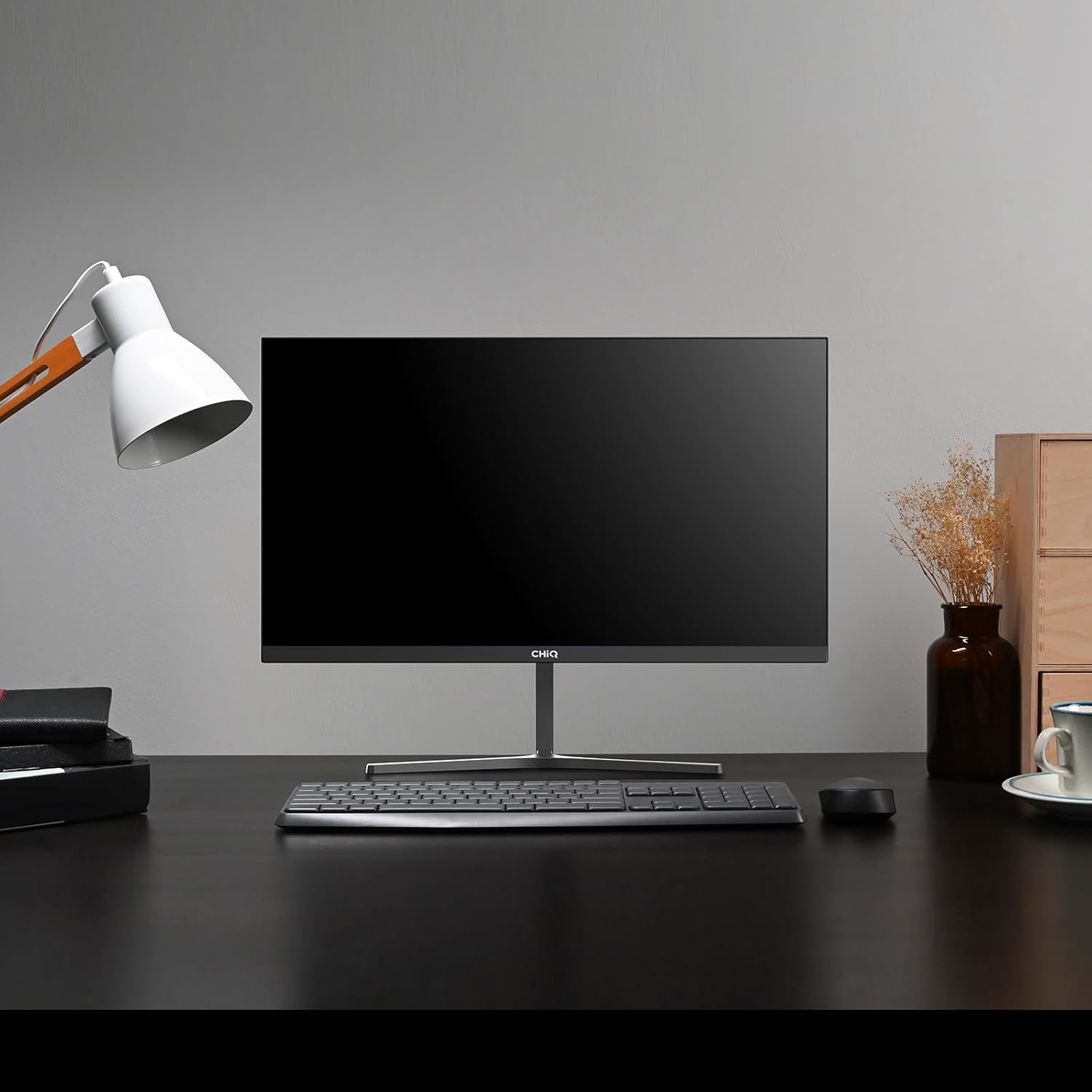
Image 1.1: The CHiQ 22F650 monitor set up on a desk.
The CHiQ 22F650 monitor features a 22-inch Full HD (1920 x 1080) display with a 100Hz refresh rate and AMD FreeSync technology for smooth visuals. Its ultra-thin, borderless design offers an immersive viewing experience, complemented by 100% sRGB color gamut and DC dimming for eye comfort.
2. Turvallisuustiedot
Noudata seuraavia turvaohjeita näytön vahingoittumisen estämiseksi ja oman turvallisuutesi varmistamiseksi:
- Älä altista näyttöä sateelle, kosteudelle tai äärimmäisille lämpötiloille.
- Varmista näytön ympärillä oleva asianmukainen ilmanvaihto. Älä tuki tuuletusaukkoja.
- Käytä ainoastaan valmistajan toimittamaa tai suosittelemaa virtalähdettä ja kaapeleita.
- Vältä raskaiden esineiden asettamista virtajohdon päälle.
- Irrota virtajohto pistorasiasta, jos näyttöä ei käytetä pitkään aikaan.
- Älä yritä korjata näyttöä itse. Jätä kaikki huoltotyöt pätevän henkilöstön tehtäväksi.
3. Pakkauksen sisältö
Varmista, että pakkauksessasi on kaikki tarvittavat osat:
- CHiQ 22F650 Monitor
- Näytön jalusta (jalusta ja kaula)
- Virtalähde ja kaapeli
- HDMI kaapeli
- Käyttöopas (tämä asiakirja)
4. Kokoaminen ja asetukset
4.1 Jalustan kokoaminen
- Poista näyttö varovasti pakkauksestaan ja pidä näyttö suojattuna.
- Kiinnitä jalustan kaula näyttöpaneeliin.
- Kiinnitä jalustan pohja jalustan kaulaan mukana toimitetulla ruuvilla.
The monitor features a quick detachable Y-shaped metal stand for easy assembly.
4.2 Näytön liittäminen
Connect the monitor to your computer or other devices using the available ports:
- HDMI: Liitä HDMI-kaapeli tietokoneen HDMI-ulostuloliittimestä näytön HDMI-tuloliittimeen.
- VGA: Liitä VGA-kaapeli tietokoneen VGA-ulostulosta näytön VGA-tuloon.
- Audio: Connect headphones or external speakers to the 3.5mm headphone output jack.
- Teho: Kytke virtalähde näytön tasavirtatuloon ja kytke se sitten pistorasiaan.

Image 4.1: Monitor connectivity ports (HDMI, VGA, Headphone Output).
4.3 Näytön kulman säätäminen
The monitor's stand allows for tilt adjustment from +5° to -15° to achieve an optimal viewkulma.

Image 4.2: Monitor tilt adjustment and VESA mount points.
4.4 VESA-seinäkiinnitys
The monitor is compatible with VESA 75x75mm wall mounts. To mount the monitor on a wall, remove the stand and attach a compatible VESA bracket (sold separately) to the mounting holes on the back of the monitor.
5. Käyttöohjeet
5.1 Virta päälle/pois
Käynnistä tai sammuta näyttö painamalla sen takana olevaa virtapainiketta.
5.2 On-Screen Display (OSD) -valikko
The monitor features joystick-type buttons on the rear for navigating the OSD menu. Use these buttons to adjust various display settings:
- Kirkkaus/kontrasti: Säädä kokonaisluminanssia ja eroa vaaleiden ja tummien alueiden välillä.
- Väriasetukset: Muokkaa värilämpötilaa, gammaa ja yksittäisiä RGB-arvoja.
- Syöttölähde: Valitse manuaalisesti HDMI- ja VGA-tulojen välillä.
- Kuvatila: Valitse valmiista näyttötiloista (esim. Vakio, Peli, Elokuva).
- Audio: Adjust volume for the headphone output.

Image 5.1: Visual features of the CHiQ 22F650 monitor, including 100% sRGB and DC Dimming.
5.3 FreeSync Technology
The CHiQ 22F650 monitor supports AMD FreeSync technology, which synchronizes the monitor's refresh rate with your graphics card's frame rate. This helps eliminate screen tearing and stuttering, providing a smoother gaming and viewing experience. FreeSync is typically enabled automatically when connected to a compatible AMD graphics card.
Video 5.1: This video demonstrates the smooth performance of the CHiQ 22F650 monitor, highlighting features like 100Hz refresh rate and FreeSync technology, and its ultra-thin design.
6. Huolto
6.1 Näytön puhdistaminen
- Irrota aina näyttö pistorasiasta ennen puhdistamista.
- Käytä pehmeää, nukkaamatonta liinaa kevyesti dampvedellä tai miedolla, hankaamattomalla näytönpuhdistusaineella.
- Älä suihkuta puhdistusainetta suoraan näytölle.
- Pyyhi näyttö varovasti pölyn ja tahrojen poistamiseksi.
- Näytölle casing, käytä pehmeää, kuivaa liinaa.
6.2 Varastointi
If storing the monitor for an extended period, place it in its original packaging in a dry, cool environment to protect it from dust and damage.
7. Vianmääritys
Jos kohtaat ongelmia näytön kanssa, katso seuraavat yleiset ongelmat ja ratkaisut:
| Ongelma | Mahdollinen syy | Ratkaisu |
|---|---|---|
| Ei kuvaa näytöllä | Virtajohto irti, videokaapeli löysä/irronnut, väärä tulolähde valittu. | Check power and video cable connections. Ensure the correct input source (HDMI/VGA) is selected in the OSD menu. |
| Kuva on epäselvä tai vääristynyt | Väärä resoluutio, viallinen videokaapeli. | Set the display resolution to 1920 x 1080. Try a different video cable. |
| Värit ovat vääriä | Color settings in OSD, faulty video cable. | Säädä väriasetuksia OSD-valikossa. Kokeile toista videokaapelia. |
| Näytön välkkyminen | Refresh rate mismatch, FreeSync issue, faulty cable. | Ensure your graphics card output matches the monitor's 100Hz refresh rate. Check FreeSync settings. Try a different video cable. |
| No audio from headphone output | Volume too low, incorrect audio output selected on computer. | Adjust volume in OSD. Ensure the monitor is selected as the audio output device on your computer. |
8. Tekniset tiedot
Detailed technical specifications for the CHiQ 22F650 monitor:
| Ominaisuus | Erittely |
|---|---|
| Merkki | CHiQ |
| Mallinumero | 22F650 |
| Valmistaja | Changhong |
| Näytön koko | 22 tuumaa |
| Resoluutio | FHD 1080p (1920 x 1080 pikseliä) |
| Kuvasuhde | 16:9 |
| Näytön pinta | Anti-glare / Anti-slip |
| Kontrastisuhde | 3000:1 |
| Vastausaika | 6 millisekuntia |
| Päivitystaajuus | 100 Hz |
| Mukautuva synkronointi | FreeSync |
| Näytön tyyppi | LCD |
| Viewkulma | 178 astetta |
| Kirkkaus | 250 candelas per square meter |
| Kuvan parannus | DC Dimming, Anti-glare coating |
| Mitat (S x L x K) | 13.9 x 49.3 x 37.7 cm |
| Paino | 1.92 kiloa |
| Yhteydet | 1x HDMI, 1x VGA, 1x Headphone Output |
| VESA-teline | Wall mount (75x75mm) |
| Voitage | 220 volttia |
| Väri | Musta |
Image 8.1: Product Information Sheet with technical data. For more details, visit the EPREL -tietokanta.
Image 8.2: EU Energy Label for the CHiQ 22F650 monitor. For more details, visit the EPREL -tietokanta.
9. Takuu ja tuki
9.1 Takuutiedot
CHiQ monitors are protected by a 3 vuoden takuuSäilytä ostokuittisi takuuvaatimuksia varten.
9.2 Asiakastuki
If you encounter any problems or have questions regarding your CHiQ 22F650 monitor, please do not hesitate to contact CHiQ customer service. An online hotline managed by professional staff is available on weekdays to assist you.
For further assistance, please visit the official CHiQ websivustolta tai katso tuotedokumentaation mukana toimitetut yhteystiedot.