
Johdanto
This manual provides comprehensive instructions for the ASWEE P4 Smart Watch, a versatile fitness tracker with call capabilities, a 1.85" TFT display, and various health monitoring features. Please read this manual thoroughly before using your device.
Mitä laatikossa on
- ASWEE P4 Smart Watch
- Latauskaapeli
- Käyttöopas
Tuote loppuview
The ASWEE P4 Smart Watch features a rectangular 1.85-inch TFT-LCD display with a 240x280 resolution. It includes a physical button on the side for navigation and interaction. The watch is designed for comfortable wear and easy access to its functions.
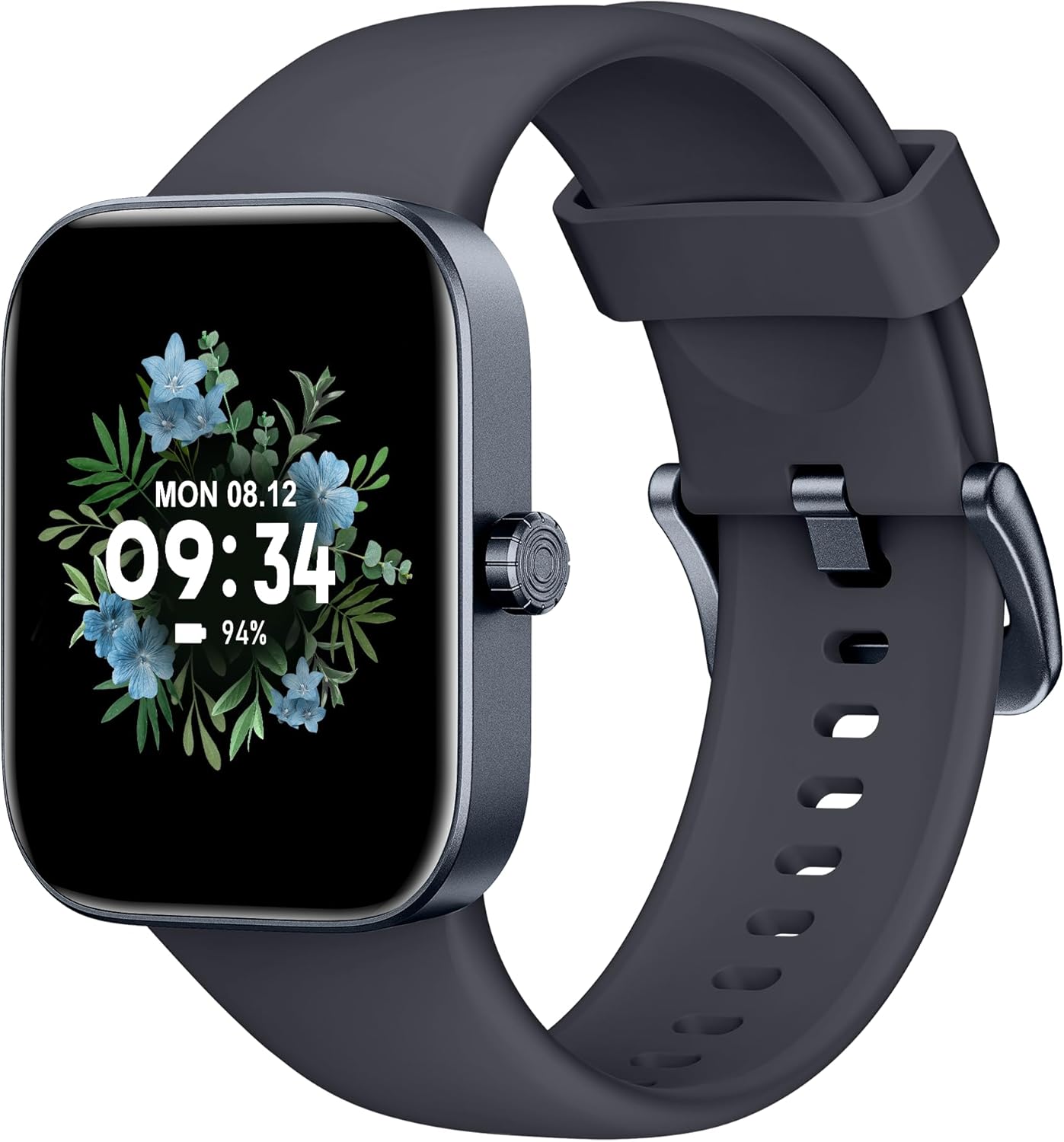
Edessä view of the ASWEE P4 Smart Watch, displaying time and date with a floral background.
Asennus
Laitteen lataaminen
The ASWEE P4 Smart Watch comes with a magnetic charging cable. Align the magnetic end of the cable with the charging contacts on the back of the watch. The watch will indicate when it is charging. A full charge typically takes approximately 2 hours and provides up to 7 days of active use or 15 days on standby.

Illustration showing the magnetic charging cable connected to the back of the ASWEE P4 Smart Watch, highlighting battery life indicators.
Sovelluksen asennus ja pariliitos
To utilize all features of your ASWEE P4 Smart Watch, you need to download and install the "FitPro" application on your smartphone. Scan the QR code provided in the watch's packaging or search for "FitPro" in your device's app store.
Pariliitos iPhonen kanssa
Follow these steps to pair your watch with an iPhone:
- Varmista, että Bluetooth on käytössä iPhonessasi.
- Open the "FitPro" app.
- Navigate to "Setting" and then "Bind device".
- Select your watch (e.g., KM13Pro) from the scan results.
- Confirm the pairing request by clicking "Pair" and then "Allow" for notifications.
- Go to your iPhone's Bluetooth settings and connect to "KM13Pro Audio" for call functionality.
Video tutorial demonstrating how to bind the ASWEE P4 Smart Watch to an iPhone and how to unbind it.
Pairing with Android Phone
Follow these steps to pair your watch with an Android phone:
- Varmista, että Bluetooth on käytössä Android-puhelimellasi.
- Open the "FitPro" app.
- Navigate to "Set" and then "Bind device".
- Select your watch (e.g., KM13Pro) from the scan results.
- Confirm the pairing request by clicking "Pair".
Video tutorial demonstrating how to bind the ASWEE P4 Smart Watch to an Android phone and how to unbind it.
Käyttöohjeet
Perusnavigointi
The watch features a touch-sensitive screen for navigation. Swipe left/right or up/down to access different functions and menus. The side button typically serves as a home or back button.
Call and Text Functionality
With its built-in speaker and microphone, the ASWEE P4 allows you to answer/dial calls directly from your wrist when connected via Bluetooth. You can also receive SMS text and SNS messages (Facebook, Twitter, WhatsApp, etc.) with vibration alerts.

Image showing the ASWEE P4 Smart Watch on a wrist, with notification icons for various messaging apps, indicating Bluetooth 5.0 connectivity for calls and texts.
Terveyden seuranta
The watch provides comprehensive health monitoring:
- Syke: 24-hour tracking with a high-precision PPG sensor. Stores 7 days of resting heart rate data.
- Veren happi: Measures SpO2 levels using a reflective-light based sensor.
- Unenvalvonta: Tracks sleep quality through Awake, Light, and Deep sleep stages, helping to improve sleep duration and quality.
- Stressin seuranta: Antaa tietoa stressitasoista.

Image illustrating the ASWEE P4 Smart Watch's 24-hour data tracking capabilities, including heart rate, stress level, and blood oxygen monitoring.

Image depicting the ASWEE P4 Smart Watch's sleep health assistant feature, showing sleep duration and patterns.
Kuntoilutilat
The ASWEE P4 supports multiple workout modes, including running, bike riding, basketball, and tennis. It accurately monitors data points like heart rate, time, and calories burned to enhance workout efficiency.

Kuvaesitysasing the ASWEE P4 Smart Watch's various sports modes, including running, bike riding, basketball, and jumping jack, with activity data like steps, distance, and calories.
Räätälöinti
Choose from over 100 stylish watch faces or create your own using photos from your phone gallery.
Huolto
Puhdistus
Puhdista kellosi ja rannekkeesi säännöllisesti pehmeällä,amp kangas. Vältä kovien kemikaalien tai hankaavien materiaalien käyttöä.
Varastointi
Säilytä kelloa viileässä ja kuivassa paikassa, kun sitä ei käytetä.
Vianetsintä
Kello ei käynnisty
- Varmista, että kello on ladattu täyteen. Liitä se latauskaapeliin ja virtalähteeseen vähintään 30 minuutiksi.
Pariliitosongelmat
- Varmista, että Bluetooth on käytössä puhelimessasi ja että kello on kantaman sisällä.
- Käynnistä sekä puhelin että kello uudelleen.
- If previously paired, try "forgetting" the device in your phone's Bluetooth settings and re-pairing through the FitPro app.
- Ensure the FitPro app has necessary permissions (Bluetooth, location).
Epätarkat terveystiedot
- Varmista, että kello on tiukasti ranteessasi, ei liian tiukasti tai liian löysästi.
- Puhdista kellon takana oleva anturi.
- Ympäristötekijät ja yksilöllinen fysiologia voivat vaikuttaa lukemiin.
Ilmoitukset eivät näy
- Check app permissions for FitPro to ensure it can access notifications.
- Verify that notification push settings are enabled within the FitPro app for desired applications.
- Varmista, että kello on yhdistetty puhelimeesi Bluetoothin kautta.
Tekniset tiedot
| Ominaisuus | Yksityiskohta |
|---|---|
| Mallin nimi | P4 |
| Merkki | ASWEE |
| Näytön koko | 1.85 tuumaa |
| Näyttötekniikka | TFT-LCD |
| Resoluutio | 240 x 280 PPI |
| Käyttöjärjestelmä | Wear OS |
| Yhteydet | Bluetooth 5.3 |
| Vedenkestävyys | IP68, 5 pankkiautomaattia |
| Akun kesto (tyypillinen käyttö) | Jopa 7 päivää |
| Valmiusaika | Jopa 15 päivää |
| Latausaika | Noin 2 tuntia |
| Erikoisominaisuudet | Fitness Tracker, Sleep Monitor, Reminders, Multimedia control, Answer/Dial Call, Heart Rate Monitor, Blood Oxygen Monitor, Stress Monitor |
| Tuotteen paino | 2.89 unssia |
Huomautus: Tekniset tiedot voivat muuttua ilman ennakkoilmoitusta.
Takuu ja tuki
For warranty information and technical support, please refer to the official ASWEE websivustolta tai ota yhteyttä heidän asiakaspalveluunsa. Säilytä ostokuitti ostotodistuksena.