
MYZONE MZ-20
MYZONE MZ-20 Bluetooth Digital Bathroom Scale User Manual
Malli: MZ-20
Johdanto
This manual provides essential information for the safe and effective use of your MYZONE MZ-20 Bluetooth Digital Bathroom Scale. Please read these instructions thoroughly before use and retain for future reference.
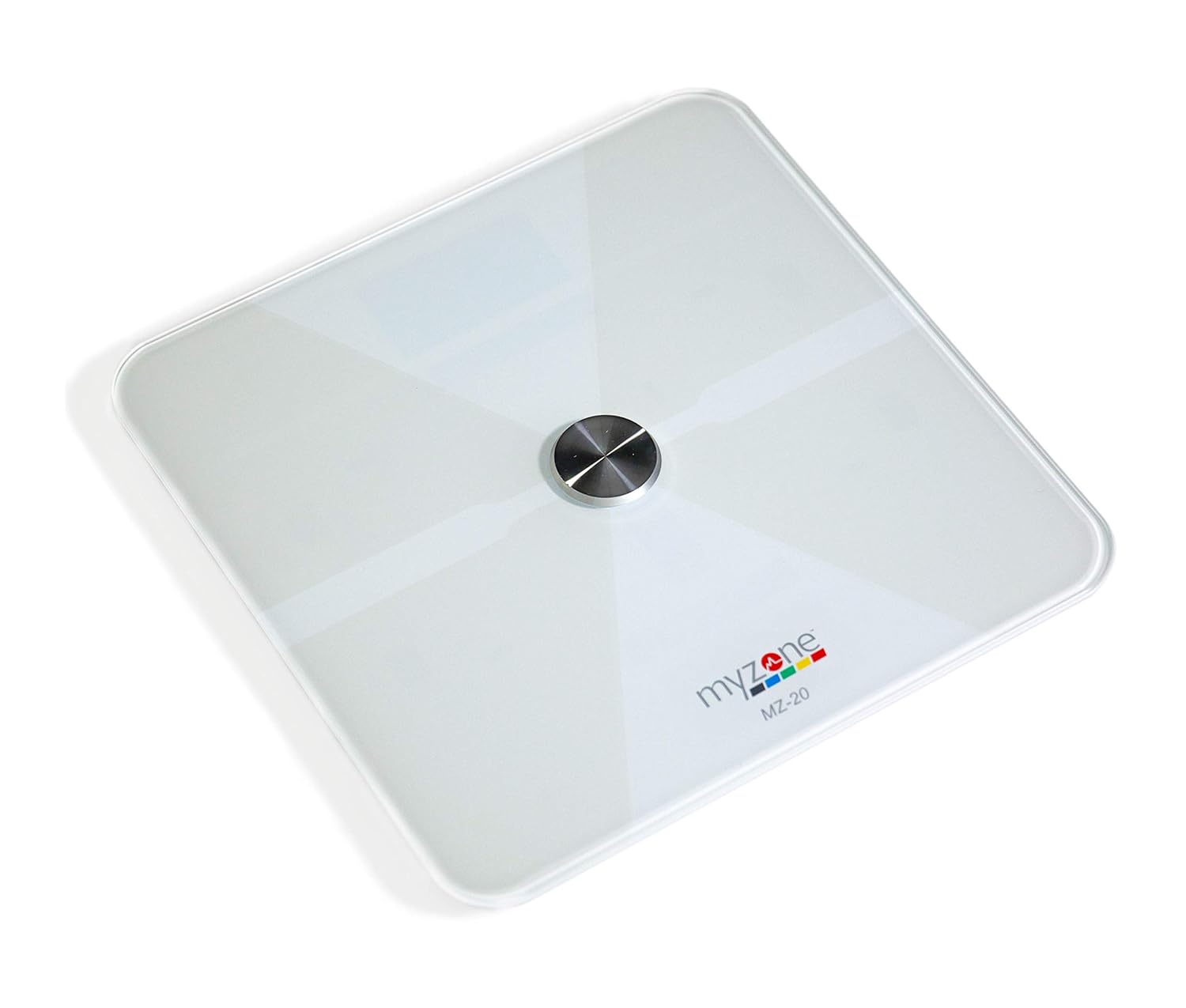
Kuva: Ylhäältä alas view of the MYZONE MZ-20 Digital Bathroom Scale, white with a central metallic sensor and MYZONE logo.
Tärkeitä turvallisuustietoja
- Älä käytä, jos sinulla on sydämentahdistin tai muu sisäinen lääkinnällinen laite.
- Älä käytä, jos olet raskaana.
- Aseta vaaka aina kovalle, tasaiselle alustalle tarkkoja mittauksia varten.
- Pidä vaaka kuivana. Älä upota sitä veteen.
- The glass surface can be slippery when wet. Step on and off carefully.
- This device is for home use only and should not be used for medical diagnosis or treatment.
Pakkauksen sisältö
- MYZONE MZ-20 Digital Bathroom Scale
- 4 x AAA paristot (mukana)
- Käyttöopas (tämä asiakirja)
Asennus
1. Akun asennus
- Avaa paristolokero vaa'an alapuolella.
- Aseta 4 AAA-paristoa paikalleen varmistaen oikean napaisuuden (+/-).
- Sulje paristolokero kunnolla.
2. Sovellusten lataus ja pariliitos
To utilize the full features of the MZ-20 scale, including body composition analysis and progress tracking, download the MYZONE app on your mobile device.
- Download the "MYZONE" app from your device's app store (iOS or Android).
- Create an account or log in to your existing MYZONE account.
- Ota Bluetooth käyttöön mobiililaitteellasi.
- Open the MYZONE app and navigate to the device pairing section.
- Step onto the scale to activate it. The scale will automatically attempt to pair with the app via Bluetooth Low Energy (BLE).
- Suorita pariliitosprosessi loppuun noudattamalla sovelluksen näytön ohjeita.
3. Alkukalibrointi
For the most accurate readings, it is recommended to perform an initial calibration. Place the scale on a hard, flat surface. Step on the scale briefly until a reading appears, then step off. The scale will display "0.0" or similar, indicating it is ready for use. Some users may observe slight variations in initial readings which stabilize after a few uses.
Käyttöohjeet
1. Mittauksen tekeminen
- Aseta vaaka kovalle, tasaiselle alustalle.
- Varmista, että jalkasi ovat puhtaat ja kuivat.
- Step onto the scale barefoot, centering your feet on the metallic pads. Stand still until the display shows your weight.
- If connected to the MYZONE app, open the app before stepping on the scale. Your measurements (weight, body fat, muscle mass, body water, bone mass, Basal Metabolic Rate) will automatically sync to the app.

Image: A person stands barefoot on the MYZONE MZ-20 scale, demonstrating how to take a measurement. An overlay graphic illustrates the various body metrics recorded, including weight, body fat, muscle mass, and visceral fat.
2. Understanding Body Metrics
The MZ-20 scale provides comprehensive tracking of various physical characteristics:
- Paino: Kokonaispainosi.
- Kehon rasvaprosentti: Prosenttitage of your total body weight that is fat.
- Lihasmassa: Kehosi lihasten kokonaispaino.
- Kehon vesi %: Prosenttitage of your total body weight that is water.
- Luumassa: Luun kokonaispaino kehossasi.
- Perusaineenvaihdunta (BMR): Kalorien määrä, joka tarvitaan kehosi toiminnan ylläpitämiseen levossa.

Image: An infographic displaying icons and labels for the various body metrics measured by the MZ-20 scale, including Weight, Body Fat, Muscle Mass, Body Water, Bone Mass, and Basal Metabolic Rate. It also highlights features like included batteries, Bluetooth connectivity, digital display, and support for multiple users.
3. Using the MYZONE App
The MYZONE app allows you to view, track, and analyze your body metrics over time. Data is saved directly to the app for easy access and progress monitoring.

Image: A smartphone screen shows the MYZONE app interface, displaying a user's body metrics such as Resting Heart Rate, Weight, Basal Metabolic Rate, Body Fat Percentage, and Body Mass Index (BMI).
4. Useita käyttäjiä
The MYZONE MZ-20 scale supports multiple users. Each user should create their own profile within the MYZONE app. When a user steps on the scale, the app will attempt to identify the user based on their weight history. If multiple users have similar weights, the app may prompt you to select the correct user.
Huolto
1. Puhdistus
Pyyhi vaakun pinta mainoksellaamp liinalla ja miedolla pesuaineella. Älä käytä hankaavia puhdistusaineita äläkä upota vaakaa veteen. Varmista, että vaaka on kuiva ennen säilytystä tai seuraavaa käyttökertaa.
2. Pariston vaihto
When the battery indicator appears on the display, replace all 4 AAA batteries. Always replace with new batteries of the same type. Remove batteries if the scale will not be used for an extended period.
Vianetsintä
| Ongelma | Mahdollinen syy / Ratkaisu |
|---|---|
| Vaaka ei käynnisty tai näyttö on tyhjä. |
|
| Epätarkat tai epäjohdonmukaiset lukemat. |
|
| Scale reading does not match app reading. |
|
| Body metrics (fat, muscle, etc.) seem inaccurate. |
|
| Cannot connect to MYZONE app via Bluetooth. |
|
Tekniset tiedot
| Ominaisuus | Yksityiskohta |
|---|---|
| Merkki | MYZONE |
| Malli | MZ-20 |
| Väri | Valkoinen |
| Erikoisominaisuudet | Body Fat, Bone Mass, Muscle Mass, Smart (Bluetooth connectivity) |
| Näytön tyyppi | LED |
| Muototekijä | Mini |
| Tuotteen mitat | 12.2 x 12.2 x 0.79 tuumaa |
| Tuotteen paino | 4.18 puntaa (1.9 kiloa) |
| Paristot | 4 AAA-paristoa (mukana) |
| Yhteydet | Vähän energiaa kuluttava Bluetooth (BLE) |

Image: The MYZONE MZ-20 scale shown with its dimensions: 13.4 inches in length and width, and 1.97 inches in height.
Tuote loppuview Video
Video: Virkamies yliview of the MYZONE MZ-20 Home Scales, demonstrating its sleek design, live body metric data streaming to a mobile device, and progress tracking features within the MYZONE app.
Takuutiedot
Warranty claims on any MYZONE product can only be approved by Myzone.org. Please refer to the official MYZONE websivustolta tarkemmat takuuehdot.
Tukea
For further assistance, technical support, or frequently asked questions, please visit the official MYZONE support page or contact customer service:
- Virallinen Websivusto: www.myzone.org
- Asiakaspalvelu: Refer to the contact information on the official websivusto.
Ask a question about this manual
Ask about setup, troubleshooting, compatibility, parts, safety, or missing instructions. Manuals+ will review the question and use this page’s manual context to help answer it.