
1. Johdanto
Thank you for choosing the MONODEAL DV68 Bone Conduction Headphones. These headphones are designed to provide a comfortable and safe listening experience, especially during sports and outdoor activities. Utilizing advanced bone conduction technology and Bluetooth 5.3, they deliver clear audio while keeping your ears open to ambient sounds. The integrated smart light enhances visibility and safety during nighttime use.
2. Pakkauksen sisältö
Tarkista pakkauksesta seuraavat tuotteet:
- MONODEAL DV68 Bone Conduction Headphones
- Magneettinen latauskaapeli
- Käyttöopas
- Earplugs (optional, for enhanced sound isolation)
3. Tuote ohiview
Familiarize yourself with the components of your MONODEAL DV68 headphones.
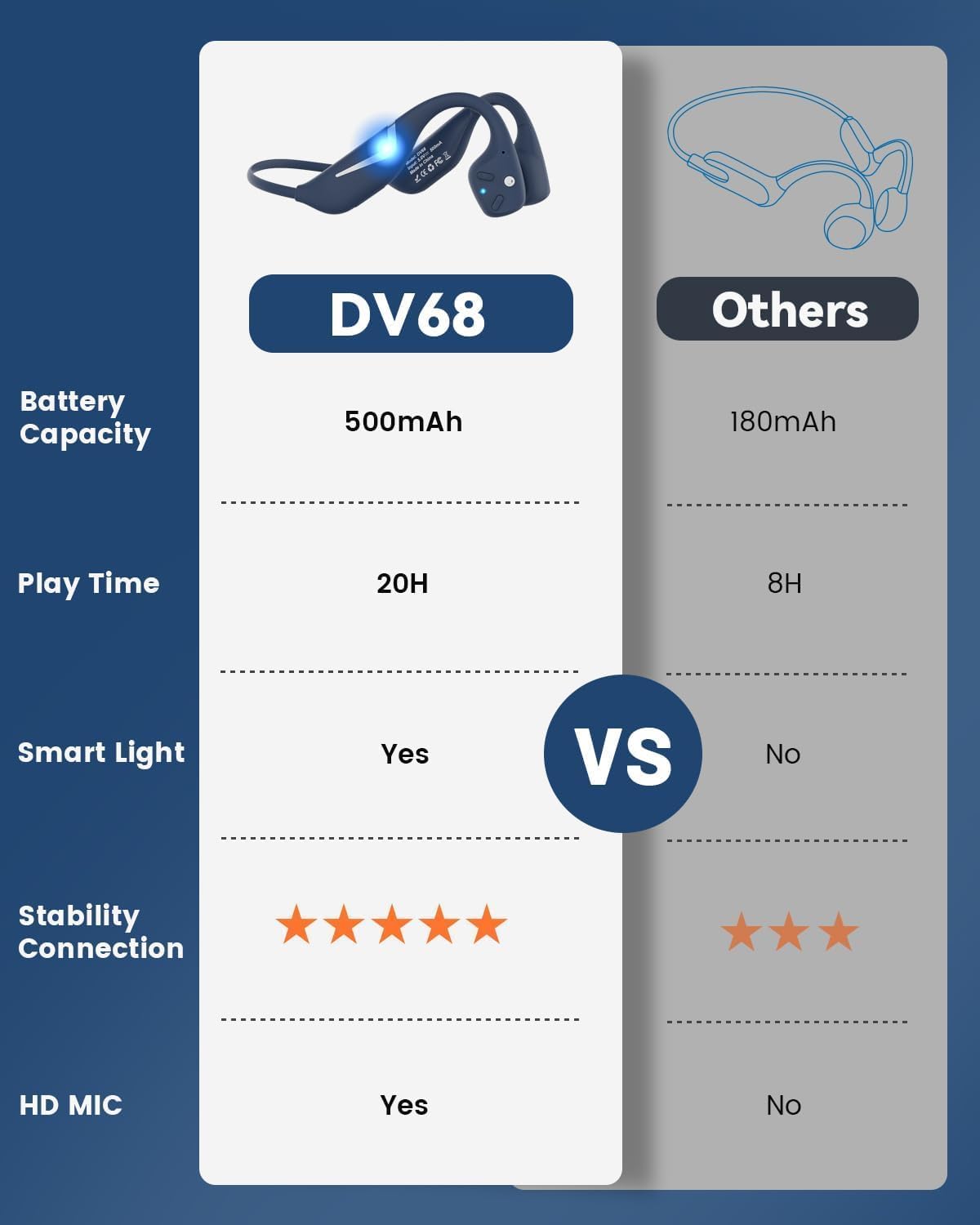
Figure 3.1: MONODEAL DV68 Bone Conduction Headphones, showing the overall design.

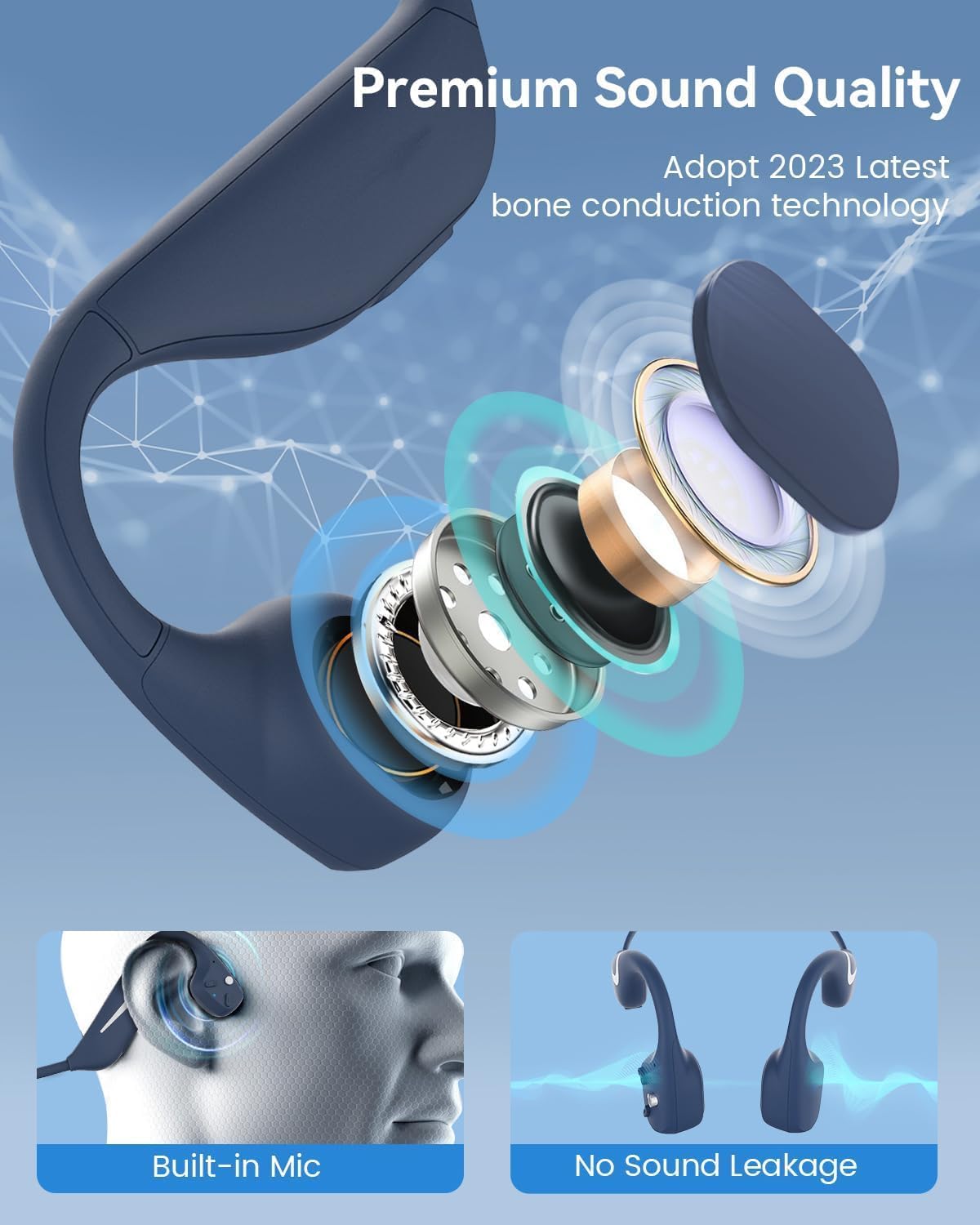
Kuva 3.2: Räjähtänyt view illustrating the bone conduction transducer and built-in microphone.
3.1 Ohjaimet ja portit
Kuva 3.3: Sivu view of the headphones highlighting the control buttons.

Kuva 3.4: Lähikuva view of the magnetic charging port.
The headphones feature physical buttons for power, volume, and playback control. The magnetic charging port is located on one of the ear pieces for convenient charging.
4. Tekniset tiedot
| Ominaisuus | Erittely |
|---|---|
| Mallinumero | DV68 |
| Bluetooth-versio | 5.3 |
| Akun kapasiteetti | 500 mAh |
| Peliaika | Jopa 20 tuntia |
| Vedenkestävyysluokitus | IP67 (Sweat, rain, and splash resistant) |
| Paino | 34 grammaa |
| Taajuusalue | 20 Hz–20,000 XNUMX Hz |
| Yhteystekniikka | Langaton (Bluetooth) |
| Ääniohjaimen tyyppi | Luun johtuminen |
| Erikoisominaisuudet | Smart LED Light, Built-in Microphone, Multipoint Pairing |

Kuva 4.1: Päättynytview of key features including Open-Ear design, IP67 Waterproofing, 500mAh Battery, Bluetooth V5.3, Lightweight, HD Microphone, Multipoint Pairing, and RGB Light.
5. Asennus
5.1 Kuulokkeiden lataaminen
Lataa kuulokkeet täyteen ennen ensimmäistä käyttökertaa.
- Liitä magneettinen latauskaapeli kuulokkeiden latausporttiin.
- Liitä kaapelin toinen pää USB-virtalähteeseen (ei sisälly toimitukseen) tai tietokoneen USB-porttiin.
- LED-merkkivalo näyttää latauksen tilan. Täysi lataus kestää yleensä noin 2 tuntia.

Figure 5.1: Illustration of 20-hour battery life and quick charge feature (10 minutes charging for 2 hours playtime).
5.2 Bluetooth -pariliitos
Kuulokkeiden yhdistäminen laitteeseen:
- Varmista, että kuulokkeet on kytketty pois päältä.
- Pidä virtapainiketta painettuna, kunnes LED-merkkivalo vilkkuu punaisena ja sinisenä osoittaen pariliitostilan.
- Ota Bluetooth käyttöön laitteellasi (älypuhelin, tabletti, tietokone) ja hae käytettävissä olevia laitteita.
- Select "MONODEAL DV68" from the list of found devices.
- Kun yhteys on muodostettu, LED-merkkivalo palaa tasaisesti sinisenä tai vilkkuu hitaasti sinisenä.
The headphones support multipoint pairing, allowing connection to two devices simultaneously. Refer to your device's Bluetooth settings for managing multiple connections.
6. Käyttöohjeet
6.1 Virta päälle/pois
- Virta päälle: Paina virtapainiketta 3 sekunnin ajan.
- Virta pois: Paina virtapainiketta 5 sekunnin ajan.
6.2 Musiikin toisto
- Toista/tauko: Paina monitoimipainiketta kerran.
- Seuraava kappale: Paina äänenvoimakkuuden lisäyspainiketta ja pidä sitä painettuna 2 sekuntia.
- Edellinen kappale: Paina äänenvoimakkuuspainiketta ja pidä sitä painettuna 2 sekuntia.
- Ääni kovemmalle: Paina äänenvoimakkuus + -painiketta.
- Äänenvoimakkuutta pienemmälle: Paina äänenvoimakkuuspainiketta.
6.3 Puheluiden hallinta
- Puhelun vastaaminen/lopetus: Paina monitoimipainiketta kerran.
- Hylkää puhelu: Pidä monitoimipainiketta painettuna 2 sekunnin ajan.
- Ääni-avustaja: Paina monitoimipainiketta kahdesti.
6.4 Smart LED Light
The headphones feature a smart LED light for enhanced visibility during nighttime activities.
- Valon päälle/poiskytkentä: Refer to the specific button combination in your quick start guide (usually a dedicated light button or a long press of a volume button).
- The light can cycle through different colors (e.g., blue, green, red) to increase your safety and visibility.

Figure 6.1: A runner demonstrating the smart LED light feature for night safety.
7. Huolto
7.1 Puhdistus
To maintain hygiene and product longevity:
- After sweating or intense workouts, gently wipe the headphones with a damp liinalla tai kosteuspyyhkeellä.
- Vältä voimakkaiden kemikaalien tai hankaavien puhdistusaineiden käyttöä.
7.2 Varastointi
- Säilytä kuulokkeita viileässä, kuivassa paikassa, poissa suorasta auringonvalosta ja äärimmäisistä lämpötiloista.
- When not in use, it is recommended to store them in their original packaging or a protective case.
7.3 Vedenkestävyys
The MONODEAL DV68 headphones are IP67 rated, meaning they are resistant to sweat, rain, and splashes. However, they are not suitable for swimming or submersion in water.

Figure 7.1: A person exercising with the headphones, demonstrating their IP67 water resistance against sweat and rain. Note: Not for swimming.
8. Vianmääritys
Jos kuulokkeissasi on ongelmia, katso seuraavat yleiset ratkaisut:
- Ei virtaa:
Varmista, että kuulokkeet ovat täyteen ladatut. Liitä ne latauskaapeliin ja virtalähteeseen. - Paritusta ei voi muodostaa:
Make sure the headphones are in pairing mode (LED flashing red and blue). Turn off Bluetooth on other nearby devices that may have previously connected. Try restarting both the headphones and your device. - Ei ääntä/Hiljainen äänenvoimakkuus:
Check the volume levels on both the headphones and your connected device. Ensure the headphones are properly positioned on your cheekbones. If using earplugs, ensure they are correctly inserted. - Ajoittainen yhteys:
Ensure your device is within the Bluetooth range (up to 15 meters) and there are no significant obstacles between the headphones and your device. Avoid strong electromagnetic interference. - Huono puhelun laatu:
Ensure the microphone is not obstructed. Move to an area with better network reception for your phone.
9. Takuu ja tuki
9.1 Takuutiedot
MONODEAL provides a 2 vuoden takuu for the DV68 Bone Conduction Headphones from the date of purchase. This warranty covers manufacturing defects and ensures the product meets its specified performance. Please retain your proof of purchase for warranty claims.
9.2 Asiakastuki
For further assistance, technical support, or warranty inquiries, please contact MONODEAL customer service through the retailer where you purchased the product or visit the official MONODEAL websivustolta yhteystiedot.


