
1. Tärkeitä turvallisuusohjeita
Please read this manual carefully before operating your Qlima D 820 A SMART dehumidifier. Keep it for future reference. Failure to follow these instructions may result in electric shock, fire, or serious injury.
- Liitä laite aina maadoitettuun pistorasiaan.
- Älä käytä ilmankuivainta, jos virtajohto tai pistoke on vaurioitunut.
- Älä upota laitetta, johtoa tai pistoketta veteen tai muihin nesteisiin.
- Varmista, että laite on sijoitettu vakaalle, tasaiselle alustalle.
- Pidä lapset ja lemmikkieläimet poissa laitteen luota käytön aikana.
- Do not block air inlets or outlets. Maintain at least 20 cm clearance from walls and furniture.
- Irrota laite pistorasiasta ennen puhdistusta tai huoltotoimenpiteitä.
- Älä käytä laitetta tiloissa, joissa säilytetään syttyviä kaasuja tai nesteitä.
2. Tuote ohiview
The Qlima D 820 A SMART dehumidifier is designed to efficiently remove excess moisture from the air, improving indoor air quality and comfort. It features smart connectivity, a HEPA filter, and various convenient functions.
Tärkeimmät ominaisuudet:
- Plug & Play: Valmis heti käyttöön.
- Hygrometer + Hygrostat: For precise humidity measurement and control.
- Älykäs yhteys: Connects to mobile devices for remote control.
- Ajastintoiminto: Program operation times.
- Ambient Frost Prevention: Protects the unit in cooler conditions.
- Automaattinen sammutus: Activates when the water tank is full.
- IP24 luokitus: Suojaus roiskevettä vastaan.
- HEPA -suodatin: For improved air purification.
- Kuivauskapasiteetti: Jopa 20 litraa päivässä.
Tuotteen osat:
Tutustu ilmankuivaimen tärkeimpiin osiin:
- Ohjauspaneeli digitaalisella näytöllä
- Ilmanottoaukko (suodattimen kanssa)
- Ilmansuodatin
- Vesisäiliö
- Jatkuva viemäröinti
- Virtajohto

Edessä view of the Qlima D 820 A SMART Dehumidifier, showing the control panel and air outlet.
Sivu view of the Qlima D 820 A SMART Dehumidifier, highlighting its compact design.

Takaisin view of the Qlima D 820 A SMART Dehumidifier, showing the air inlet and power cord connection.
3. Asennus
Purkaminen:
- Poista ilmankuivain varovasti pakkauksestaan.
- Poista kaikki pakkausmateriaalit, mukaan lukien teipit ja suojakalvot.
- Tarkista laite mahdollisten vaurioiden varalta. Jos laite on vaurioitunut, älä käytä sitä ja ota yhteyttä asiakaspalveluun.
Sijoitus:
- Place the dehumidifier on a firm, level surface in the area where dehumidification is desired.
- Varmista, että ilmanotto- ja poistoaukkojen ympärillä on vähintään 20 cm (8 tuumaa) tyhjää tilaa asianmukaisen ilmavirran varmistamiseksi.
- Vältä laitteen sijoittamista lähelle lämmönlähteitä, suoraa auringonvaloa tai paikkoihin, joissa on paljon pölyä.
Virtaliitäntä:
- Kytke virtajohto sopivaan maadoitettuun pistorasiaan.
- Varmista voltage vastaa laitteen teknisiä tietoja.
4. Käyttöohjeet
Ohjauspaneeli:
Ohjauspaneelissa on digitaalinen näyttö ja kosketusherkät painikkeet eri toimintoja varten.

Icons on the control panel indicating Timer, 20 Liters/24H capacity, and Humidity Level Control.
Kytkeminen päälle/pois:
- Paina Tehoa painiketta kytkeäksesi laitteen päälle tai pois päältä.
Halutun kosteuden asettaminen:
- Paina Kosteus button to cycle through desired humidity levels (e.g., 40%, 50%, 60% RH). The unit will operate until the set level is reached.
Ajastintoiminto:
- Paina Ajastin button to set the desired operating duration (e.g., 2, 4, 8 hours). The unit will automatically turn off after the set time.
Tuulettimen nopeuden säätö:
- Paina Tuulettimen nopeus button to select between available fan speeds (e.g., Low, Medium, High).
Älykäs yhteys:
The D 820 A SMART can be controlled via a mobile application. Refer to the separate Smart App Guide for detailed instructions on connecting your device and using smart features.

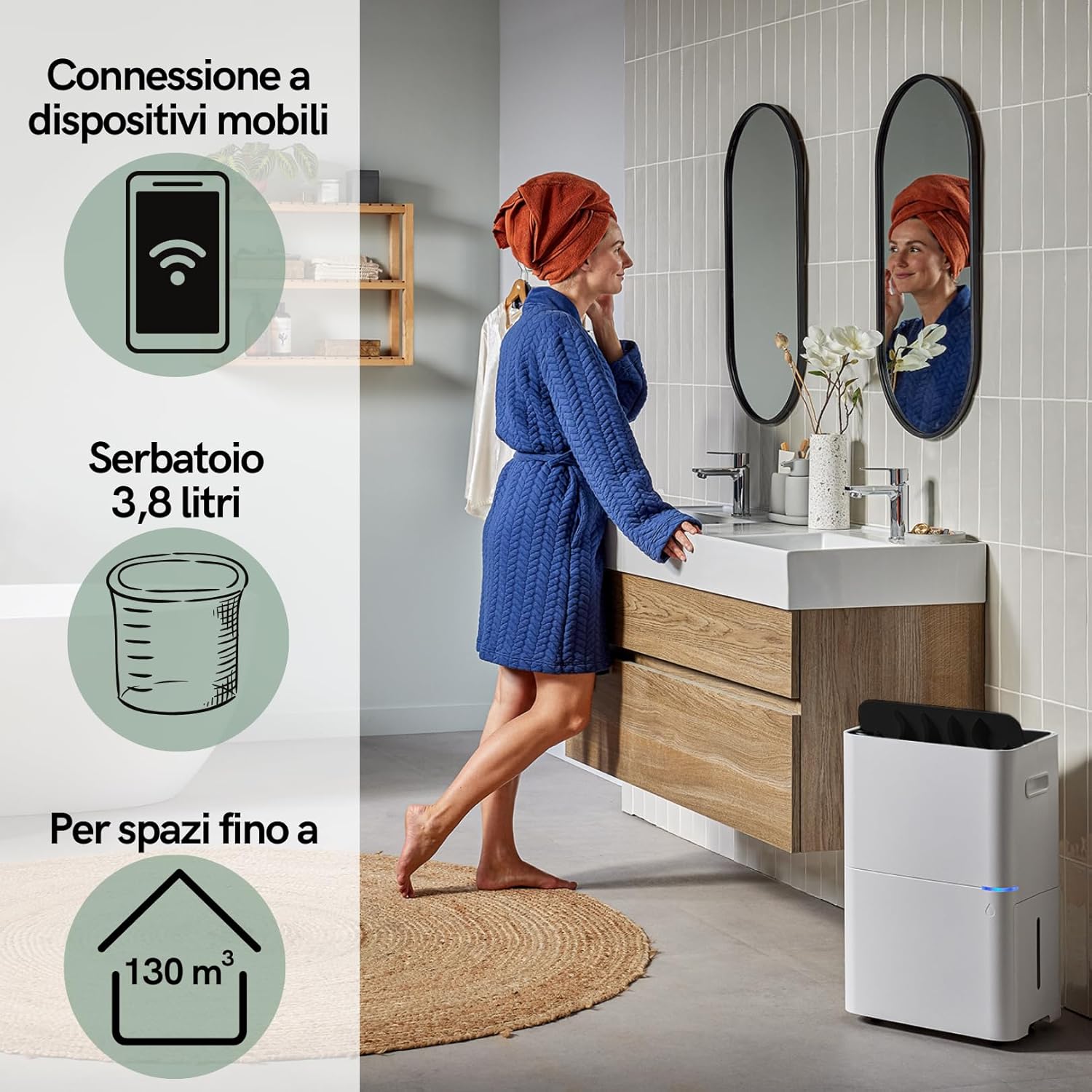
The dehumidifier supports mobile device connection, features a 3.8-liter water tank, and is suitable for spaces up to 130 m³.
Jatkuva tyhjennys:
For continuous operation without emptying the water tank, connect a drainage hose (not included) to the continuous drainage outlet at the back of the unit. Ensure the hose is sloped downwards to allow water to drain by gravity.

The Qlima D 820 A SMART dehumidifier is suitable for use in various domestic environments such as kitchens, bedrooms, bathrooms, and living rooms.
5. Huolto
Säännöllinen huolto varmistaa optimaalisen suorituskyvyn ja pidentää ilmankuivaimen käyttöikää. Irrota laite aina pistorasiasta ennen huoltotoimenpiteitä.
Vesisäiliön tyhjennys:
- When the water tank is full, the unit will automatically shut off, and an indicator light will illuminate.
- Vedä vesisäiliö varovasti ulos laitteen etuosasta.
- Tyhjennä kerätty vesi.
- Liu'uta tyhjä säiliö takaisin paikalleen, kunnes se napsahtaa tukevasti. Laite jatkaa toimintaansa.

The removable water tank can be easily accessed and emptied from the side of the unit.
Cleaning the Air Filter (HEPA Filter):
- The HEPA filter should be cleaned regularly, approximately every two weeks, or more often depending on air quality.
- Remove the filter cover and carefully take out the HEPA filter.
- Use a vacuum cleaner with a brush attachment to gently remove dust and debris from the filter. Do not wash the HEPA filter with water.
- Reinsert the clean filter and close the filter cover.
Ulkopuolen puhdistus:
- Pyyhi kosteudenpoistajan ulkopinta pehmeällä, damp kangas.
- Älä käytä hankaavia puhdistusaineita, liuottimia tai voimakkaita kemikaaleja.
Varastointi:
- Jos laitetta säilytetään pitkään, varmista, että vesisäiliö on tyhjä ja puhdas.
- Puhdista ilmansuodatin.
- Säilytä ilmankuivainta viileässä, kuivassa paikassa, poissa suorasta auringonvalosta ja äärimmäisistä lämpötiloista.
6. Vianmääritys
Ennen kuin otat yhteyttä asiakastukeen, tutustu seuraavaan vianmääritysoppaaseen yleisten ongelmien ratkaisemiseksi.
| Ongelma | Mahdollinen syy | Ratkaisu |
|---|---|---|
| Ilmankuivain ei käynnisty. | Ei virtaa. Virtajohto ei ole kytketty pistorasiaan. | Tarkista virtaliitäntä. Varmista, että pistorasia toimii. |
| Ei kosteudenpoistoa. | Air filter clogged. Room temperature too low. Humidity setting too high. | Clean the air filter. Ensure room temperature is above 5°C. Lower the desired humidity setting. |
| Täyden vesisäiliön merkkivalo palaa, mutta säiliö ei ole täynnä. | Water tank not properly seated. Float switch stuck. | Reinsert the water tank correctly. Gently shake the tank to free the float switch. |
| Epätavallinen ääni käytön aikana. | Unit not on a level surface. Obstruction in fan. | Place the unit on a flat, stable surface. Check for and remove any obstructions. |
7. Tekniset tiedot
Technical data for the Qlima D 820 A SMART Dehumidifier:

Dimensions and weight of the Qlima D 820 A SMART Dehumidifier.
| Ominaisuus | Erittely |
|---|---|
| Mallinumero | D 820 A SMART |
| Merkki | Qlima |
| Ilmankuivauskapasiteetti | 20 litraa/päivä |
| Vesisäiliön tilavuus | 3.8 litraa |
| Mitat (P x L x K) | 25.5 x 35.5 x 57.2 cm |
| Paino | 16.5 kg |
| Materiaali | Muovi |
| Nopeuksien määrä | 3 |
| Erikoisominaisuudet | Smart operation, HEPA filter, Automatic shut-off, Timer, Ambient frost prevention |
| IP-luokitus | IP24 |
| Suositeltu käyttö | Professional and domestic |
8. Takuu ja tuki
For warranty information, please refer to the warranty card included with your product or visit the official Qlima website. If you encounter any issues not covered in this manual or require further assistance, please contact Qlima customer support.
Please have your model number (D 820 A SMART) and purchase date ready when contacting support.