
1. Johdanto
This manual provides essential information for the safe and efficient use of your Google TV 7000 Series 4K Ultra HD LED Television. Please read these instructions thoroughly before operating the device and retain them for future reference.
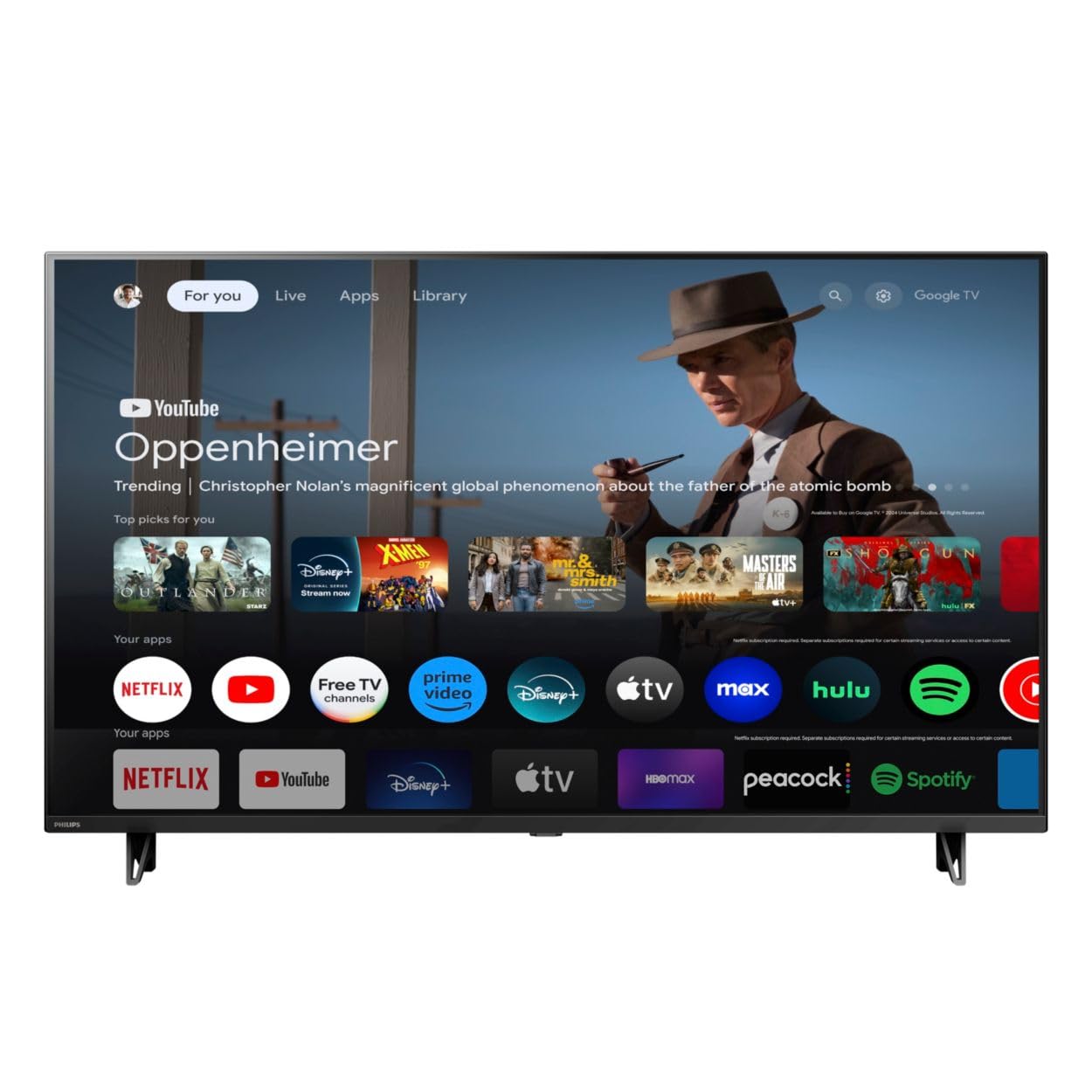
Edessä view of the Google TV 7000 Series 4K Ultra HD LED Television, showcasing its slim bezel and display.
2. Asennus
2.1 Laatikon avaaminen ja pakkauksen sisältö
Poista kaikki osat varovasti pakkauksesta. Varmista, että kaikki osat ovat mukana:
- Google TV 7000 Series Television
- Kaukosäädin
- Paristot kaukosäätimeen
- Pöytäjalusta
- Screws for tabletop stand
- Pika-aloitusopas
- Käyttöopas (tämä asiakirja)
2.2 Virran kytkeminen
Connect the power cord to the TV's power input, then plug the other end into a wall outlet. Ensure the power outlet is easily accessible.
2.3 Ulkoisten laitteiden liittäminen
Your television supports various connectivity options:
- HDMI: Connect devices like Blu-ray players, game consoles, or set-top boxes to the HDMI ports. This model features Audio Return Channel (HDMI 2).
- USB: Use the USB port for media playback or connecting compatible accessories.
- Ethernet: Vakaan langallisen internetyhteyden saamiseksi liitä Ethernet-kaapeli LAN-porttiin.
- Kuulokkeiden lähtö: Liitä kuulokkeet yksityiseen kuunteluun.
- Digitaalinen äänilähtö (optinen): Ulkoisiin äänijärjestelmiin liittämistä varten.
- CVBS+Audio L/R In: Vanhempien analogisten laitteiden liittämiseen.
2.4 Alkuasetukset
Ensimmäisellä käynnistyksellä televisio opastaa sinua alkuasetusten määrittämisessä. Tämä sisältää seuraavat:
- Kielen valinta
- Connecting to a Wi-Fi network or using Ethernet
- Signing in with your Google account to access Google TV features and apps
- Scanning for available channels (ATSC, NTSC)
2.5 Asennusvaihtoehdot
You can place your TV on a tabletop using the included stand or mount it on a wall.
- Pöytäjalusta: Attach the tabletop stand using the provided screws as per the quick start guide.
- Seinäkiinnitys: For wall mounting, use a VESA compatible mount (600 x 400 mm). Consult a professional for wall mounting to ensure safety and proper installation.
3. Käyttöohjeet
3.1 Kaukosäädinview
The remote control allows you to navigate the Google TV interface, adjust settings, and control playback. It supports voice control for Google Assistant.
3.2 Perustoiminnot
- Teho: Käynnistä tai sammuta televisio painamalla virtapainiketta.
- Äänenvoimakkuus: Säädä äänenvoimakkuutta äänenvoimakkuuspainikkeilla.
- Kanavat: Vaihda TV-kanavien välillä kanavapainikkeilla.
- Syöte: Valitse haluamasi tulolähde (HDMI, USB jne.).
3.3 Google TV:n käyttöliittymän navigointi
Use the directional pad and 'OK' button on your remote to navigate the Google TV home screen. The home screen provides access to your installed apps, recommended content, and settings.
3.4 Älykkäät ominaisuudet
- Sisäänrakennettu Chromecast: Cast content from your compatible mobile devices or computer directly to your TV.
- Sisäänrakennettu Google Assistant: Press the Google Assistant button on your remote to use voice commands for searching content, controlling smart home devices, getting information, and more.
- Suoratoistosovellukset: Access popular streaming services like Netflix, YouTube, Discovery+, Tubi TV, and Prime Video directly from the Google TV interface.
3.5 Kuva- ja ääniasetukset
Mukauta omasi viewkatselu- ja kuuntelukokemusta television asetusvalikon kautta:
- Picture Style: Choose from various preset picture modes or customize settings like brightness, contrast, color, and sharpness. Features include Dynamic contrast, Film mode, Blue stretch, and Custom Color management.
- HDR-tuki: The TV supports HDR10 and HLG for enhanced contrast and color with compatible content.
- Pelitila: Optimize picture settings for gaming to reduce input lag.
- Äänityyli: Select sound presets or adjust bass and treble. Features include Dolby Audio and Auto Volume Leveling.
- Kuvasuhde: Adjust the screen aspect ratio (e.g., Automatic, 4:3, Movie Expand, Full).
3.6 Yhteydet
Your TV offers various ways to connect to networks and devices:
- Wi-Fi: Yhdistä langattomasti kotiverkkoosi käyttääksesi internetiä.
- Bluetooth: Connect compatible Bluetooth devices such as headphones or game controllers.
- Ethernet: Tarjoaa vakaan langallisen internetyhteyden.
4. Huolto
4.1 Näytön ja television rungon puhdistaminen
- Irrota aina televisio pistorasiasta ennen puhdistamista.
- Pyyhi näyttö ja television runko varovasti pehmeällä, kuivalla ja nukkaamattomalla liinalla.
- Pinttyneisiin tahroihin, dörzsöi kevyestiampKostuta liina vedellä tai erikoisnäytönpuhdistusaineella. Älä koskaan suihkuta puhdistusainetta suoraan näytölle.
- Vältä hankaavien puhdistusaineiden, vahojen tai liuottimien käyttöä.
4.2 Ohjelmistopäivitykset
Your Google TV may receive automatic software updates to improve performance and add new features. Ensure your TV is connected to the internet to receive these updates. You can also manually check for updates in the settings menu.
4.3 Kaukosäätimen hoito
Replace batteries when the remote control's response becomes sluggish. Do not mix old and new batteries or different types of batteries. Keep the remote control away from moisture and direct sunlight.
5. Vianmääritys
Jos televisiossasi on ongelmia, katso seuraavia yleisiä ratkaisuja:
| Ongelma | Mahdollinen ratkaisu |
|---|---|
| Ei virtaa | Tarkista, että virtajohto on kytketty kunnolla sekä televisioon että pistorasiaan. Varmista, että pistorasia toimii. |
| Ei kuvaa, mutta ääni kuuluu | Varmista, että oikea tulolähde on valittu. Tarkista ulkoisten laitteiden liitännät. |
| Ei ääntä, mutta kuva näkyy | Tarkista äänenvoimakkuus ja mykistyksen tila. Varmista, että ulkoiset äänijärjestelmät on kytketty oikein ja että ne on kytketty päälle. |
| Kaukosäädin ei toimi | Vaihda paristot. Varmista, ettei kaukosäätimen ja television infrapunatunnistimen välissä ole esteitä. |
| Verkkoyhteysongelmat | Käynnistä reititin ja modeemi uudelleen. Yhdistä uudelleen Wi-Fi-verkkoon tai tarkista Ethernet-kaapelin yhteys. |
| Picture quality issues (e.g., pixelation) | Check the signal strength for broadcast channels. For streaming content, ensure a stable internet connection. Adjust picture settings. |
5.1 Tehdasasetusten palautus
If problems persist, a factory reset may resolve them. This will erase all personal settings and installed apps, returning the TV to its original factory state. Consult the on-screen menu for the factory reset option, usually found under System or Device Preferences in Settings.
6. Tekniset tiedot
Key technical specifications for the Google TV 7000 Series 4K Ultra HD LED Television:
| Ominaisuus | Erittely |
|---|---|
| Näytön koko | 43 tuumaa |
| Näyttötekniikka | LCD UltraHD Display, LED Backlight |
| Resoluutio | 4K (2160p) |
| Päivitystaajuus | 120 PMR (Picture Motion Rate) |
| Tuettu HDR-muotoa | HDR10, HLG |
| Käyttöjärjestelmä | Android 11 (Google TV) |
| Yhteystekniikka | Bluetooth, Ethernet, USB, Wi-Fi |
| Ääniominaisuudet | Dolby Audio, Auto Volume Leveling |
| Erikoisominaisuudet | Chromecast Built-in, Google Assistant Built-in, Game Mode, Digital Noise Reduction, MPEG artifact reduction, Dynamic contrast |
| Tuotteen mitat (S x L x K) | 9.8" S x 37.9" L x 23.9" K |
| Tuotteen paino | 14.99 puntaa |
| VESA-kiinnitysstandardi | 600 x 400 mm |
| Valmistaja | Philips |
| Mallinumero | 43PUL7652/F7 |
| UPC | 609585254893 |
7. Takuu ja tuki
7.1 Takuutiedot
This product comes with a Limited Warranty. Please refer to the warranty card included in your package or contact the manufacturer for specific terms and conditions regarding coverage and duration.
7.2 Asiakastuki
For technical assistance, troubleshooting beyond this manual, or warranty claims, please contact the manufacturer, Philips, or your retailer. Have your model number (43PUL7652/F7) and serial number ready when contacting support.