
Johdanto
This manual provides essential information for the safe and efficient use of your YEELIGHT W4 Smart Bulb. Please read these instructions carefully before installation and operation. Keep this manual for future reference.
The YEELIGHT W4 Smart Bulb is an E27 base LED bulb featuring dimmable functionality, color changing capabilities, and connectivity via Wi-Fi and Bluetooth for smart control.
Turvallisuustiedot
- Ensure the power is turned off before installing or removing the bulb.
- Do not use with standard dimmers. This bulb is designed for smart dimming via the app or compatible smart home systems.
- Suitable for dry locations only. Do not expose to water or moisture.
- Do not disassemble the bulb. This will void the warranty.
- Toimi määritetyllä tilavuudellatage-alue (230 volttia).
Pakkauksen sisältö
Varmista, että pakkauksessasi on kaikki tarvittavat osat:
- YEELIGHT W4 Smart Bulb (4 units)
- Käyttöopas (tämä asiakirja)
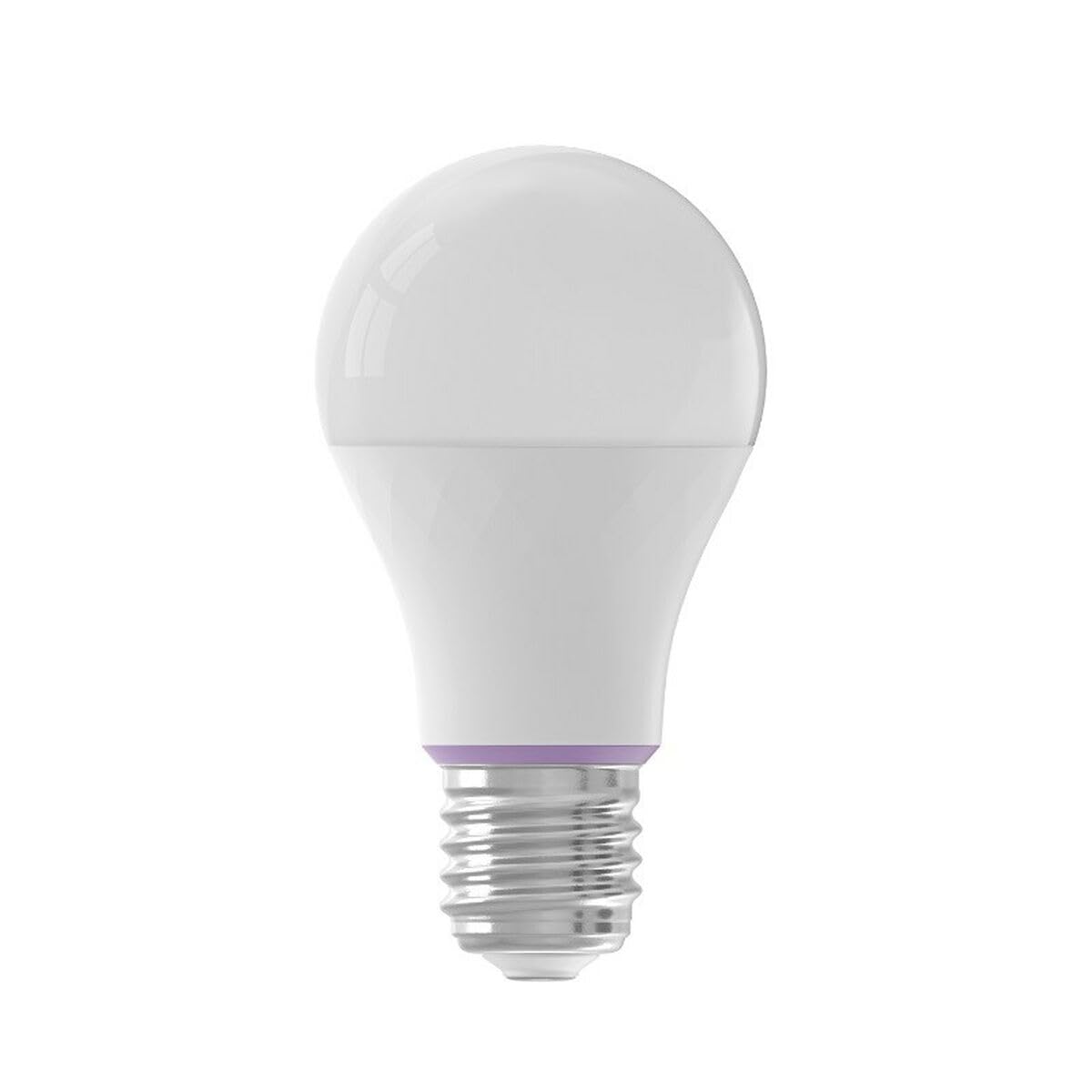
Image: YEELIGHT W4 Smart Bulb. This image displays the smart bulb, typically with an E27 screw base and a frosted or clear dome, indicating its design and form factor.
Tekniset tiedot
| Ominaisuus | Erittely |
|---|---|
| Mallinumero | YLQPD-0012 (S9144407) |
| Pohjatyyppi | E27 |
| Yhteydet | Wi-Fi, Bluetooth |
| Tehoa | 9 wattia |
| Hehkulamppuekvivalentti | 60 wattia |
| Voitage | 230 volttia |
| Värilämpötila | 6500 Kelvin (White) |
| Erikoisominaisuudet | Himmennettävä, väriä vaihtava |
| Mitat (P x L x K) | 14.92 x 9.94 x 10.04 cm |
| Paino | 620 grammaa |
Asennus
1. Laitteiston asennus
- Virta pois: Ensure the power switch to the light fixture is in the OFF position before installation.
- Asenna lamppu: Screw the YEELIGHT W4 Smart Bulb into a standard E27 light socket. Do not overtighten.
- Virta päälle: Turn the power switch to the ON position. The bulb should light up, indicating it is ready for pairing.
2. Sovellusten lataus ja pariliitos
- Lataa sovellus: Lataa virallinen Yeelight App App Storesta (iOS) tai Google Play Kaupasta (Android).
- Luo tili: Open the Yeelight App and create a new account or log in to an existing one.
- Lisää laite: Tap the "+" icon in the app to add a new device. Select the YEELIGHT W4 Smart Bulb from the list of available devices.
- Yhdistä Wi-Fi-verkkoon: Follow the on-screen instructions to connect the bulb to your 2.4GHz Wi-Fi network. Ensure your phone is connected to the same 2.4GHz network during the pairing process.
- Bluetooth-pariliitos (valinnainen): The bulb also supports Bluetooth for local control. If Wi-Fi is unavailable or unstable, the app may prompt for Bluetooth pairing.
- Rename Bulb: Once connected, you can rename the bulb for easier identification (e.g., "Living Room Lamp").
Toiminnassa
Perusohjaus
- Päällä/pois: Use the Yeelight App to turn the bulb on or off. You can also use the physical light switch, but this will cut power to the smart features.
- himmennys: Adjust the brightness level from 1% to 100% using the slider in the Yeelight App.
- Värin vaihto: Select from a wide spectrum of colors or choose from preset scenes within the app.
Lisäominaisuudet
- Ajoitus: Aseta aikataulut polttimon syttymiselle ja sammumiselle tai muuta asetuksia tiettyinä aikoina.
- Kohtaukset: Create custom lighting scenes for different moods or activities.
- Ryhmähallinta: Group multiple YEELIGHT W4 bulbs together to control them simultaneously.
- Ääniohjaus: Integrate with compatible smart home assistants (e.g., Google Assistant, Amazon Alexa) for voice commands. Refer to your smart assistant's setup guide for integration instructions.
- Kaukosäädin: Control your bulbs from anywhere with an internet connection via the Yeelight App.
Huolto
- Puhdistus: Ensure the bulb is off and cool before cleaning. Wipe with a soft, dry cloth. Do not use liquid cleaners or abrasive materials.
- Varastointi: Jos lamppua säilytetään pitkään, säilytä sitä viileässä, kuivassa paikassa, poissa suorasta auringonvalosta.
- Laiteohjelmistopäivitykset: Periodically check the Yeelight App for firmware updates to ensure optimal performance and access to new features.
Vianetsintä
- Polttimo ei syty:
- Check if the light fixture has power.
- Ensure the bulb is screwed in correctly and securely.
- Testaa lamppua toisessa toimivassa valaisimessa.
- Bulb not connecting to Wi-Fi:
- Ensure your Wi-Fi network is 2.4GHz. The bulb does not support 5GHz networks.
- Tarkista Wi-Fi-salasanasi.
- Move the bulb closer to your Wi-Fi router during setup.
- Reset the bulb by turning it off and on five times consecutively (1-2 second intervals). The bulb will flash, indicating it's in pairing mode.
- Käynnistä reititin uudelleen.
- App cannot find the bulb:
- Varmista, että Bluetooth on käytössä puhelimessasi.
- Confirm the bulb is powered on and in pairing mode (if recently reset).
- Update the Yeelight App to the latest version.
- Dimming or color changing issues:
- Ensure the bulb is connected to the app and has a stable Wi-Fi connection.
- Avoid using external dimmers, as they can interfere with the bulb's smart dimming capabilities.
- Perform a bulb reset and re-pair if issues persist.
Takuu
YEELIGHT products are covered by a limited warranty. For detailed warranty terms and conditions, please refer to the official YEELIGHT website or contact customer support. Keep your purchase receipt as proof of purchase for warranty claims.
Tukea
For further assistance, technical support, or to report issues, please visit the official YEELIGHT support website or contact their customer service team. Contact information can typically be found on the YEELIGHT website or within the Yeelight App.
Websivusto: www.yeelight.com