
1. Johdanto
Thank you for choosing the Rraycom BW6B 2K Wireless Outdoor Security Camera. This manual provides essential information for setting up, operating, and maintaining your security camera system. Designed for home security, this camera offers 2K resolution, a wide 130° field of view, color night vision, and smart features like AI motion detection and two-way audio. Its wire-free and waterproof design ensures flexible placement and reliable performance in various outdoor conditions.

Figure 1: Rraycom BW6B 2K Wireless Outdoor Security Camera
2. Mitä laatikossa on
Tarkista pakkauksen sisältö varmistaaksesi, että kaikki osat ovat mukana:
- 4 * Rechargeable Battery Security Cameras
- 4 * Metal Mounts
- 4 * Ruuvisarjat
- 4 * USB Cables
- 1 * Käyttöopas
3. Tuote ohiview
The Rraycom BW6B camera is engineered for comprehensive outdoor surveillance. Key features include:
- 2K Live Video with 130° Wide View: Tallenna selkeät ja yksityiskohtaiset kuvattage across a broad area.
- Täysvärinen yönäkö: See important details in color even at night.
- Wire-Free & Waterproof (IP65): Easy installation without power cords, suitable for all weather conditions.
- Advanced AI Motion Detection: Accurately identifies people and sends instant notifications.
- 2-Way Talk & Siren Alarm: Communicate with visitors or deter intruders with customizable siren messages.
- Cloud/SD Card Storage: Flexible storage options with a free rolling 3-day cycled cloud storage lifetime and support for up to 256GB Micro SD card.
- Toimii Alexan kanssa: Seamless integration for voice control and live view yhteensopivilla laitteilla.
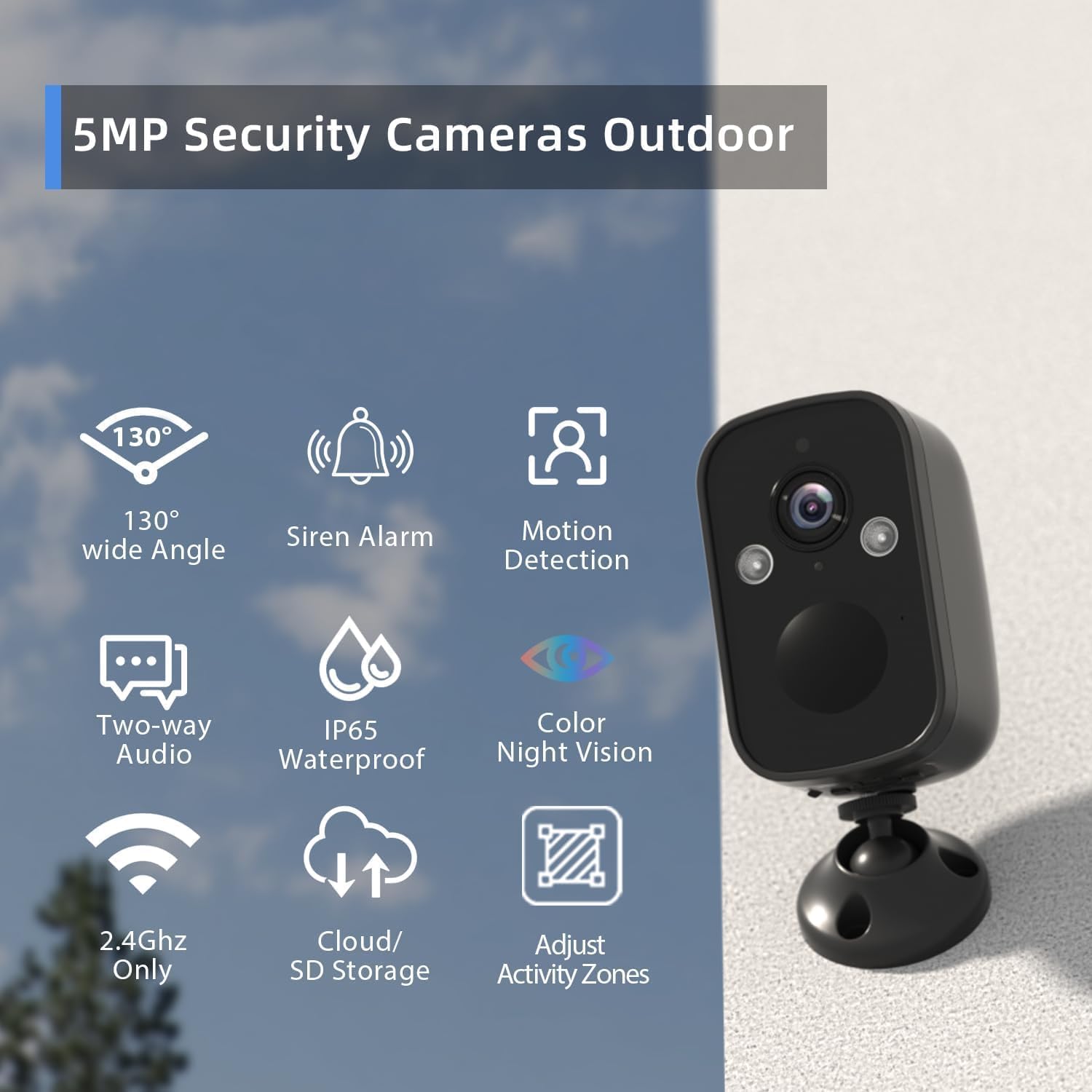
Figure 2: Key features of the Rraycom BW6B camera including 130° wide angle, siren alarm, motion detection, two-way audio, IP65 waterproof rating, color night vision, 2.4GHz WiFi, cloud/SD storage, and adjustable activity zones.

Figure 3: Visual comparison of video resolutions, highlighting the clarity of 5MP and 2K compared to lower resolutions.

Figure 4: Demonstration of color night vision mode versus traditional infrared night vision, showing enhanced detail and color in low-light conditions.
Video 1: Yliview of the BW6N 5MP wireless outdoor security camera, showcasing features like weather resistance, high resolution, night vision capabilities, two-way audio, motion detection, and storage options.
4. Asennus
4.1 Virran kytkeminen päälle
- Wired Camera: Plug in the power cable to turn on the camera.
- Wire-Free Camera: Press and hold the power button until you hear the prompt for Wi-Fi configuration.
4.2 Sovelluksen asennus ja laitteiden pariliitos
- Download the O-Kam app from your smartphone's app store.
- Open the O-Kam app and tap the '+' icon in the top right corner to add a device.
- Follow the on-screen prompts to select your camera type (e.g., Wireless camera).
- Confirm that the device is ready for network configuration (e.g., flashing indicator light or prompt tone).
- Anna 2.4 GHz:n Wi-Fi-verkon nimi ja salasana. Huomautus: 5 GHz Wi-Fi-yhteyttä ei tueta.
- The app will generate a QR code. Face the camera lens towards the QR code on your phone, maintaining a distance of 6-8 inches (15-30 cm).
- You will hear a beep when the camera successfully reads the QR code. If not, slowly adjust the distance and ensure there are no glares on your smartphone screen.
- Once connected, give your camera a name and bind it to your account.
Video 2: Step-by-step guide on how to add and configure the BW6 camera using the O-Kam mobile application, including power-on, app pairing, and Wi-Fi connection.
4.3 Kameran asennus
The camera comes with a metal mount and screws for installation. Choose a suitable location on your back patio, front porch, or any desired area. Secure the mount using the provided screws, then attach the camera to the mount. Ensure the camera has a clear line of sight to the area you wish to monitor and is within range of your 2.4GHz Wi-Fi network.

Kuva 5: Fyysinen yliview of the Rraycom BW6B camera, showing its compact design and mounting base.
5. Käyttöohjeet
5.1 Livenä View ja Tallennus
Access the O-Kam app to view elää huijaritage from your camera. You can initiate manual recordings or rely on motion-activated recording. Recordings can be stored on a Micro SD card (up to 256GB, not included) or in the cloud (free 3-day rolling storage included).
Video 3: Demonstration of the Rraycom 2K Camera with 130-degree view, showing the live feed and various control options available through the mobile app, including night vision, two-way talk, and motion detection settings.

Figure 6: Illustration of the camera's flexible storage options, supporting both cloud storage and local Micro SD card storage up to 256GB.
5.2 Kaksisuuntainen ääni
Use the two-way audio feature in the app to speak to anyone near the camera. This is useful for communicating with delivery personnel or family members.

Kuva 7: Esimample of the two-way audio function, allowing users to communicate with individuals at the camera's location via the app.
5.3 Liiketunnistus ja hälytykset
The camera's advanced AI motion detection can distinguish between people and other movements, reducing false alarms. When motion is detected, you will receive instant notifications on your phone. You can also activate the built-in spotlight and siren alarm to deter unwanted visitors.

Figure 8: Illustration of AI motion detection triggering a siren alarm, spotlight, and sending notifications to deter potential intruders.

Figure 9: Visual representation of the camera's siren and spotlight features activating upon motion detection to alert and deter.

Figure 10: Depiction of dynamic surveillance and intelligent guardianship through AI motion detection, making security monitoring more precise.
5.4 Customized Motion Zones
Define specific activity zones within the camera's field of view to focus motion detection on critical areas and minimize unnecessary alerts.

Figure 11: Screenshot illustrating how to customize motion detection zones within the camera's view to focus on specific areas for protection.
5.5 Alexa-integraatio
Connect your Rraycom BW6B camera with Amazon Alexa for convenient voice control. Use commands like "Alexa, display the camera" to view the live feed on compatible Alexa-enabled devices.
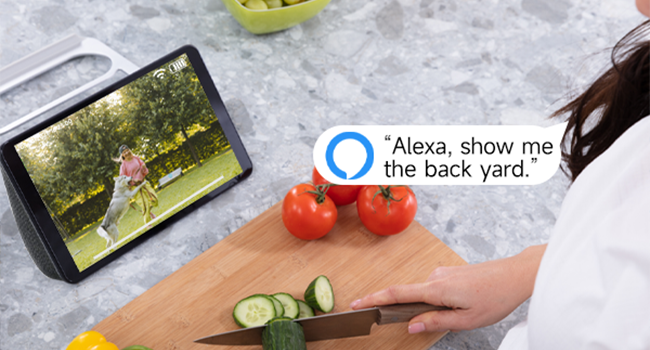
Figure 12: Image showing the Rraycom camera integrated with Amazon Alexa, allowing users to view the camera feed on smart displays via voice commands.
6. Huolto
6.1 Akun lataus
The camera is equipped with a built-in 5200mAh rechargeable battery. When the battery level is low, use the provided USB cable to charge the camera. A full charge can provide months of use depending on activity and settings.
6.2 Vedenpitävyysluokitus
With an IP65 waterproof rating, the Rraycom BW6B camera is designed to withstand various weather conditions, including rain, sun, and snow. Ensure the charging port cover is securely closed to maintain its waterproof integrity.

Figure 13: Visual confirmation of the camera's IP65 waterproof rating, indicating its resilience against rain, sun, and snow for outdoor use.
6.3 Puhdistus
Parhaan suorituskyvyn varmistamiseksi puhdista kameran linssi ja kotelo säännöllisesti pehmeällä,amp liinalla. Vältä voimakkaiden kemikaalien tai hankaavien materiaalien käyttöä, jotka voivat vahingoittaa kameraa.
7. Vianmääritys
- Kamera ei muodosta yhteyttä Wi-Fi-verkkoon: Ensure your Wi-Fi is 2.4GHz. Double-check your Wi-Fi password. Move the camera closer to the router to improve signal strength.
- Huono videon laatu: Tarkista Wi-Fi-signaalin voimakkuus. Varmista, että kameran linssi on puhdas eikä siinä ole esteitä.
- Liiketunnistus ei toimi tai liikaa vääriä hälytyksiä: Adjust the motion detection sensitivity in the app. Configure specific activity zones to monitor only relevant areas.
- Akku tyhjenee nopeasti: Reduce motion detection sensitivity or frequency of recordings. Ensure the camera is not in an area with constant activity.
- Kaksisuuntaisen äänen ongelmat: Check your phone's microphone and speaker settings. Ensure the camera's microphone and speaker are not obstructed.
8. Tekniset tiedot
| Ominaisuus | Yksityiskohta |
|---|---|
| Mallin nimi | BW6B |
| Sisä-/ulkokäyttö | Ulkona |
| Videon sieppaustarkkuus | 3 MP (Effective Still Resolution: 5 MP) |
| Viewkulma | 130 astetta |
| Virtalähde | Akkukäyttöinen (5200 mAh) |
| Yhteystekniikka | Wireless (Wi-Fi, 2.4GHz only) |
| Vedenkestävyystaso | Vedenpitävä (IP65) |
| Erikoisominaisuudet | 2 Way Audio, 2K QHD Resolution, Night Vision (Color), Built-In Light, Motion Sensor, Portable, Local Recording, Works with Alexa |
| Tallennusvaihtoehdot | Cloud (3-day free rolling), Micro SD Card (up to 256GB) |
| Kuvataajuus | 15 kuvaa sekunnissa |
| Materiaali | Akryylinitriilibutadieenistyreeni (ABS) |
| Tuotteen paino | 1.12 kiloa (2.46 puntaa) |
9. Takuu ja tuki
Rraycom products are designed for reliability and performance. For warranty information, technical support, or any questions regarding your Rraycom BW6B security camera, please refer to the contact information provided with your purchase or visit the official Rraycom websivusto. Asiakaspalvelumme on käytettävissäsi auttaakseen sinua.