
Ctronics CTIPC-640C-M12B
Ctronics 4K 8MP Wi-Fi PTZ Outdoor Security Camera
Käyttöopas
1. Johdanto
Thank you for choosing the Ctronics 4K 8MP Wi-Fi PTZ Outdoor Security Camera. This manual provides detailed instructions for the installation, operation, and maintenance of your new security camera. Please read this manual thoroughly before use to ensure proper functionality and safety.
This camera is designed to provide comprehensive outdoor surveillance with advanced features such as 4K Ultra HD resolution, Pan-Tilt-Zoom capabilities, intelligent detection, and versatile storage options.

Image: The Ctronics 4K 8MP Wi-Fi PTZ Outdoor Security Camera, showcasing its sleek black design and dual antennas.
2. Turvallisuustiedot
Noudata seuraavia turvaohjeita tuotteen vahingoittumisen tai itsesi ja muiden loukkaantumisen välttämiseksi:
- Varmista, että virtalähde vastaa kameran teknisiä tietoja (12 volttia, 24 wattia).
- Älä altista kameraa äärimmäisille lämpötiloille sen käyttöalueen ulkopuolella.
- Vältä pitkäaikaista suoraa altistumista voimakkaalle auringonvalolle, sillä se voi vaikuttaa kuvanlaatuun.
- Pidä kamera poissa voimakkaista magneettikentistä.
- Älä yritä purkaa tai muokata kameraa. Jätä kaikki huoltotyöt pätevän henkilöstön tehtäväksi.
- Ensure all cables are properly secured to prevent tripping hazards or accidental disconnection.
3. Pakkauksen sisältö
Varmista, että pakkauksessasi on kaikki tarvittavat osat:
- Ctronics 4K 8MP Wi-Fi PTZ Outdoor Security Camera
- Virtalähde
- Kiinnitysruuvit ja seinätulpat
- Vedenpitävä verkkokaapelisarja
- Pika-aloitusopas
4. Tuote ohiview
Tutustu kamerasi tärkeimpiin osiin:
- Linssi: Kaappaa videon footage.
- IR-LEDit: Tarjoaa infrapunavalaistusta yönäköä varten.
- Kohdevalot: Enhance color night vision and act as deterrents.
- Mikrofoni: Tallentaa ääntä kaksisuuntaista viestintää varten.
- Kaiutin: Lähettää ääntä kaksisuuntaista viestintää ja hälytyksiä varten.
- antennit: Wi-Fi-yhteyttä varten.
- Micro SD -korttipaikka: Paikalliseen tallennukseen (tukee jopa 256 Gt:a, ei sisälly toimitukseen).
- Reset-painike: Käytetään kameran tehdasasetusten palauttamiseen.
- Virtaportti: Liitetään virtalähteeseen.
- Ethernet-portti: Kiinteää verkkoyhteyttä varten (valinnainen).
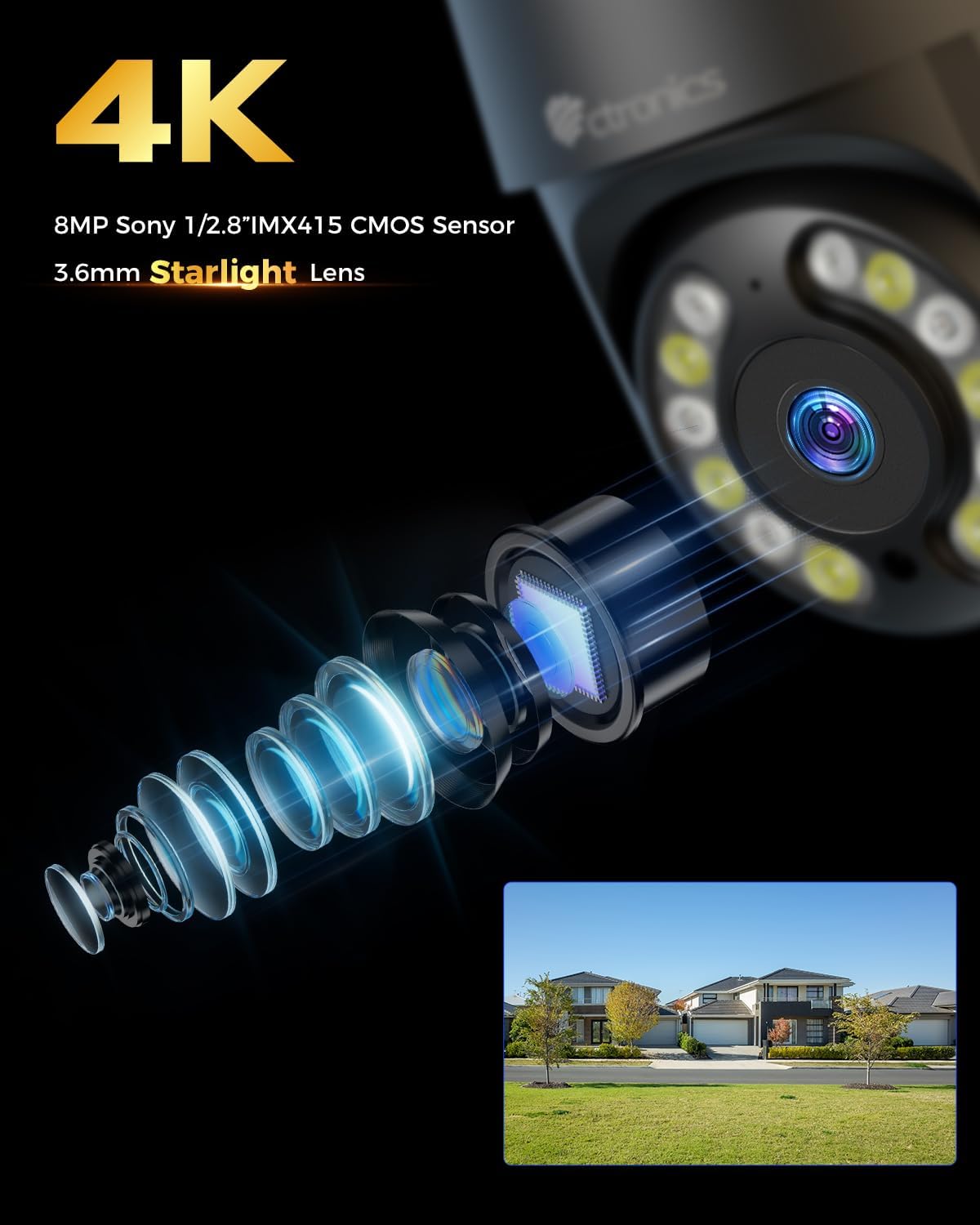
Kuva: Lähikuva view of the camera's 4K 8MP Sony 1/2.8" IMX415 CMOS Sensor and 3.6mm Starlight Lens, highlighting its advanced optical components.
5. Asennus
5.1 Fyysinen asennus
The camera supports both ceiling and wall mounting. Choose a location that provides the desired viewing angle and is within Wi-Fi range or near an Ethernet port.
- Merkitse porauskohdat: Käytä asennusmallia (jos toimitettu) tai kameran jalustaa ruuvinreikien merkitsemiseen seinään tai kattoon.
- Poraa reikiä: Poraa reiät merkittyihin kohtiin ja aseta seinätulpat niihin.
- Suojaa kamera: Align the camera base with the drilled holes and secure it with the provided screws.
- Liitä virta: Connect the power adapter to the camera's power port and plug it into a power outlet.

Image: Illustrates two flexible installation methods for the Ctronics camera: wall-mounted and ceiling-mounted, demonstrating its versatility.
5.2 Verkkoyhteys
The camera supports dual-band Wi-Fi (2.4GHz and 5GHz) for flexible connectivity.
- Wi-Fi-yhteys: For wireless setup, ensure your Wi-Fi network is active. The camera will connect to your chosen network during the app setup process.
- Ethernet-yhteys (valinnainen): For a stable wired connection, connect an Ethernet cable from your router to the camera's Ethernet port.
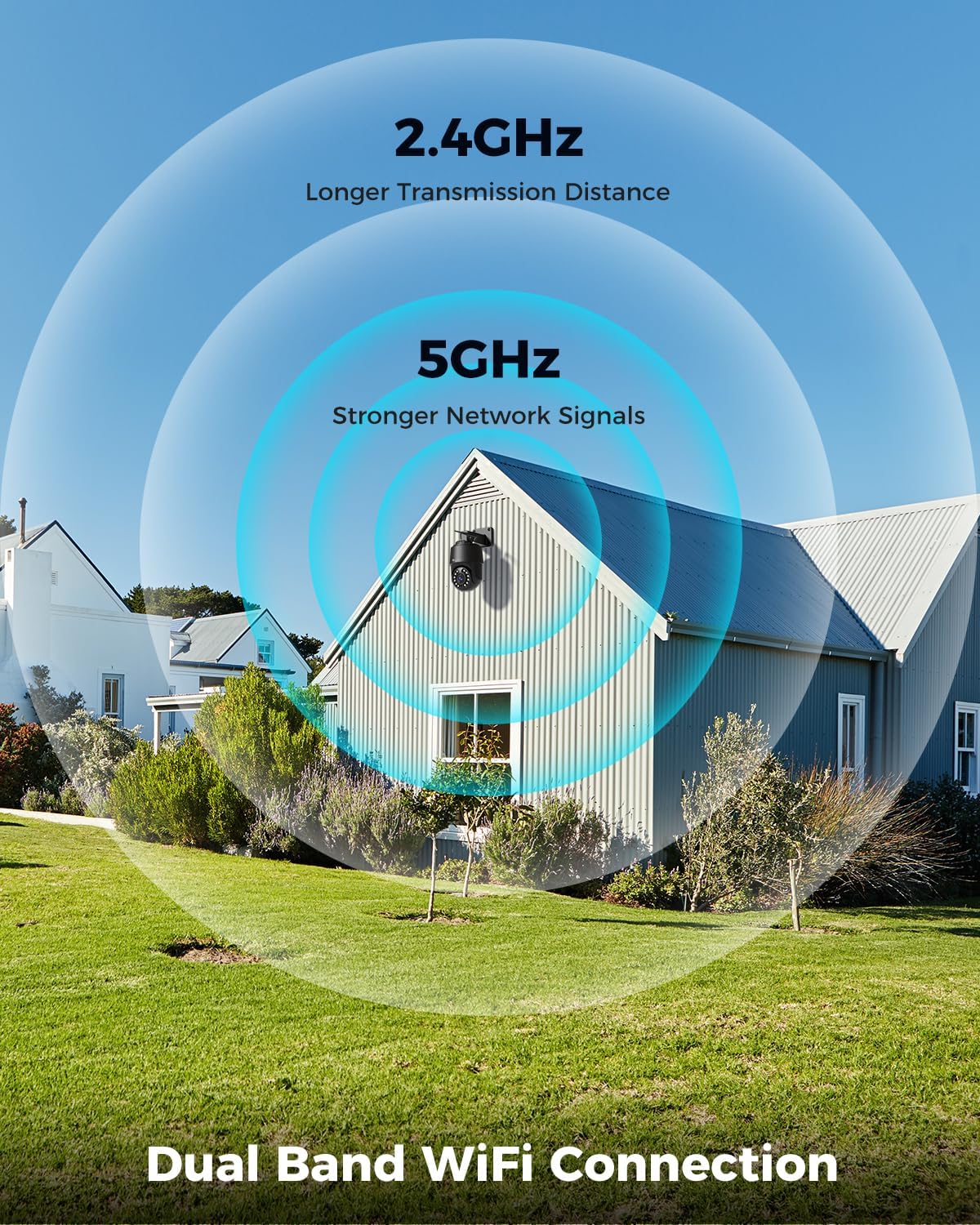
Image: Depicts the camera's dual-band Wi-Fi capability, showing 2.4GHz for longer transmission distance and 5GHz for stronger network signals, ensuring reliable connectivity.
5.3 Sovelluksen asennus ja alkuasetukset
Download the 'Ctronics PRO' or 'HIP2P' app from your mobile app store (iOS/Android) or the Ctronics website for PC/Mac clients.
- Lataa sovellus: Etsi "Ctronics PRO" or "HIP2P" in the App Store or Google Play Store and install it.
- Rekisteröi tili: Avaa sovellus ja rekisteröi uusi tili tai kirjaudu sisään, jos sinulla on jo tili.
- Lisää laite: Tap the "+" icon to add a new device. Follow the on-screen instructions to scan the QR code on the camera or manually enter the device ID.
- Määritä verkko: If connecting via Wi-Fi, select your Wi-Fi network and enter the password. The camera will then connect.
- Aseta salasana: Luo kamerallesi vahva salasana turvallisuuden takaamiseksi.

Image: Shows the broad compatibility of the Ctronics camera with various operating systems and platforms, including iOS, Android, Mac OS, Windows, Ctronics Pro app, and HiP2P client.
6. Kameran käyttö
6.1 Livenä View
Once connected, you can access the live video feed from your camera through the app. This allows you to monitor your property in real-time.
6.2 PTZ-ohjaus (panorointi, kallistus, zoomaus)
The camera features 355° pan and 90° tilt capabilities, along with 5x optical zoom.
- Panorointi/kallistus: Use the directional controls in the app to move the camera horizontally and vertically.
- Zoomaa: Use the zoom controls in the app to optically zoom in or out on objects.
- Esiasetetut paikat: Set up to 8 preset positions for quick navigation to specific areas.

Image: Illustrates the camera's PTZ (Pan-Tilt-Zoom) functionality, showing its 355° pan and 90° tilt range for comprehensive coverage.
6.3 Detection Features & Auto Tracking
The camera can accurately detect people, vehicles, and pets, and automatically track them.
- Ota tunnistus käyttöön: In the app settings, enable person, vehicle, or pet detection.
- Automaattinen seuranta: When enabled, the camera will automatically follow detected subjects within its field of view.
- Hälytysilmoitukset: Receive real-time alarm notifications on your mobile device when motion is detected.
- Ääni- ja valohälytys: The camera can activate a sound and red/blue light alarm at night to deter intruders. This feature can be toggled on/off in the app.

Image: Demonstrates the camera's advanced detection capabilities, highlighting its ability to identify and auto-track humans, vehicles, and pets, keeping them in focus.
6.4 Pimeänäkö
The camera offers both infrared (IR) and color night vision modes.
- IR Night Vision: Provides clear black and white images up to 50 meters in low light or complete darkness.
- Värillinen yönäkö: Utilizes built-in spotlights to provide full-color images up to 45 meters at night.

Image: Shows the camera's 4K Color/IR Night Vision capabilities, with bright spotlights illuminating a dark scene, available for audio and red & blue light alarm.
6.5 Kaksisuuntainen ääni
Kommunikoi vierailijoiden kanssa tai torju tunkeilijoita sisäänrakennetun mikrofonin ja kaiuttimen avulla.
- Puhua: Napauta sovelluksen mikrofonikuvaketta puhuaksesi kameran kaiuttimen kautta.
- Kuunnella: The camera's microphone captures audio from its surroundings.
6.6 Tallennusvaihtoehdot
Kamera tukee useita tallennusmenetelmiä:
- Micro SD -kortti: Insert a Micro SD card (up to 256GB, not included) into the camera's slot for continuous 24/7 recording or scheduled recordings.
- NVR/NAS: Connect the camera to a Network Video Recorder (NVR) or Network Attached Storage (NAS) for extended recording and management.
- Pilvitallennus: Optional cloud storage services may be available through the app for secure off-site backup of your footage.

Image: Displays the camera's versatile storage options, including support for up to 256GB Micro SD card (not included), NVR/NAS for 24/7 recording, FTP, and Ctronics Cloud storage.
6.7 Usean käyttäjän jakaminen ja etäkäyttö
Share camera access with family and friends, and view footage etänä mistä tahansa.
- Jakaminen: Share access to the camera feed with up to four users simultaneously through the app.
- Etäkäyttö: Pääsy livenä view and recorded videos from your iOS, Android, Mac, or Windows devices via the Ctronics PRO or HIP2P app/software.
7. Huolto
Varmistaaksesi Ctronics-kamerasi optimaalisen suorituskyvyn ja pitkän käyttöiän, noudata näitä huolto-ohjeita:
- Puhdistus: Pyyhi kameran linssi ja runko säännöllisesti pehmeällä, kuivalla liinalla pölyn ja lian poistamiseksi. Älä käytä voimakkaita kemikaaleja tai hankaavia puhdistusaineita.
- Laiteohjelmistopäivitykset: Tarkista sovelluksen laiteohjelmistopäivitykset säännöllisesti. Kameran laiteohjelmiston pitäminen ajan tasalla varmistaa, että käytössäsi ovat uusimmat ominaisuudet ja tietoturvaparannukset.
- Kaapelin tarkastus: Periodically inspect all cables and connections for any signs of wear or damage. Ensure waterproof connections are sealed properly.
- Tallennuksen hallinta: Jos käytät Micro SD -korttia, varmuuskopioi tärkeät tiedostot säännöllisesti.tage and consider formatting the card periodically to maintain performance.
8. Vianmääritys
Jos kamerassasi ilmenee ongelmia, katso seuraavat yleiset ongelmat ja ratkaisut:
| Ongelma | Mahdollinen syy | Ratkaisu |
|---|---|---|
| Kamera offline-tilassa | No power; Wi-Fi signal weak/disconnected; Router issue | Check power connection; Move camera closer to router or use Ethernet; Restart router |
| Huono kuvanlaatu | Dirty lens; Insufficient lighting; Network bandwidth issue | Clean lens; Ensure adequate lighting or enable color night vision; Check network speed |
| Liiketunnistus ei toimi | Detection sensitivity too low; Detection zone not set; Obstructions | Adjust sensitivity in app; Configure detection zones; Clear obstructions |
| Kaksisuuntainen ääni ei toimi | Microphone/speaker disabled in app; Volume too low; Network delay | Enable audio in app; Adjust volume; Check network stability |
| Ei voi muodostaa yhteyttä 5 GHz:n Wi-Fi-verkkoon | Router settings; Distance from router | Ensure router supports 5GHz and is configured correctly; 5GHz has shorter range, move camera closer |
Jos ongelma jatkuu, ota yhteyttä Ctronicsin asiakastukeen saadaksesi apua.
9. Tekniset tiedot
| Ominaisuus | Erittely |
|---|---|
| Mallinumero | CTIPC-640C-M12B |
| Resoluutio | 4K (3840x2160p), 8 Megapixels |
| Optinen zoom | 5X |
| Panorointi/kallistusalue | Panorointi: 355°, kallistus: 90° |
| Yönäköalue | IR: 50m, Color: 45m |
| Wi-Fi-yhteys | 2.4 GHz / 5 GHz kaksikaistainen |
| Tallennusvaihtoehdot | Micro SD (up to 256GB), NVR/NAS, Cloud |
| Vedenkestävyys | IP66 (vedenpitävä) |
| Virtalähde | 12 volttia, 24 wattia |
| Materiaali | Metalli |
| Mitat (P x L x K) | 21.99 x 15.99 x 22 cm |
| Paino | 1.28 kg |
| Yhteensopivat laitteet | Computer, Laptop, Tablet, Smartphone |
| Käyttöjärjestelmät | iOS, Android, Mac OS, Windows |
10. Takuu ja tuki
Ctronicsin tuotteilla on vakiotakuu. Katso pakkauksessa oleva takuukortti tai käy Ctronicsin virallisella verkkosivustolla. websivustolta tarkemmat takuuehdot.
Jos tarvitset teknistä tukea, vianmääritysapua tai muita tuotettasi koskevia kysymyksiä, ota yhteyttä Ctronicsin asiakaspalveluun seuraavien kanavien kautta:
- Virallinen Websivusto: Käy Ctronicsin virallisella sivustolla websivusto, josta löydät usein kysyttyjä kysymyksiä, tukiartikkeleita ja yhteystietoja.
- Sähköpostituki: Send an email to the support team (email address typically found on the website or quick start guide).
- Sovelluksen sisäinen tuki: Some issues can be resolved directly through the support features within the Ctronics PRO app.
When contacting support, please have your product model number (CTIPC-640C-M12B) and purchase information ready.
Ask a question about this manual
Ask about setup, troubleshooting, compatibility, parts, safety, or missing instructions. Manuals+ will review the question and use this page’s manual context to help answer it.