
NGS Roller Furia 2
NGS Roller Furia 2 Portable Bluetooth Speaker User Manual
Model: Roller Furia 2 | Brand: NGS
1. Johdanto
Thank you for choosing the NGS Roller Furia 2 Portable Bluetooth Speaker. This manual provides essential information for the safe and efficient use of your device. Please read it carefully before use and retain it for future reference.
2. Turvallisuustiedot
- Älä altista kaiutinta äärimmäisille lämpötiloille tai suoralle auringonvalolle.
- Vältä pudottamasta kaiutinta tai altistamasta sitä voimakkaille iskuille.
- Pidä kaiutin poissa lääkinnällisten laitteiden läheltä.
- Älä yritä purkaa tai korjata kaiutinta itse. Ota yhteyttä pätevään huoltohenkilöstöön.
- Ensure the charging port cover is securely closed when near water to maintain IPX7 waterproofing.
3. Pakkauksen sisältö
Paketti sisältää seuraavat tuotteet:
- NGS Roller Furia 2 Portable Bluetooth Speaker
- USB Type-C -latauskaapeli
- Käyttöopas (tämä asiakirja)
4. Tuotteen ominaisuudet
- Bluetooth 5.3 -yhteydet: Advanced and stable wireless connection for music streaming.
- Tehokas ääni: 30W output for high-quality audio.
- IPX7 vedenpitävä: Can be submerged up to 1 meter for 30 minutes.
- Todellinen langaton stereo (TWS): Pair two Roller Furia 2 speakers for enhanced sound.
- Useita toistovaihtoehtoja: Bluetooth, USB port, TF card slot, and 3.5mm AUX input.
- Pitkä akun käyttöikä: Jopa 9 tuntia toistoaikaa 50 % äänenvoimakkuudella.
- Integroidut säätimet: Easy music control directly from the speaker.
- LED valot: Party mode with dynamic LED lighting.
5. Ohjaimet ja liitännät
Familiarize yourself with the speaker's controls and connection ports.

Image: Top controls and side connection panel of the NGS Roller Furia 2 speaker.
5.1. Top Controls
- Virtapainike: Paina ja pidä pohjassa kytkeäksesi päälle/pois. Lyhyt painallus toistaaksesi/keskeyttääksesi.
- Äänenvoimakkuuden lisääminen (+): Lisää äänenvoimakkuutta.
- Äänenvoimakkuutta pienemmälle (-): Vähennä äänenvoimakkuutta.
- Tilapainike: Vaihda Bluetooth-, AUX-, USB- ja TF-korttitilojen välillä.
- LED -valopainike: Change LED light modes or turn off lights.
5.2. Liitäntäportit

Kuva: Yksityiskohtainen view of the connection ports on the NGS Roller Furia 2 speaker, including AUX, USB, and Micro SD slots.
- AUX-tulo (3.5 mm:n jakki): Liitä ulkoiset äänilaitteet 3.5 mm:n äänikaapelilla.
- USB-tulo: Connect a USB flash drive for MP3 playback (up to 32GB).
- TF-korttipaikka (Micro SD): Insert a TF/Micro SD card for MP3 playback (up to 32GB).
- USB Type-C -latausportti: Connect the provided USB-C cable for charging.
6. Asennus
6.1. Alkuperäinen veloitus
Before first use, fully charge the speaker. Connect the USB Type-C cable to the speaker's charging port and the other end to a USB power adapter (not included) or a computer's USB port. The LED indicator will show charging status.
6.2. Virta päälle/pois
Pidä virtapainiketta painettuna (ⓘ) for approximately 3 seconds to turn the speaker on or off.
7. Käyttöohjeet
7.1. Bluetooth-pariliitos
- Käynnistä kaiutin. Se siirtyy automaattisesti Bluetooth-pariliitostilaan, minkä osoittaa vilkkuva LED-valo.
- Ota Bluetooth käyttöön älypuhelimellasi, tabletillasi tai muulla laitteellasi.
- Etsi "NGS Roller Furia 2" in the list of available Bluetooth devices.
- Select it to connect. Once connected, you will hear a confirmation sound, and the LED will stop flashing.
- The speaker will automatically reconnect to the last paired device when turned on, if available.
7.2. True Wireless Stereo (TWS) -toiminto
To pair two NGS Roller Furia 2 speakers for a stereo sound experience:
- Varmista, että molemmat kaiuttimet ovat päällä eivätkä ole yhteydessä mihinkään Bluetooth-laitteeseen.
- On one speaker (this will be the primary speaker), press and hold the TWS button (often indicated by a Wi-Fi-like symbol or two interlocking circles) for 2-3 seconds.
- Ensisijainen kaiutin etsii toissijaista kaiutinta. Kun yhteys on muodostettu, kuulet vahvistusäänen.
- Now, connect your Bluetooth device to the primary speaker as described in section 7.1. Both speakers will play audio in stereo.
7.3. Playing Music from USB/TF Card
- Insert a USB flash drive or TF/Micro SD card (with MP3 files) vastaavaan porttiin.
- The speaker will automatically switch to USB/TF card mode and begin playing music. If not, press the Mode button to select the correct input.
7.4. AUX -tulo
- Liitä 3.5 mm:n äänikaapelin (ei sisälly toimitukseen) toinen pää kaiuttimen AUX-tuloporttiin.
- Liitä toinen pää ulkoisen laitteen (esim. MP3-soittimen tai tietokoneen) äänilähtöön.
- The speaker will automatically switch to AUX mode. If not, press the Mode button to select AUX input.
7.5. LED-valotilat
Press the LED Light button to cycle through different light modes or turn the lights off. The speaker features dynamic LED lighting for a party atmosphere.
Video: Demonstrates the NGS Roller Furia series features, including LED lights, TWS pairing, robust design, waterproofing, various connection options, and battery life.
8. Lataus
When the battery is low, the speaker will indicate this with an audible alert or LED behavior. Connect the USB Type-C cable to the speaker and a power source to recharge. A full charge takes approximately 3-4 hours. The speaker can be used while charging.
9. Huolto
- Puhdista kaiutin pehmeällä, kuivalla liinalla. Älä käytä hankaavia puhdistusaineita tai liuottimia.
- Säilytä kaiutinta viileässä ja kuivassa paikassa, kun sitä ei käytetä pitkään aikaan.
- Ensure the charging port cover is sealed when not charging, especially in wet environments.
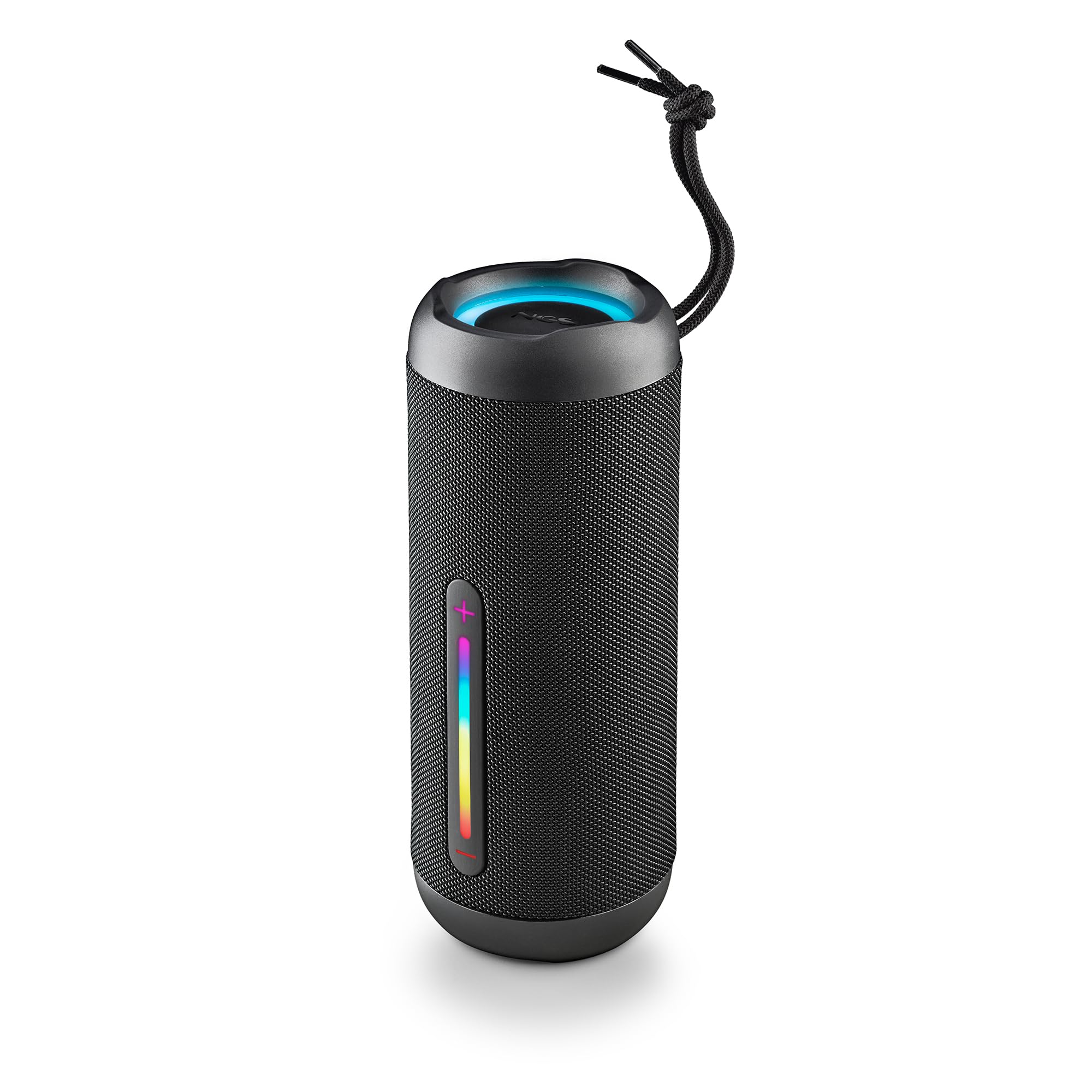
Image: The NGS Roller Furia 2 speaker demonstrating its IPX7 water resistance by being partially submerged in water.
10. Vianmääritys
| Ongelma | Mahdollinen ratkaisu |
|---|---|
| Kaiutin ei käynnisty. | Varmista, että akku on ladattu. Liitä laite virtalähteeseen ja yritä uudelleen. |
| Pariliitos Bluetoothin kautta ei onnistu. | Varmista, että kaiutin on pariliitostilassa. Poista Bluetooth käytöstä ja ota se uudelleen käyttöön laitteessasi. Varmista, ettei kaiuttimeen ole yhdistetty muita laitteita. Siirry lähemmäs kaiutinta. |
| Ei ääntä. | Tarkista sekä kaiuttimen että liitetyn laitteen äänenvoimakkuustasot. Varmista, että oikea tulosignaalin tila (Bluetooth, AUX, USB, TF) on valittu. |
| TWS-pariliitos epäonnistuu. | Varmista, että kumpikaan kaiutin ei ole yhteydessä mihinkään muuhun Bluetooth-laitteeseen ennen TWS-pariliitoksen aloittamista. Kokeile molempien kaiuttimien nollaamista. |
11. Tekniset tiedot
| Ominaisuus | Yksityiskohta |
|---|---|
| Mallin nimi | Roller Furia 2 Black |
| Mallinumero | ELEC-SPK-0871 |
| Merkki | NGS |
| Yhteystekniikka | Bluetooth 5.3, AUX, USB, TF-kortti |
| Kaiuttimen lähtöteho | 30 W (RMS) |
| Vedenkestävyystaso | IPX7 (vedenpitävä) |
| Akun tyyppi | 2 litiumioniakku (sisältyy toimitukseen) |
| Akun kapasiteetti | 7.4V/2500mAh |
| Toistoaika | Jopa 9 tuntia (50 % tilavuudella) |
| Bluetooth-alue | Jopa 10 metriä |
| Mitat (P x L x K) | 7.4 x 7.4 x 19.4 cm |
| Paino | 712 grammaa |
| Yhteensopivat laitteet | MP3 Player, Laptop, Projector, Smartphone, Tablet, TV |
12. Takuu ja tuki
Tämän tuotteen mukana tulee a 2 vuoden rajoitettu takuu ostopäivästä lukien. Säilytä ostokuitti takuuvaatimuksia varten.
For technical support or warranty inquiries, please visit the official NGS websivustolta tai ota yhteyttä paikalliseen jälleenmyyjään.
Ask a question about this manual
Ask about setup, troubleshooting, compatibility, parts, safety, or missing instructions. Manuals+ will review the question and use this page’s manual context to help answer it.