
1. Johdanto
Thank you for choosing the NGS Roller Furia 1 portable speaker. This device is designed to provide high-quality audio with advanced features such as Bluetooth 5.0 connectivity, True Wireless Stereo (TWS) functionality, RGB lighting, and IPX6 water resistance. This manual provides essential information for the safe and efficient use of your speaker.
2. Pakkauksen sisältö
Tarkista pakkauksesta seuraavat tuotteet:
- NGS Roller Furia 1 Portable Speaker
- USB Type-C -latauskaapeli
- Kantohihna
- Käyttöohje (tämä asiakirja)
3. Tuote ohiview
Tutustu kaiuttimen osiin ja säätimiin.
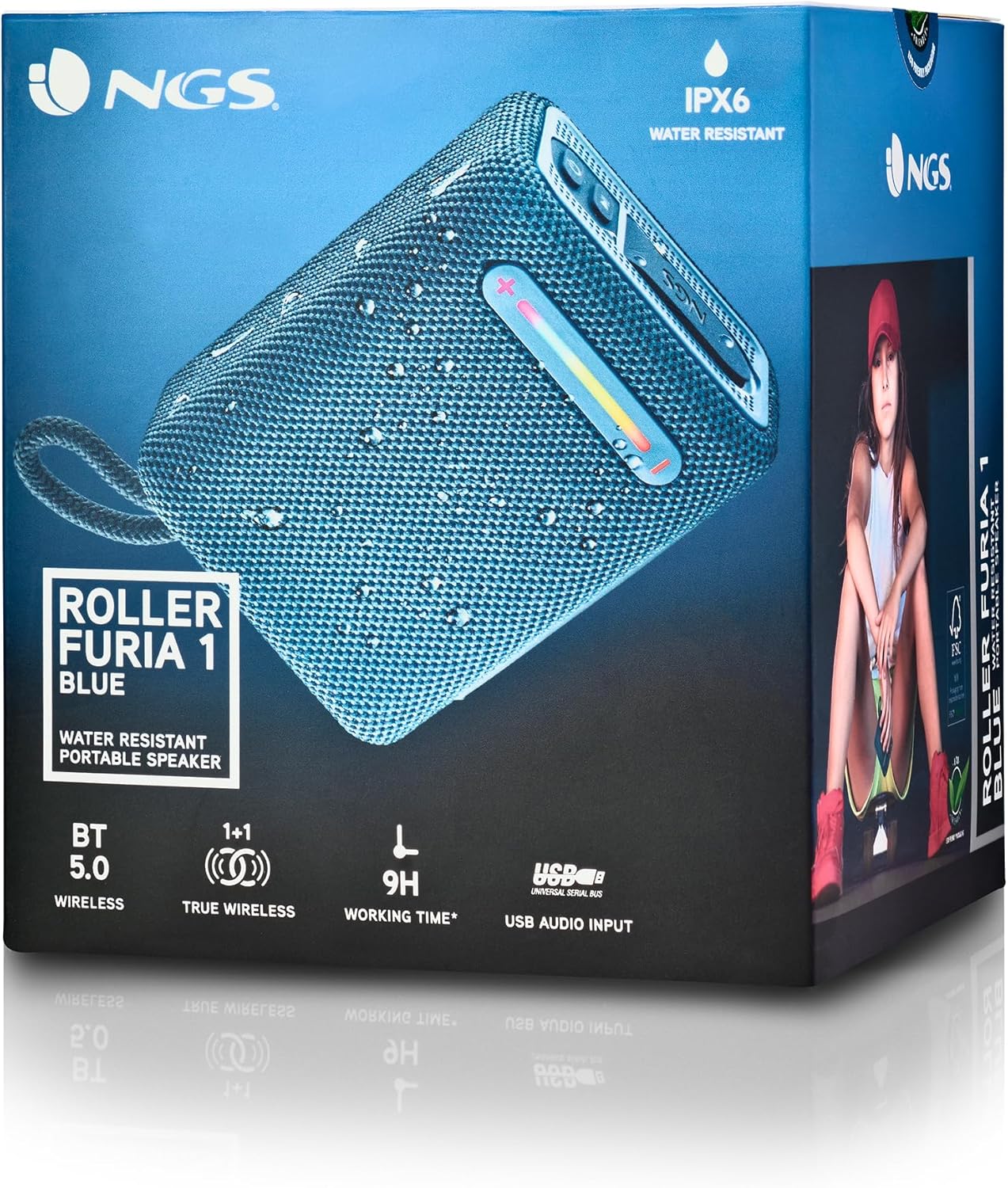
Tämä kuva tarjoaa yksityiskohtaisen view of the NGS Roller Furia 1 speaker, indicating its approximate dimensions (10cm length, 7.5cm height) and labeling the USB input and AUX input ports. It also highlights the RGB light strip and the power button.
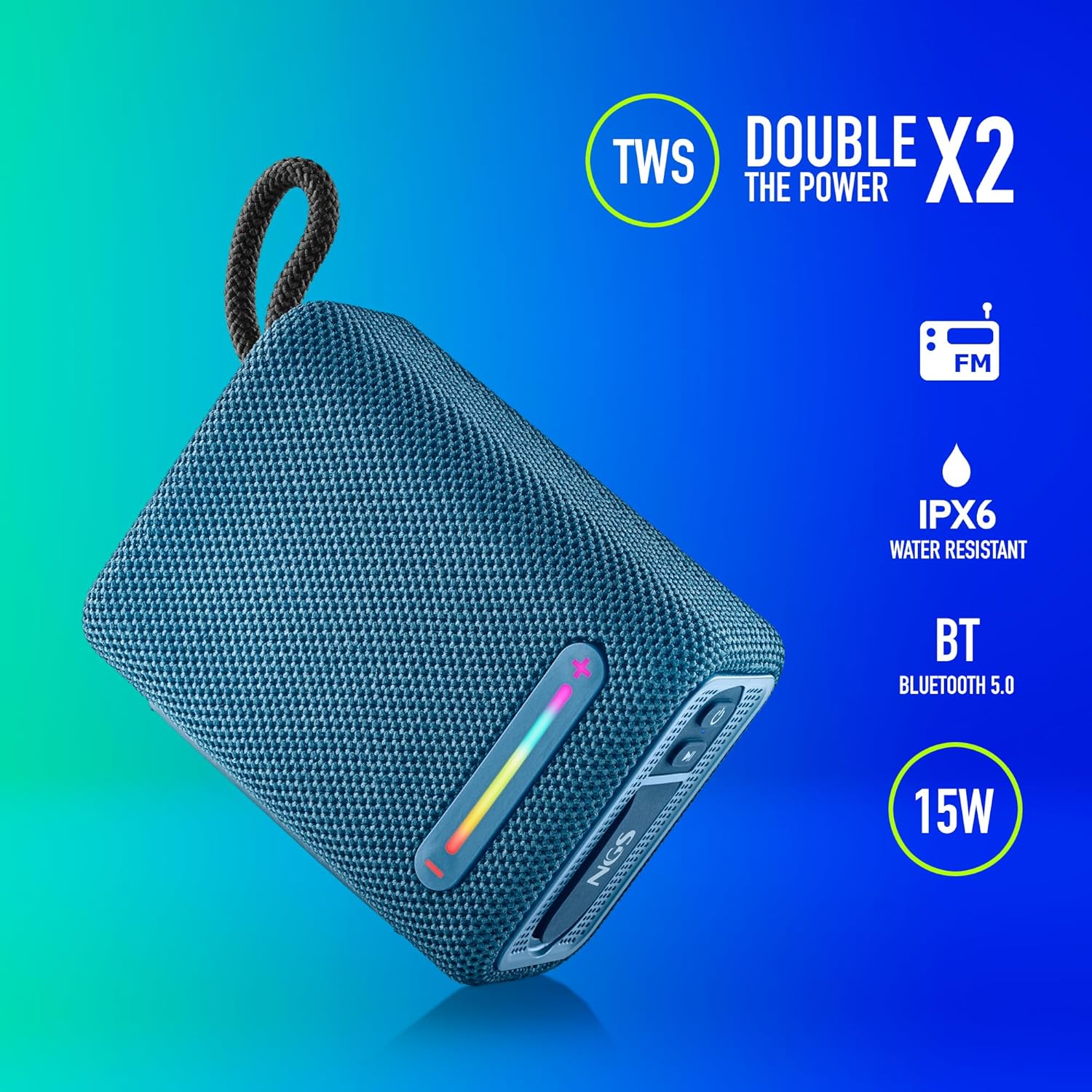
This image illustrates the NGS Roller Furia 1 Blue speaker from an angled view, emphasizing its key features: True Wireless Stereo (TWS) for pairing two speakers, IPX6 water resistance, Bluetooth 5.0 connectivity, and 15 Watts of audio power.
Ohjaimet ja portit:
- Virtapainike: Press and hold to turn the speaker on or off. Short press to play/pause audio.
- Äänenvoimakkuuden lisäys- / seuraava kappale -painike (+): Lyhyt painallus lisää äänenvoimakkuutta. Pitkä painallus siirtyy seuraavaan kappaleeseen.
- Äänenvoimakkuuden vähennys- / edellisen kappaleen painike (-): Lyhyt painallus vähentää äänenvoimakkuutta. Pitkä painallus siirtyy edelliseen kappaleeseen.
- Tilapainike (M): Lyhyt painallus vaihtaaksesi Bluetooth-, USB- ja AUX-tulotilojen välillä.
- RGB-valopainike: Press to cycle through different RGB light modes or turn them off.
- USB-tuloportti: For playing audio from USB memory devices (up to 32GB).
- AUX-tuloportti: Ulkoisten äänilaitteiden liittämiseen 3.5 mm:n äänikaapelilla (ei sisälly toimitukseen).
- USB Type-C -latausportti: Kaiuttimen sisäisen akun lataamiseen.
4. Asennus
4.1 Kaiuttimen lataaminen
- Liitä toimitettu USB Type-C -latauskaapeli kaiuttimen latausporttiin.
- Liitä kaapelin toinen pää USB-virtalähteeseen (ei sisälly toimitukseen) tai tietokoneen USB-porttiin.
- The charging indicator light will illuminate. Once fully charged, the light will change or turn off (refer to the speaker's LED behavior).
- A full charge provides approximately 9 hours of playback at 50% volume.
4.2 Virran kytkeminen päälle/pois
- Käynnistä painamalla -painiketta pitkään Virtapainike kunnes kuulet äänimerkin ja merkkivalot syttyvät.
- Katkaise virta pitämällä -painiketta painettuna Virtapainike again until you hear an audible prompt and the indicator lights turn off.
5. Käyttöohjeet
5.1 Bluetooth -pariliitos
- Ensure the speaker is powered on and in Bluetooth mode (the indicator light will flash, indicating it's ready for pairing). If not, press the Tilapainike (M) vaihtaaksesi Bluetooth -tilaan.
- Ota Bluetooth käyttöön mobiililaitteellasi ja etsi käytettävissä olevia laitteita.
- Valitse "NGS ROLLER FURIA 1"laitteiden luettelosta.
- Kun pariliitos on muodostettu, kaiutin antaa äänimerkin ja Bluetooth-merkkivalo lakkaa vilkkumasta ja jää palamaan tasaisesti.
- Kaiutin yrittää automaattisesti muodostaa yhteyden uudelleen viimeksi pariliitettyyn laitteeseen, kun se käynnistetään.
5.2 Langattoman stereon (TWS) pariliitos
TWS allows you to pair two NGS Roller Furia 1 speakers together for a stereo sound experience.
- Ensure both NGS Roller Furia 1 speakers are powered on and in Bluetooth pairing mode (indicator lights flashing).
- Kaksoispaina toisen kaiuttimen (tämä on ensisijainen kaiutin) -painiketta Tilapainike (M). The speaker will emit a sound, indicating it's searching for another TWS speaker.
- The two speakers will automatically connect to each other. Once connected, you will hear a confirmation sound, and the indicator light on the primary speaker will flash slowly, while the secondary speaker's light will remain solid.
- Yhdistä nyt mobiililaitteesi ensisijaiseen kaiuttimeen Bluetoothin kautta osiossa 5.1 kuvatulla tavalla.
5.3 USB-toisto
- Insert a USB memory device (up to 32GB) containing MP3 audio files into the USB Input Port.
- Kaiutin siirtyy automaattisesti USB-tilaan ja alkaa toistaa ääntä. Jos ei, paina Tilapainike (M) valitaksesi USB-tilan.
- Käytä Äänenvoimakkuuden lisääminen (+) ja Äänenvoimakkuutta pienemmälle (-) buttons for track control and volume adjustment.
5.4 AUX-tulo
- Connect one end of a 3.5mm audio cable (not included) to the AUX Input Port on the speaker.
- Liitä kaapelin toinen pää ulkoisen laitteen äänilähtöliitäntään.
- Kaiutin siirtyy automaattisesti AUX-tilaan. Jos ei, paina Tilapainike (M) valitaksesi AUX-tilan.
- Ohjaa toistoa ja äänenvoimakkuutta ulkoisesta laitteestasi.
5.5 RGB-valotilaa
The speaker features an integrated RGB light strip.
- Paina RGB-valopainike to cycle through various light patterns and colors.
- Jatka painikkeen painamista sammuttaaksesi valot.
5.6 Volume Control and Call Management
- Äänenvoimakkuuden säätö: Paina lyhyesti Äänenvoimakkuuden lisääminen (+) or Äänenvoimakkuutta pienemmälle (-) painikkeita.
- Puhelun vastaaminen/lopetus: Kun puhelu saapuu Bluetooth-yhteyden aikana, paina lyhyesti Virtapainike to answer or end the call.
- Hylkää puhelu: Paina pitkään Virtapainike hylätä saapuva puhelu.
6. Huolto
6.1 Puhdistus
- Pyyhi kaiutin pehmeällä, kuivalla liinalla.
- Do not use abrasive cleaners, alcohol, benzene, or other chemical solvents, as these may damage the surface or components.
6.2 Varastointi
- Säilytä kaiutinta viileässä, kuivassa paikassa, poissa suorasta auringonvalosta ja äärimmäisistä lämpötiloista.
- Jos säilytät akkua pitkään, lataa se säännöllisesti sen käyttöiän ylläpitämiseksi.
6.3 Vedenkestävyys (IPX6)
- The NGS Roller Furia 1 is IPX6 water resistant, meaning it can withstand powerful water jets. It is suitable for outdoor use and can resist rain or splashes.
- Älä upota kaiutinta veteen.
- Ensure the rubber flap covering the ports is securely closed to maintain water resistance.
7. Vianmääritys
| Ongelma | Mahdollinen syy | Ratkaisu |
|---|---|---|
| Kaiutin ei käynnisty. | Akku on tyhjä. | Lataa kaiutin mukana toimitetulla USB Type-C -kaapelilla. |
| Ei ääntä. | Äänenvoimakkuus on liian alhainen tai mykistetty. Väärä syöttötila. Laitetta ei ole yhdistetty. | Increase volume on speaker and connected device. Press the Tilapainike (M) to select the correct input. Re-pair the Bluetooth device. |
| Bluetooth-pariliitos epäonnistuu. | Kaiutin ei ole pariliitostilassa. Laite on liian kaukana. Häiriöitä. | Ensure speaker is in pairing mode (flashing light). Move device closer (within 10m). Turn off other Bluetooth devices. |
| TWS-pariliitos epäonnistuu. | Speakers are too far apart. One speaker is already paired to a device. | Ensure both speakers are close to each other. Disconnect any Bluetooth devices from both speakers before initiating TWS pairing. |
| Äänen vääristymä. | Volume too high. Low battery. | Vähennä äänenvoimakkuutta. Lataa kaiutin. |
8. Tekniset tiedot
| Ominaisuus | Yksityiskohta |
|---|---|
| Mallin nimi | Roller Furia 1 |
| Mallinumero | ELEC-SPK-0865 |
| Merkki | NGS |
| Yhteystekniikka | Bluetooth 5.0, Lisälaite, USB |
| Kaiuttimen lähtöteho | 15 wattia |
| Taajuusvaste | 2480 MHz |
| Signaali-kohinasuhde | 80 dB |
| Vedenkestävyysluokitus | IPX6 |
| Akun tyyppi | 3.7V/2500mAh litiumakku |
| Akun keskimääräinen käyttöikä | Jopa 9 tuntia (50 % tilavuudella) |
| Wireless Range | Jopa 10 metriä |
| USB-tuki | Up to 32GB memory devices |
| Mitat (S x L x K) | 5S x 9.9L x 7.5K senttimetriä (noin) |
| Materiaali | Stoff (Fabric) |
9. Takuu ja tuki
The NGS Roller Furia 1 portable speaker comes with a limited warranty. Please refer to the warranty card included in your package or visit the official NGS websivustolta tarkemmat takuuehdot.
For technical support, troubleshooting assistance, or inquiries about your product, please contact NGS customer service through their official websivustolla tai tuotedokumentaatiossa annetuissa yhteystiedoissa.