
Johdanto
Thank you for choosing the Baseus Bowie MA10S Wireless Earbuds. This manual provides detailed instructions on how to set up, operate, and maintain your earbuds to ensure optimal performance and longevity. Please read this manual thoroughly before using the product.

Image: The Baseus Bowie MA10S Wireless Earbuds, showing both earbuds and their open charging case with a digital battery display.
Pakkauksen sisältö
Varmista, että pakkauksessa on kaikki tarvittavat osat:
- Baseus Bowie MA10S Wireless Earbuds (Left and Right)
- Latauskotelo
- S/M/L Eartips (Left and Right pairs)
- S/M/L Earwings (Left and Right pairs)
- USB-C latauskaapeli
- Käyttöopas (tämä asiakirja)

Image: All components included in the Baseus Bowie MA10S package: the earbuds in their charging case, a USB-C charging cable, and various sizes of ear tips and ear wings.
Asennus
1. Alkulataus
Before first use, fully charge the earbuds and the charging case. Connect the USB-C charging cable to the charging case and a power source. The digital display on the case will show the battery percentage. Kuulokkeet latautuvat automaattisesti, kun ne asetetaan koteloon.

Image: The Baseus Bowie MA10S charging case demonstrating both USB-C wired charging and wireless charging capabilities, with a clear view of the digital power display showing "100%".
The charging case supports both wired USB-C charging and wireless charging. A full charge provides up to 38 hours of total playtime with the charging case, and 8 hours on a single charge for the earbuds.
2. Bluetooth-pariliitos
- Avaa latauskotelo. Kuulokkeet siirtyvät automaattisesti pariliitostilaan.
- Ota Bluetooth käyttöön laitteellasi (älypuhelin, tabletti, kannettava tietokone).
- Etsi "Baseus Bowie MA10S" in the list of available Bluetooth devices.
- Select "Baseus Bowie MA10S" to connect. Once connected, a voice prompt will confirm the successful pairing.
The earbuds feature Bluetooth 5.3 for instant pairing, stable connection, and better interference resistance. They also support multipoint connection, allowing seamless pairing to two devices simultaneously.

Image: A visual representation of the Bluetooth 5.3 chip, highlighting its role in providing instant pairing and stable connections.

Image: A man seamlessly connected to both a smartphone and a laptop with the Baseus Bowie MA10S earbuds, illustrating the multipoint connection feature.
3. Baseus App Installation
For enhanced features and customization, download the official Baseus App from your device's app store. The app allows you to:
- Adjust Noise Cancelling levels (10 levels available)
- Select from 12 Preset Equalizers (EQs) or create custom ones
- Customize touch gestures for controls

Image: Screenshots of the Baseus App interface, demonstrating options for ambient sound control, equalizer presets, and custom gesture settings.
Käyttöohjeet
Kosketa Ohjaimet
The Baseus Bowie MA10S earbuds feature intuitive touch controls. Refer to the following table for default functions. Custom gestures can be configured via the Baseus App.
| Toiminta | Toiminto | Huomautuksia |
|---|---|---|
| Put on / Take off | Toista ja tauko | Automaattinen tunnistus |
| Yksi napautus (V tai O) | Toggle Track / Adjust Volume | Customizable in App |
| Long Press (1.5s, L or R) | Noise Cancellation Cycle | ANC > Normal > Transparency mode (default) |
| Long Press (1.5s, L or R) | Spatial Audio Cycle | Music > Theater > Normal (default) |
| Long Press (1.5s, L or R) | Hylkää puhelu | |
| Yksi napautus (V tai O) | Vastaa / Katkaise puhelu |

Image: A visual guide to the easy tap controls on the Baseus Bowie MA10S earbuds, showing functions like play/pause, track/volume adjustment, call management, and mode cycling.
Active Noise Cancellation (ANC) & Transparency Modes
The earbuds feature Hybrid Active Noise Cancelling technology, reducing disturbing noise by up to 95% (-48dB). Long press either earbud to cycle through ANC, Normal, and Transparency modes.
- ANC-tila: Ideal for noisy environments like travel or office, blocking out ambient sound.
- Normaali tila: Standard audio experience without noise cancellation.
- Läpinäkyvyystila: Allows you to hear your surroundings while listening to audio, useful for safety or conversations.

Image: A man wearing the Baseus Bowie MA10S earbuds, with a visual overlay indicating the -48dB Hybrid Active Noise Cancellation feature, suggesting a quiet listening experience.

Image: A man walking outdoors while wearing the Baseus Bowie MA10S earbuds, illustrating the Transparent Mode feature which allows awareness of surroundings.
Audio Modes & Spatial Audio
The Bowie MA10S offers three tailored audio modes and immersive spatial audio:
- Bassotila: Enhanced bass for sports or music genres that benefit from powerful low frequencies.
- Musiikkitila: Balanced audio for daily immersive listening.
- Pelitila: Low-latency audio (0.038s) for synchronized audio and video during gaming.
Activate the Dual Channel Low-Latency (DCLL) mode for gaming to ensure audio and video are in full sync.

Image: The Baseus Bowie MA10S earbuds positioned next to a smartphone displaying a racing game, emphasizing the 0.038s low-latency feature for smooth and seamless gaming.
Experience Baseus Immersive Spatial Audio (BISA) which creates a virtual soundscape, keeping you at the center of the sound. Long press either earbud to cycle through Spatial Audio modes (Music > Theater > Normal).
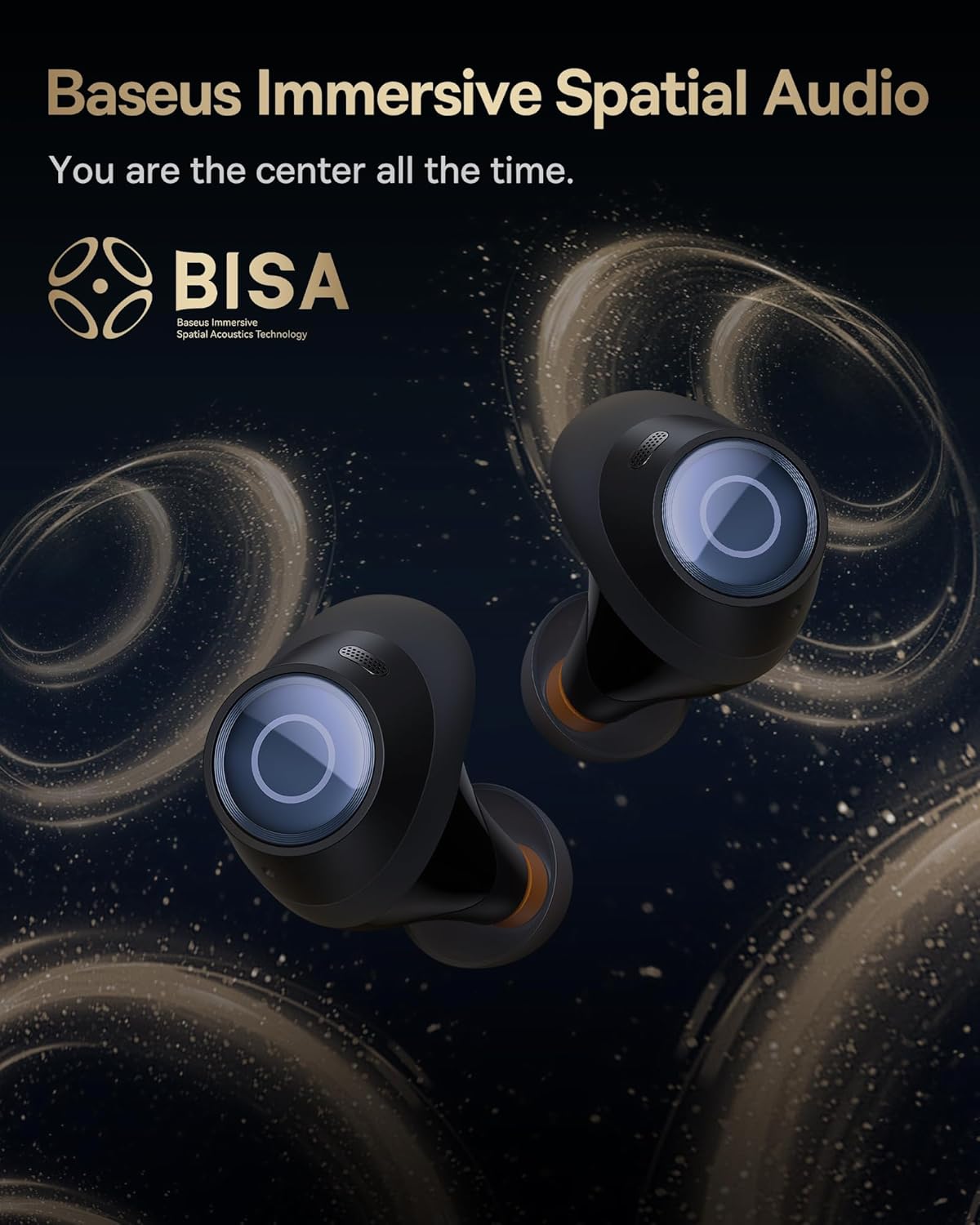
Image: The Baseus Bowie MA10S earbuds highlighted with the "BISA" (Baseus Immersive Spatial Audio) logo, indicating their advanced audio positioning capabilities.
Tyhjennä puhelut
The earbuds are equipped with 4 Environmental Noise Cancelling (ENC) microphones. These mics capture ambient noise, and an AI algorithm cancels it, ensuring crystal-clear call quality even in noisy environments.

Image: An X-ray like view of the Baseus Bowie MA10S earbuds, illustrating the placement of the 4 Environmental Noise Cancelling (ENC) microphones designed for crystal-clear phone calls.
Lataus
Kuulokkeiden lataus
Place the earbuds into the charging case. They will automatically begin charging. The case's digital display will show the charging status and battery level.
Case Charging (Wired & Wireless)
- Langallinen lataus: Connect the provided USB-C cable to the charging port on the case and a USB power adapter.
- Langaton lataus: Simply place the charging case on a compatible wireless charging pad.
The case features a smart power display, showing the exact battery percentage yhdellä silmäyksellä.

Kuva: Lähikuva view of the Baseus Bowie MA10S charging case's built-in digital display, clearly showing "100%", indicating a full charge.
A quick 10-minute wired charge can provide up to 2 hours of playtime.

Image: The Baseus Bowie MA10S charging case connected for fast wired charging, with a graphic indicating "10m = 2H", signifying 10 minutes of charge provides 2 hours of playtime.
Huolto
Puhdistus
- Puhdista nappikuulokkeet, erityisesti korvatyynyt ja latauskoskettimet, säännöllisesti pehmeällä, kuivalla ja nukkaamattomalla liinalla.
- Irrota korvatyynyt ja puhdista korvavaha tai roskat korvanappien suuttimista pienellä harjalla tai vanupuikolla.
- Puhdista latauskotelo pehmeällä, kuivalla liinalla.
- Älä käytä hankaavia puhdistusaineita, alkoholia tai kemiallisia liuottimia.
Varastointi
Kun nappikuulokkeita ei käytetä, säilytä niitä latauskotelossa niiden suojaamiseksi ja latauksen ylläpitämiseksi. Säilytä koteloa viileässä, kuivassa paikassa, poissa äärimmäisistä lämpötiloista.
Vedenkestävyys (IPX4)
The Baseus Bowie MA10S earbuds are IPX4 waterproof, meaning they are resistant to splashing water from any direction. This makes them suitable for workouts and light rain. However, they are not designed for swimming or submersion in water. Do not expose them to pressurized water or high-velocity water, such as showering or bathing.

Image: The Baseus Bowie MA10S earbuds shown with water splashing over them, indicating their IPX4 waterproof rating, suitable for sweat and light rain.
Vianetsintä
If you encounter issues with your Baseus Bowie MA10S earbuds, please refer to the following common solutions:
- Kuulokkeet eivät muodosta pariliitosta:
- Varmista, että kuulokkeet on ladattu.
- Kytke Bluetooth pois päältä ja päälle laitteellasi.
- Aseta nappikuulokkeet takaisin koteloon, sulje kansi, odota muutama sekunti ja avaa se sitten uudelleen siirtyäksesi pariliitostilaan.
- Forget "Baseus Bowie MA10S" from your device's Bluetooth list and try pairing again.
- Ei ääntä tai äänenvoimakkuus on alhainen:
- Tarkista äänenvoimakkuus sekä laitteestasi että nappikuulokkeista.
- Varmista, että nappikuulokkeet ovat kunnolla korvissasi ja että korvatyynyt tiivistävät hyvin.
- Puhdista korvanappien suuttimet mahdollisesta roskasta.
- Try resetting the earbuds (refer to Baseus App or online resources for specific reset instructions if needed).
- Latausongelmat:
- Varmista, että USB-C-kaapeli on kytketty kunnolla sekä koteloon että virtalähteeseen.
- Kokeile toista USB-C-kaapelia tai virtalähdettä.
- For wireless charging, ensure the case is correctly placed on the wireless charging pad.
- Puhdista sekä nappikuulokkeiden että kotelon sisäpuolen latauskoskettimet.
- ANC ei ole tehokas:
- Ensure ANC mode is activated (long press earbud).
- Check that the ear tips provide a proper seal in your ear canal. Try different sizes of ear tips for a better fit.
For further assistance, please refer to the official Baseus support channels.
Tekniset tiedot
| Ominaisuus | Yksityiskohta |
|---|---|
| Mallin nimi | Baseus Bowie MA10S |
| Yhteystekniikka | Langaton (Bluetooth 5.3) |
| Bluetooth-alue | 10 metriä |
| Melunhallinta | Hybridi aktiivinen melunvaimennus (jopa -48 dB) |
| Mikrofonit | 4 ENC-mikrofonia selkeisiin puheluihin |
| Ääniohjaimen tyyppi | Dynamic Driver (Titanium-plated PU composite diaphragm) |
| Taajuusalue | 20 Hz–20,000 XNUMX Hz |
| Akunkesto (nappikuulokkeet) | 8 tuntia (yksi lataus) |
| Akunkesto (kokonaiskesto kotelon kanssa) | 38 tuntia |
| Lataus | USB-C Wired, Wireless Charging |
| Ääniviive | 38 millisekuntia (pelitila) |
| Vedenkestävyys | IPX4 vedenpitävä |
| Valvontamenetelmä | Kosketus, sovellus |
| Yhteensopivat laitteet | Cellphones, Devices with Bluetooth Audio Capability (iOS, Android, Windows, Mac OS, Switch), Laptops, Tablets |
| Tuotteen paino | 4.6 unssia |
| UPC | 850060076268 |
Takuu ja tuki
For information regarding product warranty, returns, or technical support, please visit the official Baseus websivustolta tai ota yhteyttä suoraan heidän asiakaspalveluunsa. Säilytä ostokuitti ostotodistuksena mahdollisten takuuvaatimusten varalta.
Virallinen Baseus-kauppa: Baseus Amazon -kauppa