
Docooler 14 Inch 2-in-1 Touchscreen Laptop
Docooler 14 Inch 2-in-1 Touchscreen Laptop User Manual
Model: 14 Inch 2-in-1 Touchscreen Laptop
1. Tuote ohiview
The Docooler 14 Inch 2-in-1 Touchscreen Laptop is a versatile computing device designed for both productivity and entertainment. Featuring a 4K UHD IPS display and a 360-degree convertible design, it adapts to various usage scenarios, from traditional laptop mode to tablet mode. Powered by an Intel N95 processor, it offers efficient performance for daily tasks.

Image: The Docooler 14 Inch 2-in-1 Touchscreen Laptop in its tent configuration, showcasing its flexible design and vibrant display.
2. Pakkauksen sisältö
Varmista, että pakkauksessa on kaikki tarvittavat osat:
- Docooler 14 Inch 2-in-1 Touchscreen Laptop
- Latauskaapeli
- Käyttöohje
3. Aloitus
3.1 Alkuasetukset
- Lataa kannettava tietokone: Before first use, connect the charging cable to the laptop's USB-C port and plug it into a power outlet. Allow the battery to charge fully.
- Virta päälle: Press and hold the power button located on the side of the laptop until the screen illuminates.
- Windowsin asennus: Follow the on-screen prompts to complete the Windows 11 initial setup, including language selection, network connection, and user account creation.
4. Understanding Your Laptop
4.1 Tärkeimmät ominaisuudet
- Näyttö: 14-inch 4K UHD (3840x2160) IPS touchscreen with 500 Nits brightness for a clear visual experience.
- Prosessori: Equipped with the 12th Gen Intel N95 CPU (4-core, 4-thread, up to 3.4GHz) for efficient performance.
- Muisti ja tallennus: 12GB LPDDR5 4800MHz high-frequency memory and 512GB/1TB NVMe SSD for fast operation and ample varastointia.
- Avoauton suunnittelu: 360-degree flip-and-fold design allows for multiple modes of use.
- Kosketusnäyttö: 10-level multi-touch screen with gravity sensing for intuitive interaction.
- Turvallisuus: Fingerprint unlock for quick and secure access.
- Näppäimistö: Taustavalaistu näppäimistö mukavaan kirjoittamiseen erilaisissa valaistusolosuhteissa.
- Liitettävyys: Dual-band Wi-Fi (2.4G/5.0G Hz 802.11ac) and Bluetooth for stable wireless connections.

Image: Visual representation of the laptop's 4K UHD display capabilities, highlighting its high resolution and brightness.

Image: Illustration of the Intel N95 12th Generation processor, emphasizing its role in the laptop's performance.
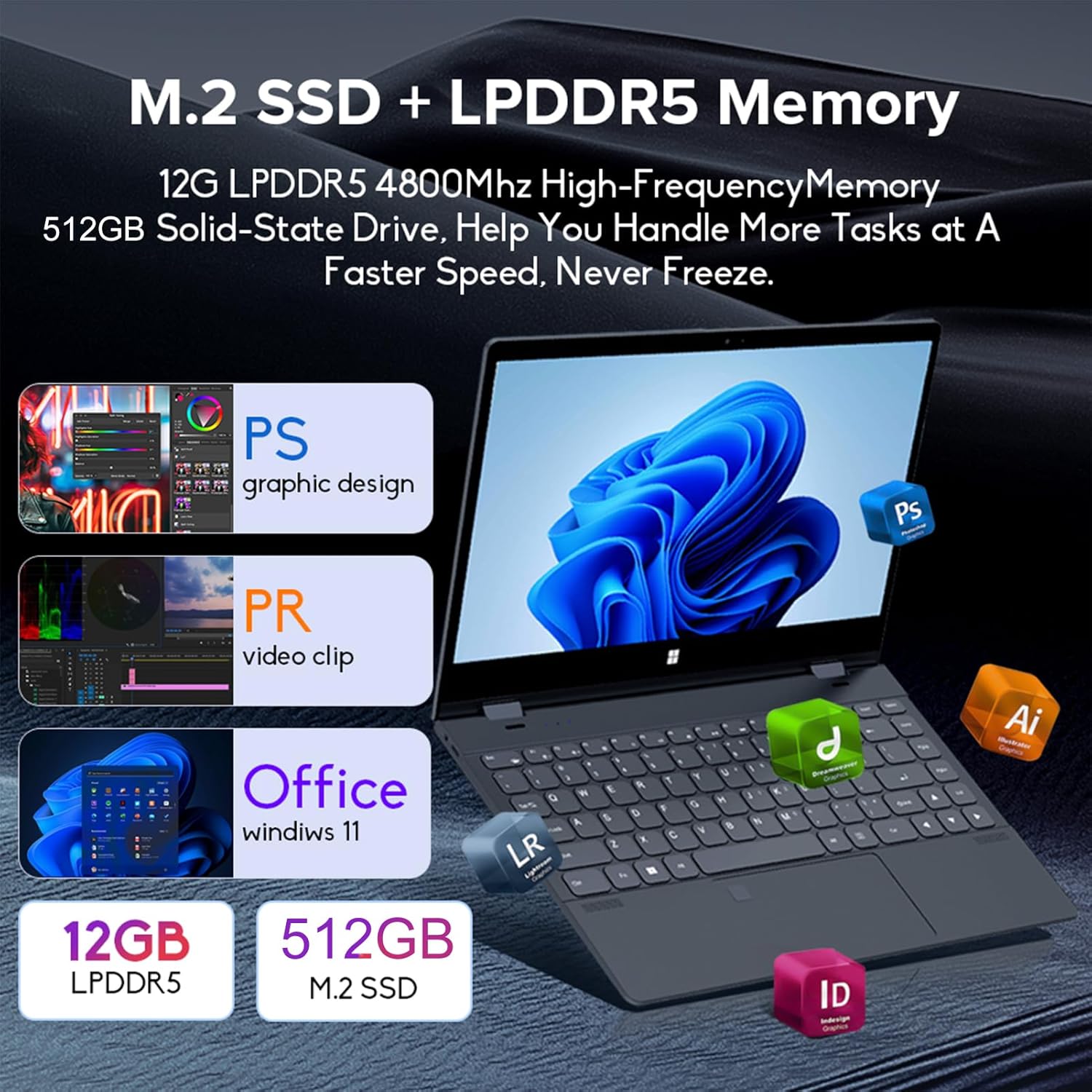
Image: Depiction of the laptop's memory and storage, showing 12GB LPDDR5 RAM and 512GB/1TB M.2 SSD, suitable for various applications.
4.2 Portit ja liittimet
Tutustu kannettavan tietokoneesi käytettävissä oleviin portteihin:
- USB-C (täysi ominaisuus): Supports audio, video, data transmission, and PD2.0 fast charging.
- USB 3.0: USB-laitteiden liittämiseen.
- Ääni sisään: Kuulokkeille tai ulkoisille kaiuttimille.
- DC -tulo: Power input (if applicable, though USB-C is primary charging).
- TF-kortinlukija: Muistikortteja varten.

Kuva: Yksityiskohtainen view of the laptop's side ports, including USB-C, USB 3.0, audio jack, and TF card slot.
4.3 Muunneltavat tilat
The 360-degree hinge allows the laptop to transform into four distinct modes:
- Notebook Mode: Traditional laptop experience for typing and productivity.
- Tablettitila: Fold the screen back completely for a tablet experience, ideal for touch-based applications and gaming.
- Viewing Mode (Tent Mode): Stand the laptop in a tent shape for watching videos or presentations.
- Conference Mode (Stand Mode): Flip the keyboard under the screen to share content easily in a group setting.

Image: Visual guide demonstrating the four convertible modes of the laptop: Notebook, Tablet, Viewing, and Conference.
5. Käyttö
5.1 Kosketusnäytön käyttö
The 10-point multi-touch screen allows for intuitive navigation. Use gestures similar to a smartphone or tablet. The gravity sensing feature enhances the experience, especially in tablet mode.

Image: Demonstrates the ease of touchscreen operation and the benefit of gravity sensing for gaming.
5.2 Using the Backlit Keyboard and Fingerprint Unlock
- Taustavalaistu näppäimistö: Press the Function (Fn) key combined with the appropriate F-key (usually F3 or F4, check keyboard icons) to toggle the keyboard backlight on/off or adjust its brightness.
- Sormenjäljen lukituksen avaaminen: Set up your fingerprint in Windows Settings > Accounts > Sign-in options. Once configured, you can unlock your laptop quickly by placing your registered finger on the fingerprint sensor.
5.3 Yhdistäminen Wi-Fi- ja Bluetooth-verkkoon
The laptop supports dual-band Wi-Fi (2.4G/5.0G Hz 802.11ac) and Bluetooth for wireless connectivity.
- Wi-Fi: Napsauta tehtäväpalkin Wi-Fi-kuvaketta, valitse haluamasi verkko, anna salasana pyydettäessä ja napsauta Yhdistä.
- Bluetooth: Go to Windows Settings > Bluetooth & devices. Ensure Bluetooth is turned on, then click 'Add device' to pair with Bluetooth peripherals like headphones or mice.

Image: Visual representation of the laptop's dual-band Wi-Fi and Bluetooth connectivity features.
6. Huolto ja hoito
- Puhdistus: Käytä pehmeää, nukkaamatonta liinaa hieman dampPuhdista näyttö vedellä tai näytönpuhdistusaineella. Käytä näppäimistön ja rungon puhdistukseen kuivaa, pehmeää liinaa. Vältä voimakkaita kemikaaleja.
- Akun hoito: Akun käyttöiän pidentämiseksi vältä akun usein tapahtuvaa täydellistä tyhjentymistä. Säilytä kannettavaa tietokonetta viileässä ja kuivassa paikassa, kun sitä ei käytetä pitkään aikaan.
- Ilmanvaihto: Varmista, että kannettavan tietokoneen tuuletusaukot eivät ole tukossa ylikuumenemisen estämiseksi. Käytä kannettavaa tietokonetta kovalla ja tasaisella alustalla.
- Ohjelmistopäivitykset: Päivitä käyttöjärjestelmäsi ja ajurit säännöllisesti varmistaaksesi optimaalisen suorituskyvyn ja tietoturvan.
7. Vianmääritys
| Ongelma | Mahdollinen ratkaisu |
|---|---|
| Kannettava tietokone ei käynnisty. | Ensure the charging cable is securely connected and the power outlet is functional. Allow the laptop to charge for at least 30 minutes before attempting to power on again. |
| Wi-Fi-yhteysongelmat. | Restart your router and modem. On the laptop, disable and re-enable Wi-Fi. Ensure you are within range of the Wi-Fi signal. |
| Kosketusnäyttö ei reagoi. | Restart the laptop. Check for any physical obstructions on the screen. Ensure Windows updates are current. |
| Näppäimistön taustavalo ei toimi. | Press Fn + F-key (check keyboard icon) to toggle or adjust backlight brightness. Ensure drivers are up to date. |
| Kannettava tietokone toimii hitaasti. | Sulje tarpeettomat sovellukset. Tarkista taustalla olevat prosessit. Varmista, että vapaata tallennustilaa on riittävästi. Suorita järjestelmätarkistus haittaohjelmien varalta. |
8. Tekniset tiedot
| Ominaisuus | Erittely |
|---|---|
| Näytön koko | 14 tuumaa |
| Resoluutio | 3840 x 2160 pikseliä (4K UHD) |
| Prosessori | Intel N95 (jopa 3.4 GHz) |
| Asennetun RAM-muistin koko | 12GB LPDDR5 |
| Kiintolevyn kuvaus | 512GB/1TB NVMe SSD |
| Käyttöjärjestelmä | Windows 11 Home |
| Grafiikka rinnakkaisprosessori | Intel UHD -näytönohjain (integroitu) |
| Langaton yhteys | 2.4G/5.0G Hz 802.11ac Wi-Fi, Bluetooth |
| USB-portteja yhteensä | 2 (including 1 full-featured USB-C) |
| Väri | Hopean harmaa |
| Tuotteen paino | 3.46 puntaa (1570 grammaa) |
| Pakkauksen mitat | 15.35 x 9.84 x 3.35 tuumaa |
| Alkuperämaa | Kiina |
9. Takuu ja tuki
For warranty information and technical support, please refer to the documentation provided with your purchase or visit the official Docooler websivusto. Säilytä ostokuitti takuuvaatimuksia varten.
Docooler is committed to providing quality products and customer satisfaction. For further assistance, please contact Docooler customer service.
Note: Protection plans may be available for extended coverage. Please check with your retailer for details.