
Yanmai 49411
Yanmai SF-900 USB-mikrofonin käyttöohje
Model: SF-900 (49411)
1. Johdanto
Thank you for choosing the Yanmai SF-900 USB Microphone. This manual provides detailed instructions for setting up, operating, and maintaining your microphone to ensure optimal performance. Please read this manual thoroughly before using the product.
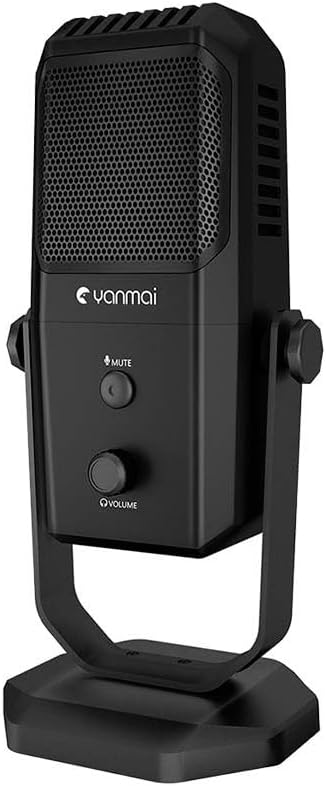
Image: The Yanmai SF-900 USB Microphone, showcasinsen tyylikkään mustan muotoilun ja integroidun jalustan ansiosta.
2. Pakkauksen sisältö
Varmista, että pakkauksessasi on kaikki alla luetellut tuotteet:
- Yanmai SF-900 USB Microphone
- USB-liitäntäkaapeli
- Käyttöopas (tämä käyttöohje)

Image: Contents of the Yanmai SF-900 package, including the microphone, USB cable, and user guide.
3. Asennus
Follow these steps to set up your Yanmai SF-900 USB Microphone:
- Pura mikrofoni pakkauksesta: Poista mikrofoni ja kaikki lisävarusteet varovasti pakkauksesta.
- Sijoita mikrofoni: Place the microphone on a stable, flat surface using its integrated stand. Ensure it is positioned optimally for your recording or communication needs.
- Yhdistä tietokoneeseen: Insert the USB cable into the USB port on the microphone. Then, connect the other end of the USB cable to an available USB port on your computer (PC or Mac).
- Automaattinen ajurin asennus: Your computer should automatically detect and install the necessary drivers. This may take a few moments. No manual driver installation is typically required.
- Valitse oletuslaitteeksi: Once installed, navigate to your computer's sound settings (e.g., Sound Control Panel on Windows, System Preferences > Sound on macOS) and select the Yanmai SF-900 as your default input device.
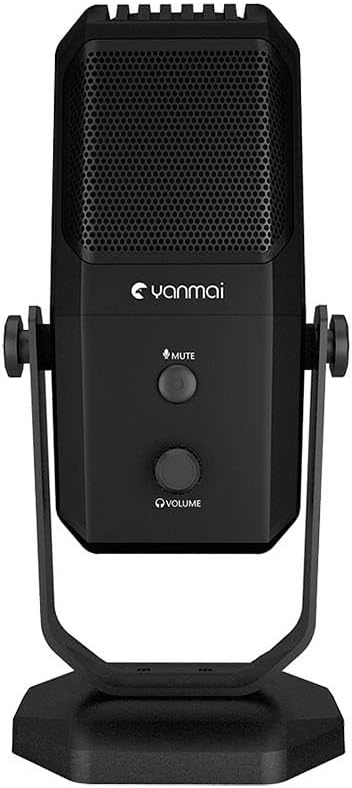
Kuva: Edessä view of the Yanmai SF-900 microphone, highlighting the mute button and volume control knob.
4. Käyttöohjeet
The Yanmai SF-900 is designed for ease of use. Here are the primary operating functions:
- Mykistyspainike: Located on the front of the microphone, press this button to instantly mute or unmute your audio input. An indicator light (if present) will change color to show the mute status.
- Äänenvoimakkuuden säätönuppi: Below the mute button, rotate this knob to adjust the microphone's input volume (gain). Turn clockwise to increase volume and counter-clockwise to decrease it. Adjust this to an appropriate level to avoid distortion.
- Software Volume Control: For finer adjustments, you can also control the microphone's volume through your computer's sound settings or within your recording/communication software.
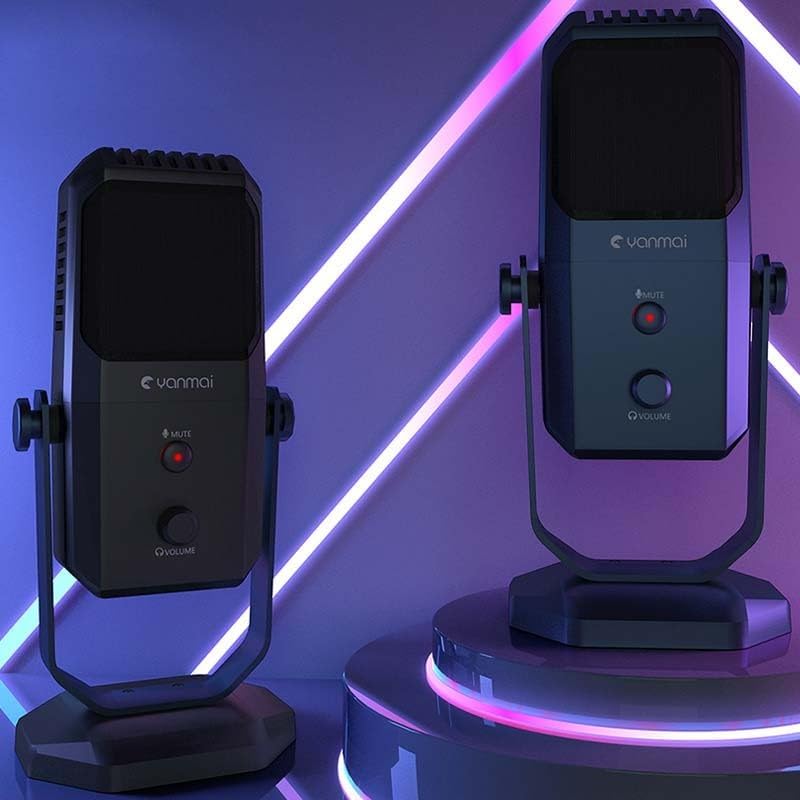
Image: Two Yanmai SF-900 microphones, demonstrating their illuminated controls in an operational setting.
5. Huolto
Asianmukainen hoito pidentää mikrofonisi käyttöikää ja suorituskykyä:
- Puhdistus: Use a soft, dry cloth to wipe the exterior of the microphone. Do not use liquid cleaners, aerosols, or solvents, as these can damage the device.
- Varastointi: When not in use, store the microphone in a cool, dry place, away from direct sunlight and extreme temperatures.
- Käsittely: Avoid dropping the microphone or subjecting it to strong impacts, which can damage internal components.
- Kaapelihuolto: Älä taivuta tai purista USB-kaapelia liikaa. Irrota kaapeli aina pistokkeesta, älä kaapelista.
6. Vianmääritys
If you encounter issues with your Yanmai SF-900 microphone, refer to the following common problems and solutions:
| Ongelma | Mahdollinen syy | Ratkaisu |
|---|---|---|
| Ei äänituloa | Mikrofonia ei ole liitetty kunnolla Incorrect input device selected Mikrofoni mykistetty Äänenvoimakkuus liian pieni | Varmista, että USB-kaapeli on kytketty kunnolla. Check computer's sound settings; select SF-900 as default input. Paina mikrofonin mykistyspainiketta. Adjust the volume knob on the microphone and in software. |
| Sound is distorted or too loud | Volume (gain) set too high | Decrease the volume using the knob on the microphone or in your computer's sound settings. |
| Microphone not recognized by computer | Viallinen USB-portti Ohjainongelma | Yritä yhdistää toiseen USB-porttiin. Restart your computer. If issues persist, check device manager for driver status. |
7. Tekniset tiedot
| Ominaisuus | Yksityiskohta |
|---|---|
| Mallinumero | 49411 |
| ASIN | B0CPPPPZB4 |
| Merkki | Yanmai |
| Väri | Colourful (as per product listing, though product is black) |
| Tuotteen paino | 1.76 kiloa |
| Pakkauksen mitat | 13.78 x 9.45 x 6.3 tuumaa |
| Yhteydet | USB |
| Yhteensopivuus | PC, Mac (USB compatible systems) |
8. Takuu ja tuki
The Yanmai SF-900 USB Microphone comes with a standard manufacturer's warranty. For specific warranty terms and conditions, please refer to the warranty card included with your product or visit the official Yanmai website. For technical support, troubleshooting assistance beyond this manual, or warranty claims, please contact Yanmai customer service through their official support channels.
Ask a question about this manual
Ask about setup, troubleshooting, compatibility, parts, safety, or missing instructions. Manuals+ will review the question and use this page’s manual context to help answer it.