
Johdanto
Thank you for choosing the LIORQUE S7509 Projection Alarm Clock. This manual provides detailed instructions for setting up and operating your new device. Please read it carefully to ensure proper use and to fully utilize all features.
Pakkauksen sisältö
Pura pakkausta varmistaessasi, että kaikki seuraavat osat ovat mukana:
- LIORQUE S7509 Projection Alarm Clock
- Virtalähde
- USB-virtakaapeli
- Käyttöopas

Image: The LIORQUE S7509 Projection Alarm Clock, its power adapter, USB cable, and user manual are displayed next to the product box. Product dimensions are indicated as 18cm (7.1in) width, 9.8cm (3.9in) height, and 5cm (2in) depth.
Tuotteen ominaisuudet ohiview
The LIORQUE S7509 Projection Alarm Clock is designed to enhance your daily routine with its versatile features:
- 180° kääntyvä projektio: Project the time onto your ceiling or wall with adjustable brightness.
- Suuri LED-näyttö: Clear time display with 4 adjustable brightness levels.
- Kaksoishälytys: Aseta kaksi erillistä hälytystä eri aikatauluille.
- FM-radio: Enjoy your favorite radio stations with 15 preset memory slots and 15 adjustable volume levels.
- Torkkutoiminto: Tarjoaa 9 minuuttia lisää unta.
- Uniajastin: Sammuttaa radion automaattisesti asetetun ajan (5–90 minuuttia) kuluttua.
- 12/24 tunnin muoto: Easily switch between time formats.
- Sisäänrakennettu akku: Varavirtaa varten ulkonatages.

Image: The LIORQUE S7509 Projection Alarm Clock is shown with its digital display set to 22:30. Surrounding icons highlight key features including 12/24 hour time, adjustable brightness, FM radio, snooze function, dual alarms, time projection, built-in battery, and a sleep timer.
Asennusohjeet
1. Virtaliitäntä
Connect the provided USB power cable to the alarm clock and plug the adapter into a standard wall outlet. The display will light up, indicating the device is powered on.

Image: The LIORQUE S7509 Projection Alarm Clock is shown on a bedside table, connected to a wall outlet via its power adapter. The clock displays 8:30, illustrating its readiness for use after power connection.
2. Alkuperäinen aika-asetus
- Paina ja pidä painettuna AJAN ASETUS button (usually labeled with a clock icon) for 3 seconds to enter time setting mode.
- Käytä TUNNIN ja MINUUTI buttons (often labeled with '+' and '-' or arrows) to adjust the current time.
- Paina AJAN ASETUS uudelleen vahvistaaksesi ja poistuaksesi.
3. 12/24 tunnin muoto
While in time setting mode, or by a dedicated button (refer to specific button labels on your device), you can toggle between 12-hour (with AM/PM indicator) and 24-hour formats.
Käyttöohjeet
1. Hälytysten asettaminen
The clock supports two independent alarms (Alarm 1 and Alarm 2).
- Paina ja pidä painettuna HÄLYTYS 1 or HÄLYTYS 2 button for 3 seconds. The alarm time will flash.
- Käytä TUNNIN ja MINUUTI painikkeita halutun hälytysajan asettamiseksi.
- Paina HÄLYTYS -painiketta uudelleen vahvistaaksesi ajan.
- You can then select the alarm sound (buzzer or FM radio) and alarm volume.
- Paina HÄLYTYS button one more time to save settings and activate the alarm. An alarm icon will appear on the display.

Image: Two LIORQUE S7509 Projection Alarm Clocks are displayed side-by-side. One shows an alarm set for 8:30, labeled 'Workday', and the other shows 10:00, labeled 'Weekend', demonstrating the dual alarm capability.
2. Projektiotoiminto
The projector allows you to display the time on your ceiling or wall.
- Aktivoi/deaktivoi: Paina PROJEKTIO button (often labeled with a projection icon) to turn the projection on or off.
- Säädä kirkkautta: Paina toistuvasti PROJEKTIO button to cycle through 3 brightness levels (Low, Medium, High) or turn it off.
- Kierrä projektiota: The projector lens can be physically rotated 180° to adjust the angle of the projected time.

Image: The LIORQUE S7509 Projection Alarm Clock is shown in a bedroom, projecting the time '22:30' onto the ceiling. Below, three smaller images illustrate the three adjustable brightness levels for the projection.

Image: The LIORQUE S7509 Projection Alarm Clock is depicted with its projection arm extended, casting the time '12:45' onto a nearby surface. This image demonstrates the adjustable angle and direction of the projection feature.
3. Näytön kirkkaus
Adjust the main display brightness to your preference.
- Paina HIMMENNIN button (or similar, often labeled with a sun icon) to cycle through 4 levels of display brightness.
- The levels typically range from brightest to off, allowing for comfortable viewpäivällä tai yöllä.

Image: The LIORQUE S7509 Projection Alarm Clock shows the time 22:30. Below, four distinct panels illustrate the four adjustable levels of screen brightness, ranging from completely off to maximum illumination, allowing users to select the appropriate brightness for night vision.
4. FM-radio
Kuuntele suosikki-FM-radioasemiasi.
- Kytke päälle/pois päältä: Paina RADIO painiketta FM-radion kytkemiseksi päälle tai pois päältä.
- Automaattinen skannaus: Paina ja pidä painettuna RADIO button for 3 seconds to automatically scan and save up to 15 FM stations.
- Vaihda asemaa: Käytä PREV/SEURAAVA buttons (or '+' and '-') to switch between saved stations.
- Säädä äänenvoimakkuutta: Käytä ÄÄNENVOIMAKKUUS +/- buttons to adjust the radio volume through 15 levels.

Image: The LIORQUE S7509 Projection Alarm Clock displays 'FM 7.84' on its screen, surrounded by graphic representations of radio waves indicating different FM frequencies (e.g., FM90.2, FM95.6, FM96.8, FM97.5, FM98.5). The image also highlights that the device can store 15 favorite radio stations and has 15 adjustable volume levels.
5. Torkkutoiminto
Kun hälytys soi, paina isoa SNOOZE / VALO -painiketta kellon päällä. Herätys keskeytyy 9 minuutiksi ja soi sitten uudelleen.
6. Uniajastin
Uniajastin mahdollistaa radion kuuntelun tietyn ajan ennen automaattista sammumista.
- Kun radio soi, paina NUKKUA button (or similar).
- Paina toistuvasti NUKKUA button to cycle through preset sleep times (e.g., 5, 10, 15, 30, 60, 90 minutes).
- Radio sammuu automaattisesti valitun ajan kuluttua.
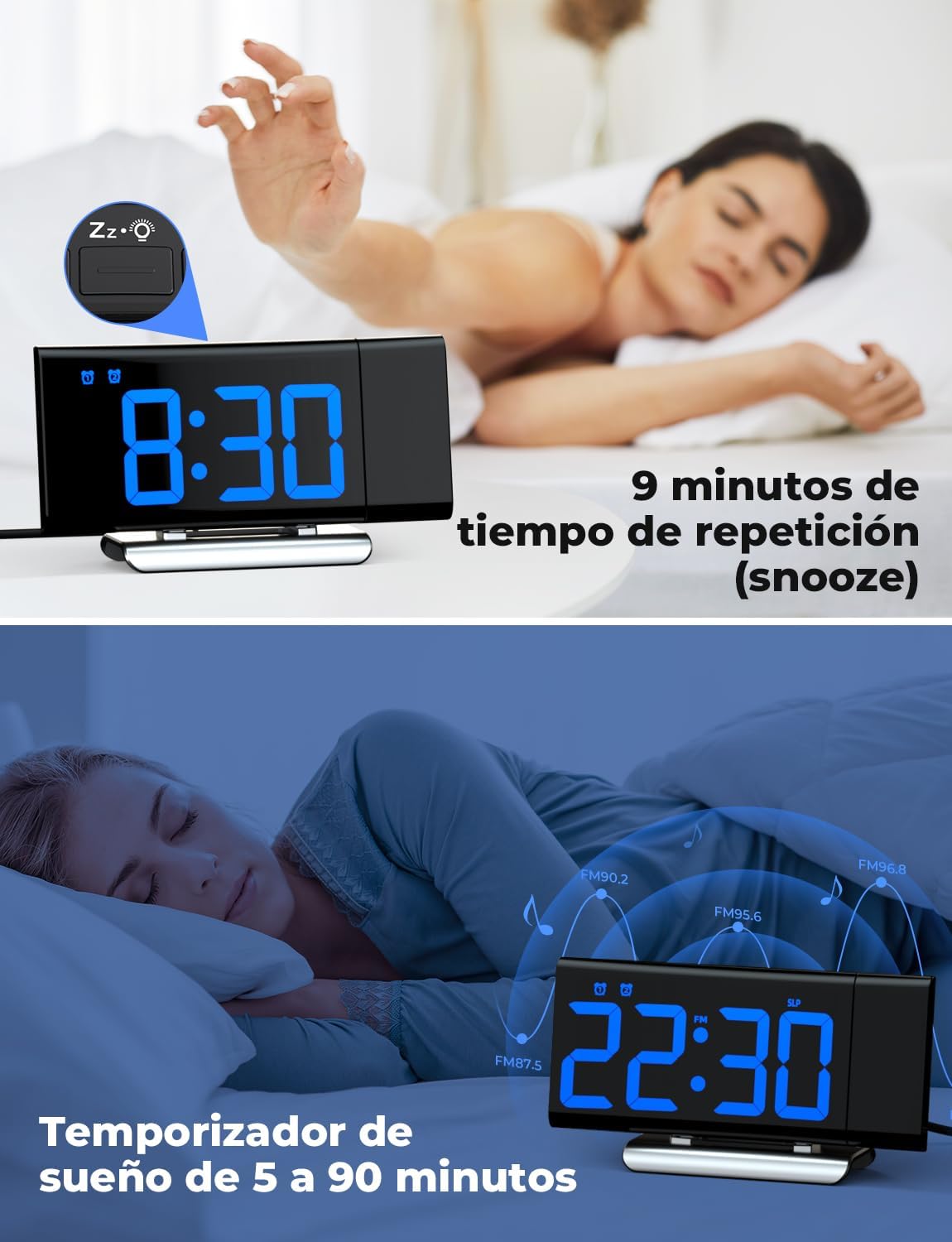
Image: The top section shows a person reaching for the snooze button on the LIORQUE S7509 Projection Alarm Clock, which displays 8:30, indicating a 9-minute snooze period. The bottom section features the clock displaying 22:30 with radio waves, illustrating the sleep timer function which can be set from 5 to 90 minutes, with a person sleeping peacefully in the background.
Huolto
To ensure the longevity and optimal performance of your LIORQUE S7509 Projection Alarm Clock, follow these simple maintenance guidelines:
- Puhdistus: Use a soft, dry cloth to wipe the surface of the clock. Do not use abrasive cleaners, solvents, or chemical sprays, as these can damage the finish and electronic components.
- Pölynpoisto: Gently wipe the projector lens with a soft, lint-free cloth to maintain clear projection quality.
- Sijoitus: Aseta kello vakaalle, tasaiselle alustalle, poissa suorasta auringonvalosta, lämmönlähteistä ja liiallisesta kosteudesta.
- Teho: Always use the provided power adapter. If the clock is not used for an extended period, you may unplug it. The built-in battery will retain settings for a short duration.
Vianetsintä
If you encounter any issues with your alarm clock, please refer to the following common problems and solutions:
| Ongelma | Mahdollinen syy | Ratkaisu |
|---|---|---|
| Kellon näyttö on tyhjä. | Ei voimaa tai valtaatage. | Ensure the power adapter is securely plugged into the clock and a working outlet. Check if the display brightness is set to 'off'. |
| Projektio on sumea tai epäselvä. | Incorrect focus or distance. | Adjust the distance of the clock from the projection surface. Ensure the projector lens is clean. |
| Hälytys ei soi. | Herätys ei ole aktivoitu tai äänenvoimakkuus on liian alhainen. | Verify that the alarm icon is displayed on the screen. Check the alarm volume setting. Ensure the alarm time is correctly set. |
| Huono FM-radion vastaanotto. | Weak signal or antenna position. | Extend the FM antenna fully. Reposition the clock to improve reception. |
| Painikkeet eivät reagoi. | Väliaikainen ohjelmistohäiriö. | Unplug the power adapter for a few seconds, then plug it back in to reset the device. |
Tekniset tiedot
| Ominaisuus | Yksityiskohta |
|---|---|
| Tuotteen mitat | 10.5 x 3.81 x 6.2 cm; 340 g |
| Mallinumero | S7509 |
| Merkki | LIORKI |
| Väri | Sininen |
| Näytön tyyppi | Digitaalinen |
| Virtalähde | Both: Battery and AC power (with adapter) |
| Muoto | Suorakulmainen |
| Käyttö | Sisätiloissa |
| Rungon materiaali | Metalli |
| Mukana paristot | Kyllä |
| Asennustyyppi | Pöytälevy |
| Herätyskello | Kyllä |
| Kohteiden määrä | 1 |
Takuu ja tuki
The LIORQUE S7509 Projection Alarm Clock comes with a manufacturer's warranty. For specific details regarding warranty coverage and duration, please refer to the warranty card included in your package or contact LIORQUE customer support.
If you require further assistance, have questions, or encounter issues not covered in this manual, please contact LIORQUE customer support. Contact information can typically be found on the product packaging, the official LIORQUE websivustolta tai jälleenmyyjän kautta.