
1. Johdanto
This manual provides detailed instructions for the installation, setup, operation, and maintenance of your Warmall WiStat Wi-Fi Thermostat for electric in-floor heating systems. Please read this manual thoroughly before installation and use to ensure proper function and safety.
2. Turvallisuustiedot
- Asennuksen saa suorittaa vain pätevä sähköasentaja paikallisten sähkömääräysten mukaisesti.
- Katkaise virta sulakkeesta ennen termostaatin asentamista tai huoltoa.
- Do not install the thermostat in areas exposed to direct sunlight, drafts, or extreme temperatures.
- Ensure all wiring connections are secure to prevent electrical hazards.
- This thermostat is designed for electric in-floor heating systems only. Do not use with other heating types.
3. Pakkauksen sisältö
Varmista, että pakkauksessa on kaikki tarvittavat osat:
- Warmall WiStat Wi-Fi Thermostat
- Lattia -anturi
- Käyttöohje (tämä asiakirja)
4. Tuotteen ominaisuudet
The Warmall WiStat Wi-Fi Thermostat offers advanced features for optimal comfort and energy efficiency:
- Älykkään kodin integrointi: Compatible with smart home ecosystems for voice control and remote management.
- Kaukosäädin: Adjust floor temperature via an intuitive mobile application from any location.
- Intelligent Scheduling: Customize heating schedules to align with daily routines.
- Energy Insights: Monitor energy consumption and receive suggestions for usage optimization.
- Tyylikäs muotoilu: Modern and minimalist aesthetic with a touchscreen display.
- Turvallisuus: Equipped with advanced safety features and encrypted Wi-Fi connections.
- Kaksikaistainen Wi-Fi: Supports both 2.4 GHz and 5 GHz Wi-Fi networks for flexible connectivity.
5. Asennus
The thermostat is designed for wall mounting and requires connection to your electric in-floor heating system. Refer to the wiring diagram below.

Kuva 5.1: Takaosa view of the Warmall WiStat thermostat, illustrating the wiring terminals for power input (L, N) and heating load (LOAD). The floor sensor connection is also visible.
- Virran katkaisu: Turn off the main power supply to the heating circuit at the breaker.
- Asennus: Secure the thermostat's backplate to a standard electrical junction box on the wall.
- Johdotus: Connect the live (L) and neutral (N) wires from your power supply to the corresponding terminals on the thermostat. Connect the heating load wires to the LOAD terminals. Connect the floor sensor wires to the designated sensor terminals. Ensure all connections are tight and secure.
- Anturin sijoitus: Install the floor sensor cable into the floor according to your heating system's instructions, ensuring it is positioned correctly to measure floor temperature.
- Lopullinen kokoonpano: Attach the thermostat's front panel to the backplate.
- Virran palautus: Palauta virta katkaisijaan.
6. Asennus
After installation, configure your thermostat for Wi-Fi connectivity and initial settings.

Kuva 6.1: Edessä view of the Warmall WiStat Wi-Fi Thermostat, displaying the current temperature, auto mode, and control buttons.
- Ensimmäinen käynnistys: The thermostat display will illuminate.
- Wi-Fi-yhteys: Follow the on-screen prompts or refer to the dedicated app instructions to connect the thermostat to your home Wi-Fi network. The WiStat supports both 2.4 GHz and 5 GHz networks.
- Sovelluksen lataus: Download the Warmall smart home application from your device's app store.
- Laitteen pariliitos: Open the app and follow the instructions to pair your WiStat thermostat.
- Perus asetukset: Set the current time, date, and desired temperature units (Celsius/Fahrenheit) through the thermostat's touchscreen or the mobile app.
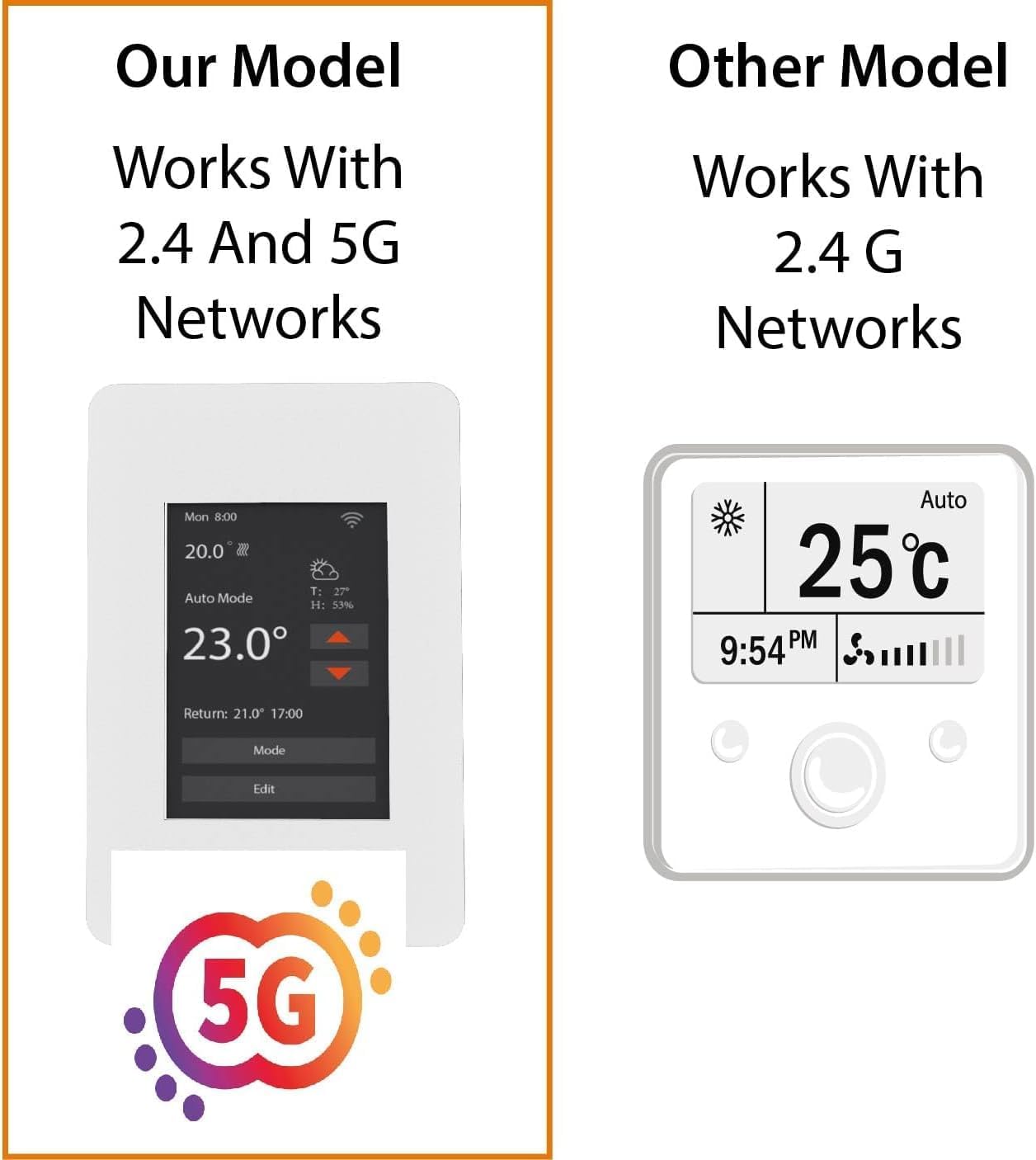
Kuva 6.2: This image highlights the Warmall WiStat's compatibility with both 2.4 GHz and 5 GHz Wi-Fi networks, offering enhanced connectivity options compared to some other models.
7. Käyttöohjeet
Control your in-floor heating system using the touchscreen or the mobile application.
7.1. Kosketusnäytön käyttö
- Lämpötilan säätö: Use the up/down arrows on the display to set the desired temperature.
- Tilan valinta: Press the 'Mode' button to cycle through available operating modes (e.g., Auto, Manual).
- Editing Schedules: Press the 'Edit' button to access and modify heating schedules.
- Näytön taustavalo: The display backlight will dim or turn off after a few seconds of inactivity to save energy. Touch the screen to reactivate it.
7.2. Mobile App Operation
The Warmall app provides comprehensive control and monitoring features:
- Lämpötilan kaukosäätö: Adjust the set temperature from anywhere.
- Ajoitus: Create and manage detailed heating schedules for different days and times.
- Energianvalvonta: View historical energy consumption data.
- Tilanhallinta: Switch between heating modes.
- Ääniohjaus: Integroi Amazon Alexan kanssa handsfree-käyttöä varten.
8. Huolto
The Warmall WiStat Thermostat requires minimal maintenance.
- Puhdistus: Pyyhi näyttö ja casing pehmeällä, damp kangas. Älä käytä hankaavia puhdistusaineita tai liuottimia.
- Ohjelmistopäivitykset: Ensure your mobile app is up-to-date for the latest features and security enhancements. Firmware updates for the thermostat may be pushed automatically or require manual initiation via the app.
9. Vianmääritys
If you encounter issues with your Warmall WiStat Thermostat, refer to the following common problems and solutions.
- Termostaatti ei käynnisty:
- Tarkista lämmitysjärjestelmän sulake.
- Varmista, että kaikki johdotusliitännät ovat tukevasti ja oikein.
- Ei Wi-Fi-yhteyttä:
- Varmista, että Wi-Fi-reitittimesi on päällä ja toimii.
- Confirm the thermostat is within range of your Wi-Fi signal.
- Verify correct Wi-Fi password entry during setup.
- The thermostat supports both 2.4 GHz and 5 GHz networks. Ensure your router is configured appropriately.
- Inaccurate or fluctuating temperature readings:
- Ensure the floor sensor is correctly installed and not damaged.
- Avoid placing the thermostat in direct sunlight or near heat sources/drafts that could affect its internal temperature sensor.
- Jos ongelma jatkuu, ota yhteyttä asiakastukeen.
- Ground Fault trips frequently:
- A ground fault trip indicates a potential electrical issue. This should be investigated by a qualified electrician.
- Ensure the heating mat/cable is not damaged and is properly insulated.
- If the ground fault trips even when heating is off, it suggests a persistent electrical issue that requires immediate attention.
- Thermostat display turns off too quickly:
- This is a normal energy-saving feature. Touch the screen to reactivate the display. There is no option to keep the display permanently on.
10. Tekniset tiedot
| Ominaisuus | Erittely |
|---|---|
| Merkki | Warmall |
| Mallin nimi | WiStat |
| Tuotteen mallinumero | 831459009418 |
| UPC | 831459009418 |
| Yhteystekniikka | Wi-Fi (2.4 GHz ja 5 GHz) |
| Valvontamenetelmä | App, Voice (Amazon Alexa), Touchscreen |
| Näytön tyyppi | Kosketusnäyttö |
| Virtalähde | Johdollinen sähkö |
| Materiaali | Muovi |
| Asennustyyppi | Seinäteline |
| Tuotteen mitat | 6 x 3 x 3 tuumaa |
| Tuotteen paino | 12 unssia |
11. Takuu ja tuki
For warranty information and technical support, please refer to the contact details provided with your purchase or visit the official Warmall websivusto. Säilytä ostokuitti takuuvaatimuksia varten.