
1. Johdanto
This manual provides essential instructions for the proper installation, operation, and maintenance of your SP CONNECT Phone Case Xtreme for Samsung S24+. Please read this manual thoroughly before using the product to ensure optimal performance and longevity.
2. Tuote ohiview
The SP CONNECT Phone Case Xtreme is engineered to provide robust protection for your Samsung S24+ smartphone. It features a durable design with military-standard certification for drop tests (MIL-STD 810) and IP68 material for water and dust resistance, offering 360-degree protection. The integrated magnetic mount allows for quick and secure attachment to compatible SP CONNECT mounting systems. It also supports wireless charging and is compatible with MagSafe accessories.

Kuva 2.1: Takaosa view of the SP CONNECT Phone Case Xtreme, highlighting the integrated magnetic mounting mechanism.

Figure 2.2: Interior of the case, indicating its MIL-STD 810 drop protection, IP68 water resistance, and 360-degree protective capabilities.
3. Asennus ja asennus
Follow these steps to properly install your Samsung S24+ into the SP CONNECT Phone Case Xtreme:
- Avaa tapaus: Carefully separate the front and back sections of the phone case.
- Lisää puhelinnumero: Place your Samsung S24+ into the back section of the case, ensuring it sits flush and all edges are aligned.
- Sulje turvallisesti: Align the front section with the back section and press firmly around all edges until you hear a click, indicating a secure seal. Verify that all ports and buttons are properly covered and functional.
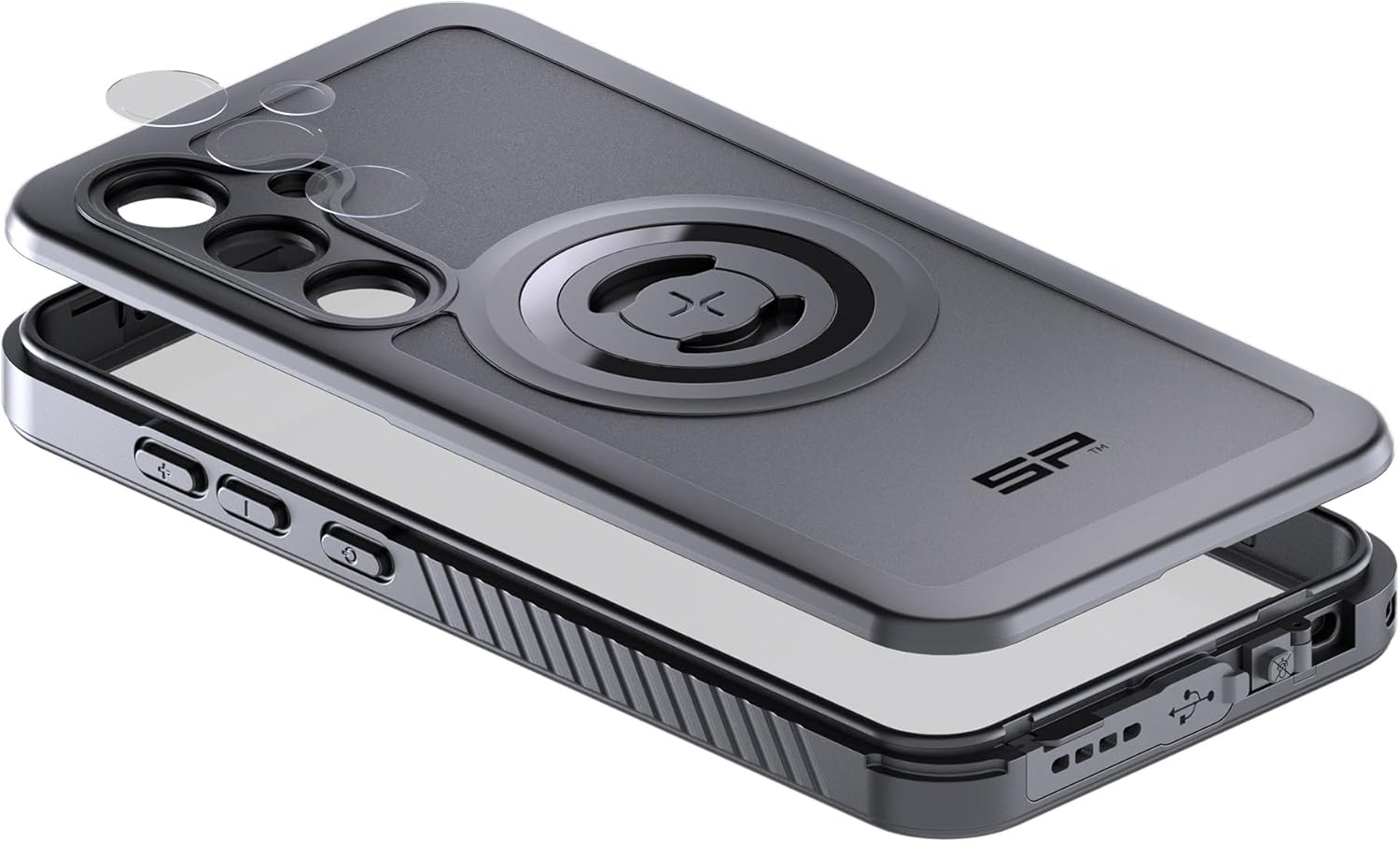
Figure 3.1: Illustration of the phone installation process, showing the two parts of the case and the phone being placed inside.
4. Käyttö
4.1 Magneettinen kiinnitys
The integrated magnetic interface allows for quick attachment to any SP CONNECT magnetic mount. Simply align the case with the mount until it securely snaps into place. Ensure a firm connection before use, especially in dynamic environments.
4.2 Langaton lataus
The case is designed to be compatible with wireless charging. Place your phone, while in the case, onto a compatible wireless charging pad. Ensure proper alignment for efficient charging. Remove the phone from the case if wireless charging performance is hindered.
4.3 MagSafe-yhteensopivuus
The case supports MagSafe accessories, allowing for enhanced magnetic attachment and compatibility with MagSafe chargers and other accessories.
4.4 Button and Port Access
The case provides access to all essential buttons and ports. Ensure that the buttons operate smoothly and that the charging port is accessible when needed. The case's design maintains the waterproof integrity around the ports.
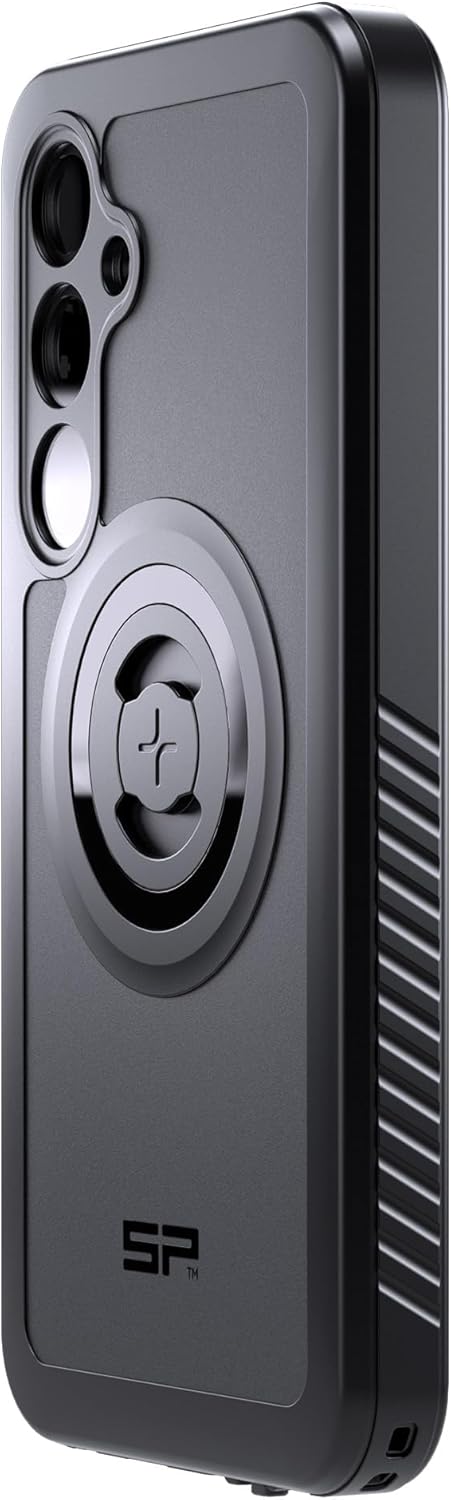
Kuva 4.1: Sivuprofiilifile of the case, illustrating button covers and textured grip for enhanced handling.
5. Huolto
To maintain the integrity and appearance of your SP CONNECT Phone Case Xtreme:
- Puhdistus: Pyyhi kotelo säännöllisesti pehmeällä,amp liinalla. Vältä voimakkaiden kemikaalien tai hankaavien puhdistusaineiden käyttöä, sillä ne voivat vahingoittaa materiaalia.
- Tarkastus: Periodically inspect the case for any signs of wear, cracks, or damage, especially around the seals and ports. If significant damage is observed, replace the case to ensure continued protection.
- Varastointi: Säilytä koteloa viileässä, kuivassa paikassa, poissa suorasta auringonvalosta, kun sitä ei käytetä.
6. Vianmääritys
If you encounter issues with your SP CONNECT Phone Case Xtreme, consider the following:
- Vaikeus painikkeiden kanssa: Ensure your phone is correctly seated within the case. Re-open and re-seal the case, making sure all edges are properly aligned.
- Langaton lataus ei toimi: Verify that your wireless charger is compatible and properly aligned with the phone's charging coil through the case. Remove any metal objects or cards from between the phone and the case.
- Asennusongelmat: Check that the magnetic mount surface on the case and the SP CONNECT mount are clean and free of debris. Ensure the case is fully engaged with the mount.
- Veden sisäänpääsy: If you suspect water has entered the case, immediately remove your phone and allow both the phone and case to dry completely before reassembly. Ensure the case is properly sealed during installation to prevent future issues.
7. Tekniset tiedot
| Ominaisuus | Yksityiskohta |
|---|---|
| Tuotteen mitat | 3.94 x 3.94 x 3.94 tuumaa |
| Tuotteen paino | 10.6 unssia |
| Yhteensopivat puhelinmallit | Samsung S24+ |
| Materiaali | IP68 rated material |
| Väri | Musta |
| Valmistaja | SP CONNECT |
8. Takuu ja tuki
For warranty information and customer support, please refer to the official SP CONNECT websivustolta tai ota yhteyttä jälleenmyyjään. Säilytä ostokuittisi mahdollisten takuuvaatimusten varalta.