
EBTOOLS EBTOOLS1756ogbieh-12
User Manual for EBTOOLS YEEMI K21+ 4G Flip Phone
Model: EBTOOLS1756ogbieh-12
Johdanto
This manual provides comprehensive instructions for the operation, maintenance, and troubleshooting of your EBTOOLS YEEMI K21+ 4G Flip Phone. Designed with seniors in mind, this phone features large buttons, dual screens, and essential functions like SOS and GPS for enhanced safety and ease of use. Please read this manual carefully to ensure proper use and to maximize the phone's capabilities.
1. Asennus
1.1 Pakkauksen sisältö
Ennen kuin aloitat, varmista, että pakkauksessa on kaikki tarvittavat osat:
- EBTOOLS YEEMI K21+ 4G Flip Phone
- Akku
- USB-kaapeli
- Käyttöopas (tämä asiakirja)

Image: The phone, battery, and USB cable included in the package.
1.2 SIM-kortin ja akun asettaminen
- Avaa takakansi: Kampea puhelimen takakansi varovasti auki.
- Aseta SIM-kortti(t): Locate the SIM card slot(s). This phone supports dual SIM. Carefully insert your 4G compatible SIM card(s) into the designated slot(s) with the gold contacts facing down.
- Aseta akku: Kohdista akun koskettimet puhelimen koskettimiin ja paina akku varovasti paikalleen.
- Sulje takakansi: Aseta takakansi takaisin paikalleen varmistaen, että se napsahtaa tukevasti paikalleen.

Image: The phone in its open position, ready for SIM card and battery insertion.
1.3 Akun lataaminen
Lataa puhelimen akku täyteen ennen ensimmäistä käyttökertaa.
- Connect the small end of the USB cable to the phone's charging port.
- Liitä USB-kaapelin toinen pää yhteensopivaan USB-virtalähteeseen (ei sisälly toimitukseen) tai tietokoneen USB-porttiin.
- Näytöllä oleva latausmerkkivalo näyttää latauksen tilan.
2. Käyttöohjeet
2.1 Virta päälle/pois
- Virran kytkeminen: Paina virta-/puhelun lopetuspainiketta (punainen painike) ja pidä sitä painettuna, kunnes näyttö syttyy.
- Virran sammuttaminen: Press and hold the Power/End Call button until the power off options appear, then select "Power Off".
2.2 Puheluiden soittaminen ja vastaanottaminen
- Soittaminen:
- Enter the phone number using the large keypad buttons.
- Press the Call button (green button) to dial.
- Puhelun vastaanottaminen:
- Kun puhelin soi, vastaa avaamalla läppä tai painamalla soittopainiketta.
- To end a call, press the Power/End Call button.

Image: The phone showcasing its dual display feature, with the internal screen open and the external screen visible when closed.
2.3 Dual Screens and Large Font
The phone features a 2.6-inch high-definition main screen and a 1.77-inch external color high-definition screen. The external screen displays important information like time, date, and incoming call notifications without needing to open the phone. Large fonts and icons are used throughout the interface for improved readability.

Kuva: Lähikuva view of the phone's external screen, highlighting its dual SIM dual standby capability.
2.4 SOS and GPS Functionality
For emergencies, the phone is equipped with an SOS button and GPS positioning.
- SOS-yhteystietojen määrittäminen: Navigate to the SOS settings in the phone's menu to add emergency contact numbers.
- SOS-toiminnon aktivointi: In an emergency, press and hold the dedicated SOS button (usually located on the back or side of the phone). The phone will automatically call and send an emergency message with your GPS location to the pre-set SOS contacts.
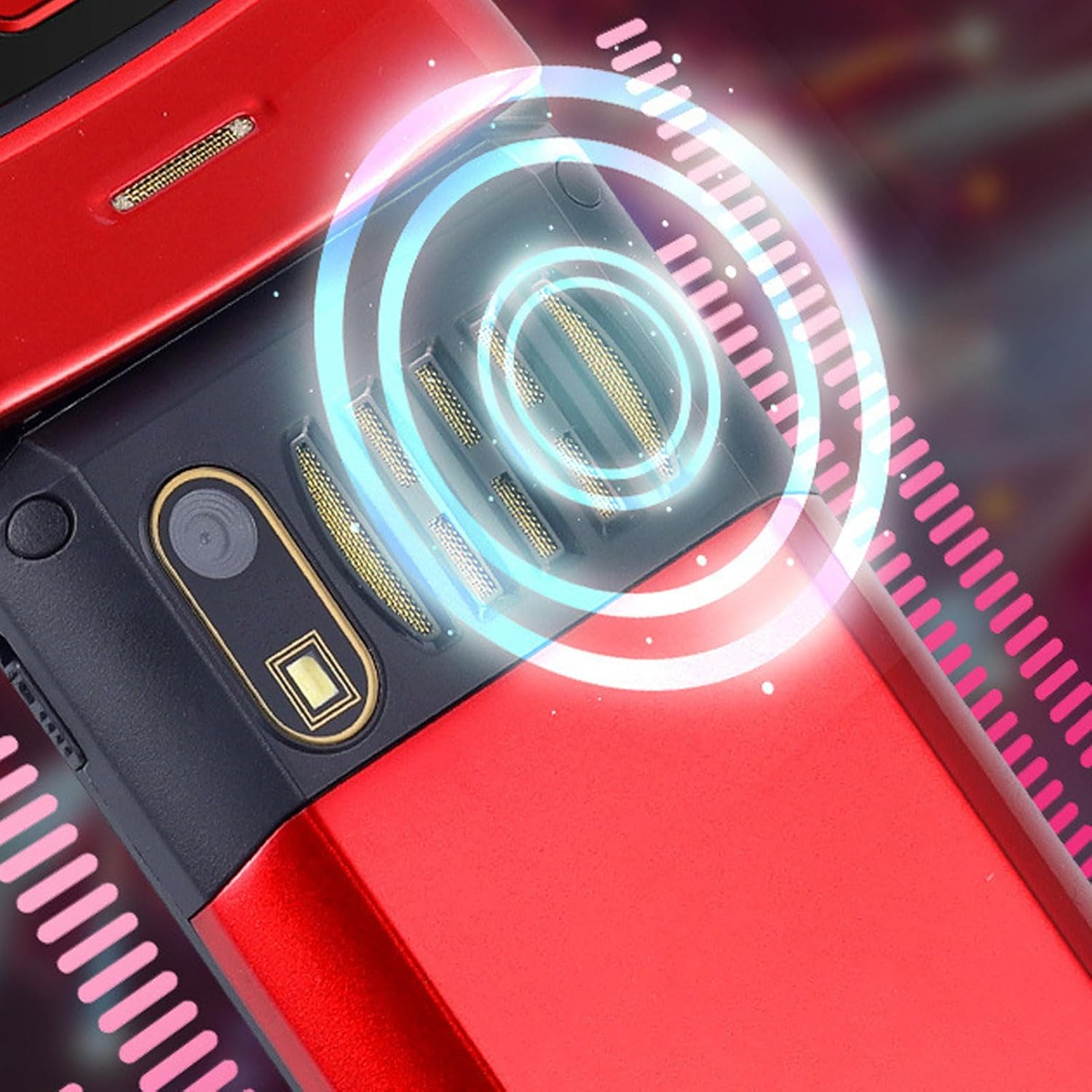
Image: The back of the phone, highlighting the speaker area, which contributes to clear sound for emergency calls.
2.5 Speed Dial and Shortcut Buttons
The phone supports 9 speed dial buttons for quick dialing of family numbers and 3 dedicated shortcut buttons for frequently used functions.
- Setting Speed Dial: Refer to the phone's menu for instructions on assigning contacts to speed dial numbers (typically 2-9).
- Using Shortcut Buttons: The dedicated shortcut buttons provide quick access to features like Camera, Messaging, or FM Radio.
3. Huolto
3.1 Akun hoito
- Vältä altistamasta akkua äärimmäisille lämpötiloille.
- Älä puhkaise, pura tai oikosulje akkua.
- Jos puhelinta ei käytetä pitkään aikaan, lataa akku noin 50 %:iin ennen säilytystä.
3.2 Puhelimen puhdistaminen
- Puhdista puhelimen näyttö ja runko pehmeällä, nukkaamattomalla liinalla.
- Älä käytä voimakkaita kemikaaleja, puhdistussuihkeita tai hankaavia materiaaleja.
- Pidä latausportti ja kaiuttimen ritilät puhtaina pölystä ja roskista.
4. Vianmääritys
If you encounter issues with your phone, please refer to the following common problems and solutions:
| Ongelma | Mahdollinen syy | Ratkaisu |
|---|---|---|
| Puhelin ei käynnisty. | Akku on tyhjä tai se ei ole asetettu oikein. | Lataa akku. Varmista, että akku on asetettu oikein. |
| Puheluita ei voi soittaa tai vastaanottaa. | Ei SIM-korttia, SIM-kortti ei ole asetettu oikein tai ei verkkosignaalia. | Ensure SIM card is inserted correctly. Check network signal strength. Contact your service provider. |
| Huono puhelun laatu. | Weak network signal, or speaker/microphone obstruction. | Move to an area with better signal. Clean speaker and microphone openings. |
| SOS-toiminto ei toimi. | SOS contacts not set up, or no network signal. | Verify SOS contacts are correctly configured in settings. Ensure phone has network signal. |
5. Tekniset tiedot
Key technical specifications for the EBTOOLS YEEMI K21+ 4G Flip Phone:
- Malli: EBTOOLS1756ogbieh-12
- Liitettävyys: 4G (supports 2G, 3G, and 4G network bands including GSM and CDMA)
- Päänäyttö: 2.6-inch High Definition
- Ulkoinen näyttö: 1.77-inch Color High Definition
- Akun kapasiteetti: 4800mAh (Long Standby Time)
- Ominaisuudet: Large Buttons, Dual Screens, SOS with GPS Positioning, 9 Speed Dial Buttons, 3 Dedicated Shortcut Buttons, Clear Sound Speaker
- Mitat: Noin 5.51 x 3.15 x 2.76 cm (pakkauksen mitat)
- Alkuperämaa: Kiina
6. Takuu ja tuki
Your EBTOOLS YEEMI K21+ 4G Flip Phone comes with a standard manufacturer's warranty. Please refer to the warranty card included in your package for specific terms and conditions. For technical support, troubleshooting assistance beyond this manual, or warranty claims, please contact the seller or manufacturer directly.
Valmistaja: EBTOOLS
Lisätietoja saat osoitteesta EBTOOLS Store on Amazon.
Ask a question about this manual
Ask about setup, troubleshooting, compatibility, parts, safety, or missing instructions. Manuals+ will review the question and use this page’s manual context to help answer it.