
kactoily 6 in 1-B
User Manual: Upgraded 6 in 1 Aquarium Water Test Monitor
Model: 6 in 1-B | Brand: kactoily
1. Tuote ohiview
The kactoily Upgraded 6 in 1 Aquarium Water Test Monitor provides real-time monitoring of six crucial water parameters: pH, Total Dissolved Solids (TDS), Electrical Conductivity (EC), Salinity, Specific Gravity (SG), and Temperature. Designed for both freshwater and saltwater environments, this device helps maintain a healthy aquatic ecosystem by providing accurate and simultaneous readings on its clear LCD display.
Its split design allows for easy probe replacement, and the platinum probes ensure a longer lifespan and more accurate detection, even when submerged.
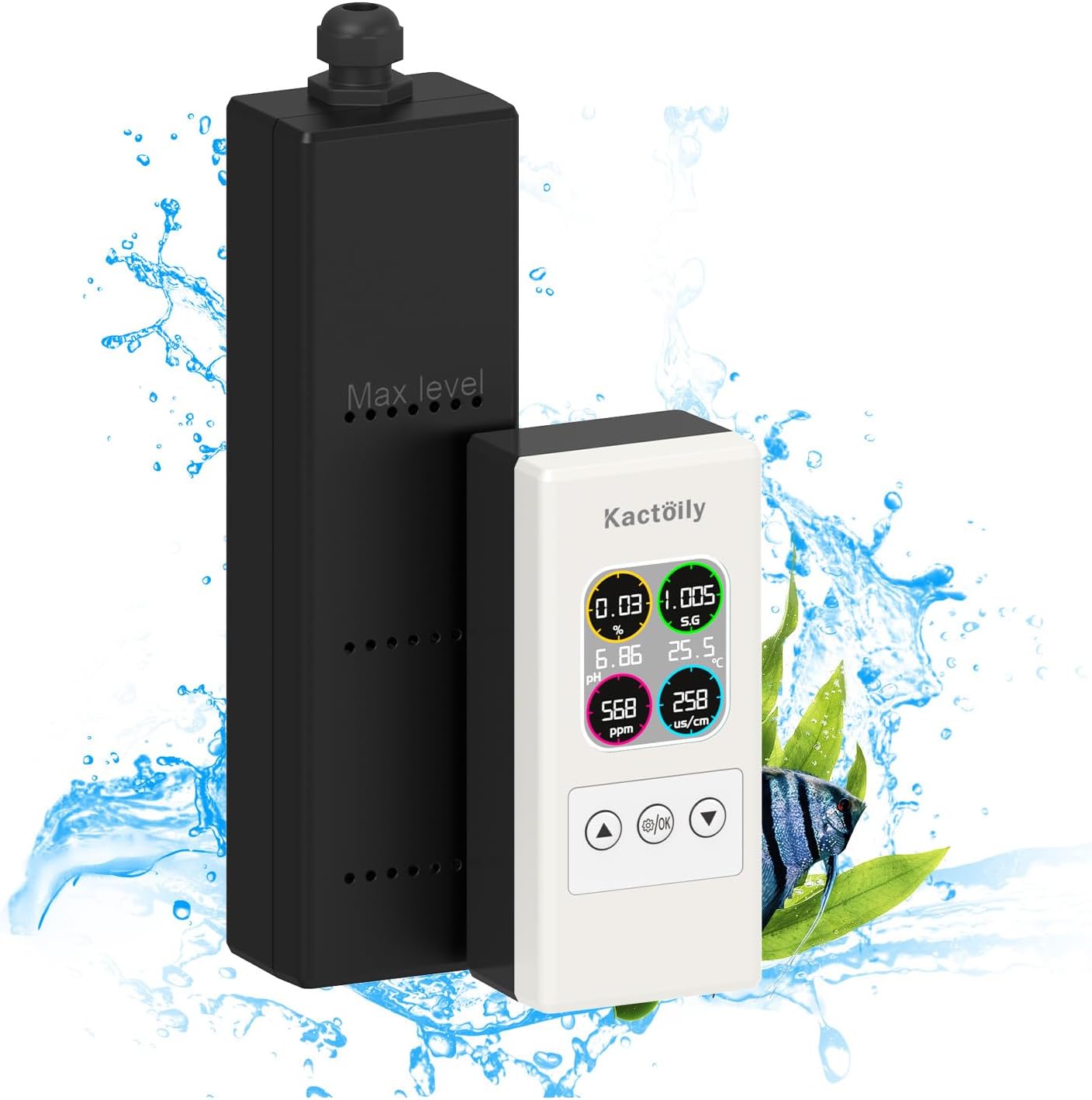
The monitor features a compact display unit and a separate probe, allowing for flexible installation and continuous monitoring of your aquarium's water quality. It is suitable for various aquatic environments, including fish tanks and ponds.
2. Mitä laatikossa on
- 1x anturi
- 1x Display Unit
- 1x Extension Line (29.5cm)
- 6x pH Buffer Powder packets
- 6x imukupit
- 2x Magnetic Stickers
- 1x Charger Plug
- 2x USB-latauskaapelit
- 1x Käyttöohje (tämä asiakirja)
3. Asennusopas
Follow these steps to set up your kactoily Aquarium Water Test Monitor:
- Pura komponentit: Poista kaikki tuotteet varovasti pakkauksesta ja tarkista ne "Mitä pakkauksessa on" -luettelon avulla.
- Connect Probe and Display: Connect the probe to the display unit using the provided extension line. Ensure a secure connection.
- Virta päälle: Connect the charger plug to a power outlet and then to the display unit using one of the USB charging cables. The device is designed for continuous 24/7 monitoring.
- Positioning the Probe:

Use the suction cups or magnetic stickers to securely attach the probe inside your aquarium. Ensure the probe is fully submerged between the "Max level" and "Min level" markings for accurate readings. The probe is designed to work underwater and has platinum electrodes for enhanced longevity and accuracy.
- Positioning the Display Unit: Place the display unit in a convenient location near the aquarium where you can easily view the readings. The split design allows for flexible placement.
Visuaalinen asennusopas
Videon kuvaus: This video demonstrates the physical setup of the Kactoily 6-in-1 Water Monitor, showing how to connect the probe to the display unit and place the probe in the aquarium. It highlights the wireless connectivity feature and the compact size of the display.
4. Käyttöohjeet
The monitor provides continuous real-time readings of your aquarium's water parameters. The LCD display shows all six parameters simultaneously.
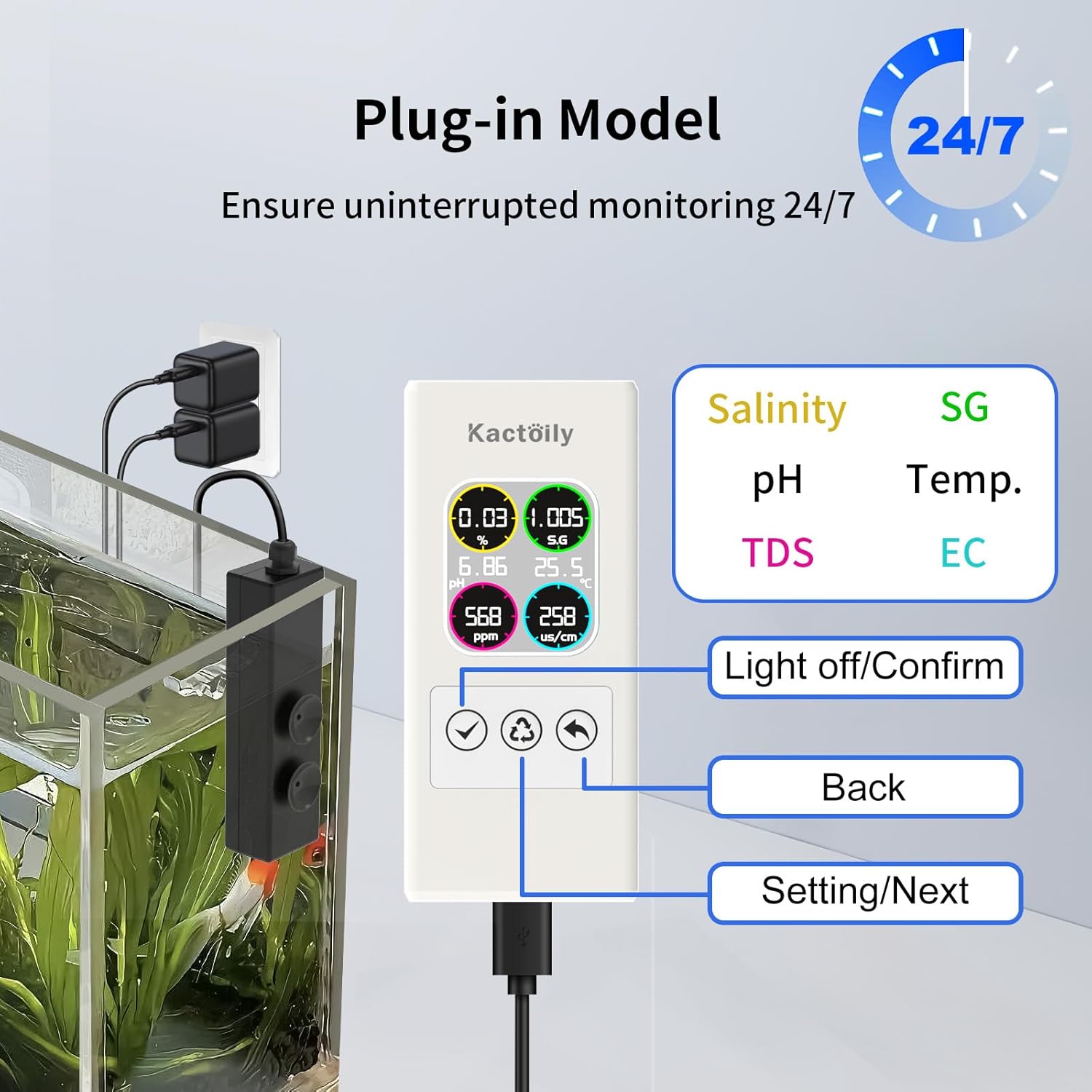
Näytön lukemat: The main display shows Salinity (%), Specific Gravity (SG), pH, Temperature (°C), Total Dissolved Solids (TDS in ppm), and Electrical Conductivity (EC in us/cm). The backlight ensures clear visibility.
Kalibrointi ja säätö
Regular calibration ensures the accuracy of your measurements. The device supports manual calibration and adjustment.

pH-kalibrointi: Use the provided pH buffer powders to calibrate the pH reading. Follow the on-screen instructions for pH-CAL-2 and pH-CAL-3. For precise adjustments, use the pH-Adj function.
EC Calibration: The device also allows for EC-set calibration.
Lämpötilan säätö: If necessary, the temperature reading can be adjusted via the Temp-set option.
Refer to the on-screen menu for detailed steps on accessing these calibration and adjustment functions. The "Setting/Next" button navigates through options, and "Confirm" applies changes.
5. Huolto
To ensure the longevity and accuracy of your kactoily Aquarium Water Test Monitor, regular maintenance is recommended:
- Anturin puhdistus: Periodically clean the probe to prevent buildup of algae or mineral deposits, which can affect accuracy. Use a soft brush and distilled water.
- Kalibrointi: Calibrate the device regularly, especially the pH sensor, using fresh buffer solutions. The frequency depends on usage and water conditions.
- Varastointi: When not in use for extended periods, ensure the probe is clean and stored in a suitable solution (e.g., KCL storage solution or pH 4 buffer) to keep the sensor hydrated.
- Kaapelin tarkastus: Check all cables and connections for any signs of wear or damage.
6. Vianmääritys
If you encounter issues with your monitor, try the following:
| Ongelma | Mahdollinen syy | Ratkaisu |
|---|---|---|
| Epätarkkoja lukemia | Probe dirty or needs calibration; sensor aging. | Clean the probe. Perform a full calibration using fresh buffer solutions. If issues persist, the probe may need replacement. |
| Näyttö ei käynnisty | Virtajohto irti; viallinen virtalähde. | Ensure all power connections are secure. Try a different USB charging cable or power adapter. |
| No Readings for a Parameter | Probe not fully submerged; damaged probe. | Ensure the probe is submerged past the minimum level. Inspect the probe for visible damage. |
If troubleshooting steps do not resolve the issue, please contact customer service.
7. Tekniset tiedot
| Parametri | Yksityiskohdat |
|---|---|
| Tuotteen nimi | Upgraded 6 in 1 Aquarium Water Test Monitor |
| Malli | 6 in 1-B |
| Merkki | kactoily |
| Mitatut parametrit | pH, TDS, EC, Salinity, SG, Temperature |
| Design | Split design (separate probe and main unit) |
| Anturin tyyppi | Platinum Probes |
| Lämpötilan kompensointi | Automaattinen lämpötilakorjaus (ATC) |
| Yhteensopivuus | Makean ja suolaisen veden |
| Tuotteen paino | 1.66 kiloa |
| Pakkauksen mitat | 11.81 x 3.74 x 2.36 tuumaa |
8. Takuu ja asiakastuki
kactoily is confident in the quality of this digital pH meter and provides warranty or refund for it. If you have any questions or require assistance with your product, please do not hesitate to contact our customer service team. We are committed to solving your problems within 24 hours.
Asiakaspalvelu: Saatavilla 24/7.
For further support, you may visit the official kactoily store on Amazon: kactoily Store
Ask a question about this manual
Ask about setup, troubleshooting, compatibility, parts, safety, or missing instructions. Manuals+ will review the question and use this page’s manual context to help answer it.