
1. Johdanto
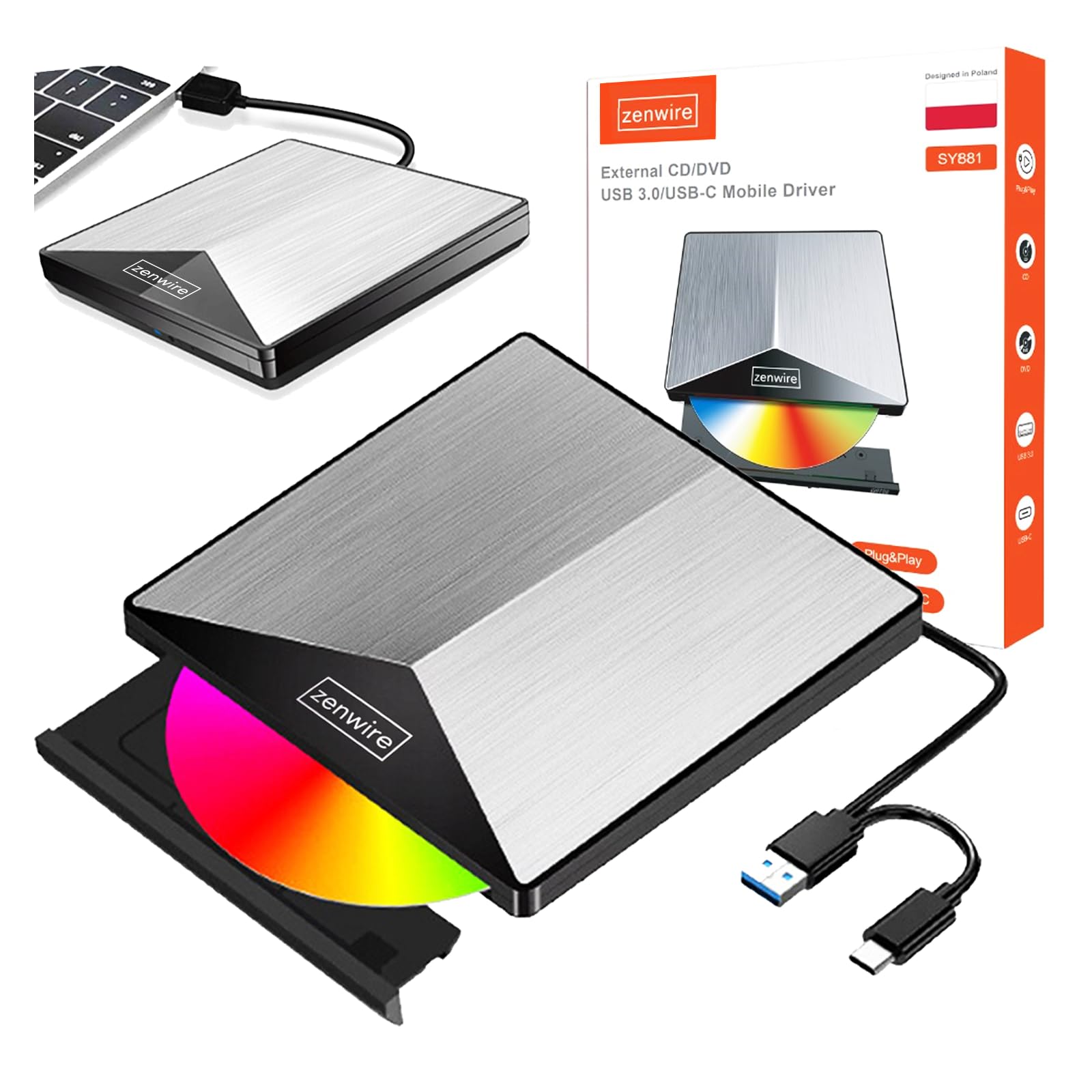
Thank you for choosing the Zenwire External CD/DVD Drive. This device is a versatile and portable solution for both reading and writing optical discs, designed for use with laptops and desktop computers. It features modern USB 3.0 and USB-C 3.1 interfaces, ensuring rapid data transfer speeds up to 5 Gb/s. Its durable aluminum casing provides efficient heat dissipation and a sleek design. This drive is compatible with various operating systems, including Windows, Mac OS, and Linux, offering broad utility for a wide range of users.
Keskeisiä ominaisuuksia ovat:
- USB 3.0 and USB-C 3.1 Support: Offers very high data transfer speeds up to 5 Gb/s, enhancing efficiency for large files ja multimedia.
- Alumiini Casing: Durable and elegant, effectively dissipates heat for long-lasting and safe use.
- Käyttöjärjestelmän yhteensopivuus: Seamless operation across multiple platforms, including Windows, Mac OS, and Linux.
- Siirrettävyys: Slim design and low weight allow for easy transport, ideal for users on the go.
- Plug and Play: Simple installation without the need for additional drivers, enabling quick use immediately after connection.
2. Turvallisuustiedot
Lue ja noudata näitä turvallisuusohjeita varmistaaksesi laitteen oikean toiminnan ja estääksesi laitteen vaurioitumisen tai loukkaantumisen:
- Älä altista laitetta vedelle, kosteudelle tai äärimmäisille lämpötiloille.
- Vältä laitteen pudottamista tai altistamista voimakkaille iskuille.
- Älä yritä purkaa tai korjata laitetta itse. Ota yhteyttä pätevään huoltohenkilöstöön.
- Use only compatible discs and cables.
- Pidä laite poissa vahvoista magneettikentistä.
3. Pakkauksen sisältö
Varmista, että pakkauksessasi on kaikki tarvittavat osat:
- Zenwire External CD/DVD Drive
- Integrated USB 3.0 / USB-C 3.1 Cable
- Käyttöopas (tämä asiakirja)
4. Tuote ohiview
Familiarize yourself with the components and dimensions of your Zenwire External CD/DVD Drive.

Kuva: Lähikuva views of the Zenwire External CD/DVD Drive, highlighting the integrated USB cable, the disc eject button, and the anti-slip feet on the bottom. These details illustrate the device's connectivity and stable design.

Kuva: The Zenwire External CD/DVD Drive displayed with its approximate dimensions: 5.9 inches (148mm) in length, 5.9 inches (149mm) in width, and 0.6 inches in thickness. This illustrates the compact and slim profile laitteesta.
5. Asennus
The Zenwire External CD/DVD Drive is designed for simple plug-and-play operation. No additional drivers are typically required for most operating systems.
- Locate an available USB 3.0 or USB-C port on your computer (laptop or desktop).
- Connect the integrated USB cable from the Zenwire drive directly into the chosen port on your computer.
- The operating system should automatically detect and install the necessary drivers. This process may take a few moments.
- Once installed, the drive will appear as a removable storage device in your computer's file Explorer tai työpöytä.
Kuva: The Zenwire External CD/DVD Drive shown connected to a laptop via its integrated USB cable. This illustrates the simple plug-and-play connection process.
6. Käyttöohjeet
6.1 Levyn asettaminen
- Paina aseman etuosassa olevaa poistopainiketta. Levykelkka liukuu ulos.
- Carefully place the disc onto the tray with the label side facing up. Ensure the disc is seated correctly in the center.
- Gently push the tray back into the drive until it clicks into place. Do not force the tray.

Kuva: A hand carefully inserting a CD into the open disc tray of the Zenwire External CD/DVD Drive. This demonstrates the correct method for disc placement.
6.2 Levyjen lukeminen ja kirjoittaminen
Once a disc is inserted and recognized by your computer, you can perform various operations:
- Lukeminen: For data discs, open 'This PC' or 'My Computer' (Windows) or 'Finder' (Mac) and click on the drive icon to access its contents. For movie DVDs or audio CDs, your operating system may prompt you to open a media player.
- Writing (Burning): To burn data to a blank CD or DVD, insert a blank disc. Your operating system or third-party burning software will guide you through the process of selecting files and initiating the burn.
6.3 Tuetut levyformaatit
The drive supports a variety of optical disc formats:
- CD-ROM, CD-R, CD-RW
- DVD-ROM, DVD-R, DVD+R, DVD-RW, DVD+RW
- VCD

Kuva: The Zenwire External CD/DVD Drive displayed alongside icons representing VCD, CD, and DVD, clearly indicating the range of optical disc formats supported by the device.
6.4 Käyttöjärjestelmän yhteensopivuus
The drive is compatible with the following operating systems:
- Windows (XP, Vista, 7, 8, 10, 11)
- Mac OS
- Linux

Kuva: The Zenwire External CD/DVD Drive depicted in a setup demonstrating its compatibility with multiple operating systems, including various versions of Windows, Mac OS, and Linux. This highlights its universal usability.
7. Huolto
Proper maintenance ensures the longevity and optimal performance of your drive.
- Aseman puhdistaminen: Use a soft, dry, lint-free cloth to wipe the exterior of the drive. Do not use liquid cleaners or abrasive materials. For the optical lens, use a specialized CD/DVD lens cleaning kit if necessary, following its instructions carefully.
- Puhdistuslevyt: Always handle discs by their edges. If a disc is dirty, gently wipe it from the center outwards with a soft, lint-free cloth.
- Varastointi: Store the drive in a cool, dry place away from direct sunlight and extreme temperatures when not in use. Keep discs in their cases to prevent scratches and dust accumulation.
- Suojakalvo: Upon first use, you may need to remove any protective film from the device's surface.

Kuva: A hand demonstrating the removal of a protective film from the surface of the Zenwire External CD/DVD Drive. This step is often performed during the initial setup or maintenance to ensure optimal appearance and function.
8. Vianmääritys
If you encounter issues with your Zenwire External CD/DVD Drive, refer to the following common problems and solutions:
- Drive not recognized by the computer:
- Varmista, että USB-kaapeli on kytketty kunnolla sekä asemaan että tietokoneeseen.
- Kokeile kytkeä asema tietokoneen toiseen USB-porttiin.
- Testaa asemaa toisella tietokoneella sulkeaksesi pois tietokonekohtaisen ongelman.
- Käynnistä tietokone uudelleen.
- Disc not reading or writing:
- Tarkista levy naarmujen, lian tai vaurioiden varalta. Kokeile toista levyä.
- Varmista, että levy on asetettu oikein etikettipuoli ylöspäin.
- For writing, ensure you are using a blank, compatible disc (CD-R/RW, DVD-R/RW, DVD+R/RW).
- Clean the drive's optical lens using a specialized cleaning disc.
- Hidas tiedonsiirtonopeus:
- Ensure the drive is connected to a USB 3.0 or USB-C 3.1 port on your computer for optimal speed. USB 2.0 ports will result in slower performance.
- Avoid using USB hubs if possible, or ensure the hub is powered and supports USB 3.0/USB-C speeds.
- Drive makes unusual noises:
- This can sometimes occur with unbalanced or damaged discs. Try a different disc.
- Varmista, että asema on asetettu vakaalle ja tasaiselle alustalle.
9. Tekniset tiedot
| Ominaisuus | Kuvaus |
|---|---|
| Merkki | Zenwire |
| Mallinumero | 5904507529123 |
| Käyttöliittymä | USB 3.0, USB-C-liitäntä |
| Tiedonsiirtonopeus | Up to 5 Gb/s (via USB 3.0 / USB-C 3.1) |
| Optical Write Speed | 10x |
| Tuetut käyttöjärjestelmät | Windows, Mac OS, Linux |
| Erikoisominaisuus | Plug & Play |
| Materiaali | Alumiini Casing |
| Mitat (noin) | 148 mm (P) x 149 mm (L) x 15 mm (K) / 5.9 tuumaa (P) x 5.9 tuumaa (L) x 0.6 tuumaa (K) |
10. Takuutiedot
Warranty terms and conditions are typically provided with your purchase documentation. Please refer to the specific warranty information included with your product or contact the retailer/manufacturer for details regarding warranty coverage and claims.
11. Tukea
If you require further assistance or have questions not covered in this manual, please contact Zenwire customer support or your product retailer. Please have your model number (5904507529123) and purchase details ready when contacting support.