
1. Tuote ohiview
The TP-Link Deco X1500 is a Wi-Fi 6 Mesh System designed to provide seamless, whole-home Wi-Fi coverage. This 3-pack system utilizes advanced Wi-Fi 6 technologies to deliver faster speeds, connect more devices, and reduce latency for a superior network experience. It creates a unified network that automatically selects the best connection as you move throughout your home.

Image: A single TP-Link Deco X1500 Mesh WiFi 6 unit, showcasing its compact white cylindrical design.
Tärkeimmät ominaisuudet:
- Faster Connections: Wi-Fi 6 achieves speeds up to 1,500 Mbps: 1,201 Mbps on 5 GHz and 300 Mbps on 2.4 GHz.
- Yhdistä lisää laitteita: OFDMA and MU-MIMO technologies quadruple capacity for simultaneous transmission to multiple devices.
- Enhanced Seamless Coverage: Achieve perfect whole-home coverage with a clearer and stronger Wi-Fi signal generated by Wi-Fi 6.
- Erittäin pieni latenssi: Reduced latency enables more responsive gaming and video chats.
- Yhtenäinen verkko: Multiple units form a whole-home network that automatically selects the best connection as you move around your home.
- Vankat lapsilukot: Rajoita online -aikaa ja estä sopimattomuus websites based on unique profileon luotu jokaiselle perheenjäsenelle.
- Yksinkertaistettu asennus: The Deco app guides you step-by-step through the setup process.
2. Pakkauksen sisältö
Varmista, että pakkauksessasi on kaikki tarvittavat osat:
- 3 x Deco X1500 -yksikköä
- 1 x RJ45 Ethernet-kaapeli
- 3x virtalähde
- 1 x Pika-asennusopas
3. Asennusohjeet
Setting up your Deco X1500 Mesh System is straightforward using the TP-Link Deco app. Follow these steps for initial installation:
- Lataa Deco-sovellus: Etsi 'TP-Link Deco' in the App Store (iOS) or Google Play Store (Android) and download the application.
- Sign Up or Log In: Open the Deco app and sign up for a TP-Link ID. If you already have one, log in.
- Kytke Deco-pääyksikkö:
- Sammuta modeemi.
- Liitä yksi Deco-yksikkö modeemiin mukana toimitetulla Ethernet-kaapelilla.
- Power on your modem, then power on the Deco unit.
- Noudata sovelluksen sisäisiä ohjeita: The Deco app will automatically detect your Deco unit and guide you through the process of creating your Wi-Fi network name and password.
- Lisää koriste-elementtejä: Once the main Deco is set up, the app will prompt you to add the remaining Deco units. Place them strategically throughout your home for optimal coverage. The app will provide guidance on ideal placement.
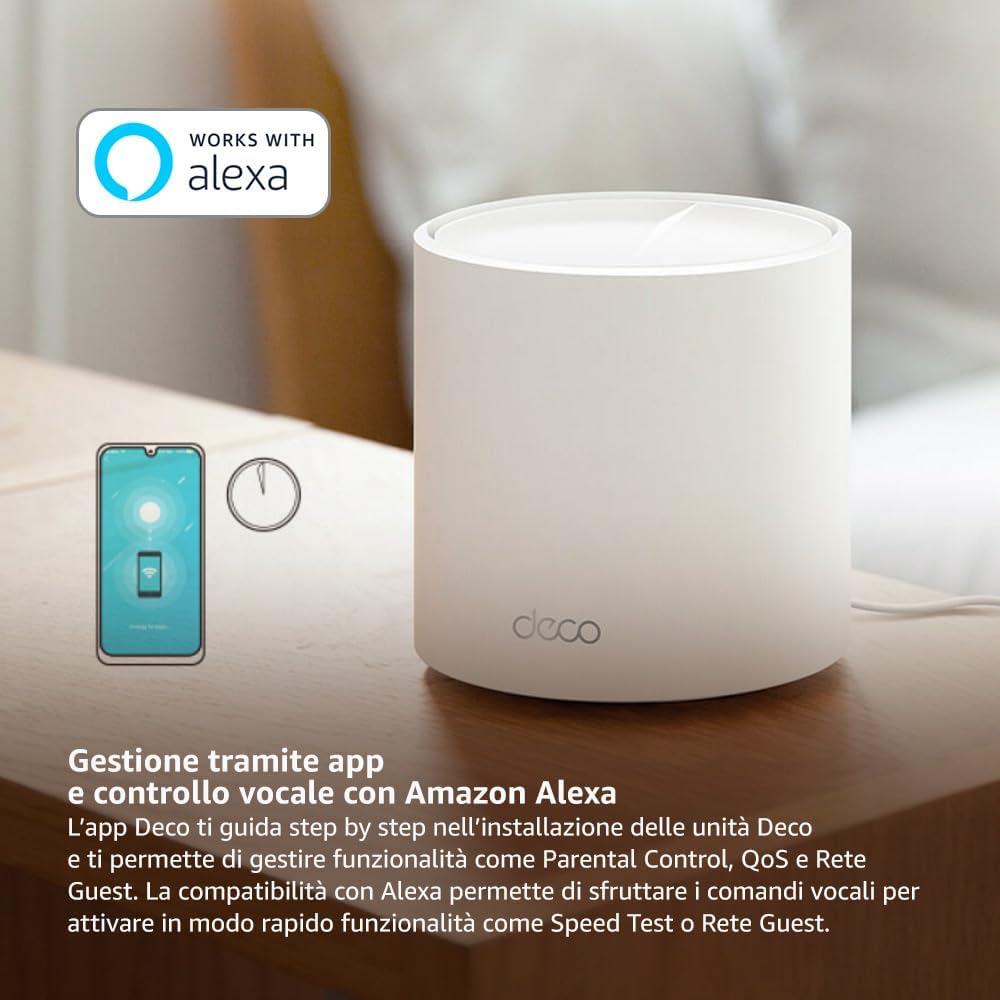
Image: A smartphone screen displaying the TP-Link Deco app, illustrating the step-by-step setup process for the mesh system.
4. Käyttöohjeet
The Deco X1500 system is managed primarily through the TP-Link Deco app, offering various features to control and optimize your home network.
Using the Deco App:
- Verkonhallinta: View connected devices, monitor network status, and manage Wi-Fi settings.
- Lapsilukko: Luo ammattilainenfiles for family members, set time limits, and block inappropriate content.
- Palvelun laatu (QoS): Priorisoi laitteita tai toimintoja optimaalisen suorituskyvyn saavuttamiseksi.
- Vierasverkko: Luo erillinen Wi-Fi-verkko vieraille ja pidä pääverkkosi suojattuna.
- Virustorjunta: Utilize built-in HomeShield features for network protection.
Ääniohjaus Amazon Alexalla:
The Deco X1500 is compatible with Amazon Alexa. Link your TP-Link Deco account to your Alexa account to use voice commands for network functions, such as:
- Enabling or disabling the Guest Network.
- Running a speed test.
- Pausing Wi-Fi for specific profiles.

Kuva: Takaosa view of a Deco X1500 unit, showing two Gigabit LAN/WAN auto-sensing Ethernet ports and the power input.
5. Huolto
Regular maintenance ensures optimal performance and longevity of your Deco X1500 system.
Laiteohjelmistopäivitykset:
- The Deco app will notify you of available firmware updates. It is recommended to keep your Deco units updated to the latest firmware for improved performance, security, and new features.
- Follow the in-app instructions to perform firmware updates. Do not power off the units during an update.
Puhdistus ja sijoittaminen:
- Clean the Deco units with a soft, dry cloth. Do not use liquid cleaners or aerosols.
- Place Deco units in open areas, away from obstructions like large metal objects, thick walls, or other electronic devices that may cause interference.
- Ensure adequate ventilation around each unit to prevent overheating.
6. Vianmääritys
If you encounter issues with your Deco X1500 system, refer to the following common troubleshooting steps.
Ei Internet-yhteyttä:
- Tarkista modeemi: Ensure your modem is powered on and has an active internet connection.
- Kaapeliliitännät: Varmista, että pääyksikön ja modeemin yhdistävä Ethernet-kaapeli on kytketty kunnolla.
- Käynnistä laitteet uudelleen: Power cycle your modem and all Deco units. Wait a few minutes for them to restart and re-establish connections.
- Deco App Status: Check the Deco app for network status and any error messages.
Heikko Wi-Fi-signaali tai katvealueet:
- Yksikön sijoitus: Adjust the placement of your Deco units. Try to place them equidistant from each other and the main Deco, avoiding physical obstructions.
- Häiriöt: Move Deco units away from other electronics (microwaves, cordless phones, Bluetooth devices) that might cause wireless interference.
- Lisää yksiköitä: For very large homes or those with multiple floors, consider adding more Deco units to expand coverage.
Device Cannot Connect to Wi-Fi:
- Oikea salasana: Varmista, että annat oikean Wi-Fi-salasanan.
- Laitteen yhteensopivuus: Verify that your device supports the Wi-Fi standards used by the Deco system (802.11ax/ac/n/a/g/b).
- Käynnistä laite uudelleen: Käynnistä laite uudelleen, kun yrität muodostaa yhteyden.
- Check Blacklist: Ensure the device has not been accidentally blacklisted in the Deco app.
7. Tekniset tiedot
| Ominaisuus | Erittely |
|---|---|
| Merkki | TP-linkki |
| Mallin nimi | Deco X1500 |
| Erikoisominaisuus | Wi-Fi 6 |
| Taajuuskaistaluokka | Kaksikaistainen |
| Langaton tiedonsiirtostandardi | 802.11ax |
| Yhteensopivat laitteet | Tietokone, älypuhelin, tabletti |
| Suositeltu käyttö | Kotiin |
| Yhteystekniikka | RJ45 |
| Väri | Valkoinen |
| Suojausprotokolla | WPA3 |
| Number of Ports (per unit) | 2 x Gigabit LAN/WAN (auto-sensing) |
| Valvontamenetelmä | Sovellus |
| Tiedonsiirtonopeus | 1500 megabittiä sekunnissa |
| LAN-portin kaistanleveys | 1000 Mbps |
| Voitage | 110.0V |
| Max Upstream Data Transfer Rate | 1201 megabittiä sekunnissa |
| Antennien lukumäärä | Sisäinen |
| Smart Home -yhteensopivuus | Kyllä |
| Wi-Fi-sukupolvi | Wi-Fi 6 |
| Kattavuus (3 kpl) | Jopa 520 neliömetriä |
| Tuotteen paino | 1.8 kiloa |
8. Takuutiedot
The TP-Link Deco X1500 Mesh System comes with a 3 vuoden tuotetakuu. This warranty covers defects in materials and workmanship under normal use. For specific terms and conditions, please refer to the warranty card included in your package or visit the official TP-Link websivusto.
9. Tukea
For further assistance, technical support, or to access additional resources, please visit the official TP-Link support websivusto:
You can also find FAQs, updated manuals, and community forums on the support page.