
1. Tuote ohiview
The THINKCAR THINKSCAN 641 is a wireless OBD2 diagnostic tool designed for comprehensive vehicle system analysis. It provides diagnostic functions for Engine, Transmission, ABS, and SRS Airbag systems, along with full OBD2 modes and 10 essential maintenance reset services. The device features a touchscreen interface and connects wirelessly via Bluetooth to the vehicle's OBD-II port.
1.1 Pakkauksen sisältö
- THINKCAR THINKSCAN 641 OBD2 Scanner (x1)
- Bluetooth Connector (x1)
- Product Manual (x1)
1.2 Laitteen osat
Familiarize yourself with the main components of your THINKSCAN 641 device:

Image: THINKCAR THINKSCAN 641 device layout with labeled buttons and ports.
- 4.8 tuuman kosketusnäyttö: Main display for navigation and data viewing.
- Virta/näytön lukituspainike: Paina ja pidä painettuna 3 sekuntia kytkeäksesi päälle tai pois päältä.
- Vahvista-painike: Used to select options or confirm actions.
- Up, Down, Left, Right Toggle Key: For navigating menus and options.
- Palautusavain: To go back to the previous screen or menu.
- TF-korttipaikka: Laajennettavaa tallennustilaa varten.
- Latausportti: Latauskaapelin kytkemistä varten.
- OBD Interface: Port for the Bluetooth connector.
2. Asennus
2.1 Ensimmäinen yhteys
To begin using your THINKSCAN 641, follow these steps to establish a connection with your vehicle:
- Paikanna ajoneuvosi OBD-II-portti, joka sijaitsee yleensä kojelaudan alla kuljettajan puolella.
- Plug the included Bluetooth 5.0 VCI Dongle into the vehicle's OBD-II port.
- Turn on the vehicle's ignition (engine off, key on).
- Power on the THINKSCAN 641 handheld unit by pressing and holding the Power/Screen Lock Button for 3 seconds.
- The device will automatically attempt to connect via Bluetooth. A stable connection should be established within 3 seconds.
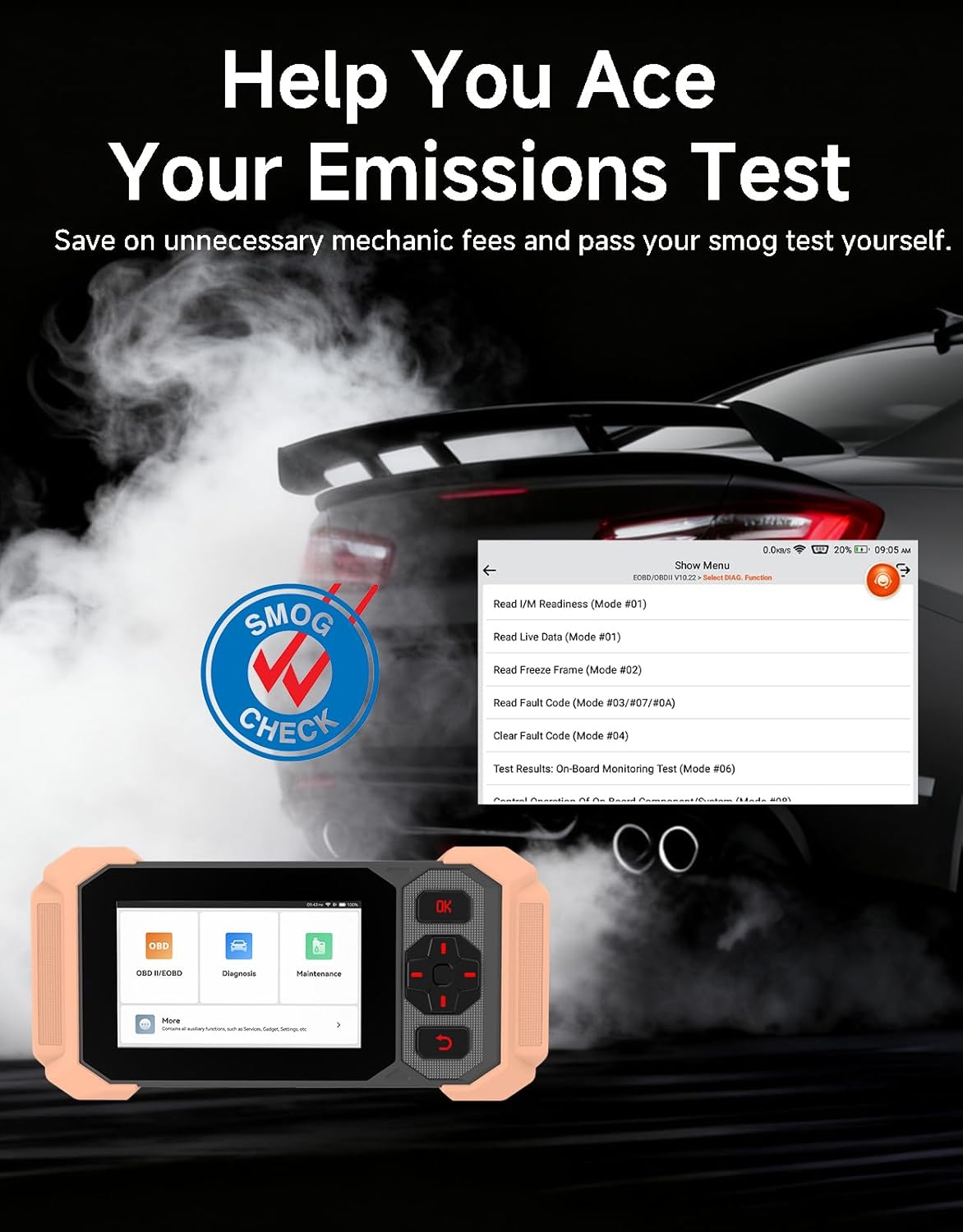
Image: Bluetooth VCI Dongle connected to the vehicle's OBD-II port.
2.2 Automatic Vehicle Identification (AutoVIN)
The THINKSCAN 641 supports AutoVIN functionality, which automatically identifies your vehicle's information upon connection. If AutoVIN fails for your specific vehicle model, you can manually enter the vehicle information to proceed with diagnostics.
2.3 Ohjelmistopäivitykset
The device supports lifetime free software updates via Wi-Fi. Ensure your device is connected to a stable Wi-Fi network to download and install the latest software versions, which include new vehicle models and improved functionalities.

Image: Lifetime Free Update icon.
2.4 Instructional Video: How to Use
Video: This video demonstrates the basic steps for connecting and using the THINKCAR THINKSCAN 641 diagnostic tool, including menu navigation and initiating a scan.
3. Käyttöohjeet
3.1 4-Järjestelmädiagnostiikka
The THINKSCAN 641 provides in-depth diagnostics for four core vehicle systems:
- Moottorijärjestelmä: Reads and clears engine fault codes, views live data, and performs various engine-related tests.
- Lukkiutumaton jarrujärjestelmä (ABS): Diagnoses ABS issues, reads and clears ABS fault codes, and performs ABS bleeding.
- Lisäturvajärjestelmä (SRS/turvatyyny): Detects and clears airbag system fault codes, and performs SRS resets.
- Voimansiirtojärjestelmä: Analyzes transmission performance, reads and clears transmission fault codes.

Kuva: Yliview of 4-System Diagnostic capabilities.
3.2 Full OBD2 Modes
The device supports all 10 OBD2 test modes, offering comprehensive diagnostic capabilities:
- Lue koodit: Näyttää diagnostiikkakoodit (DTC:t).
- Tyhjennä koodit: Tyhjentää vikakoodit ja nollaa näytöt.
- Live-tiedot: Shows real-time data stream from vehicle sensors.
- Pysäytyskuva: Stores a snapshot of vehicle operating conditions when an emission-related fault occurs.
- I/M -valmius: Tarkistaa päästöihin liittyvien valvontalaitteiden tilan.
- O2-anturikoe: Hakee O2-anturin monitorin testitulokset.
- Sisäänrakennetun näytön testi: Hakee tuloksia päästöihin liittyvistä voimansiirron osista ja järjestelmistä.
- Höyrystymisjärjestelmän testi: Käynnistää haihtumispäästöjen hallintajärjestelmän testin.
- Ajoneuvon tiedot: Hakee ajoneuvon tunnistenumeron (VIN), kalibrointitunnuksen ja kalibroinnin tarkistusnumeron (CVN).
- DTC-haku: Provides detailed explanations for diagnostic trouble codes.

Image: Full OBD2 Modes functions display.
3.3 10 Maintenance Reset Functions
The THINKSCAN 641 includes 10 specialized maintenance and reset functions:
- ABS-verenvuoto: Ilmaa jarrujärjestelmästä.
- Airbag (SRS) Reset: Resets the airbag system after repairs.
- Akun yhteensovitus: Registers a new battery to the vehicle's ECU.
- Jarrupalojen nollaus: Resets the brake pad life after replacement.
- DPF-puhdistusaineen regenerointi: Käynnistää dieselhiukkassuodattimen regenerointiprosessin.
- Elektroninen kaasun mukautus: Oppii kaasuläppäkotelon asennon uudelleen.
- Suuttimen koodaus: Koodaa uudet suuttimien numerot ECU:lle.
- Öljynhuollon nollaus: Nollaa öljynvaihtovalon öljynvaihdon jälkeen.
- Ohjauskulman nollaus: Nollaa ohjauskulman anturin.
- TPMS-nollaus: Nollaa rengaspaineiden valvontajärjestelmän.

Image: 10 Maintenance Reset Functions.
3.4 Reaaliaikaisten tietojen graafinen piirtäminen
The device allows for real-time graphing of multiple sensor readings simultaneously, aiding in the diagnosis of intermittent issues and performance analysis.

Image: Live Data Stream icon.
3.5 Ajoneuvojen yhteensopivuus
The THINKSCAN 641 is compatible with all OBDII-compliant vehicles manufactured in 1996 or later, covering over 118 automotive brands. It also supports the CAN FD protocol and FCA AutoAuth certification. Note that access to FCA AutoAuth requires a separate purchase and is currently supported for Renault, Nissan, and Chrysler brands.

Image: Wide compatibility with various car brands and regions.
4. Huolto
4.1 Routine Maintenance Resets
Utilize the 10 maintenance reset functions to perform routine service tasks and clear corresponding indicator lights after repairs. This includes tasks such as oil service resets, brake pad replacements, and battery registrations.
4.2 Ohjelmistopäivitykset
Regularly check for and install software updates via Wi-Fi to ensure your device has the latest vehicle coverage and diagnostic capabilities. Updates are provided free for life.
5. Vianmääritys
5.1 Vikakoodien poistaminen
When a fault code is detected, it is crucial to diagnose and fix the underlying issue before clearing the code. Clearing codes without addressing the root cause will likely result in the fault code reappearing.
Image: Reminder to fix vehicle faults before clearing codes.
5.2 AutoVIN Failure
If the AutoVIN feature does not automatically identify your vehicle, proceed by manually entering the vehicle's information (make, model, year) to continue with the diagnostic process.
5.3 Käyttöliittymän navigointi
While the device is designed for ease of use, some advanced functions may require familiarity with diagnostic procedures. Refer to the built-in DTC Lookup Library for code definitions and consult the online customer service for further assistance if needed.
6. Tekniset tiedot
| Ominaisuus | Erittely |
|---|---|
| Merkki | THINKCAR |
| Mallinumero | THINKSCAN 641 |
| Virtalähde | Paristokäyttöinen |
| Käyttöjärjestelmä | Android 8.1 |
| Näytön koko | 4.3 tuumaa |
| Kieli | English (supports 23 languages) |
| Automotive Fit Type | Universal Fit |
| Tuotteen paino | 0.9 puntaa |
| Yhteydet | Bluetooth 5.0 (langaton) |
| Päivitykset | Elinikäiset ilmaiset päivitykset Wi-Fin kautta |
| Tuetut protokollat | OBDII, CAN FD, FCA AutoAuth (separate purchase for specific brands) |
7. Takuu ja tuki
7.1 Valmistajan takuu
The THINKCAR THINKSCAN 641 comes with a 3-year manufacturer's warranty, ensuring coverage for potential defects or malfunctions.
7.2 Tekninen tuki
Lifetime free technical support is provided for the THINKSCAN 641. For assistance, you can access the built-in online customer service feature directly from the device. This allows for direct communication with professional support staff to resolve any queries or issues.

Image: Timely Online Feedback and Support.