
1. Tuote ohiview
The Baseus Qpow 2 Dual Cable Power Bank is a versatile and portable charging solution designed to keep your devices powered on the go. With a high capacity of 10,000 mAh and 22.5W fast charging capabilities, it can charge multiple devices simultaneously using its integrated Lightning and USB-C cables, as well as additional USB-A and USB-C ports.
This power bank features advanced multi-layer protection against overcurrent, overvoltage, overcharge, high temperatures, and electromagnetic interference, ensuring safe and reliable charging for your devices. Its compact and lightweight design, coupled with an easy-to-read battery status display, makes it an ideal companion for daily use and travel.
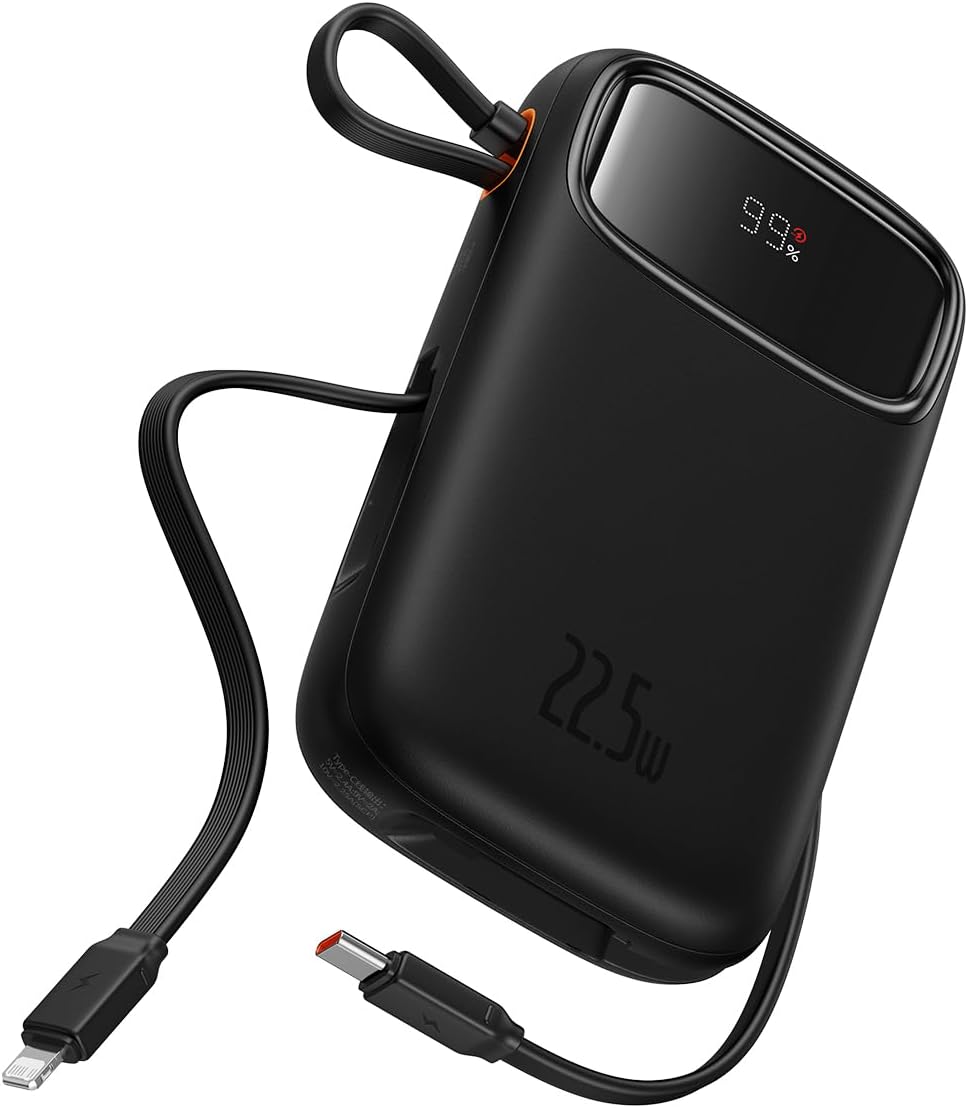
Figure 1: The Baseus Qpow 2 Dual Cable Power Bank, showcasing its compact design, integrated cables, and digital battery percentage -näyttö.

Figure 2: The power bank's slim and pocket-friendly dimensions (4.52*2.83*0.78 inches, 8.5 oz) compared to a standard soda can.

Figure 3: The portable lanyard-cable design, allowing users to pull out the cable for charging and pull it back for easy carrying.
2. Asennusopas
2.1 Varavirtalähteen alkulataus
Before first use, it is recommended to fully charge your Baseus Qpow 2 Power Bank.
- Connect the integrated USB-C cable or an external USB-C cable to the power bank's USB-C input port.
- Liitä kaapelin toinen pää yhteensopivaan USB-seinälaturiin (ei sisälly toimitukseen).
- The digital display on the power bank will show the charging progress. Charge until the display shows "100%".

Figure 4: The power bank supports two-way USB-C charging, with 20W output and 18W input capabilities.
3. Käyttöohjeet
3.1 Laitteiden lataaminen
The Baseus Qpow 2 Power Bank offers multiple ways to charge your devices:
- Integroitujen kaapeleiden käyttö:
- For Apple devices: Pull out the integrated Lightning cable and connect it to your iPhone, iPad, or AirPods.
- For USB-C devices: Pull out the integrated USB-C cable and connect it to your Android phone, tablet, or other USB-C compatible device.
- Using External Ports:
- Connect your device's charging cable to the USB-A output port or the USB-C output port on the power bank.
The power bank can charge up to four devices simultaneously. Charging will begin automatically once a device is connected.

Figure 5: The power bank's capability to charge four devices at once using its integrated USB-C and Lightning cables, and external USB-C and USB-A ports.
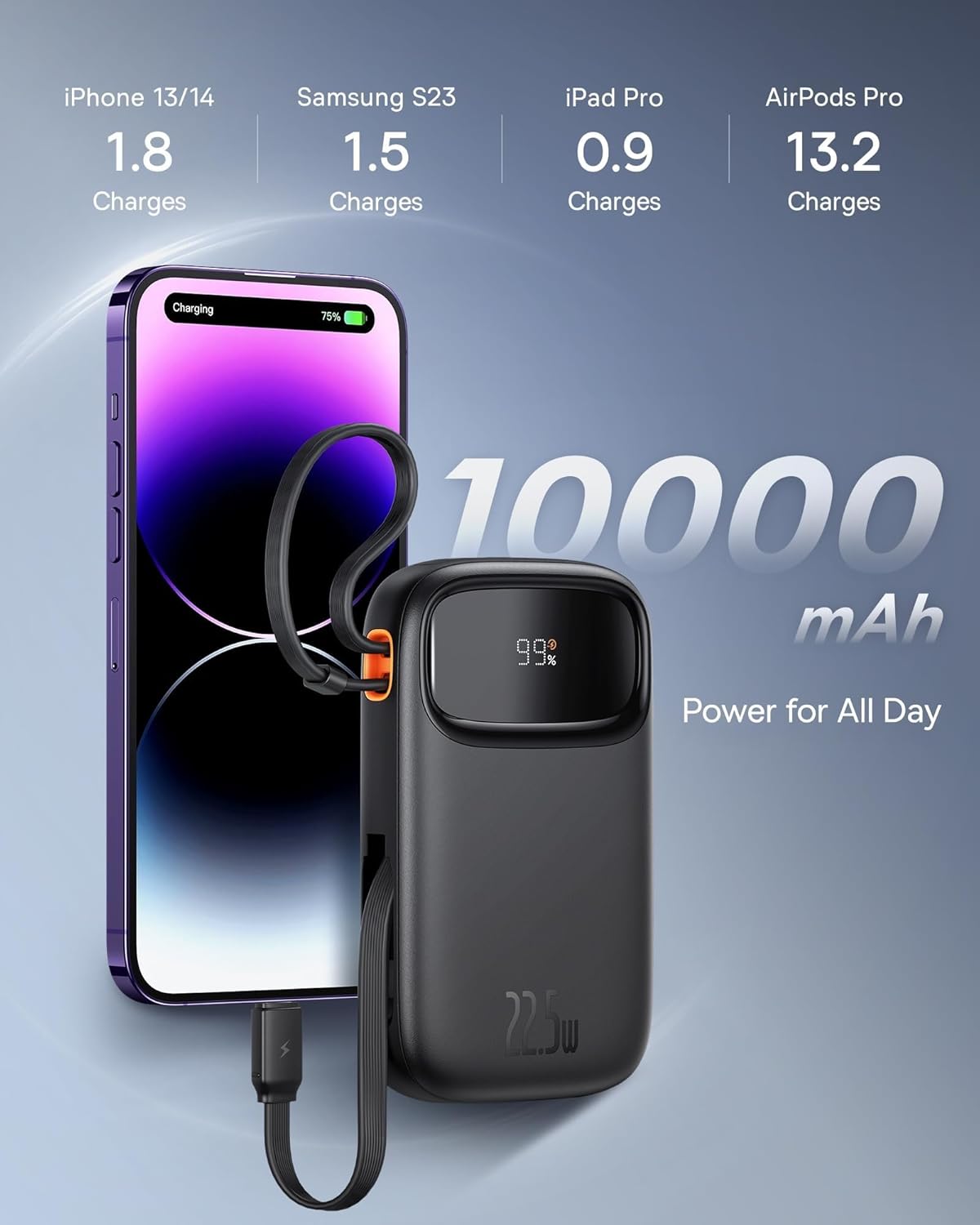
Figure 6: Illustrates the 10,000 mAh capacity, capable of charging an iPhone 13/14 approximately 1.8 times, Samsung S23 1.5 times, iPad Pro 0.9 times, and AirPods Pro 13.2 times.

Figure 7: The power bank features two built-in fast charging cables: one Lightning and one USB-C, supporting PD 22.5W fast charging.
3.2 Akun tilan tarkistaminen
The digital display on the power bank shows the remaining battery percentage, jolloin voit helposti seurata sen lataustasoa.
4. Huolto
- Pidä varavirtalähde poissa äärimmäisistä lämpötiloista, suorasta auringonvalosta ja kosteista ympäristöistä.
- Vältä virtapankin pudottamista tai altistamista voimakkaille iskuille.
- Puhdista pinta pehmeällä, kuivalla liinalla. Älä käytä voimakkaita kemikaaleja tai hankaavia materiaaleja.
- Säilytä varavirtalähdettä viileässä ja kuivassa paikassa, kun sitä ei käytetä pitkään aikaan. On suositeltavaa ladata se noin 50-prosenttisesti ennen pitkäaikaista säilytystä.
5. Vianmääritys
| Ongelma | Mahdollinen syy | Ratkaisu |
|---|---|---|
| Virtapankki ei lataudu | Cable not properly connected; Wall charger not working; Power bank faulty. | Ensure cables are securely connected. Try a different wall charger or cable. If issue persists, contact support. |
| Laite ei lataudu virtapankista | Power bank battery low; Device cable faulty; Device not compatible; Power bank in protection mode. | Check power bank battery level. Try a different charging cable. Ensure device is compatible. Disconnect and reconnect the device. |
| Hidas lataus | Using a non-fast charging cable/port; Device not supporting fast charging; High ambient temperature. | Ensure you are using the integrated fast charging cables or a compatible fast charging port. Check device's charging specifications. Charge in a cooler environment. |
| Digitaalinen näyttö ei toimi | Power bank is off; Display malfunction. | Press the power button (if any) to activate the display. If it remains off, contact support. |
6. Tekniset tiedot
| Merkki | Baseus |
| Malli | Qpow 2 |
| Akun kapasiteetti | 10,000 mAh |
| Lähtöteho | 22.5 W (enintään) |
| Tulovirta (USB-C) | 18W |
| Väri | Musta |
| Erikoisominaisuus | Lightweight, Integrated Dual Cables (Lightning & USB-C) |
| Voitage | 5 volttia |
| Akun koostumus | Litium-ioni |
| Suositellut käyttötavat | Charging mobile phones, tablets, and other portable electronic devices. |
| Virtalähde | Paristokäyttöinen |
| Tuotteen paino | 320 grammaa |
| Ampkorotus | 3 A |
7. Takuu ja tuki
7.1 Takuutiedot
Baseus products typically come with a limited warranty. Please refer to the warranty card included with your product or visit the official Baseus websivustolta tarkemmat takuuehdot, jotka koskevat aluettasi ja ostopäivämäärääsi. Säilytä ostokuitti takuuvaatimuksia varten.
7.2 Asiakastuki
For technical assistance, troubleshooting, or any inquiries regarding your Baseus Qpow 2 Power Bank, please contact Baseus customer support through their official website or the contact information provided in your product packaging. When contacting support, please have your product model and purchase details ready.