
1. Tuote ohiview
The APPS2Car Magic Keyboard Case is designed to enhance the functionality of your iPad, providing a keyboard, multi-touch trackpad, and a protective case. It features a floating cantilever stand, backlit keys, and IPX7 waterproof protection.
Video: Yliview of the APPS2Car Magic Keyboard Case features and design.
Video: Demonstration of the APPS2Car Keyboard Case for iPad 11 inch and iPad Air.

Image: The keyboard case is designed to be portable and lightweight, making it easy to carry.
2. Yhteensopivat mallit
Tämä näppäimistökotelo on yhteensopiva seuraavien iPad-mallien kanssa:
- iPad Air (5. sukupolvi)
- iPad Air (4. sukupolvi)
- iPad Pro 11 tuumaa (4. sukupolvi)
- iPad Pro 11 tuumaa (3. sukupolvi)
- iPad Pro 11 tuumaa (2. sukupolvi)
- iPad Pro 11-tuumainen (1. sukupolvi)
To ensure compatibility, please check the model number (starting with 'A') on the back of your iPad.
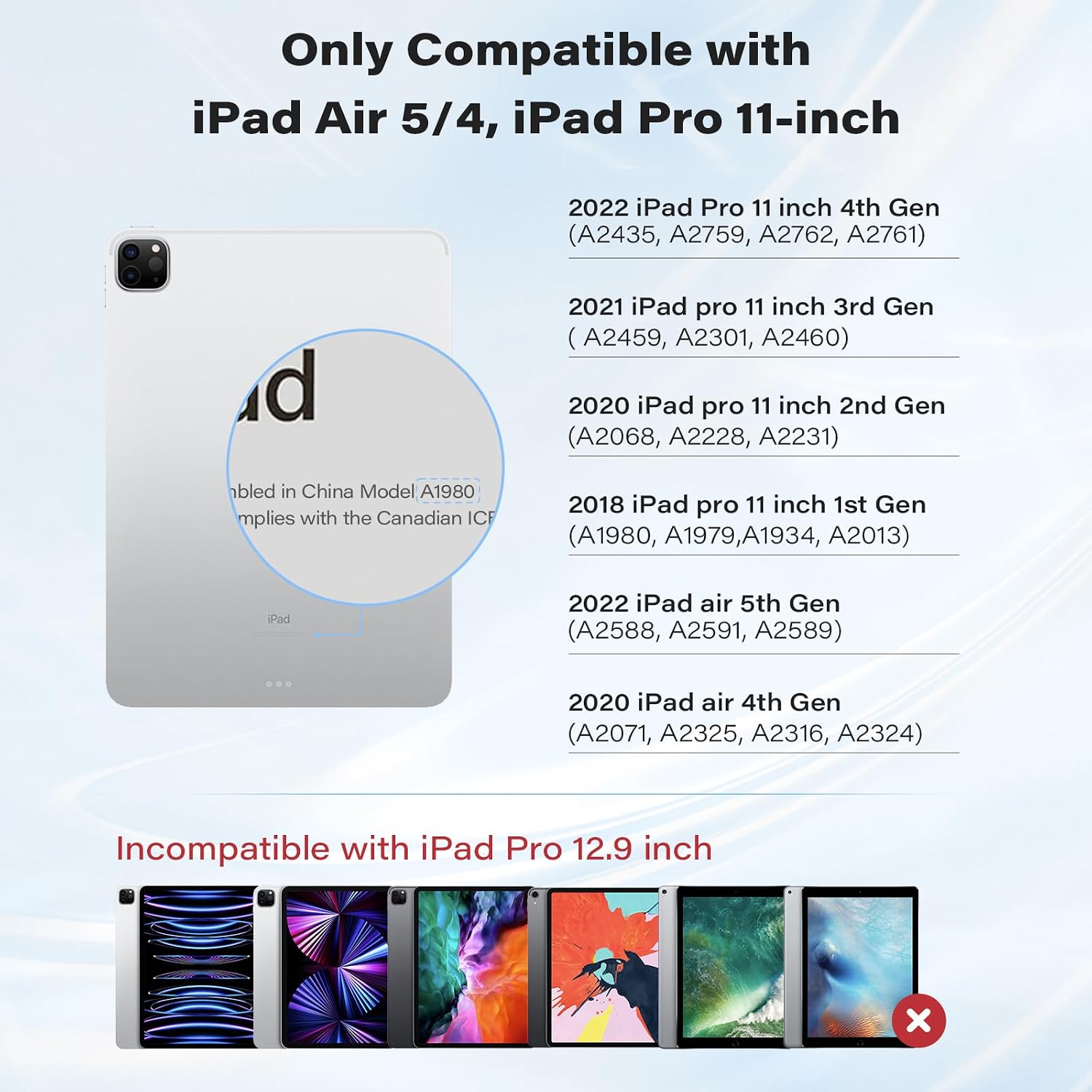
Image: Visual guide for compatible iPad models.
Video: Short demonstration confirming compatibility with iPad Pro 11 inch.
3. Mitä laatikossa on
Pakkauksen avaamisen jälkeen löydät seuraavat tuotteet:
- APPS2Car Magic Keyboard Case
- Käyttöopas
4. Asennusohjeet
4.1 Bluetooth -pariliitos
Follow these steps to connect your keyboard case to your iPad via Bluetooth:
- Switch on the keyboard using the power button.
- Hold down the 'option' key and the 'B' key simultaneously to activate Bluetooth pairing mode. The Bluetooth indicator light on the keyboard will flash.
- Siirry iPadillasi osoitteeseen Asetukset > Bluetooth.
- Ensure Bluetooth is toggled 'On'.
- In the 'MY DEVICES' list, locate and tap 'APPS2Car' to initiate pairing.
- Confirm the pairing request on your iPad. The keyboard will show as 'Connected' once successful.
If pairing is unsuccessful, turn off the keyboard, disable Bluetooth on your iPad, and repeat the steps.

Image: The keyboard utilizes Bluetooth 5.2 Low Energy (BLE) for stable and efficient connection.
Video: Step-by-step guide on how to pair the keyboard via Bluetooth.
5. Käyttöohjeet
5.1 Magneettijalusta
Attach your iPad to the magnetic back cover. The floating cantilever stand allows for smooth adjustment to various viewing angles, providing a laptop-like experience.

Image: The magnetic stand offers a 135° viewing angle and features a durable aluminum alloy hinge.
5.2 Monikosketusohjauslevy
The integrated high-precision trackpad supports full multi-touch gestures for navigation. Ensure your iPadOS is updated to the latest version for optimal trackpad functionality.

Image: The trackpad features AG glass with an anti-fingerprint coating, offering precise and responsive control.
Trackpad Settings:
To adjust pointer sensitivity and enable tap-to-click or two-finger secondary click:
- Siirry osoitteeseen Asetukset > Kenraali > Ohjauslevy.
- Adjust the 'TRACKING SPEED' slider to your preference.
- Toggle 'Tap to Click' and 'Two Finger Secondary Click' to 'On' as desired.
Video: Instructions on how to set up trackpad sensitivity and features.
5.3 Taustavalaistut näppäimet
The keyboard features backlit keys with adjustable brightness levels for comfortable typing in various lighting conditions.
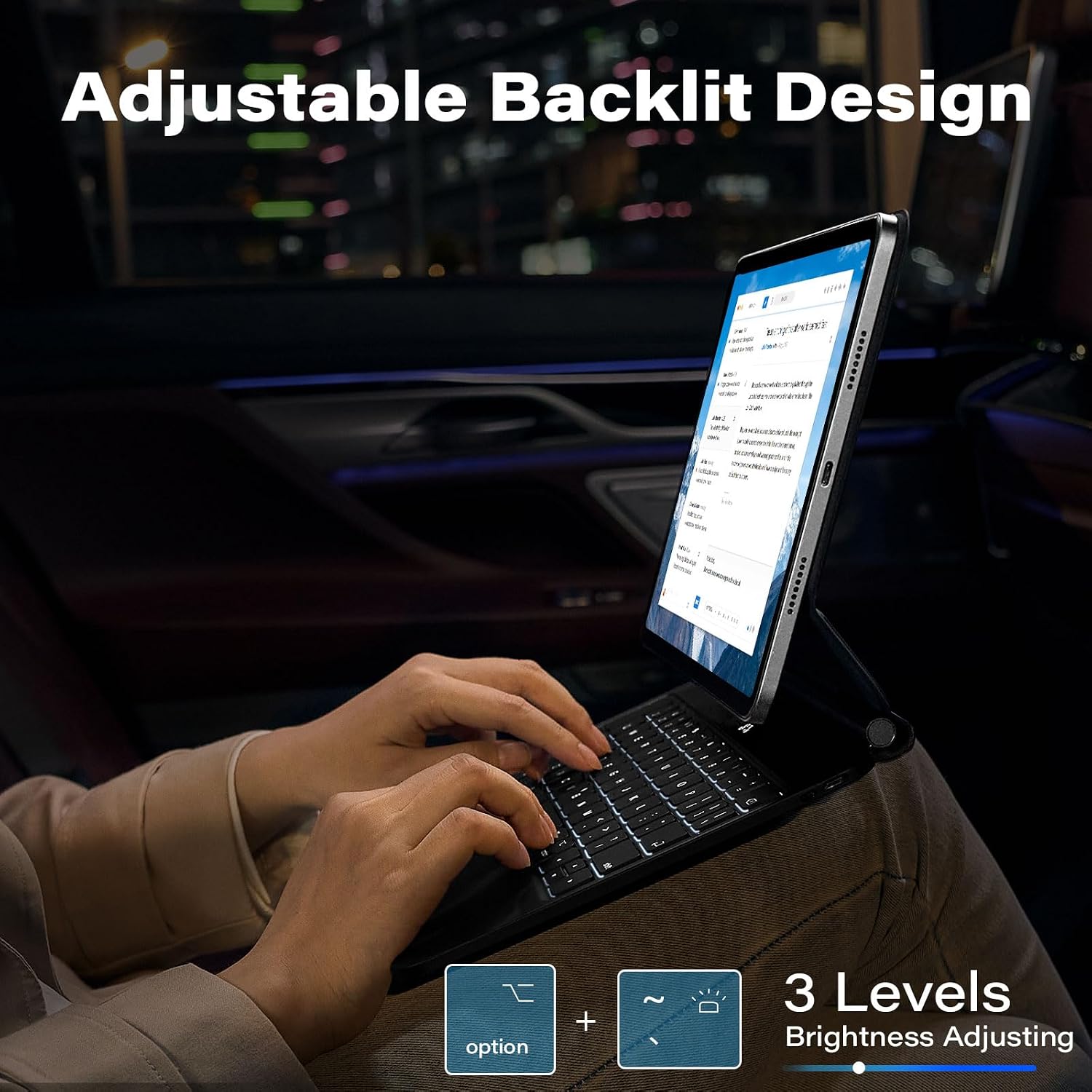
Image: The keyboard offers 3 levels of adjustable backlighting.
6. Huolto
6.1 IPX7 Waterproof & Dustproof Protection
The keyboard case is designed with IPX7-rated protection, making it resistant to spills, splashes, and dust. In case of spills, gently wipe the surface with a clean, dry cloth.

Image: The keyboard features IPX7 waterproof protection against liquid spills.
7. Vianmääritys
7.1 Yhteysongelmat
- Varmista, että näppäimistö on ladattu.
- Turn off the keyboard and then turn it back on.
- Siirry iPadillasi osoitteeseen Asetukset > Bluetooth, toggle Bluetooth off and then on again.
- If the issue persists, 'Forget This Device' for 'APPS2Car' in your iPad's Bluetooth settings and re-pair the keyboard.
7.2 Trackpad or Keyboard Performance
- Ensure your iPad is updated to the latest iOS version. The keyboard is optimized for recent software enhancements.
- Käynnistä iPad ja näppäimistö uudelleen.
- If using an earlier iOS version, update your system, restart Bluetooth, and reconnect for optimal functionality.
8. Tekniset tiedot
| Ominaisuus | Yksityiskohta |
|---|---|
| Merkki | APPS2Car |
| Mallinumero | APPS2Car Magic Keyboard 5 |
| Yhteensopivat laitteet | iPad Pro 11 inch (1st, 2nd, 3rd, 4th Gen), iPad Air (4th, 5th Gen) |
| Yhteystekniikka | Bluetooth 5.2 Low Energy (BLE) |
| Näppäimistön kuvaus | Monitoiminen |
| Erikoisominaisuudet | Backlit, Foldable, Multi-Touch Trackpad, Magnetic Stand, IPX7 Waterproof |
| Väri | Athens Black |
| Näppäimistön taustavalo | Single Color, 3 Adjustable Levels |
| Materiaali | Akryylinitriilibutadieenistyreeni |
| Virtalähde | Paristokäyttöinen |
| Näppäimistön asettelu | QWERTY |
| Avainten määrä | 64 |
| Valmistaja | Wiiki-Tech |
9. Takuu ja tuki
The APPS2Car Magic Keyboard Case comes with a 12-month manufacturer warranty. For any product inquiries, technical assistance, or warranty claims, please contact APPS2Car customer support through the retailer where the product was purchased.