
Johdanto
The Havit Gamenote KB885L mechanical keyboard is engineered for precision, durability, and customization. It features a gasket structure design, providing a soft and stable typing experience while minimizing noise. The full key rollover with multi-key response ensures fast and accurate input, crucial for gaming. With customizable RGB backlighting, you can personalize your keyboard with various lighting modes and effects. The detachable USB-C cable enhances portability and simplifies cable management. This keyboard is built with mechanical switches rated for 50 million key presses, making it suitable for gamers, typists, and professionals who require long-lasting performance.
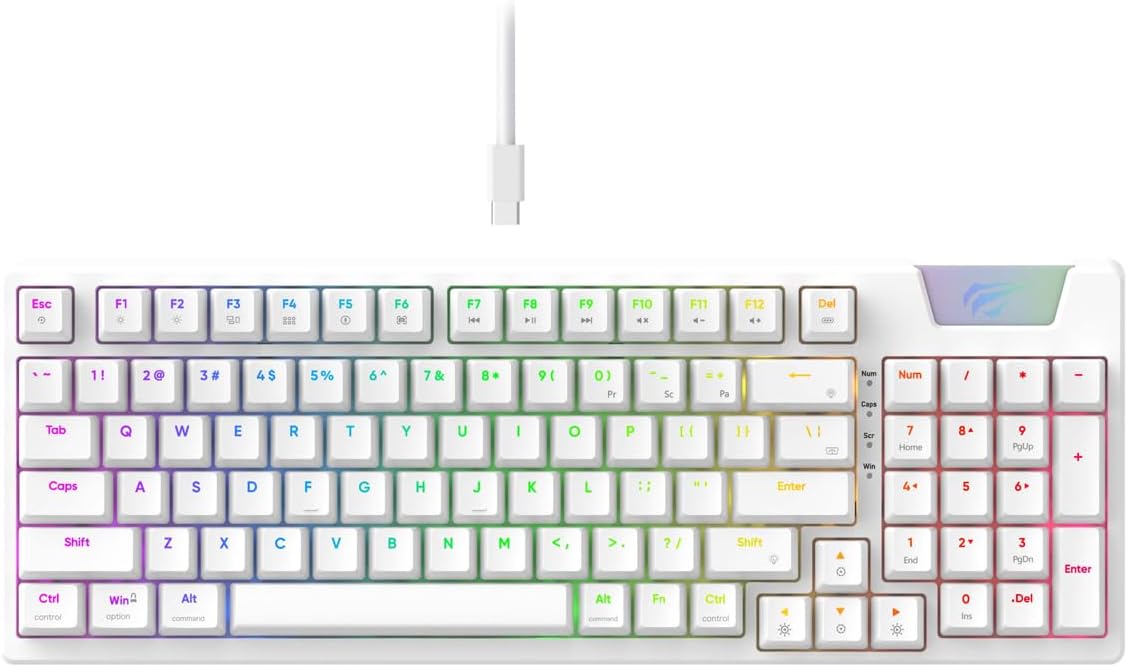
Image: The Havit Gamenote KB885L mechanical keyboard in white, showcasing its full layout and detachable USB-C cable.
Asennusopas
Follow these steps to set up your Havit Gamenote KB885L mechanical keyboard:
- Avaa näppäimistö: Poista näppäimistö ja sen lisävarusteet varovasti pakkauksesta.
- Liitä USB-C-kaapeli: Insert the detachable USB Type-C cable into the port on the keyboard.
- Yhdistä tietokoneeseen: Liitä USB-kaapelin toinen pää tietokoneen vapaaseen USB-porttiin.
- Ohjaimen asennus: Näppäimistö on plug-and-play-valmis, eikä se yleensä vaadi lisäohjaimia. Käyttöjärjestelmäsi pitäisi tunnistaa ja asentaa tarvittavat ohjaimet automaattisesti.
- Testauksen toiminnallisuus: Open a text editor or browser to test key presses and ensure all functions are working correctly.

Image: A close-up of the Havit Gamenote KB885L keyboard highlighting its portable design and detachable cable for easy setup and transport.
Käyttöohjeet
The Havit Gamenote KB885L keyboard offers various features for an enhanced user experience:
RGB-taustavalon säätö
Näppäimistössä on mukautettava RGB-taustavalo. Säädä valaistustehosteita seuraavilla näppäinyhdistelmillä:
- Fn + [Näppäin]: Cycle through different RGB lighting modes. (Specific key combinations may vary, refer to on-keyboard legends if available).
- Fn + nuolinäppäimet: Säädä valotehosteiden kirkkautta ja nopeutta.

Image: The Havit Gamenote KB885L keyboard displaying its vibrant RGB backlighting, illustrating customizable lighting effects.
Full Key Rollover (NKRO)
This keyboard supports Full Key Rollover, meaning every key press is registered independently, regardless of how many keys are pressed simultaneously. This feature is essential for fast-paced gaming and typing, preventing ghosting or missed inputs.
Ergonominen muotoilu
The keyboard is designed with ergonomics in mind to provide comfort during extended use. Its layout and keycap profile aim to reduce strain on your wrists and fingers.

Kuva: A view of the Havit Gamenote KB885L keyboard highlighting its ergonomic design for comfortable use.
Huolto
Asianmukainen huolto varmistaa näppäimistösi pitkän käyttöiän ja optimaalisen suorituskyvyn:
- Puhdistus: Regularly clean the keyboard with a soft, dry cloth. For deeper cleaning, use compressed air to remove dust and debris from between the keycaps. For stubborn dirt, a slightly damp voidaan käyttää miedolla saippualla kostutettua liinaa varmistaen, ettei nestettä pääse näppäimistöön.
- Vältä roiskeita: Keep liquids away from the keyboard to prevent damage to the internal components. In case of a spill, immediately disconnect the keyboard and allow it to dry completely before reconnecting.
- Kaapelihuolto: Handle the detachable USB-C cable with care. Avoid sharp bends or excessive pulling to prevent damage to the cable or connectors.
- Varastointi: Kun näppäimistöä ei käytetä, säilytä sitä puhtaassa, kuivassa paikassa, poissa äärimmäisistä lämpötiloista.
Vianetsintä
If you encounter issues with your Havit Gamenote KB885L keyboard, try the following solutions:
- Näppäimistö ei vastaa:
- Varmista, että USB-C-kaapeli on kytketty kunnolla sekä näppäimistöön että tietokoneeseen.
- Kokeile kytkeä näppäimistö tietokoneen toiseen USB-porttiin.
- Testaa näppäimistöä toisella tietokoneella selvittääksesi, onko ongelma näppäimistössä vai järjestelmässäsi.
- RGB-valot eivät toimi:
- Check if the lighting is turned off using the Fn key combinations.
- Varmista, että näppäimistö saa virtaa oikein USB-liitännän kautta.
- Avaimet eivät rekisteröidy / haamuavat:
- Due to full key rollover, this is unlikely. However, ensure no debris is lodged under the keycap.
- If a specific key is consistently failing, it might indicate a switch issue. Contact support if the problem persists.
Tekniset tiedot
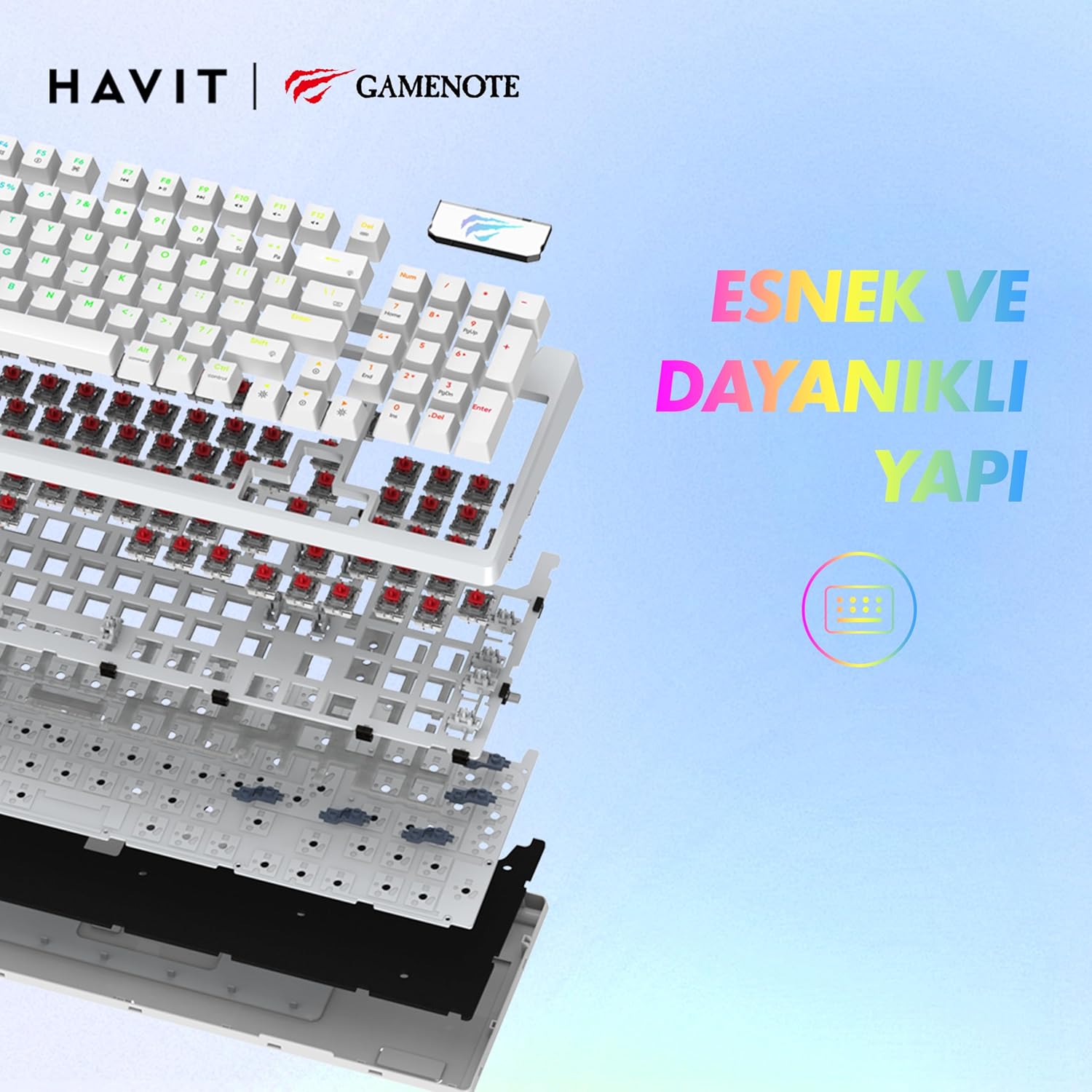
Kuva: Räjähtänyt view of the Havit Gamenote KB885L keyboard, illustrating its internal gasket structure for enhanced stability and typing feel.
| Ominaisuus | Yksityiskohta |
|---|---|
| Merkki | Havit |
| Mallinumero | KB885L |
| Yhteensopivat laitteet | Tietokone |
| Yhteystekniikka | USB |
| Näppäimistön kuvaus | Pelaaminen |
| Suositellut käyttötavat | Pelaaminen |
| Erikoisominaisuus | Kannettava |
| Väri | Valkoinen |
| Taustavalon värin tuki | RGB (Red, Green, Blue model) |
| Tyyli | Moderni |
| Tuotteen mitat (P x L x K) | 38.7 x 14 x 4.5 cm |
| Kieli | englanti |
| Virtalähde | USB-virtalähde |
| Kytkimen tyyppi | Tunteva |
| Näppäimistön asettelu | QWERTY |
| Käsien suuntautuminen | Molempikätinen |
| Avainten määrä | 95 |
| Painike Määrä | 104 |
| Mukana olevat komponentit | USB-kaapeli |
| Materiaali | Muovi |
| Key Press Lifespan | 50 Million (from description) |

Image: An illustration highlighting the Havit Gamenote KB885L's durable mechanical switches, rated for a 50 million key press lifespan.
Takuutiedot
Havit Gamenote KB885L -mekaaninen näppäimistö on varustettu... yhden vuoden takuu ostopäivästä lukien. Tämä takuu kattaa valmistusvirheet ja normaalista käytöstä johtuvat ongelmat. Se ei kata väärinkäytöstä, onnettomuuksista, luvattomista muutoksista tai virheellisestä huollosta aiheutuneita vahinkoja. Säilytä ostokuitti takuuvaatimuksia varten.
Asiakastuki
For further assistance, technical support, or warranty inquiries, please contact Havit customer service through their official website or the retailer where you purchased the product. Have your model number (KB885L) and proof of purchase ready when contacting support.