
1. Johdanto
This manual provides essential instructions for the safe and effective operation of your Andoer H8 Compact Digital Camera. Please read this manual thoroughly before using the camera and retain it for future reference.
2. Turvallisuustiedot
Varmistaaksesi turvallisen käytön, noudata seuraavia varotoimia:
- Älä altista kameraa vedelle tai kosteudelle.
- Vältä kameran pudottamista tai sen altistamista voimakkaille iskuille.
- Keep the camera away from extreme temperatures.
- Älä yritä purkaa tai korjata kameraa itse. Ota yhteyttä pätevään huoltohenkilöstöön.
- Käytä ainoastaan määritettyä latauskaapelia ja akkua.

Kuvan kuvaus: A red triangular warning symbol with an exclamation mark, accompanied by text in multiple languages warning to keep plastic bags away from babies and children to prevent suffocation.
3. Pakkauksen sisältö
Varmista, että pakkauksessa on kaikki tarvittavat osat:
- Andoer H8 Digital Camera
- Type-C kaapeli
- Nauha
- Käyttöopas

Kuvan kuvaus: A pink Andoer H8 compact digital camera, displayed with its front and back sides visible, highlighting its compact design and screen.
4. Kamera ohiview
Tutustu kameran osiin:
- Linssi: Ottaa kuvia ja videoita.
- Flash: Tarjoaa valaistusta hämärässä.
- 2.8 tuuman IPS-näyttö: varten viewing menus, photos, and videos.
- Virtapainike: Kytkee kameran päälle/pois.
- Suljinpainike: Ottaa valokuvia.
- Zoomaussäätimet: Adjusts 8x digital zoom.
- Navigointipainikkeet: Valikon navigointia ja valintaa varten.
- Tilapainike: Switches between photo, video, game, and music modes.
- USB-C-portti: Lataamiseen ja tiedonsiirtoon.
- TF-korttipaikka: Muistikortin asettamiseen.

Kuvan kuvaus: An illustration showing the Andoer H8 camera in four different colors (Purple, Blue, Black, Pink) and icons representing its main functions: Photo, Video, Game, Music, and Flash lamp.
5. Asennus
5.1. Akun lataaminen
- Connect the supplied Type-C cable to the camera's USB-C port.
- Liitä kaapelin toinen pää USB-virtalähteeseen (ei sisälly toimitukseen) tai tietokoneen USB-porttiin.
- The charging indicator will illuminate. Charging typically takes 2-4 hours.
- Kun akku on ladattu täyteen, merkkivalo voi muuttua tai sammua.
5.2. Inserting a Memory Card (TF Card)
The camera supports TF cards up to 32GB (not included).
- Paikanna kameran TF-korttipaikka.
- Aseta TF-kortti metallikontaktit alaspäin, kunnes se napsahtaa paikalleen.
- To remove, gently press the card until it pops out.
6. Käyttöohjeet
6.1. Virta päälle/pois
- Kytke virta päälle pitämällä virtapainiketta painettuna.
- Sammuta virta painamalla virtapainiketta uudelleen ja pitämällä sitä painettuna.
6.2. Valokuvien ottaminen
- Turn on the camera and ensure it is in Photo mode (indicated by an icon on the screen).
- Frame your shot using the 2.8-inch IPS display.
- Use the zoom controls to adjust the 8x digital zoom.
- Ota kuva painamalla suljinpainiketta.

Kuvan kuvaus: A pink Andoer H8 camera showing a high-definition image on its screen, with text indicating "4800W shot in HD" and "8000x6000 HD resolution," demonstrating its photo capabilities.
6.3. Videoiden tallentaminen
- Switch the camera to Video mode.
- Press the Shutter button to start recording. A recording indicator will appear on the screen.
- Lopeta tallennus painamalla suljinpainiketta uudelleen.

Kuvan kuvaus: A pink Andoer H8 camera displaying a live video recording on its screen, with "1080P Video recording" and "Recording the good times" text, illustrating its video capture function.
6.4. Toisto
- In Photo or Video mode, press the Playback button (usually indicated by a triangle icon) to enter playback mode.
- Use the navigation buttons to browse through your photos and videos.
- Paina OK/Enter-painiketta view valokuva tai toista video.
6.5. Special Features: Stickers, Frames, and Filters
Paranna valokuviasi sisäänrakennetuilla luovilla vaihtoehdoilla:
- Access these features through the camera's menu settings, typically found in Photo mode.
- Select from 40 kinds of head stickers, 26 photo frames, and 6 filters to customize your images before or after capture (depending on camera firmware).

Kuvan kuvaus: A collage demonstrating various creative options available on the camera, including 40 types of cute head stickers, 26 adorable photo frames, and 6 filters, applied to different child portraits.
6.6. Musiikin toisto
The camera supports MP3 music playback.
- Siirrä MP3 files TF-kortille.
- Switch the camera to Music mode.
- Use the navigation buttons to select and play music.
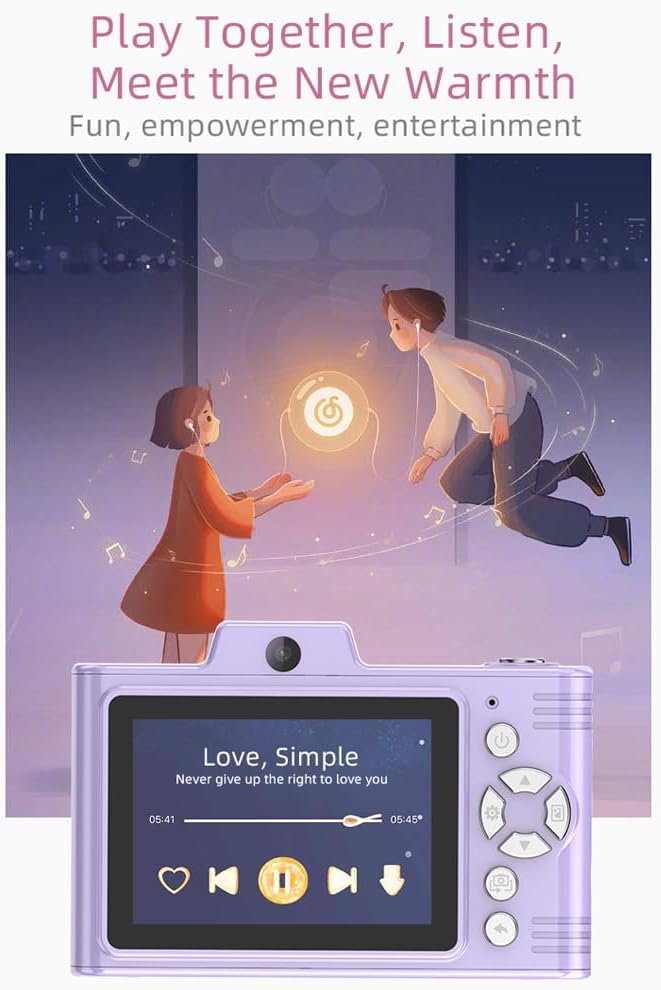
Kuvan kuvaus: A purple Andoer H8 camera showing a music player interface on its screen, with song title "Love, Simple" and playback controls, indicating its music playback capability.
6.7. Connecting to a Computer / Transferring Files
You can transfer photos and videos to a computer or phone.
- Liitä kamera tietokoneeseen Type-C-kaapelilla.
- The camera should appear as a removable disk.
- Vedä ja pudota files tietokoneellesi.
- For phone transfer, use an OTG adapter (not included) if your phone supports OTG functionality.
7. Huolto
- Puhdistus: Puhdista kameran runko pehmeällä, kuivalla liinalla. Käytä objektiivin puhdistukseen erityistä linssinpuhdistusliinaa.
- Varastointi: Store the camera in a cool, dry place away from direct sunlight and dust. Remove the battery if storing for extended periods.
8. Vianmääritys
| Ongelma | Mahdollinen ratkaisu |
|---|---|
| Kamera ei käynnisty. | Ensure the battery is charged. Reinsert the battery. |
| Ei voi ottaa valokuvia/videoita. | Check if a TF card is inserted and has sufficient space. Ensure camera is in the correct mode. |
| Kuvat ovat epäselviä. | Puhdista linssi. Varmista riittävä valaistus. Pidä kameraa vakaana. |
| Kamera jumiutuu. | Irrota akku ja aseta se takaisin kameran nollaamiseksi. |
9. Tekniset tiedot
| Ominaisuus | Yksityiskohta |
|---|---|
| Tuotteen malli | H8 |
| Näyttöruutu | 2.8 tuuman IPS |
| Photo Pixel | Jopa 48MP |
| Videon resoluutio | 1080p HD |
| Digitaalinen zoom | 8x |
| File Muoto | JPG/AVI/MP3 |
| Latausaika | Noin 2-4 tuntia |
| Akun kapasiteetti | 700mAh, 3.7V |
| Tuotteen paino | 110 g |
| Tuotteen koko | 105.5 x 72 x 46 mm |
| Lataus Voltage | DC5V 1A |
| Muistin tuki | TF card (max 32GB) |
| Erikoisominaisuudet | 40 Head Stickers, 26 Photo Frames, 6 Filters |
| Yhteydet | USB (C-tyyppi) |
| Kuvanvakautus | Digitaalinen |
| Anturin tyyppi | CMOS |
| Taitotaso | Noviisi |
10. Takuu ja tuki
For warranty information and technical support, please refer to the documentation provided with your purchase or contact Andoer customer service directly. Keep your proof of purchase for warranty claims.