
Johdanto
The XTUGA CT160 is a versatile 16-channel audio mixer designed for a wide range of applications including DJ performances, podcasts, studio recording, karaoke, and live sound. This mixer features multi-device compatibility, low-noise operation, a slim and durable design, high-definition audio processing, built-in Bluetooth playback, and USB connectivity for recording and media playback. This manual provides detailed instructions to help you set up, operate, and maintain your CT160 audio mixer.
Alkuasetukset
Pakkauksen purkaminen ja sisältö
Carefully unpack your XTUGA CT160 audio mixer and verify that all components are present. The package should include:
- XTUGA CT160 Audio Mixer Unit
- Verkkolaite
- Käyttöohje (tämä asiakirja)

Virtaliitäntä
Connect the provided AC power adapter to the mixer's power input located on the rear panel. Ensure the power switch is in the OFF position before connecting to a power outlet. Once connected, you can switch the power ON.

Mikserin säätimetview
This section details the various controls and their functions on your XTUGA CT160 audio mixer.
Input Channels (1-16)
Each of the 16 input channels features dedicated controls for optimal sound shaping.

- Input Jacks (XLR/Line): Each channel is equipped with a combination jack that accepts both XLR (for microphones) and 6.35mm (1/4 inch) line-level inputs (for instruments or other audio devices).
- 48 V:n fantomsyöttö: A dedicated switch for each channel activates +48V phantom power, essential for condenser microphones. Ensure phantom power is only used when required by your microphone.
- Gain Control: Säätää kunkin kanavan tuloherkkyyttä. Aseta tämä saavuttaaksesi voimakkaan signaalin ilman leikkautumista (säröä).
- 3-Band EQ Adjustment (High, Mid, Low): These blue knobs allow you to fine-tune the high, mid, and low frequencies of each channel's audio signal for desired tonal characteristics.
- AUX Control (Orange Knobs): Controls the level of the signal sent to the auxiliary output, useful for monitor mixes or external effects.
- FX Send Control (Green Knobs): Adjusts the amount of signal sent from the channel to the internal digital effects processor.
- Pan Balance: Positions the channel's signal within the stereo field (left to right).
- Mykistyspainike: Silences the individual channel's output.
- Kanavan faderit: Controls the overall volume level of each individual channel.


Pääosa
The master section provides overall control and connectivity options.

- USB/MP3-soitin: A USB port allows for direct playback of MP3/WAV/WMA files from a USB flash drive. It also enables connection to a computer for recording and playback.
- Bluetooth-yhteys: Suoratoista ääntä langattomasti älypuhelimesta, tabletista tai muista Bluetooth-laitteista.
- MP3 EQ: Equalizer controls specifically for adjusting the tone of audio played through the MP3 player.
- 7-kaistainen stereo graafinen taajuuskorjain: Provides precise frequency adjustment for the main stereo output, allowing you to tailor the overall sound to your environment.
- Main Outputs (XLR & 6.35mm): Balanced XLR and unbalanced 6.35mm (1/4 inch) jacks for connecting to main speakers or power amppelastajia.
- AUX-lähtö: Additional auxiliary output for sending a mixed signal to external devices.
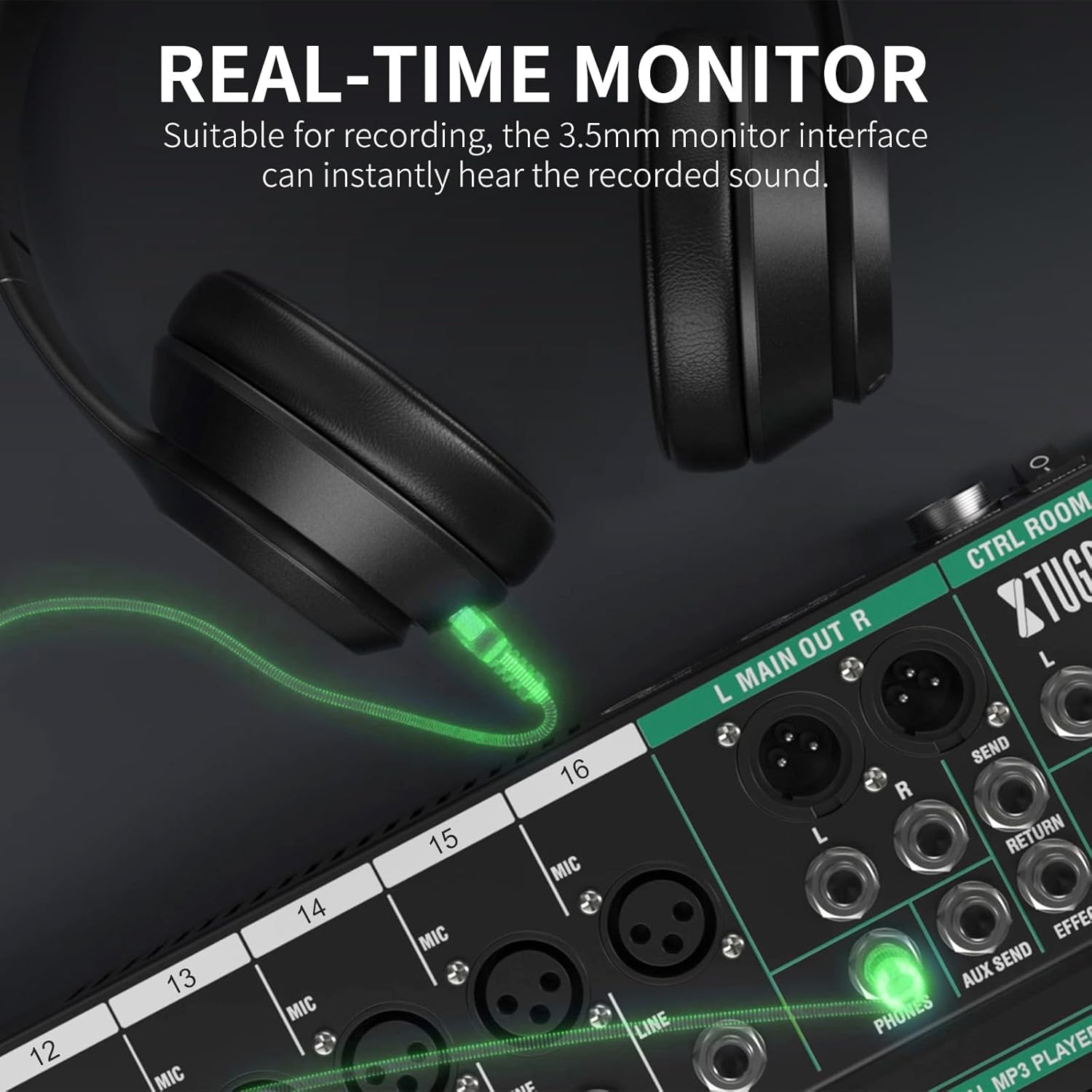
- Puhelimen lähtö: A 6.35mm (1/4 inch) headphone jack with dedicated volume control for monitoring the mix.
- Program/DSP Effects: A rotary encoder and button to select and apply one of the 99 built-in digital effects (e.g., reverb, delay, chorus).
- Main Faders (Red/Blue): Controls the overall volume of the main stereo output. The red faders control the left and right main outputs, while the blue fader controls the FX return level.
- Tasomittarit: LED indicators display the output level of the main mix, helping to prevent clipping and ensure optimal signal strength.


Toimintatilat
Ulkoisten laitteiden liittäminen
The CT160 mixer supports a wide array of external devices for various audio setups.

USB-toisto ja tallennus
To play audio from a USB drive, insert the drive into the USB port. Use the MP3 player controls to navigate and play tracks. For computer recording, connect the mixer to your computer via a USB cable. The mixer will function as an audio interface, allowing you to record the stereo mix into your Digital Audio Workstation (DAW).

Bluetooth-suoratoisto
Activate Bluetooth on your external device (e.g., smartphone, tablet). Press the 'MODE' button on the mixer's MP3 player section until 'BLUE' appears on the display. Etsi 'BT-Speaker' on your device and pair. Audio from your device will now stream wirelessly through the mixer.
Digital Effects (DSP)
The CT160 features 99 built-in Digital Signal Processing (DSP) effects to enhance your audio. Use the 'PROGRAM' knob to select an effect and the 'FX SEND' knobs on individual channels to apply the effect to specific inputs. The blue fader in the master section controls the overall return level of the effects.
Tekniset tiedot
| Ominaisuus | Erittely |
|---|---|
| Malli | CT160 |
| Kanavien lukumäärä | 16 |
| Tuotteen paino | 6.69 kiloa (14.72 puntaa) |
| Pakkauksen mitat | 27.2 x 17.8 x 4.5 tuumaa |
| Virtalähde | Johdollinen sähkö |
| Yhteystekniikka | Bluetooth, USB |
| haamuvoimaa | +48V (per channel) |
| Digitaaliset tehosteet | 99 DSP-efektit |
Vianetsintä
If you encounter any issues with your XTUGA CT160 mixer, refer to the following common problems and solutions:
- Ei äänilähtöä:
- Tarkista kaikki virtaliitännät ja varmista, että mikseri on päällä.
- Verify that input sources are properly connected and active.
- Ensure channel faders, main faders, and master volume are raised.
- Tarkista, onko jokin kanava mykistetty.
- Confirm output cables are correctly connected to speakers/amplifiers and they are powered on.
- Vääristynyt ääni:
- Vähennä kyseisen kanavan vahvistusta.
- Lower the main faders or master volume.
- Check the input signal level to ensure it's not too hot before reaching the mixer.
- Hurina tai kohina:
- Varmista, että kaikki kaapelit on kytketty kunnolla.
- Use balanced XLR cables for microphones and main outputs where possible.
- Check for ground loops by trying different power outlets or using a ground lift adapter (if safe and necessary).
- Pidä äänikaapelit erillään virtakaapeleista.
- Bluetooth-yhteysongelmat:
- Ensure the mixer is in Bluetooth mode ('BLUE' displayed).
- Pura laitteen pariliitos ja muodosta pariliitos uudelleen.
- Ensure the Bluetooth device is within range.
Hoito ja huolto
To ensure the longevity and optimal performance of your XTUGA CT160 audio mixer, follow these maintenance guidelines:
- Puhdistus: Use a soft, dry cloth to clean the exterior of the mixer. Avoid using liquid cleaners, solvents, or abrasive materials, as these can damage the finish and internal components.
- Varastointi: Store the mixer in a cool, dry place away from direct sunlight, extreme temperatures, and high humidity. If transporting, use appropriate padding or a case to protect it from physical damage.
- Pölysuojaus: When not in use, cover the mixer with a dust cover to prevent dust and debris from accumulating on the controls and inside the unit.
- Käsittele varovasti: Avoid dropping or subjecting the mixer to strong impacts. Be gentle when operating knobs, faders, and connecting cables.
Takuu ja tuki
For warranty information, technical support, or service inquiries regarding your XTUGA CT160 audio mixer, please refer to the contact details provided on the XTUGA official websivustolla tai tuotepakkauksessa. Säilytä ostokuitti ostotodistuksena takuuvaatimuksia varten.