
Johdanto
Thank you for choosing the DYONDER Mini Wireless Controller. This compact gamepad is designed for enhanced gaming experiences across multiple platforms, including PlayStation 4 (PS4, PS4 Pro, PS4 Slim) and PC (Windows 10/8/7). It features dual vibration, a 6-axis sensor, and an audio function for immersive gameplay. Please read this manual carefully to ensure proper setup and operation.
Tuote loppuview

Edessä view of the DYONDER Mini Wireless Controller, showcasing sen kompakti muotoilu.

Dimensions of the controller: 145mm (5.7 inches) length, 75mm (3 inches) height, 45mm (1.5 inches) width.
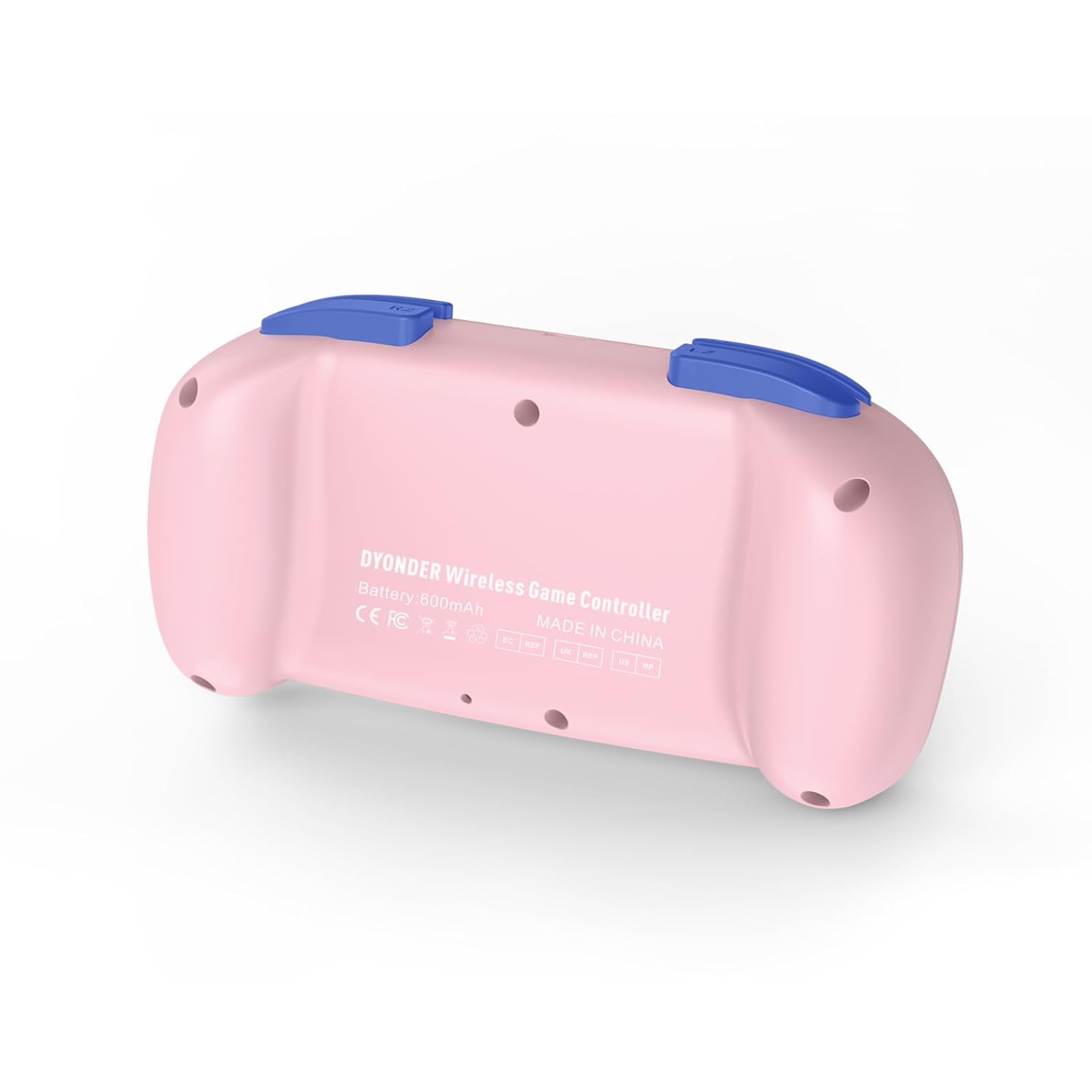
Takaisin view of the controller, showing the model information and regulatory marks.

Detailed layout of the controller buttons, including Multi-touch Pad, Share Button, Options Button, D-Pad, Left Stick, Right Stick, Home Button, R1/R2, L1/L2, and Charging Port.
Tärkeimmät ominaisuudet:
- Kaksoisvärähtely: Experience immersive feedback with dual vibration motors.
- 6-akselinen liiketunnistin: Enhance dynamic feeling and control in compatible games.
- Sisäänrakennettu 600 mAh akku: Provides 10-12 hours of playing time on a 2-hour charge.
- Multi-platform Support: Compatible with PS4/Pro/Slim, PC (Windows 10/8/7), iOS, and Android.
- Mini-muotoilu: Compact and easy to handle, especially suitable for smaller hands.
- Äänitoiminto: Includes a 3.5mm headphone jack for audio output.
Official product video demonstrating the DYONDER wireless controller for PS4, highlighting its features and design.
Asennus ja yhteys
Connecting to PlayStation 4 (PS4/Pro/Slim):
- Varmista, että PS4-konsoliisi on kytketty virta.
- Connect the controller to the PS4 console using the provided USB cable.
- Press the Home button on the controller. The light bar will flash, indicating it's pairing.
- Once the light bar turns solid, the controller is successfully connected and ready for use.
- After initial pairing, you can disconnect the USB cable and use the controller wirelessly.
Connecting to PC (Windows 10/8/7):
- Kiinteä yhteys: Connect the controller to your PC using a USB cable. The PC should automatically detect and install the necessary drivers.
- Bluetooth-yhteys:
- Varmista, että tietokoneessasi on Bluetooth käytössä.
- On the controller, press and hold the Share button and the Home button simultaneously until the light bar starts flashing rapidly.
- On your PC, go to Bluetooth settings and search for new devices.
- Valitse ohjain käytettävissä olevien laitteiden luettelosta pariliitosta varten.
Connecting to iOS/Android Devices:
- Varmista, että Bluetooth on käytössä mobiililaitteellasi.
- On the controller, press and hold the Share button and the Home button simultaneously until the light bar starts flashing rapidly.
- On your mobile device, go to Bluetooth settings and search for new devices.
- Valitse ohjain käytettävissä olevien laitteiden luettelosta pariliitosta varten.
Käyttöohjeet
Virta päälle/pois:
- Virta päälle: Paina Koti-painiketta kerran.
- Virta pois: Press and hold the Home button for approximately 10 seconds until the light bar turns off. The controller will also automatically power off after a period of inactivity.
Ohjaimen lataus:

The controller features a built-in 600mAh battery, providing 10-12 hours of playtime after a 2-hour charge.
- Connect the provided USB cable to the charging port on the controller and the other end to a USB power source (e.g., PS4 console, PC, or USB wall adapter).
- The light bar will slowly flash while charging and turn off when fully charged.
- A full charge typically takes about 2 hours and provides 10-12 hours of gameplay.
Using the Audio Function:
- Plug a 3.5mm compatible headset into the audio jack located on the bottom of the controller.
- Audio output will be routed through the headset.
Huolto
- Pidä ohjain puhtaana pyyhkimällä se pehmeällä, kuivalla liinalla. Vältä voimakkaiden kemikaalien tai hankaavien materiaalien käyttöä.
- Säilytä ohjainta viileässä, kuivassa paikassa, poissa suorasta auringonvalosta ja äärimmäisistä lämpötiloista.
- Vältä ohjaimen pudottamista tai sen altistamista voimakkaille iskuille.
- Älä yritä purkaa tai muokata ohjainta, sillä se mitätöi takuun.
Vianetsintä
Ohjain ei muodosta yhteyttä:
- Varmista, että ohjain on täyteen ladattu.
- For PS4, try connecting via USB cable first to establish the initial pairing.
- Reset the controller: Locate the small reset button on the back of the controller (often inside a small hole). Use a thin object (like a paperclip) to press and hold the button for 3-5 seconds. Then, attempt to re-pair.
- Varmista, ettei mikään muu Bluetooth-laite häiritse yhteyttä.
Input Lag or Unresponsive Buttons/Sticks:
- Ensure the controller is within range of the console/device.
- Check for any physical obstructions between the controller and the console/device.
- Jos käytät langallista yhteyttä, kokeile toista USB-porttia tai kaapelia.
- Reset the controller as described above.
Akku ei pidä latausta:
- Ensure you are using a reliable USB cable and power source.
- Jos ongelma jatkuu, ota yhteyttä asiakastukeen.
Tekniset tiedot
| Ominaisuus | Yksityiskohta |
|---|---|
| Merkki | DYONDER |
| Mallinumero (ASIN) | B0CFQ8816Z |
| Yhteensopivat laitteet | PlayStation 4 (PS4/Pro/Slim), PC (Windows 10/8/7), iOS, Android |
| Ohjaimen tyyppi | Peliohjain |
| Painike Määrä | 15 |
| Laitteistoalusta | Gaming Console, PC, Mobile |
| Virtalähde | Akkukäyttöinen (sisäänrakennettu 600 mAh) |
| Latausaika | Noin 2 tuntia |
| Peliaika | Noin 10-12 tuntia |
| Väri | Vaaleanpunainen |
Takuu ja tuki
For warranty information or technical support, please refer to the product packaging or contact DYONDER customer service directly. Keep your purchase receipt for any warranty claims.