
1. Johdanto
Thank you for choosing the Urageuxy UC-WS0800 Wireless Digital Thermometer Weather Station. This device provides comprehensive environmental monitoring, displaying indoor and outdoor temperature and humidity, weather forecasts, moon phases, and barometric pressure. It is designed for easy setup and reliable performance, helping you stay informed about your surroundings.
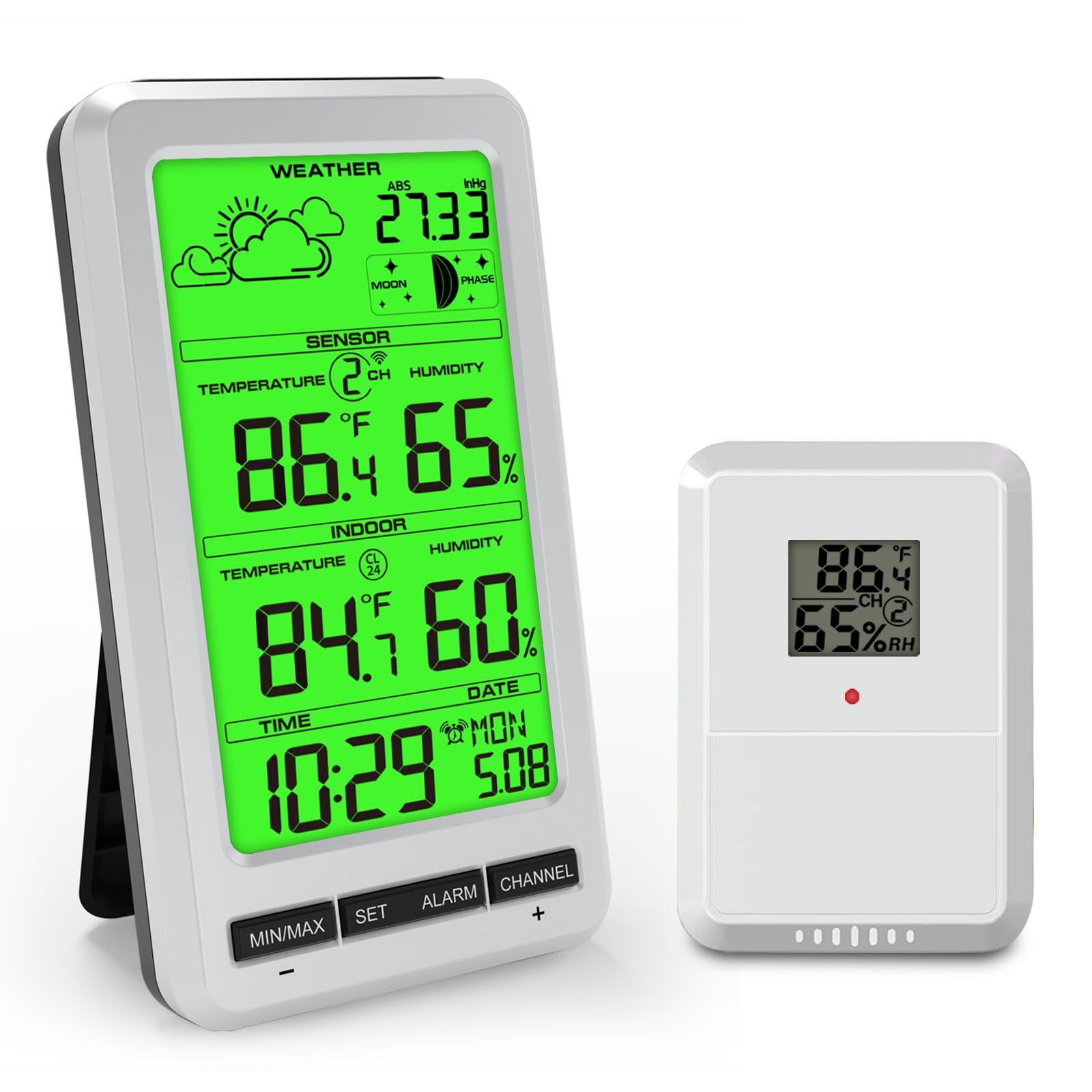
The main display unit of the Urageuxy UC-WS0800 Weather Station, illustrating its various functions including indoor/outdoor temperature and humidity, weather forecast, and moon phase.
2. Pakkauksen sisältö
- Päänäyttöyksikkö
- Wireless Remote Sensor (1 included)
- Käyttöopas
3. Tärkeimmät ominaisuudet
- Multifunctional Weather Station: Displays indoor/outdoor temperature and humidity, max/min records, 24-48 hour weather forecast, barometric pressure, moon phase, time, and date.
- Laajennettu lähetysalue: Wireless transmission up to 100 meters (300 feet) in open areas.
- Monianturituki: Supports up to 8 remote temperature sensors (1 sensor included; additional sensors sold separately).
- Max/Min Records: Automatically records maximum and minimum temperature and humidity levels over the past 24 hours.
- Säädettävä taustavalo: Green backlight for clear readability day or night.
- Hälytystoiminto: Includes time alarm, indoor/outdoor temperature alarm, indoor/outdoor humidity alarm, and absolute pressure alarm.
- Joustava sijoitus: Features an integrated stand for desktop use and a hanging hole for wall mounting.

Yliview of the Urageuxy Weather Station's display, detailing each functional icon and reading.
4. Asennus
4.1 Pääyksikön virran kytkeminen
- Avaa pääyksikön takana olevan paristolokeron kansi.
- Insert 4 AAA batteries (not included) according to the polarity markings (+/-).
- Sulje paristolokeron kansi.
- Alternatively, connect a 5V power adapter (not included) to the DC port for continuous backlight operation.
4.2 Powering the Remote Sensor
- Avaa kaukosäätimen anturin takana olevan paristolokeron kansi.
- Aseta 2 AA-paristoa (eivät sisälly toimitukseen) napaisuusmerkintöjen (+/-) mukaisesti.
- Sulje paristolokeron kansi.

Illustration of the main unit's power options, including the battery compartment for 4 AAA batteries and the 5V power adapter connection.
4.3 Anturin sijoitus
Place the remote sensor in a sheltered outdoor location, away from direct sunlight and rain, to ensure accurate temperature and humidity readings. Ensure it is within the 100-meter transmission range of the main unit.
4.4 Pääyksikön sijoittelu
The main unit can be placed on a desktop using its integrated stand or mounted on a wall using the hanging hole on its back.
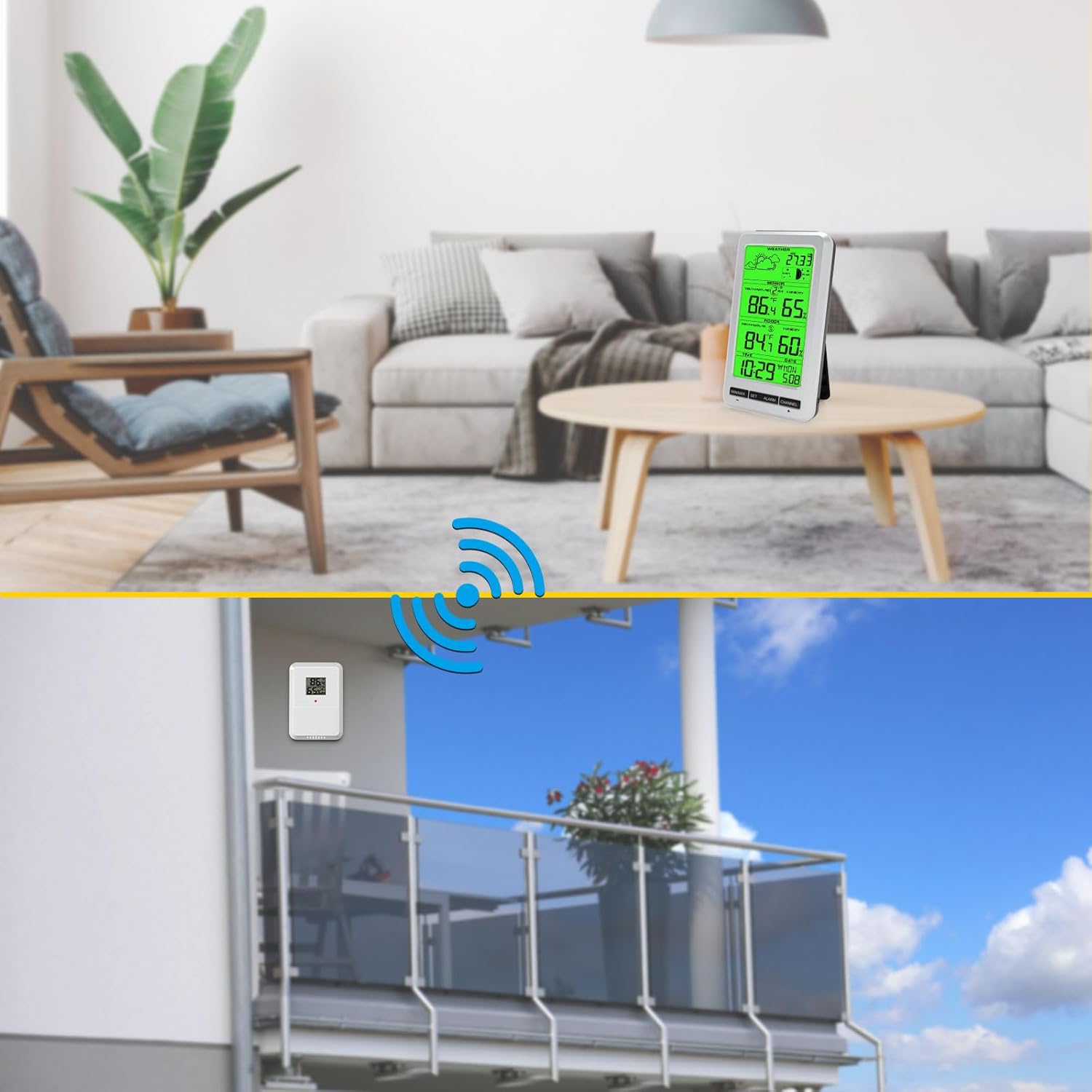
Visual representation of the two placement options for the main unit (desktop and wall-mounted) and the recommended outdoor placement for the remote sensor.
4.5 Alkuperäinen synkronointi
After inserting batteries into both the main unit and the remote sensor, the main unit will automatically search for the sensor signal. This may take a few minutes. Once connected, the outdoor temperature and humidity will appear on the display.
5. Käyttöohjeet
5.1 Näytön loppuview
The main display shows:
- Sääennusteiden kuvakkeet
- Barometric Pressure (ABS)
- Kuun vaihe
- Outdoor Temperature and Humidity (SENSOR)
- Indoor Temperature and Humidity (INDOOR)
- Aika ja päivämäärä
5.2 Kellonajan ja päivämäärän asettaminen
Paina ja pidä painettuna SARJA button to enter time and date setting mode. Use the MIN / MAX ja KANAVA buttons to adjust values, and SARJA vahvistaaksesi ja siirtyäksesi seuraavaan asetukseen.
5.3 Lämpötilayksikön valinta (°C/°F)
Paina lyhyesti MIN / MAX -painiketta vaihtaaksesi Celsius- (°C) ja Fahrenheit- (°F) lämpötilayksiköiden välillä.
5.4 Min/Max-tietueet
Paina MIN / MAX -painiketta toistuvasti kohtaan view the maximum and minimum recorded temperature and humidity values for both indoor and outdoor sensors. To clear the records, press and hold the MIN / MAX -painiketta viewheitä.
5.5 Hälytystoiminto
Paina HÄLYTYS button to activate or deactivate the time alarm. Press and hold the HÄLYTYS button to set the alarm time and other alarm thresholds (temperature, humidity, pressure). Use MIN / MAX ja KANAVA säätääksesi arvoja.
5.6 Channel Selection (Multiple Sensors)
Jos sinulla on useita etäantureita, paina KANAVA button to cycle through the different sensor channels (CH1, CH2, etc.). The main unit can monitor up to 8 sensors.

The Urageuxy Weather Station's capability to track temperature and humidity from up to 8 remote sensors, indicated by channel numbers.
5.7 taustavalon ohjaus
When powered by batteries, the backlight will illuminate briefly when any button is pressed. When powered by a 5V adapter, the backlight can remain continuously on and its brightness may be adjustable (refer to specific button functions if available).
6. Huolto
6.1 Puhdistus
Pyyhi näyttö ja laitteen pinnat pehmeällä,amp liinaa. Älä käytä hankaavia puhdistusaineita tai liuottimia, sillä ne voivat vahingoittaa näyttöä taiasing.
6.2 Pariston vaihto
Replace batteries in both the main unit and remote sensor when the low battery indicator appears on the display. Ensure correct polarity when inserting new batteries.
6.3 Varastointi
If the device will not be used for an extended period, remove all batteries to prevent leakage and store the unit in a cool, dry place.
7. Vianmääritys
- No outdoor reading or incorrect outdoor humidity: Ensure the remote sensor batteries are fresh and correctly inserted. Verify the sensor is within range and not obstructed by thick walls or metal objects. If outdoor humidity is not displayed, try changing the sensor channel or re-pairing the sensor.
- Näyttö on tyhjä: Check if the batteries in the main unit are depleted or inserted incorrectly. If using a power adapter, ensure it is properly connected.
- Epätarkat lukemat: Ensure both the main unit and remote sensor are placed away from direct heat sources, cold drafts, or high humidity areas (e.g., direct rain for the sensor). Allow time for readings to stabilize after initial setup or relocation.
- Painikkeet eivät vastaa: Poista paristot ja aseta ne takaisin laitteen nollaamiseksi.
8. Tekniset tiedot
| Ominaisuus | Yksityiskohta |
|---|---|
| Merkki | Urageuxy |
| Mallinumero | UC-WS0800 |
| Virtalähde (pääyksikkö) | 4 x AAA Batteries (not included) or 5V Power Adapter (not included) |
| Power Source (Remote Sensor) | 2 x AA-paristot (ei mukana) |
| Erikoisominaisuudet | Alarm, Adjustable Brightness, Clock, Wireless, Large Screen |
| Suositellut käyttötavat | Home, Office, Garden, Restaurant, Library |
| Materiaali | Green Backlight (display type) |
| UPC | 763864252236 |

Detailed dimensions of the main display unit and the remote sensor.
9. Takuu ja tuki
Takuutietoja tai teknistä tukea varten katso ostoksesi mukana toimitettuja asiakirjoja tai ota yhteyttä suoraan valmistajaan heidän virallisen myyntiedustajansa kautta. websivustolta tai asiakaspalvelukanavista. Säilytä ostokuitti ostotodistuksena.