
Johdanto
This manual provides detailed instructions for the operation and maintenance of your Cuifati Portable Cassette Player with Auto Reverse. Please read this manual thoroughly before using the device to ensure proper functionality and to maximize your listening experience.
Pakkauksen sisältö
Varmista, että pakkauksessasi on kaikki alla luetellut tuotteet:
- 1 x Cuifati Portable Cassette Player
- 1 x kuulokkeet
- 1 x USB-virtajohto
- 1 x Käyttöohje
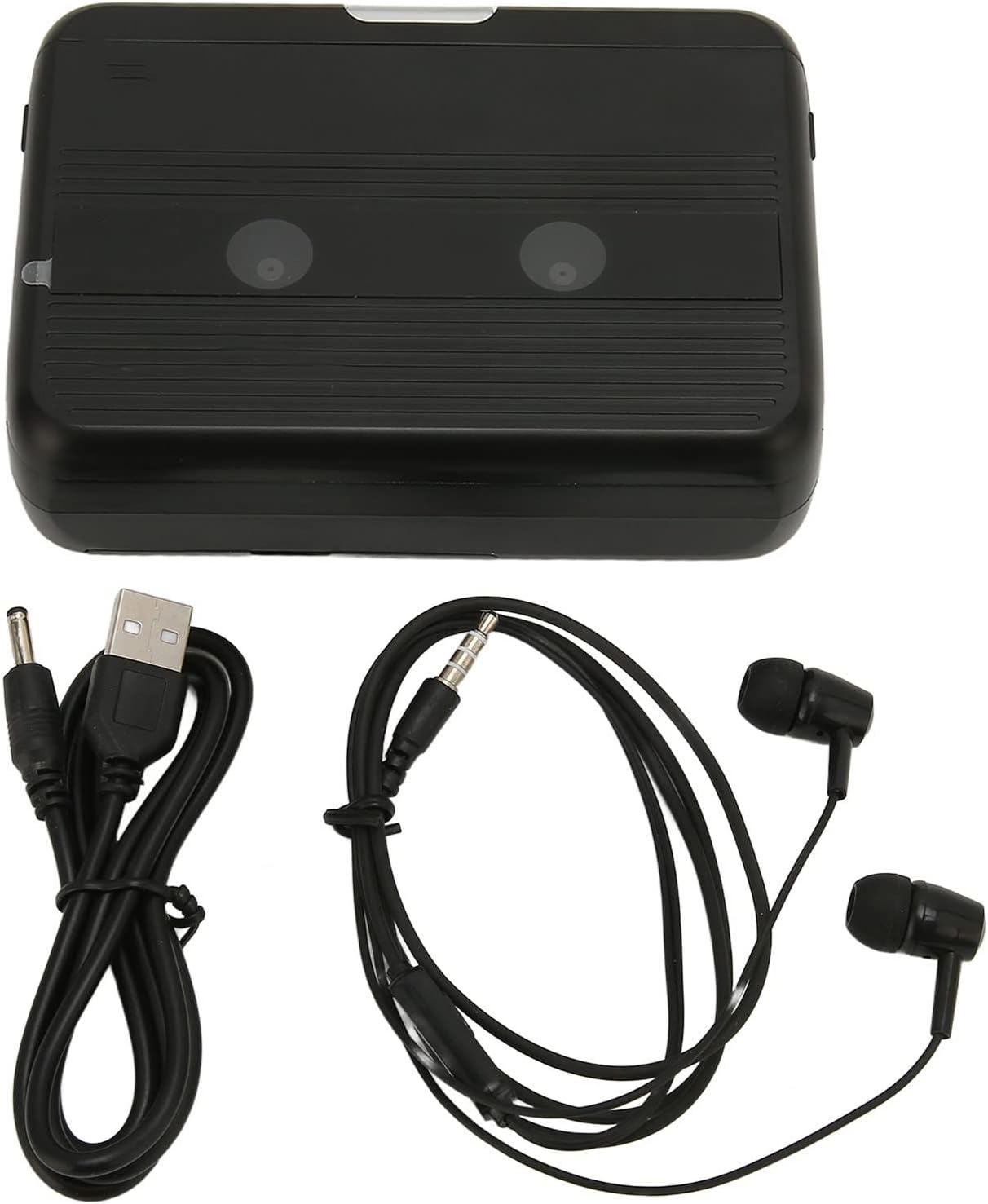
The Cuifati Portable Cassette Player shown alongside its included USB power cord and wired headphones.
Tuote loppuview
Tutustu kasettisoittimesi eri osiin ja säätimiin.
Edessä View (Avata)
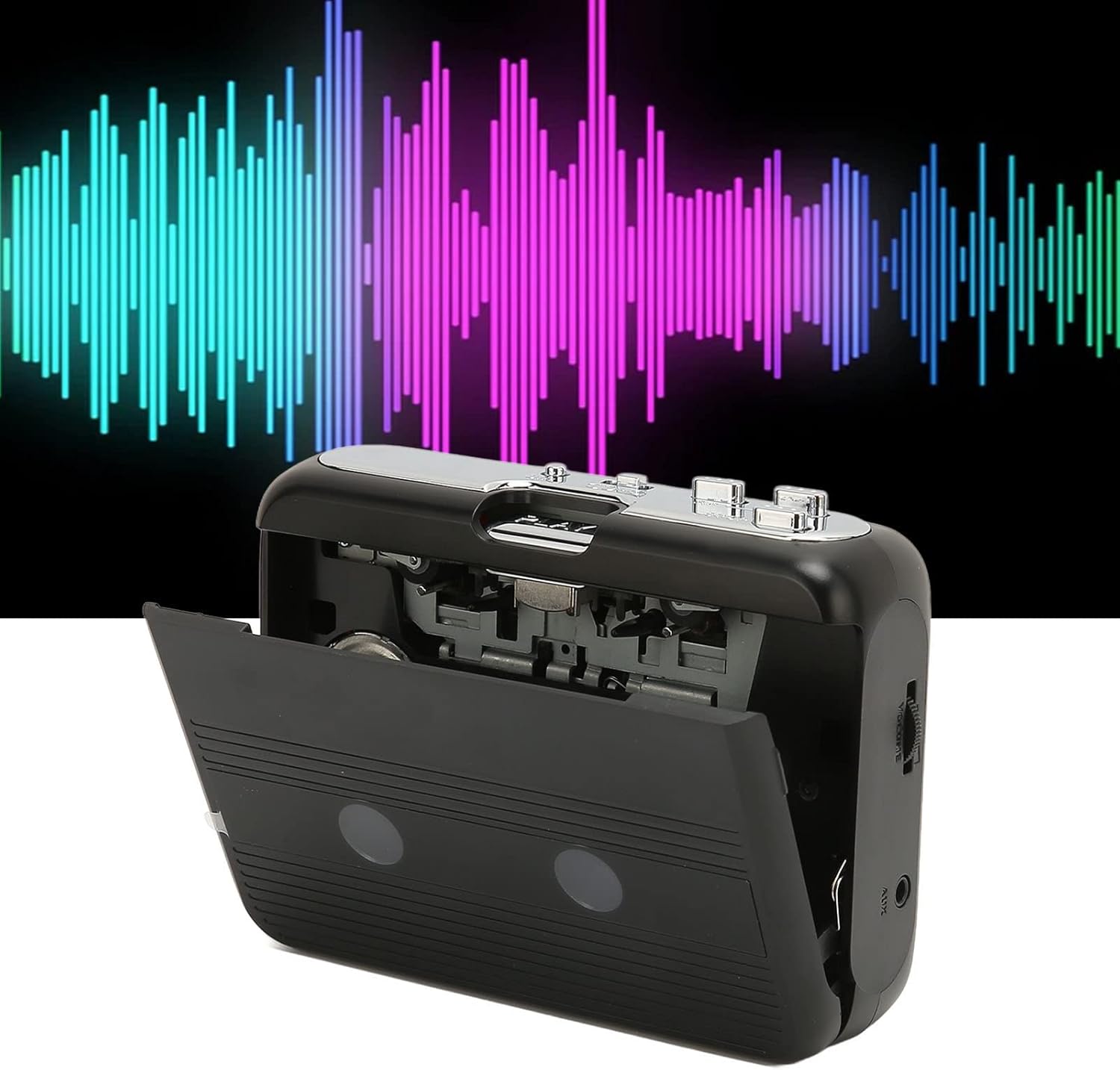
Edessä view of the Cuifati Portable Cassette Player with the cassette compartment door open, revealing the tape mechanism.
Edessä View (Suljettu)
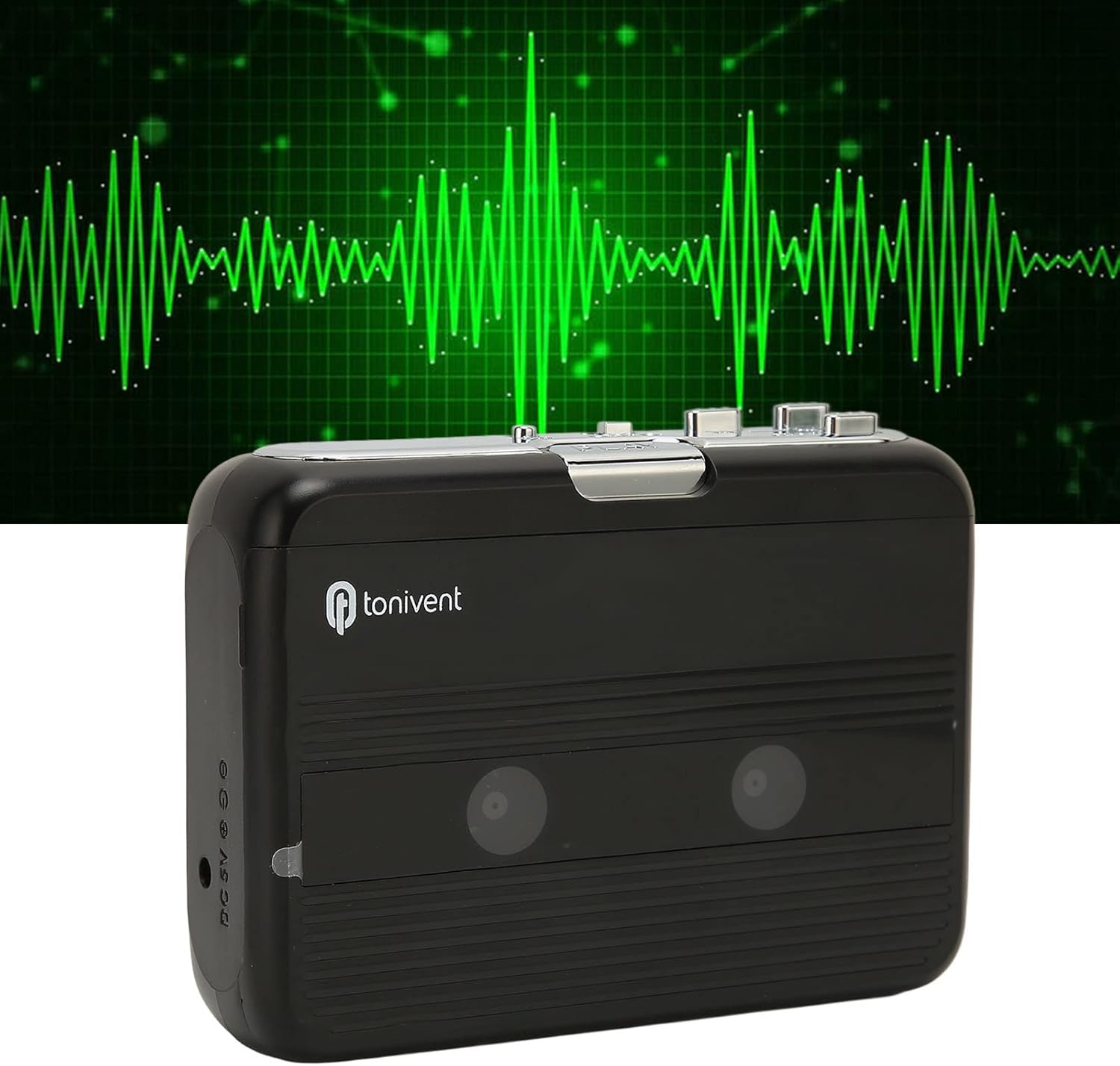
Edessä view of the Cuifati Portable Cassette Player with the cassette compartment door closed.
Cassette Mechanism

Lähikuva view of the cassette player's internal mechanism, showing the tape heads and rollers.
Sivu View (Ohjaimet ja portit)

Sivu view of the cassette player, highlighting the volume control wheel and the AUX output port.
Keskeiset säätimet:
- Toistopainike: Initiates cassette playback.
- Stop-painike: Halts playback.
- Fast Forward (FF) Button: Kelaa nauhaa nopeasti eteenpäin.
- Rewind (REW) Button: Kelaa nauhaa nopeasti taaksepäin.
- Auto Reverse Button: Changes tape direction during playback.
- Äänenvoimakkuuden säätöpyörä: Säätää äänen lähtötasoa.
- FM/Tape Switch: Selects between FM radio and cassette playback mode.
- Headphone/AUX Output Jack: Connects headphones or external audio devices.
- DC 5V tulo: USB-virtalähteelle.
Asennus
Virtalähde
The cassette player can be powered by two (2) AA batteries or via a USB power supply.
- Akun asennus:
- Avaa laitteen takana oleva paristolokeron kansi.
- Aseta kaksi AA-paristoa paristolokeroon varmistaen oikean napaisuuden (+/-) lokeron sisällä olevien merkkien mukaisesti.
- Sulje paristolokeron kansi kunnolla.
- USB-virtaliitäntä:
- Connect the small end of the included USB power cord to the DC 5V input port on the cassette player.
- Connect the standard USB end to a USB power adapter (not included) or a computer's USB port.
Kasetin asettaminen paikalleen
- Avaa kasettipesän luukku varovasti.
- Insert a cassette tape with the exposed tape facing upwards and the side you wish to play facing the front.
- Close the cassette compartment door until it clicks securely.
Käyttöohjeet
Kasettien soittaminen
- Ensure a cassette tape is properly inserted.
- Set the FM/Tape switch to the "Tape" position.
- Paina Pelata -painiketta aloittaaksesi toiston.
- Säädä Äänenvoimakkuuden säätöpyörä haluamallesi kuuntelutasolle.
- Pysäytä toisto painamalla Stop -painiketta.
- Kelaa eteenpäin painamalla FF -painiketta. Kelaa taaksepäin painamalla REW -painiketta. Lehdistö Stop to disengage.
Auto Reverse Function
The player features an auto-reverse function, allowing the tape to play in both directions without needing to manually flip the cassette.
- Paina toiston aikana Automaattinen peruutus button to switch the tape direction. The player will automatically reverse and continue playing the other side of the tape.
FM-radion käyttäminen
- Set the FM/Tape switch to the "FM" position.
- Use the tuning dial (if present, otherwise the FF/REW buttons might serve as tuning) to scan for FM radio stations.
- Säädä Äänenvoimakkuuden säätöpyörä haluamallesi kuuntelutasolle.
Sisäänrakennetun kaiuttimen käyttö
The device includes a built-in speaker for direct audio output. No special action is required; audio will play through the speaker unless headphones are connected.
Connecting Headphones or External Audio Devices
For private listening or connecting to external speakers, use the 3.5mm headphone/AUX output jack.
- Plug the included headphones or your own 3.5mm audio cable into the Headphone/AUX Output Jack.
- When headphones are connected, audio will automatically switch from the built-in speaker to the headphones.

A person listening to music with headphones, illustrating the headphone usage.
Huolto
Proper care ensures the longevity and optimal performance of your cassette player.
- Puhdistus: Puhdista laitteen ulkopinta pehmeällä, kuivalla liinalla. Älä käytä nestemäisiä puhdistusaineita tai hankaavia aineita.
- Nauhapäät: Periodically clean the tape heads with a specialized cassette head cleaner to maintain sound quality.
- Varastointi: Kun laitetta ei käytetä pitkään aikaan, poista paristot vuotojen estämiseksi. Säilytä laitetta viileässä, kuivassa paikassa, poissa suorasta auringonvalosta ja äärimmäisistä lämpötiloista.
- Vältä pölyä: Keep the cassette compartment closed when not in use to prevent dust accumulation.
Vianetsintä
If you encounter issues with your cassette player, refer to the following common problems and solutions:
| Ongelma | Mahdollinen syy | Ratkaisu |
|---|---|---|
| Ei virtaa | Dead batteries; USB cable not connected; faulty power source. | Replace batteries; ensure USB cable is securely connected to a working power source. |
| Ei ääntä kaiuttimesta/kuulokkeista | Volume too low; headphones not fully plugged in; FM/Tape switch in wrong position; dirty tape heads. | Increase volume; ensure headphones are fully inserted; set switch to correct mode (Tape/FM); clean tape heads. |
| Poor sound quality (cassette) | Dirty tape heads; worn-out tape; incorrect tape insertion. | Clean tape heads; try a different tape; re-insert tape correctly. |
| FM-radion kohina/heikko kuuluvuus | Heikko signaali; häiriö. | Relocate the player to an area with better reception; try adjusting the player's orientation. |
| Nauha ei soi/liiku | Tape jammed; mechanism issue; tape not inserted correctly. | Check for tape jams; ensure tape is inserted correctly; if issue persists, contact support. |
Tekniset tiedot
| Ominaisuus | Yksityiskohta |
|---|---|
| Merkki | Cuifati |
| Mallinumero | Cuifatibi73wk0z4p |
| ASIN | B0CDD42V9J |
| Virtalähde | 2 x AA Batteries or USB DC 5V |
| Toiminnot | Cassette Playback, Auto Reverse, FM Radio, Built-in Speaker, Headphone Output |
| Äänilähtö | 3.5mm Headphone/AUX Jack |
| Tuotteen paino | 10.3 unssia |
Tärkeitä turvallisuustietoja
- Älä altista laitetta vedelle, kosteudelle tai äärimmäisille lämpötiloille.
- Vältä laitteen pudottamista tai altistamista voimakkaille iskuille.
- Älä yritä purkaa tai korjata laitetta itse. Jätä kaikki huoltotyöt pätevän henkilöstön tehtäväksi.
- Hävitä paristot vastuullisesti paikallisten määräysten mukaisesti.
- Pitkäaikainen kuuntelu suurella äänenvoimakkuudella voi aiheuttaa kuulovaurioita. Säädä äänenvoimakkuus turvalliselle tasolle.
Takuu ja tuki
Takuutietoja tai teknistä tukea varten katso ostohetkellä toimitettuja asiakirjoja tai ota yhteyttä jälleenmyyjään. Säilytä ostokuitti ostotodistuksena.