
1. Johdanto
This manual provides detailed instructions for the installation, operation, and maintenance of your Ctronics CTIPC-790C-EU 5MP PTZ Wi-Fi Security Camera. Please read this manual thoroughly before using the product to ensure proper function and safety. This camera is designed for both indoor and outdoor surveillance, offering high-resolution video, advanced detection features, and flexible connectivity.

Kuva 1: Etuosa view of the Ctronics 5MP PTZ Wi-Fi Security Camera. This image displays the camera's dome shape, lens, and LED illuminators.
2. Pakkauksen sisältö
Varmista, että pakkauksessasi on kaikki alla luetellut tuotteet. Jos jokin tuote puuttuu tai on vaurioitunut, ota yhteyttä asiakastukeen.
- Ctronics CTIPC-790C-EU 5MP PTZ Wi-Fi Security Camera
- Virtalähde
- Latauskaapeli
- Käyttöohje
- Asennusteline
- Kiinnitysruuvit
3. Tuote ohiview
The Ctronics CTIPC-790C-EU camera offers advanced surveillance capabilities:
- 5MP Ultra HD -resoluutio: Provides clear 2560x1920 pixel video and images, offering more detail than 1080P or 4MP cameras.
- Dual-Band Wi-Fi (2.4/5GHz): Supports both 2.4GHz for extended range and better penetration, and 5GHz for faster transmission and reduced interference.
- PTZ-toiminnallisuus: Kääntyy 355° ja kallistuu 90° kattavan alueen peittämiseksi.
- Tekoälyn ihmisen tunnistus ja automaattinen seuranta: Intelligent technology reduces false alarms by up to 95% and automatically tracks detected human movement.
- Värillinen yönäkö: Achieves full-color night vision up to 25 meters or infrared night vision up to 30 meters for clear visibility in low-light conditions.
- Kaksisuuntainen ääni: Sisäänrakennettu mikrofoni ja kaiutin etäviestintää varten.
- IP66 Säänkestävä: Durable construction suitable for outdoor use in various weather conditions.
- Joustavat säilytysvaihtoehdot: Supports continuous 24/7 recording to a microSD card (up to 128GB), cloud storage, or FTP.

Figure 2: This image illustrates the superior clarity of 5MP resolution compared to 2MP, highlighting finer details in a vehicle.
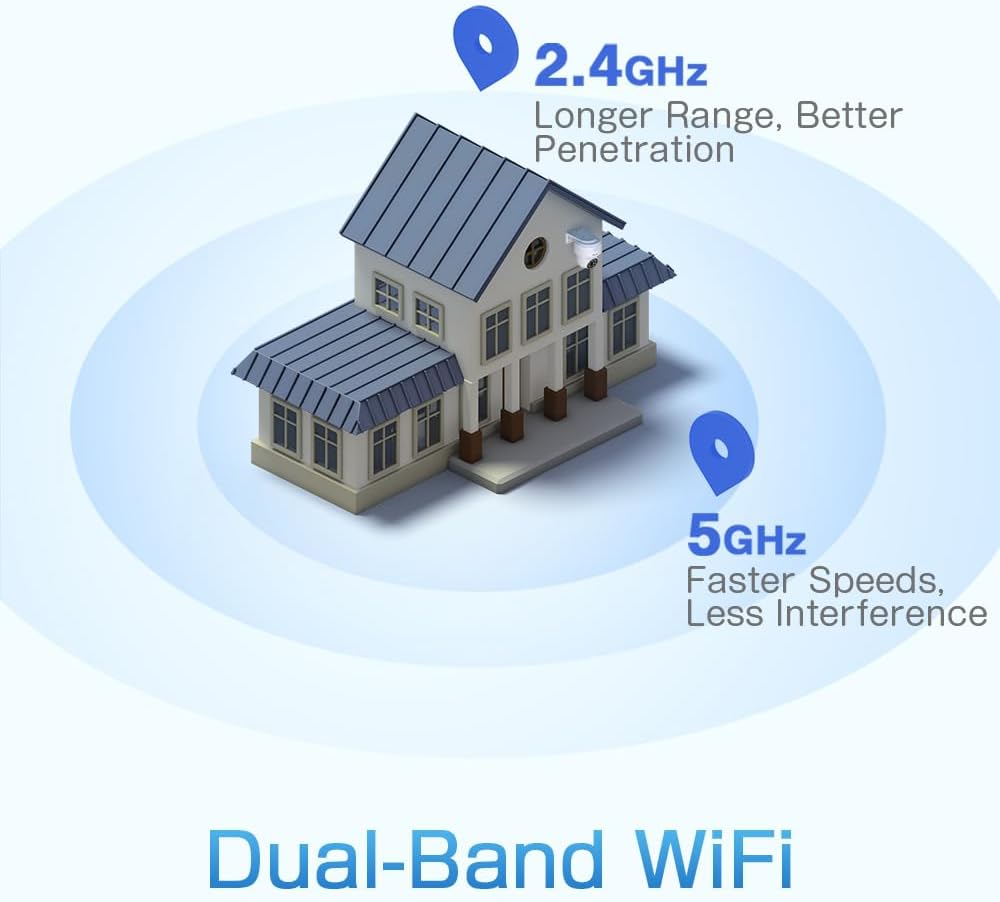
Figure 3: A diagram depicting a house with Wi-Fi signals. The 2.4GHz signal offers longer range and better penetration, while the 5GHz signal provides faster speeds and less interference.
4. Asennus
4.1 Fyysinen asennus
The camera can be mounted on a wall or ceiling. Ensure the mounting location provides a clear field of view ja on Wi-Fi-yhteyden kantaman sisällä.
- Valitse sijainti: Select a suitable indoor or outdoor location. The camera is IP66 waterproof, making it resistant to dust and water jets.
- Asennus:
- Seinäkiinnitys: Use the provided mounting bracket and screws to secure the camera to a wall.
- Kattoon kiinnitys: The camera can also be mounted directly to a ceiling.
- Säädä kulmaa: After mounting, adjust the camera's orientation as needed.

Figure 4: This image displays two installation methods: wall mounting using a bracket and ceiling mounting.

Figure 5: This image illustrates both ceiling and wall installation options, emphasizing the camera's IP66 waterproof rating by showing it under simulated rain.
4.2 Virtaliitäntä
Connect the provided power adapter to the camera's power input and then plug it into a standard electrical outlet. Ensure the connection is secure.
4.3 Verkkoyhteys
The camera supports both 2.4GHz and 5GHz Wi-Fi networks. For initial setup, it is recommended to place the camera near your Wi-Fi router.
- Lataa sovellus: Download the Ctronics Pro or CamHi Pro app from your smartphone's app store (available for iOS and Android). For PC, use HiP2P Client software.
- Rekisteröi tili: Avaa sovellus ja rekisteröi uusi tili tai kirjaudu sisään, jos sinulla on jo tili.
- Lisää kamera: Lisää kamerasi sovelluksen sisäisten ohjeiden mukaisesti. Tämä tarkoittaa yleensä QR-koodin skannaamista kamerasta tai sen tunnuksen manuaalista syöttämistä.
- Yhdistä Wi-Fi-verkkoon: Select your desired 2.4GHz or 5GHz Wi-Fi network and enter the password. The camera will connect to the network.
5. Käyttöohjeet
5.1 Livenä View ja PTZ-ohjaus
Once connected, you can access the live video feed through the Ctronics app or PC software.
- Live-syöte: Napauta sovelluksessa kameraa view the real-time video stream.
- Panorointi/kallistus: Use the directional controls within the app to rotate the camera horizontally (pan 355°) and vertically (tilt 90°).
- Zoomaa: Digital zoom is available through the app.
- Esiasetetut paikat: Set up to 8 preset positions for quick navigation to specific areas.
5.2 Tekoälyn avulla tapahtuva ihmisen tunnistus ja automaattinen seuranta
The camera's intelligent detection system can identify human shapes and track their movement.
- Ota tunnistus käyttöön: In the app settings, enable AI Human Detection.
- Adjust Sensitivity & Area: Customize the detection sensitivity and define specific detection zones to minimize false alarms.
- Automaattinen seuranta: When enabled, the camera will automatically follow detected human movement within its field of view.
- Hälytykset: Receive instant notifications via the app or email when motion is detected. The camera can also trigger customizable sound and light alarms.

Figure 6: This image shows the camera detecting a person at night, with an alarm notification displayed on a smartphone, illustrating the human detection and auto-tracking features.
5.3 Pimeänäkö
The camera offers enhanced night vision capabilities:
- Täysvärinen yönäkö: When spotlights are activated, the camera can provide full-color video in low-light conditions up to 25 meters.
- Infrapunayönäkö: In complete darkness, the camera automatically switches to infrared mode, providing clear black and white video up to 30 meters.

Figure 7: An image showing the camera mounted outdoors at night, with its spotlights illuminated to provide full-color night vision. A smartphone displays the live feed.
5.4 Kaksisuuntainen ääni
Use the two-way audio feature to communicate with individuals near the camera.
- Puhua: Pidä sovelluksen mikrofonikuvaketta painettuna puhuaksesi kameran kaiuttimen kautta.
- Kuunnella: Enable the speaker icon to listen to audio from the camera's microphone.
5.5 Tallennus ja tallennus
Kamera tukee useita tallennus- ja säilytysmenetelmiä:
- MicroSD-kortti: Insert a microSD card (up to 128GB, not included) into the designated slot for local 24/7 continuous recording.
- Pilvitallennus: Subscribe to a cloud storage service (if available) for off-site video backup.
- FTP: Configure FTP settings in the app to upload recordings to an FTP server.

Figure 8: This image illustrates the camera's 24/7 recording capability and various recording modes, including a timeline view on a smartphone and a filmstrip showing recorded events.
6. Huolto
6.1 Puhdistus
Regularly clean the camera lens and housing to ensure optimal image quality and performance.
- Käytä pehmeää, damp liinalla kameran ulkopinnan pyyhkimiseen.
- Käytä linssin puhdistukseen erityistä linssinpuhdistusliinaa ja -liuosta naarmujen välttämiseksi.
- Älä käytä voimakkaita kemikaaleja tai hankaavia puhdistusaineita.
6.2 laiteohjelmistopäivitystä
Periodically check for firmware updates through the Ctronics app. Keeping your camera's firmware updated ensures access to the latest features and security enhancements.
7. Vianmääritys
Jos kamerassasi ilmenee ongelmia, katso seuraavia yleisiä ratkaisuja:
| Ongelma | Mahdollinen ratkaisu |
|---|---|
| Kamera ei muodosta yhteyttä Wi-Fi-verkkoon |
|
| Huono kuvanlaatu |
|
| Ei liiketunnistushälytyksiä |
|
| MicroSD-kortti ei tallenna |
|
Jos tarvitset lisätietoja, ota yhteyttä Ctronicsin asiakastukeen.
8. Tekniset tiedot
Key technical specifications for the Ctronics CTIPC-790C-EU camera:
| Ominaisuus | Erittely |
|---|---|
| Mallin nimi | CTIPC-790C-EU |
| Resoluutio | 5 megapikseliä (2560x1920) |
| Langaton tekniikka | Wi-Fi (2.4 GHz/5 GHz) |
| Pan kulma | 355 astetta |
| Kallistuskulma | 90 astetta |
| Yönäköalue | 25 Meters (Color), 30 Meters (IR) |
| Vedenkestävyystaso | IP66 (vedenpitävä) |
| Tallennusvaihtoehdot | MicroSD (up to 128GB), Cloud, FTP |
| Virtalähde | Sähkökaapeli (12 volttia, 12 wattia) |
| Asennustyyppi | Wall Mount, Screw-in |
| Materiaali | Akryylinitriilibutadieenistyreeni (ABS) |
| Yhteensopivat laitteet | Tietokone, älypuhelin, tabletti |
| Käyttöjärjestelmän tuki | Android, iOS, Windows, Mac OS |
9. Takuu ja tuki
Ctronicsin tuotteet on suunniteltu luotettaviksi ja tehokkaiksi. Takuutiedot ja tekninen tuki löytyvät Ctronicsin virallisilta verkkosivuilta. websivustolta tai ota yhteyttä suoraan heidän asiakaspalveluunsa. Säilytä ostokuitti ostotodistuksena takuuvaatimuksia varten.
- Online-tuki: Käy Ctronicsin virallisella sivustolla websivusto usein kysyttyjen kysymysten, vianmääritysoppaiden ja ohjelmistojen lataamiseen.
- Sähköpostituki: Contact Ctronics customer service via email for technical assistance.