
1. Tuote ohiview
The Midland SPK100 is a heavy-duty 20W external speaker designed to provide clear and powerful audio for various two-way radio systems, including CB, MXT, GMRS, marine, and amateur/commercial DMR radios. Its robust construction ensures reliable performance in challenging environments.
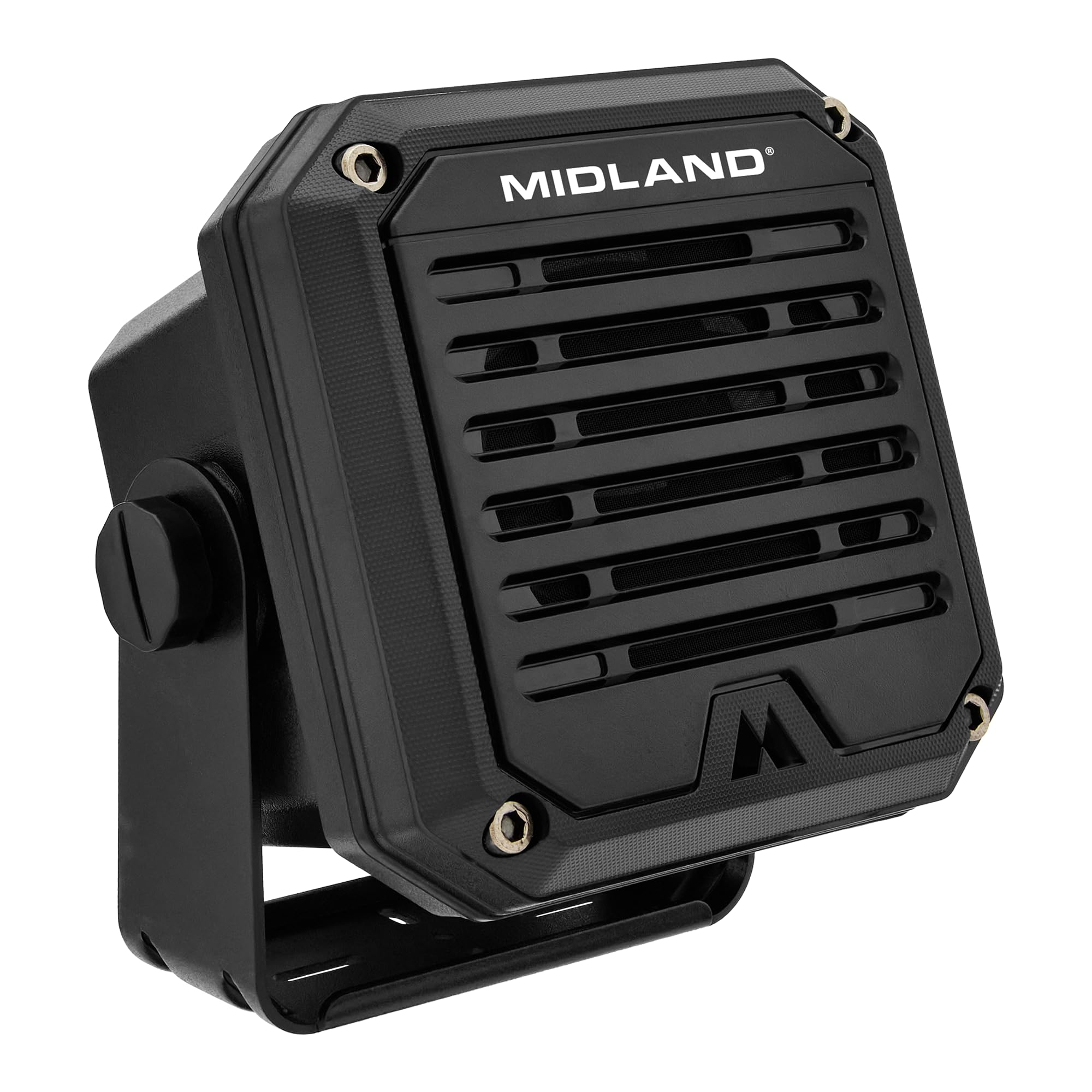
Kuva 1: Etuosa view of the Midland SPK100 External Speaker.
2. Mitä laatikossa on
- Midland SPK100 External Speaker
- 6.5ft cable with 3.5mm plug
- 180 asteen asennusteline
- Asennuslaitteisto
3. Tärkeimmät ominaisuudet
- Crisp, Clear Sound: Delivers enhanced audio quality, ensuring important communications are heard clearly.
- 20 watin kapasiteetti: Provides powerful audio output to cut through background noise in loud environments.
- IP67 vedenpitävä ja pölytiivis: Designed to withstand harsh weather conditions and dusty environments, making it suitable for outdoor and open-air vehicle use.
- Pitkä kaapelin pituus: Equipped with a 6.5ft cable for flexible placement options.
- Yleinen yhteensopivuus: Features a standard 3.5mm audio plug for connection to most CB, MXT, GMRS, marine, and amateur/commercial DMR radios.
- 180 astetta kääntyvä jalusta: An adjustable mounting bracket allows for versatile positioning.

Figure 2: The SPK100 is suitable for various loud environments.

Figure 3: The SPK100 features an IP67 waterproof rating.

Figure 4: The SPK100 features an IP67 dustproof rating.
4. Asennus ja asennus
4.1 Kaiuttimen asennus
- Select a suitable mounting location that provides optimal sound projection and is within reach of your radio's external speaker jack.
- Use the provided mounting bracket and hardware to securely attach the speaker to the desired surface. The 180-degree swivel base allows for flexible positioning.
- Ensure the speaker is mounted in a stable position to prevent movement during operation.
4.2 Radion yhdistäminen
- Locate the external speaker jack on your compatible CB, MXT, GMRS, marine, or amateur/commercial DMR radio. This is typically a 3.5mm jack.
- Insert the 3.5mm audio plug from the SPK100 speaker cable firmly into your radio's external speaker jack.
- Varmista, että yhteys on turvallinen.

Figure 5: The SPK100 with its 3.5mm audio plug.

Kuva 6: Esimample installation of the SPK100 with a radio.
5. Käyttö
Once the Midland SPK100 is properly installed and connected to your radio, audio from your radio will be routed through the external speaker. Adjust the volume directly on your radio to control the output level of the SPK100. The speaker is designed to deliver clear audio even at high volumes, making it ideal for noisy environments.
Video 1: An official video introducing the Midland SPK100 Heavy-Duty 20W External Speaker, highlighting its features and benefits.
6. Huolto
The Midland SPK100 is built for durability with its IP67 waterproof and dustproof rating. To maintain its performance:
- Regularly inspect the speaker and cable for any signs of damage or wear.
- Clean the exterior of the speaker with a damp liinalla tarpeen mukaan. Vältä voimakkaiden kemikaalien tai hankaavien puhdistusaineiden käyttöä.
- Ensure the 3.5mm audio plug remains clean and free of debris to maintain a good connection.
7. Vianmääritys
If you experience issues with your SPK100 speaker, consider the following:
- Ei ääntä:
- Ensure the 3.5mm audio plug is fully inserted into the radio's external speaker jack.
- Check the volume level on your radio; increase it if necessary.
- Verify that your radio is powered on and functioning correctly.
- Vääristynyt ääni:
- Reduce the volume on your radio. Excessive volume can cause distortion.
- Check the audio cable for any damage or kinks.
- Varmista, että kaiutin on tukevasti kiinnitetty eikä tärise muita pintoja vasten.
- Ajoittainen ääni:
- Check for loose connections at both the speaker and the radio.
- Inspect the 3.5mm plug and jack for corrosion or debris.
If these steps do not resolve the issue, please contact Midland customer support.
8. Tekniset tiedot
| Merkki | Midland |
| Mallinumero | SPK100 |
| Kaiuttimen suurin lähtöteho | 20 wattia |
| Impedanssi | 8 ohmia |
| Yhteystekniikka | Auxiliary (3.5mm plug) |
| Vedenkestävyystaso | IP67 Vedenpitävä |
| Pölynkestävyystaso | IP67 Pölynkestävä |
| Asennustyyppi | Tabletop Mount with 180-degree Swivel Base |
| Kotelon materiaali | Metalli |
| Kaapelin pituus | 6.5 jalkaa |
| Tuotteen mitat (S x L x K) | 5"D x 5"W x 2"H (approximate, based on product images) |
| Yhteensopivat laitteet | Midland CB and MXT radios, GMRS Mobiles, Marine Radios, Amateur/Commercial DMR radios |

Figure 7: Dimensions of the Midland SPK100 Speaker.
9. Takuu ja tuki
The Midland SPK100 Heavy-Duty 20W External Speaker comes with a Limited Warranty. For specific warranty terms, duration, and to register your product, please refer to the warranty card included in your product packaging or visit the official Midland websivusto.
For technical support, troubleshooting assistance, or to inquire about replacement parts, please contact Midland customer service directly. Contact information can typically be found on the Midland websivustolla tai tuotedokumentaatiossa.