
1. Turvallisuustiedot
Read and understand all instructions before operating the Hyper Toys 24V Go Kart Ride On. Failure to follow safety guidelines may result in serious injury.
- Aikuisten valvonta vaaditaan: This product is intended for use under direct adult supervision.
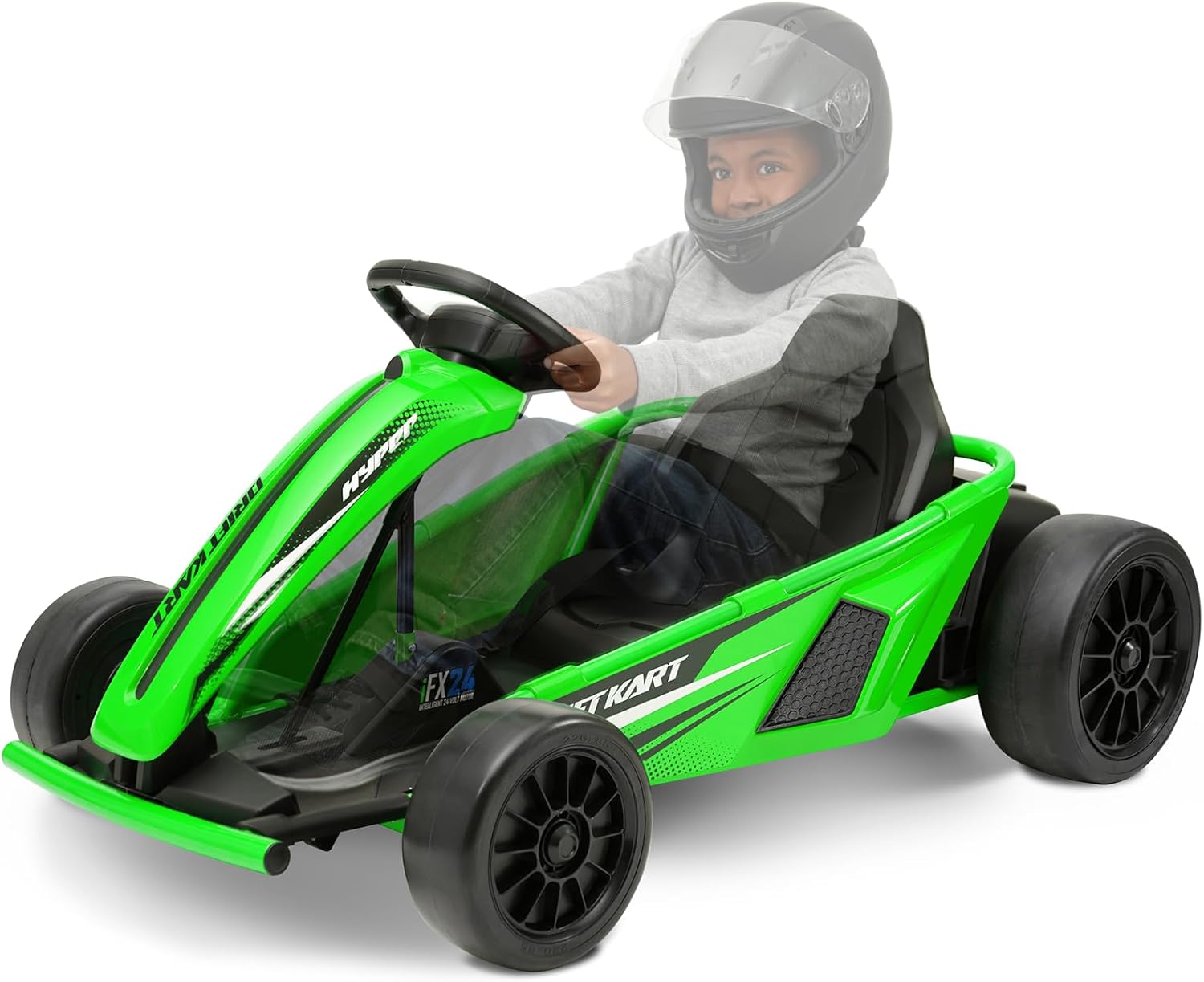
- Suojavarusteet: Always wear a helmet and appropriate safety gear (e.g., knee pads, elbow pads) when operating the Go Kart.
- Painorajoitus: Älä ylitä kuljettajan enimmäispainoa 154 puntaa (70 kg).
- Käyttöpinta: Operate the Go Kart only on hard, flat, dry surfaces. Avoid loose dirt, sand, gravel, steep inclines, or wet conditions.
- Tyhjennä alue: Ensure the operating area is free from obstacles, traffic, and other hazards.
- Akun turvallisuus: Handle the battery according to instructions. Do not modify or expose to extreme temperatures.
- Ei matkustajia: This Go Kart is designed for a single rider only.
2. Tuote ohiview
The Hyper Toys 24V Go Kart Ride On is an electric vehicle designed for recreational use on appropriate surfaces. It features multiple speed settings and a drift driving mode for an engaging experience.
Tärkeimmät ominaisuudet:
- Helppo käyttö painikkeella
- Forward low speed: 5 mph
- Reverse speed: 5 mph
- Forward maximum speed: 9 mph
- Drift driving mode
- Realistic racing-style steering wheel
- Durable construction with a racing bucket seat


3. Kokoamisohjeet
The Hyper Toys 24V Go Kart requires some assembly before first use. Please follow these general steps. Refer to the detailed assembly manual included in the product packaging for specific diagrams and instructions.
Tarvittavat työkalut:
- Wrench (size may vary)
- Ruuvimeisseli (Phillips-pää)
Kokoamisvaiheet:
- Pura komponentit: Poista kaikki osat varovasti pakkauksesta ja tarkista ne käyttöohjeen osaluettelon perusteella.
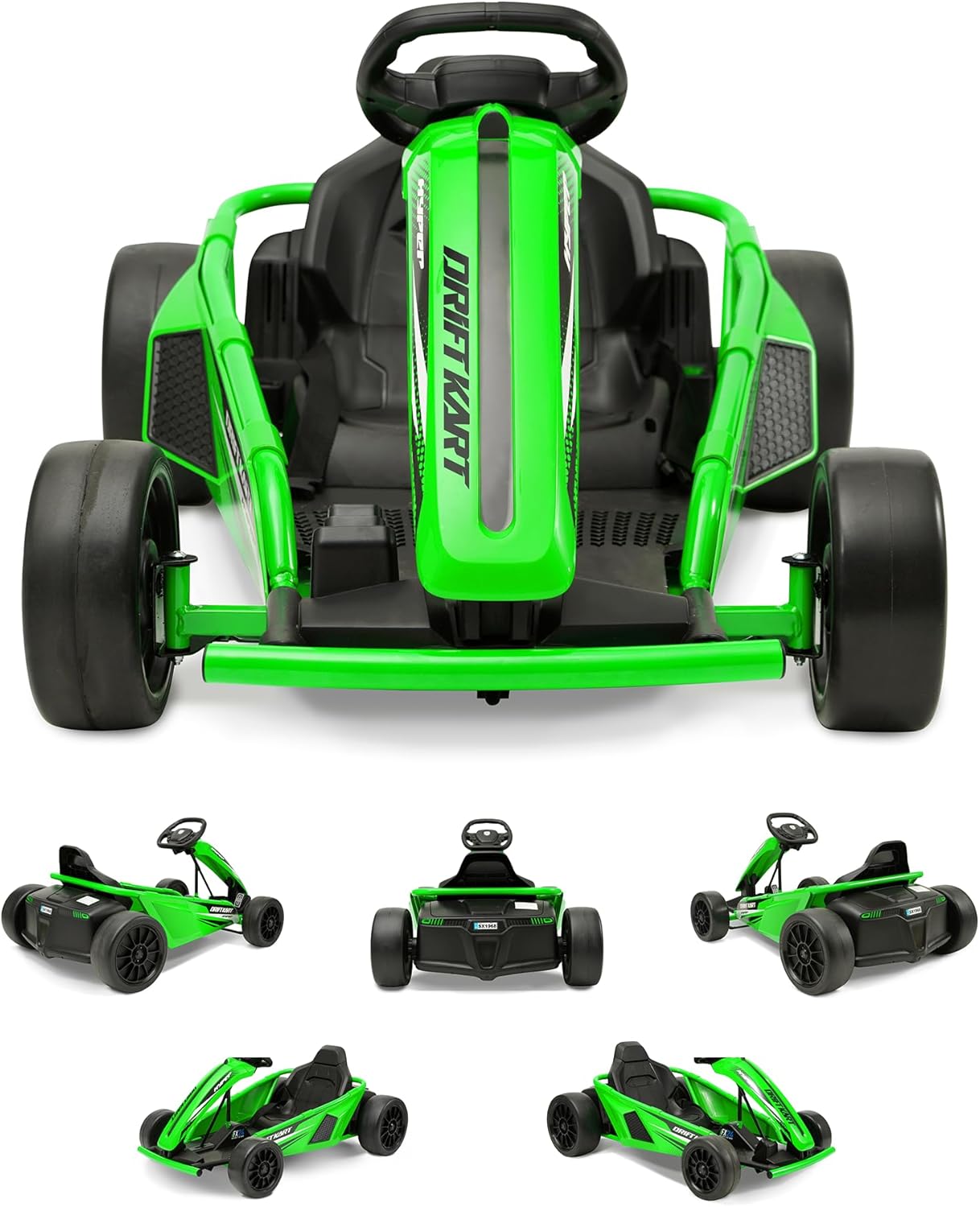
- Kiinnitä etupyörät: Securely attach the front wheels to the axle using the provided hardware.
- Kiinnitä takapyörät: Securely attach the rear wheels to the drive axle.
- Ohjauspylvään asentaminen: Insert the steering column and connect it to the steering mechanism.
- Istuimen kiinnitys: Attach the racing bucket seat to the Go Kart frame.
- Liitä akku: Locate the battery compartment, typically under the seat or chassis. Connect the battery terminals as instructed. Ensure connections are secure.
- Lopputarkastukset: Before first use, ensure all bolts, nuts, and connections are tight and secure.
4. Operating the Go Kart
Familiarize yourself with the controls before operating the Go Kart.
Säätimet:
- Virtapainike: Located on the dashboard or near the steering wheel. Press to turn the Go Kart on or off.
- Kaasupoljin: Located on the right footrest. Press to move forward.
- Jarrupoljin: Located on the left footrest. Press to slow down or stop.
- Nopeuden valitsin: A switch or button to select between low speed (5 mph), reverse (5 mph), and maximum speed (9 mph).
- Drift Mode Switch: Activates the drift function, typically affecting the rear wheels for controlled sliding.
Käynnistys ja ajaminen:
- Ensure the Go Kart is fully charged.
- Sit securely in the racing bucket seat.
- Press the power button to turn on the Go Kart.
- Select your desired speed setting (low, reverse, or max).
- Gently press the accelerator pedal to begin moving.
- Käytä ohjauspyörää suunnan ohjaamiseen.
- To activate drift mode, engage the drift mode switch while driving. This mode is best used on smooth, hard surfaces.
- To stop, release the accelerator and press the brake pedal.

5. Huolto ja hoito
Regular maintenance ensures the longevity and safe operation of your Go Kart.
Akun lataus:
- The Go Kart uses 1 Lithium Ion battery (included).
- Always use the charger provided with the Go Kart.
- Lataa akku täyteen ennen ensimmäistä käyttökertaa (yleensä 8–12 tuntia).
- Älä lataa akkua liikaa. Irrota laturi, kun lataus on valmis.
- Charge the battery after each use, even if only for a short period, to maintain battery health.
- If storing the Go Kart for an extended period, charge the battery monthly.
Puhdistus:
- Wipe down the Go Kart with a damp liinalla jokaisen käytön jälkeen.
- Vältä voimakkaiden kemikaalien tai hankaavien puhdistusaineiden käyttöä.
- Älä suihkuta vettä suoraan sähköosiin.
Varastointi:
- Store the Go Kart in a dry, cool place away from direct sunlight and moisture.
- Protect the Go Kart from extreme temperatures.
Renkaiden hoito:
- The Go Kart is designed for hard surfaces. Avoid rough terrain or surfaces that may cause excessive wear to the wheels.
- Periodically inspect wheels for wear and tear.
6. Vianmääritys
If you encounter issues with your Go Kart, refer to the following common problems and solutions.
| Ongelma | Mahdollinen syy | Ratkaisu |
|---|---|---|
| Karting ei liiku | Battery not charged; Battery connection loose; Power switch off; Motor issue | Charge battery fully; Check battery terminals for secure connection; Ensure power switch is ON; Inspect motor and wiring (contact support if needed). |
| Alennettu nopeus tai teho | Low battery charge; Overload (exceeding weight limit); Operating on unsuitable surface | Recharge battery; Ensure rider is within weight limit; Operate on hard, flat surfaces. |
| Go Kart makes unusual noises | Loose parts; Debris in wheels/motor; Worn components | Inspect for loose parts and tighten; Clear any debris; Contact support for worn component assessment. |
| Steering is difficult or unresponsive | Steering mechanism obstruction; Loose steering components | Check for obstructions; Inspect and tighten steering connections. |
If troubleshooting steps do not resolve the issue, please contact Hyper Toys customer support.
7. Tekniset tiedot
Detailed specifications for the Hyper Toys 24V Go Kart Ride On.
| Ominaisuus | Yksityiskohta |
|---|---|
| Tuotteen mitat | 46 x 11.5 x 23 tuumaa (117 x 29 x 58 cm) |
| Tuotteen paino | 56 puntaa (25.4 kg) |
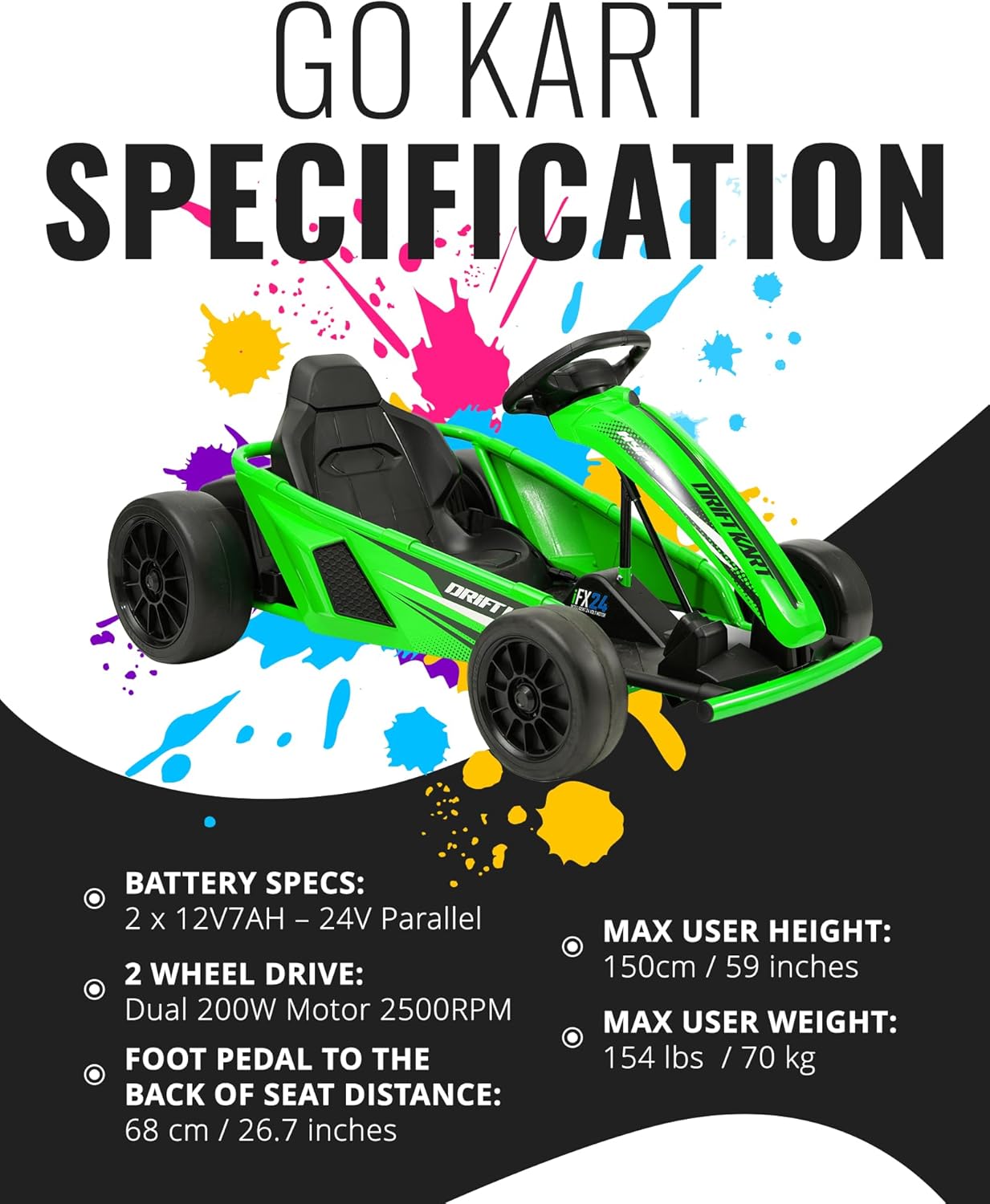
| Akku | 1 Lithium Ion battery (included), 2 x 12V7AH - 24V Parallel |
| Moottori | Dual 200W Motor 2500RPM (2 Wheel Drive) |
| Ratsastajan maksimipaino | 154 puntaa (70 kg) |
| Käyttäjän enimmäispituus | 150 cm / 59 tuumaa |
| Foot Pedal to Back of Seat Distance | 68 cm / 26.7 tuumaa |
| Nopeudet | Forward Low: 5 mph, Reverse: 5 mph, Forward Max: 9 mph |
| Käyttöpinta | Hard surfaces only |

8. Takuu ja tuki
Hyper Toy Co is committed to providing high-quality products. This product comes with a standard manufacturer's warranty covering defects in materials and workmanship under normal use.
Takuutiedot:
- Please refer to the warranty card included in your product packaging for specific terms, conditions, and duration.
- Säilytä ostokuitti takuuvaatimuksia varten.
Asiakastuki:
For technical assistance, parts replacement, or warranty inquiries, please contact Hyper Toys customer support:
- Websivusto: Visit the official Hyper Toys websivusto (katso tuotteen pakkauksesta lisätietoja URL).
- Sähköposti: [Insert Customer Support Email Here, if available in packaging]
- Puhelin: [Insert Customer Support Phone Number Here, if available in packaging]


