
Johdanto
Kiitos ostoksestasiasing the QFX BT-1960 Retro Car Bluetooth Speaker. This manual provides essential information for setting up, operating, and maintaining your speaker. Please read it thoroughly before use to ensure proper functionality and to maximize your listening experience.

Kuva: Edessä view of the QFX BT-1960 Retro Car Bluetooth Speaker in black.
Pakkauksen sisältö
- QFX BT-1960 Retro Car Bluetooth Speaker
- USB-latauskaapeli
- Käyttöopas (tämä asiakirja)
Tuotteen ominaisuudet
- Bluetooth-yhteys langattomaan äänen suoratoistoon
- True Wireless Stereo (TWS) -toiminto kahden kaiuttimen parittamiseen
- Built-in FM Radio tuner
- USB and TF Card ports for direct media playback
- Hands-Free Link with built-in microphone for calls
- Integrated LED Party Lights
- Ladattava akku kannettavaan käyttöön
- Kompakti ja kannettava muotoilu
Ohjaimet ja portit

Kuva: Takaosa view of the speaker showing the various ports and controls.
- Virta / tila-painike: Press and hold to power on/off. Short press to switch between Bluetooth, FM Radio, USB, and TF Card modes.
- Toisto/tauko-painike: Play or pause audio. In FM mode, short press to auto-scan and save stations.
- Edellinen kappale/äänenvoimakkuuden vähennys: Short press for previous track. Press and hold to decrease volume. In FM mode, short press for previous station.
- Seuraava kappale/äänenvoimakkuuden lisäys: Short press for next track. Press and hold to increase volume. In FM mode, short press for next station.
- USB-portti: Insert USB flash drive for audio playback.
- TF-korttipaikka: Insert TF (MicroSD) card for audio playback.
- DC 5V latausportti: Liitä USB-latauskaapeli tähän.
- AUX-tulo: Connect external audio devices using a 3.5mm audio cable (not included).
- Mikrofoni: Handsfree-puheluita varten.
Asennus
1. Kaiuttimen lataaminen
Before first use, fully charge the speaker. Connect the supplied USB charging cable to the DC 5V port on the speaker and the other end to a USB power adapter (not included) or a computer USB port. The charging indicator light will illuminate during charging and turn off when fully charged.
2. Virta päälle/pois
Paina ja pidä painettuna Virta/tila button for approximately 3 seconds to turn the speaker on or off. The speaker will emit a car engine sound upon powering on and a locking sound when powering off.
Käyttöohjeet
1. Bluetooth-pariliitos
- Käynnistä kaiutin. Se siirtyy automaattisesti Bluetooth-pariliitostilaan, minkä osoittaa vilkkuva LED-valo.
- Ota Bluetooth käyttöön mobiililaitteessasi (älypuhelin, tabletti jne.).
- Etsi käytettävissä olevat Bluetooth-laitteet ja valitse luettelosta "QFX BT-1960".
- Kun pariliitos on muodostettu, kaiuttimesta kuuluu vahvistusääni ja LED-valo lakkaa vilkkumasta.
- Voit nyt toistaa ääntä laitteestasi kaiuttimen kautta.
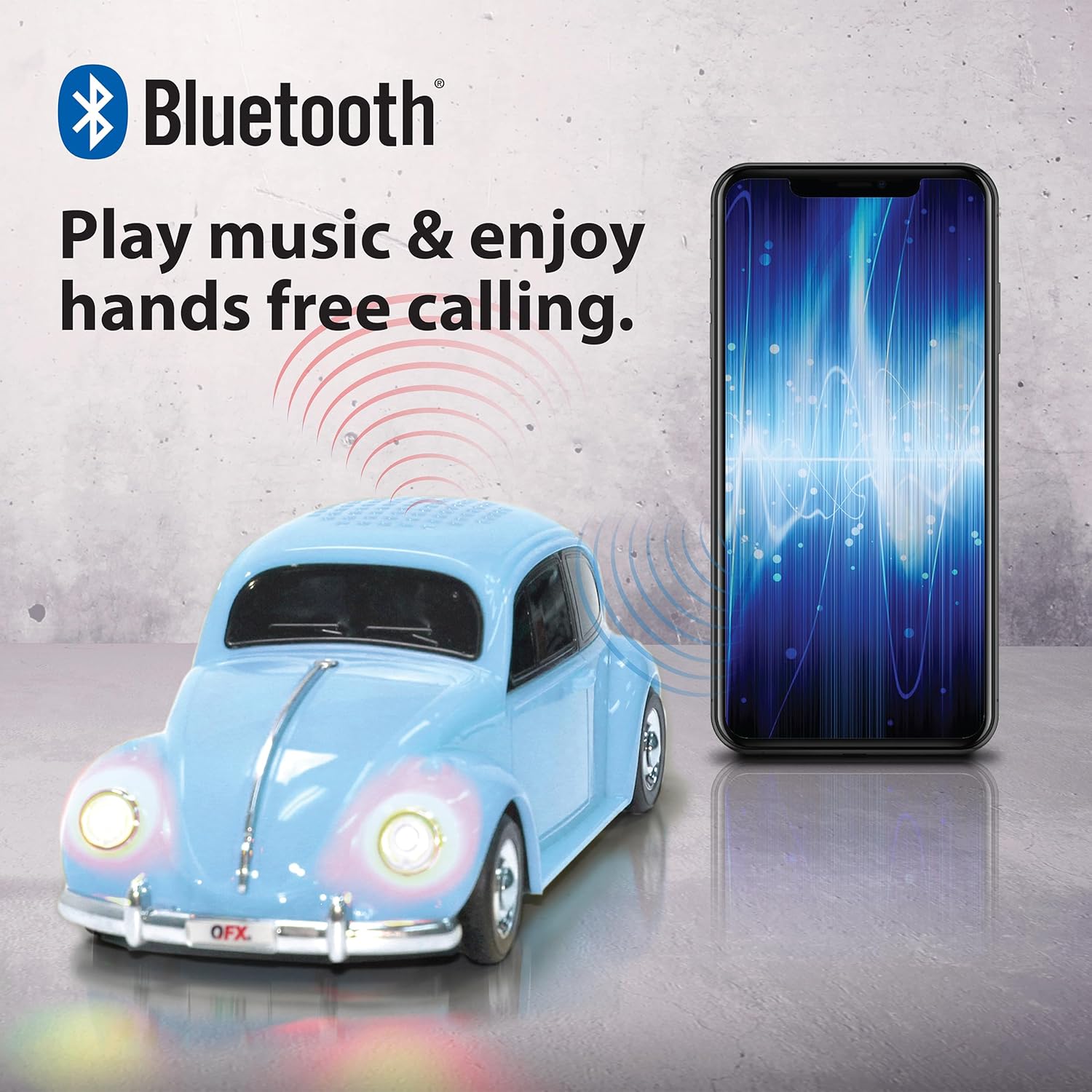
Image: A QFX BT-1960 speaker connected via Bluetooth to a smartphone.
2. Aidosti langattoman stereon (TWS) pariliitos
The TWS function allows you to pair two BT-1960 speakers together for a stereo sound experience.
- Ensure both BT-1960 speakers are powered on and in Bluetooth mode, but not yet connected to any device.
- On one of the speakers (this will be the master speaker), double-press the Toista/Tauko button. It will search for the second speaker.
- Once connected, both speakers will emit a confirmation tone.
- Now, connect your mobile device to the master speaker via Bluetooth as described in the "Bluetooth Pairing" section.
- Ääni toistetaan nyt stereona molemmista kaiuttimista.

Image: Two QFX BT-1960 speakers (yellow and red) paired together for TWS, with a smartphone in the center.
3. FM-radion käyttö
- Paina Virta/tila button repeatedly until you hear the FM radio mode announcement.
- Paina lyhyesti Toista/Tauko -painiketta, joka skannaa ja tallentaa saatavilla olevat FM-asemat automaattisesti.
- Käytä Edellinen kappale / äänenvoimakkuuden vähennys ja Seuraava kappale / äänenvoimakkuuden lisäys painikkeita siirtyäksesi tallennettujen asemien välillä.
4. USB/TF-kortin toisto
Insert a USB flash drive or TF (MicroSD) card into the corresponding port. The speaker will automatically switch to the correct mode and begin playing audio files (MP3-muotoa suositellaan).
5. Handsfree-puhelut
Kun kaiutin on yhdistetty älypuhelimeen Bluetoothin kautta, sitä voidaan käyttää handsfree-puheluihin:
- Vastaa puheluun: Paina lyhyesti Toista/Tauko -painiketta.
- Lopeta puhelu: Paina lyhyesti Toista/Tauko painiketta uudelleen.
- Hylkää puhelu: Paina ja pidä painettuna Toista/Tauko -painiketta.
6. LED-juhlavalot
The speaker features integrated LED lights that illuminate during operation. These lights are designed to enhance the listening experience and cannot be turned off independently.

Image: A QFX BT-1960 speaker with its LED lights active.
Tekniset tiedot
| Ominaisuus | Yksityiskohta |
|---|---|
| Mallin nimi | BT-1960 |
| Yhteydet | Bluetooth |
| Kaiuttimen koko | 2 x 3 tuuman kaiutinta |
| Bluetooth-alue | Jopa 10 metriä (33 jalkaa) |
| Äänitulo | Bluetooth, USB, TF-kortti, AUX |
| Virtalähde | Ladattava litiumioniakku |
| Mitat (S x L x K) | 9 cm x 4 cm x 3 cm (noin) |
| Paino | 14.08 unssia (noin) |
| Lisäominaisuudet | FM Radio, LED Lights, Built-in Microphone, TWS Function |

Image: The QFX BT-1960 speaker with its approximate dimensions labeled.
Vianetsintä
- Ei virtaa: Ensure the speaker is fully charged. Connect the USB charging cable and allow it to charge for at least 2 hours.
- Ei ääntä:
- Tarkista äänenvoimakkuus sekä kaiuttimesta että yhdistetystä laitteesta.
- Ensure the speaker is in the correct mode (Bluetooth, FM, USB, TF, AUX).
- If using Bluetooth, ensure the speaker is properly paired with your device.
- Jos käytät USB/TF-korttia, varmista, että ääni fileovat yhteensopivassa muodossa (esim. MP3).
- Bluetooth-yhteyden katkaisu:
- Varmista, että laitteesi on 10 metrin Bluetooth-kantaman sisällä.
- Tarkista, onko kaiuttimen ja laitteen välissä esteitä.
- Try unpairing and re-pairing the speaker with your device.
- FM-radion kuuluvuus on heikko: Siirrä kaiutin paikkaan, jossa signaalin vastaanotto on parempi.
- LED Lights Cannot Be Turned Off: The LED lights are an integrated feature and cannot be independently disabled.
Huolto
- Puhdista kaiutin pehmeällä, kuivalla liinalla. Älä käytä hankaavia puhdistusaineita tai liuottimia.
- Vältä kaiuttimen altistamista äärimmäisille lämpötiloille, suoralle auringonvalolle tai kosteudelle.
- Säilytä kaiutinta viileässä ja kuivassa paikassa, kun sitä ei käytetä.
- Älä yritä purkaa tai korjata kaiutinta itse, sillä se mitätöi takuun.
Takuu ja tuki
The QFX BT-1960 Retro Car Bluetooth Speaker comes with a 1 vuoden rajoitettu takuu ostopäivästä lukien. Tämä takuu kattaa valmistusvirheet ja työn laadun normaalissa käytössä.
Takuu ei kata vahinkoja, jotka johtuvat väärinkäytöstä, onnettomuudesta, luvattomista muutoksista tai normaalista kulumisesta.
For warranty claims or technical support, please contact QFX customer service:
- Puhelin: 800.864.2582
- Sähköposti: support@qfxusa.com
Please have your proof of purchase and product model number (BT-1960) ready when contacting support.


