
1. Johdanto
Thank you for choosing the SILENTWARE Air 1000 Black ATX Midi Tower PC Case. This manual provides essential information for the proper installation, operation, and maintenance of your new PC case. Please read this manual thoroughly before beginning the assembly process to ensure a smooth and successful build.
2. Turvallisuustiedot
- Always disconnect the power supply from the wall outlet before installing or removing any components inside the PC case.
- Käsittele komponentteja varoen välttääksesi staattisen sähkön purkausten (ESD) aiheuttamat vauriot. Harkitse antistaattisen rannekkeen käyttöä.
- Be cautious of sharp edges inside the case.
- Älä yritä muokata koteloa tai sen osia, sillä se voi mitätöidä takuun ja aiheuttaa turvallisuusriskejä.
- Pidä kotelo poissa vedestä, kosteudesta ja äärimmäisistä lämpötiloista.
3. Pakkauksen sisältö
Varmista, että pakkauksessasi on kaikki tarvittavat osat:
- SILENTWARE Air 1000 Black ATX Midi Tower PC Case
- Pre-installed 4x 120mm ARGB Fans
- Accessory box (screws, cable ties, standoffs, etc.)
- Käyttöopas (tämä asiakirja)
4. Tuote ohiview
The SILENTWARE Air 1000 is an ATX Midi Tower PC case designed for optimal airflow and component compatibility. It features a mesh front panel for maximum ventilation and a tempered glass side panel to showcase your build.


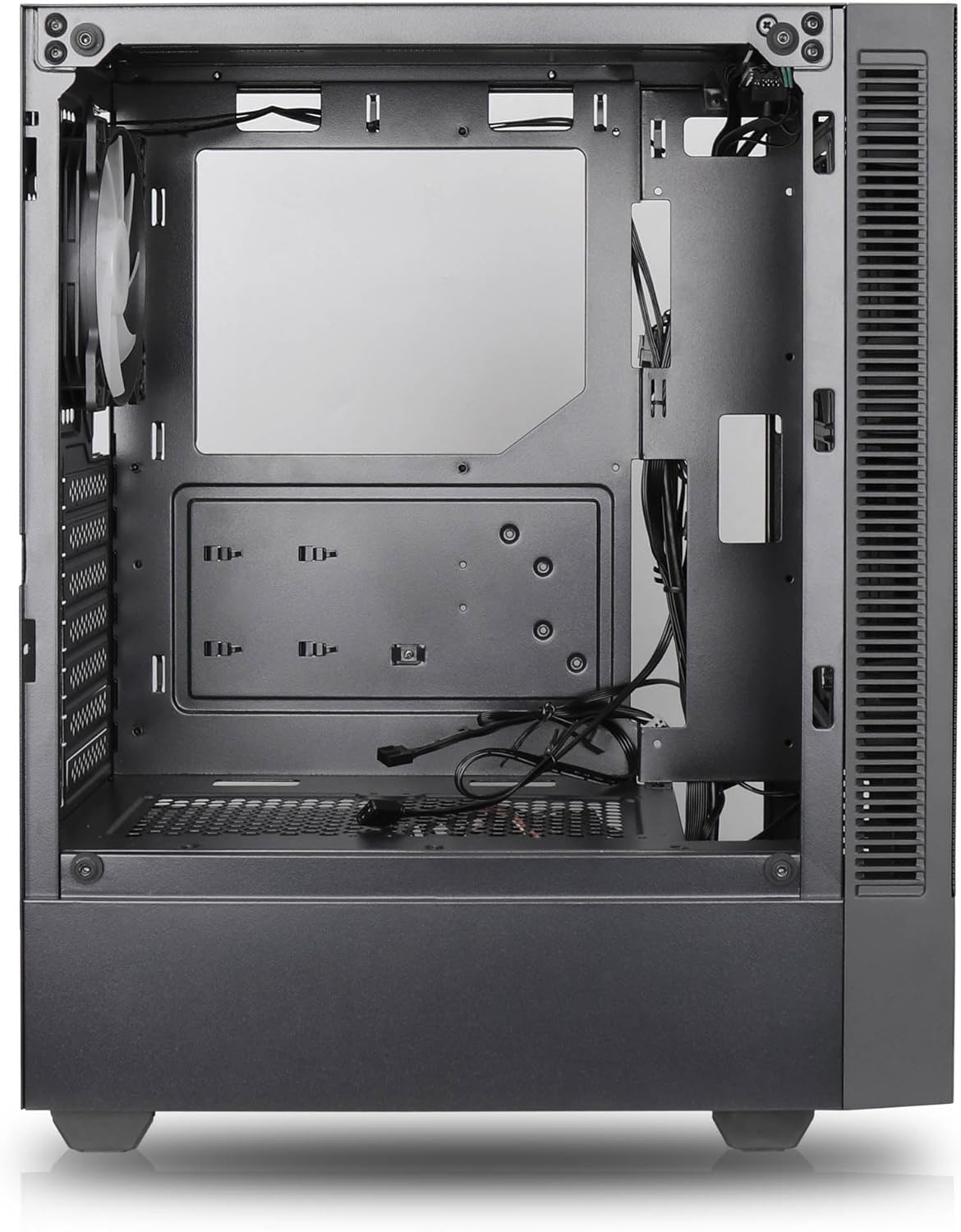

Tärkeimmät ominaisuudet:
- Suurin ilmavirta: Large mesh front panel and four pre-installed 140mm A-RGB fans with hydraulic bearings ensure excellent ventilation.
- Easy PC Building: Thoughtful design with daisy-chain connections simplifies installation, eliminating the need for additional adapters or controllers.
- Laadukas suunnittelu: Genuine tempered glass side panel showcases installed components and provides a minimalist, premium aesthetic.
- Flexible Lighting and Control: 3-pin A-RGB fans and 4-pin fan control allow for impressive lighting effects and easy adjustment of fan speed and curves directly from the motherboard.
- Powerful Component Compatibility: Supports GPUs up to 400mm long, radiators up to 360mm (front and top) and 140mm (rear), and space for up to 4 fans.
- Compact Case with Ample Space: Midi tower format accommodates E-ATX, ATX, mATX, and ITX motherboards, up to two 2.5" SSDs, two 3.5" HDDs, and ATX power supplies.
5. Asennusopas
Follow these steps for component installation. Refer to your individual component manuals for specific instructions.
5.1. Asian valmistelu
- Aseta kotelo tasaiselle ja vakaalle alustalle.
- Carefully remove the tempered glass side panel by unscrewing the thumb screws and gently pulling it away. Set it aside on a soft, non-abrasive surface.
- Remove the solid right side panel by unscrewing the thumb screws and sliding it backward.
5.2. Emolevyn asennus
- Asenna I/O-suoja kotelon takaosaan.
- Ensure the correct standoffs are installed for your motherboard form factor (E-ATX, ATX, mATX, ITX). Adjust or add standoffs as needed.
- Aseta emolevy varovasti tukien päälle ja kohdista ruuvinreiät.
- Kiinnitä emolevy mukana toimitetuilla ruuveilla. Älä kiristä liikaa.
5.3. Virtalähteen (PSU) asennus
- Aseta virtalähde sille tarkoitettuun lokeroon kotelon takaosan alareunassa.
- Ensure the PSU fan faces downwards (if the case has a bottom vent) or upwards, depending on your cooling preference.
- Secure the PSU to the case with the provided screws from the rear.
5.4. Tallennusaseman asennus
2.5 tuuman SSD-levyt:
- Locate the 2.5" drive mounts (typically behind the motherboard tray).
- Secure the SSDs using the provided screws.
3.5 tuuman kiintolevyt:
- Locate the 3.5" drive cages (usually near the PSU shroud).
- Slide the HDDs into the drive trays and secure them with screws or tool-less mechanisms if available.
5.5. Näytönohjaimen (GPU) asennus
- Irrota tarvittavat PCIe-paikkojen suojat kotelon takaosasta.
- Align your GPU with the PCIe slot on the motherboard and press firmly until it clicks into place.
- Kiinnitä GPU koteloon ruuveilla.
5.6. Kaapelien hallinta
Hyödynnä emolevyn lokeron takana olevia kaapelien reititysaukkoja ja kiinnityspisteitä kaapeleiden hallintaan. Tämä parantaa ilmankiertoa ja ulkonäköä.
6. Käyttö
6.1. Virran kytkeminen
After all components are installed and cables are connected, reattach the side panels. Connect the power cable to the PSU and a wall outlet, then press the power button on the top I/O panel of the case.
6.2. ARGB-tuulettimen ohjaus
The pre-installed ARGB fans feature 3-pin ARGB connectors for lighting control and 4-pin connectors for fan speed control. These can be connected directly to compatible headers on your motherboard. Use your motherboard's software or BIOS settings to customize lighting effects and fan curves.
7. Huolto
7.1. Puhdistus
- Puhdista pölysuodattimet (jos sellaisia on) säännöllisesti optimaalisen ilmavirran ylläpitämiseksi.
- Use a can of compressed air to remove dust from inside the case and components.
- Pyyhi ulkopinnat pehmeällä, damp kangas. Vältä vahvoja kemikaaleja.
- For the tempered glass panel, use a glass cleaner and a microfiber cloth.
8. Vianmääritys
- PC not powering on: Check all power connections, including the 24-pin motherboard power, 8-pin CPU power, and GPU power cables. Ensure the PSU switch is in the 'ON' position.
- Fans not spinning/RGB not working: Verify that fan and ARGB headers are correctly connected to the motherboard. Check motherboard software for fan speed and lighting control settings.
- Ylikuumeneminen: Ensure proper airflow by checking fan orientation and cleaning dust filters. Verify CPU cooler and GPU cooler are properly seated.
- Ei näyttöä: Confirm the monitor cable is connected to the graphics card (not the motherboard integrated graphics, unless you are using integrated graphics). Reseat the graphics card and RAM modules.
9. Tekniset tiedot
| Ominaisuus | Erittely |
|---|---|
| Merkki | SILENTWARE |
| Mallin nimi | Silentware Flow 100 ARGB |
| Tuotteen mallinumero | VIRTAUS100 |
| ASIN | B0CB8CZ5GF |
| Väri | Musta |
| Asian tyyppi | Mid Tower |
| Materiaali | Karkaistu lasi |
| Emolevyn yhteensopivuus | ATX, Micro ATX, Mini ITX |
| Yhteensopivat laitteet | ATX, mATX, ITX motherboards, GPUs up to 325mm, radiators up to 360mm, 2.5" and 3.5" storage drives |
| Suositellut käyttötavat | Pelaaminen |
| Jäähdytysmenetelmä | ilmaa |
| Esiasennetut tuulettimet | 4 x 120 mm ARGB-tuuletin |
| Tuulettimen koko | 140 Millimeters (Note: Product description mentions 140mm fans, while pre-installed are 120mm. Please verify with product packaging.) |
| Virtalähteen kiinnitystyyppi | Pohjakiinnitys |
| Suurin GPU-pituus | 400 mm |
| Radiator Support (Front/Top) | Jopa 360 mm |
| Jäähdyttimen tuki (takana) | Jopa 140 mm |
| 2.5 tuuman asemapaikat | Jopa 2 |
| 3.5 tuuman asemapaikat | Jopa 2 |
10. Takuu ja tuki
For warranty information and technical support, please refer to the official SILENTWARE website or contact your retailer. Specific details regarding spare parts availability and software updates are not available in the provided product information.